1. Úvod
The Nonstop NSO2-BK is a versatile hotel alarm clock designed for convenience and functionality. It features a clear digital display, multiple charging options including USB-C, and an intuitive interface for setting time and alarms. This manual provides detailed instructions for setting up and operating your alarm clock.
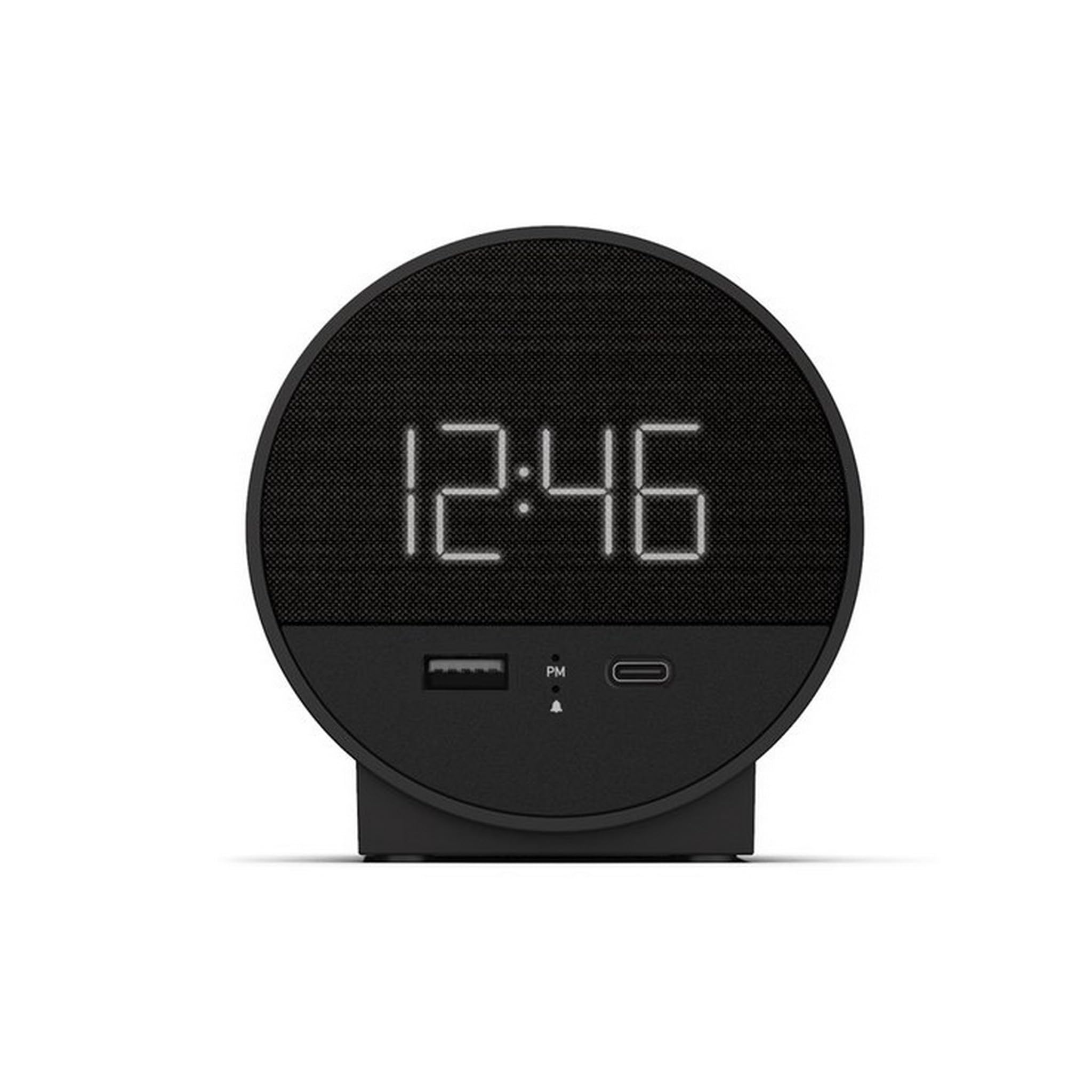
Obrázek 1: Přední strana view of the Nonstop NSO2-BK USB-C Hotel Alarm Clock.
2. Vlastnosti produktu
- Digital Time Display: Clear and easy-to-read time.
- Dual Alarm Function: Set two independent alarms.
- Snooze Function: Temporarily silence the alarm.
- Display Dimmer: Adjust screen brightness for comfort.
- USB-C Charging Port: Modern charging for compatible devices.
- USB-A Charging Port: Standard USB charging for various devices.
- Bluetooth Speaker: Connect your smartphone or other devices to play audio.
- Relaxation Sounds: Built-in sound machine for sleep or relaxation.

Figure 2: Close-up of the USB-A and USB-C charging ports on the alarm clock.
3. Nastavení
3.1 Připojení napájení
- Unpack the alarm clock and all accessories.
- Connect the power adapter to the DC input port on the back of the alarm clock.
- Zapojte napájecí adaptér do standardní elektrické zásuvky. Displej se rozsvítí.
3.2 Backup Battery (Not included)
Pro nepřetržité měření času při výpadku proudutages, insert 2 AAA batteries (not included) into the battery compartment on the bottom of the unit. The backup battery maintains time settings but does not power the display or alarm functions.
4. Návod k obsluze
4.1 Nastavení času
- Stiskněte a podržte NASTAVENÍ ČASU button (often labeled 'M' or a clock icon) for 3 seconds until the hour digits flash.
- Použijte HR (Hodina) a MIN (Minuta) pro nastavení času.
- Stiskněte NASTAVENÍ ČASU znovu pro potvrzení a ukončení režimu nastavení času.
4.2 Nastavení alarmu
The NSO2-BK supports two independent alarms (Alarm 1 and Alarm 2).
- Stiskněte a podržte POPLACH 1 or POPLACH 2 button (bell icon) for 3 seconds until the hour digits flash.
- Použijte HR a MIN tlačítky nastavte požadovaný čas budíku.
- Stiskněte příslušné POPLACH znovu stiskněte tlačítko pro potvrzení času budíku.
- To activate/deactivate an alarm, short press the corresponding POPLACH button. An indicator light will appear/disappear on the display.
4.3 Funkce odložení
Když zazvoní budík, stiskněte velké PODŘIMOVAT button on top of the unit to temporarily silence the alarm for 9 minutes. The alarm will sound again after the snooze period.
4.4 Display Brightness Control
Stiskněte tlačítko SNOOZE/DIMMER button (or a dedicated dimmer button if available) repeatedly to cycle through different brightness levels for the display. Select the level that is most comfortable for you.
4.5 Nabíjecí zařízení
The NSO2-BK provides convenient charging for your electronic devices:
- Port USB-C: Located on the front, plug in your USB-C compatible device for fast charging.
- Port USB-A: Located on the front, plug in your standard USB-A compatible device for charging.
4.6 Bluetooth reproduktor
To use the alarm clock as a Bluetooth speaker:
- Stiskněte tlačítko MODE button (labeled 'M') until 'BT' appears on the display.
- Na svém mobilním zařízení povolte Bluetooth a vyhledejte dostupná zařízení.
- Select 'A21-B' (or similar model name) from the list to pair.
- Once paired, you can play audio from your device through the alarm clock's speaker.
Video 1: Demonstrates various functions including time setting, alarm setting, snooze, brightness, and charging on a similar multifunctional alarm clock. Note: Specific button labels may vary slightly from your model.
5. Údržba
- Čistěte přístroj měkkým, suchým hadříkem. Nepoužívejte tekuté čisticí prostředky ani abrazivní materiály.
- Chraňte jednotku před přímým slunečním zářením, zdroji tepla a vlhkostí.
- Nepokoušejte se jednotku rozebírat ani opravovat sami. Pro pomoc kontaktujte zákaznickou podporu.
6. Řešení problémů
- Bez napájení/Vypnutí displeje: Ensure the power adapter is securely plugged into both the alarm clock and a working electrical outlet. Check if the power outlet is functional.
- Alarm nezní: Verify that the alarm is activated (indicator light on) and the alarm time is correctly set. Check the alarm volume settings.
- Nabíjení nefunguje: Ensure your device is compatible with USB-C or USB-A charging. Check the charging cable for damage.
- Problémy s párováním Bluetooth: Ensure the alarm clock is in Bluetooth pairing mode ('BT' displayed). Turn off and on Bluetooth on your mobile device and try pairing again.
7. Specifikace
| Specifikace | Detail |
|---|---|
| Model | NSO2-BK |
| Hmotnost položky | 2 libry |
| ASIN | B0CKCNX688 |
| Datum první dostupnosti | 29. července 2024 |
8. Záruka a podpora
This Nonstop NSO2-BK USB-C Hotel Alarm Clock comes with a 365-Day Warranty from the date of purchase. For any product-related inquiries, technical support, or warranty claims, please contact our customer service team.
- Zásady vrácení: 30-day refund/replacement period.
- Záruční doba: 365 dní od nákupu.
- E-mail podpory: Andoservice@outlook.com


