1. Úvod
This manual provides detailed instructions for the installation, operation, and maintenance of your Agunto AGU-OC1 & AGU-IC1 Security Camera Set. Please read this manual thoroughly before using the product to ensure proper functionality and safety.
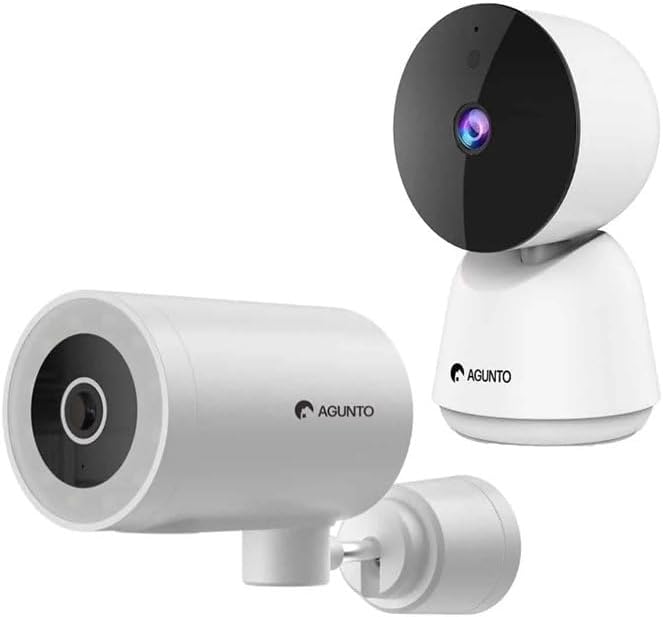
Image: The Agunto AGU-OC1 outdoor camera (left) and AGU-IC1 indoor camera (right), forming the complete security camera set.
2. Konec produktuview
The Agunto Security Camera Set includes two primary components: the AGU-OC1 outdoor camera and the AGU-IC1 indoor camera. This system is designed to provide comprehensive surveillance for both indoor and outdoor environments.
2.1. AGU-OC1 Outdoor Camera
- Rezoluce: 1080P
- Čočka: 180-degree rotatable lens
- Odolnost vůči počasí: IP66 vodotěsný a prachotěsný
- Noční vidění: Infrared night vision and color night vision (due to built-in lamp)
- Detekce: Detekce pohybu a zvuku
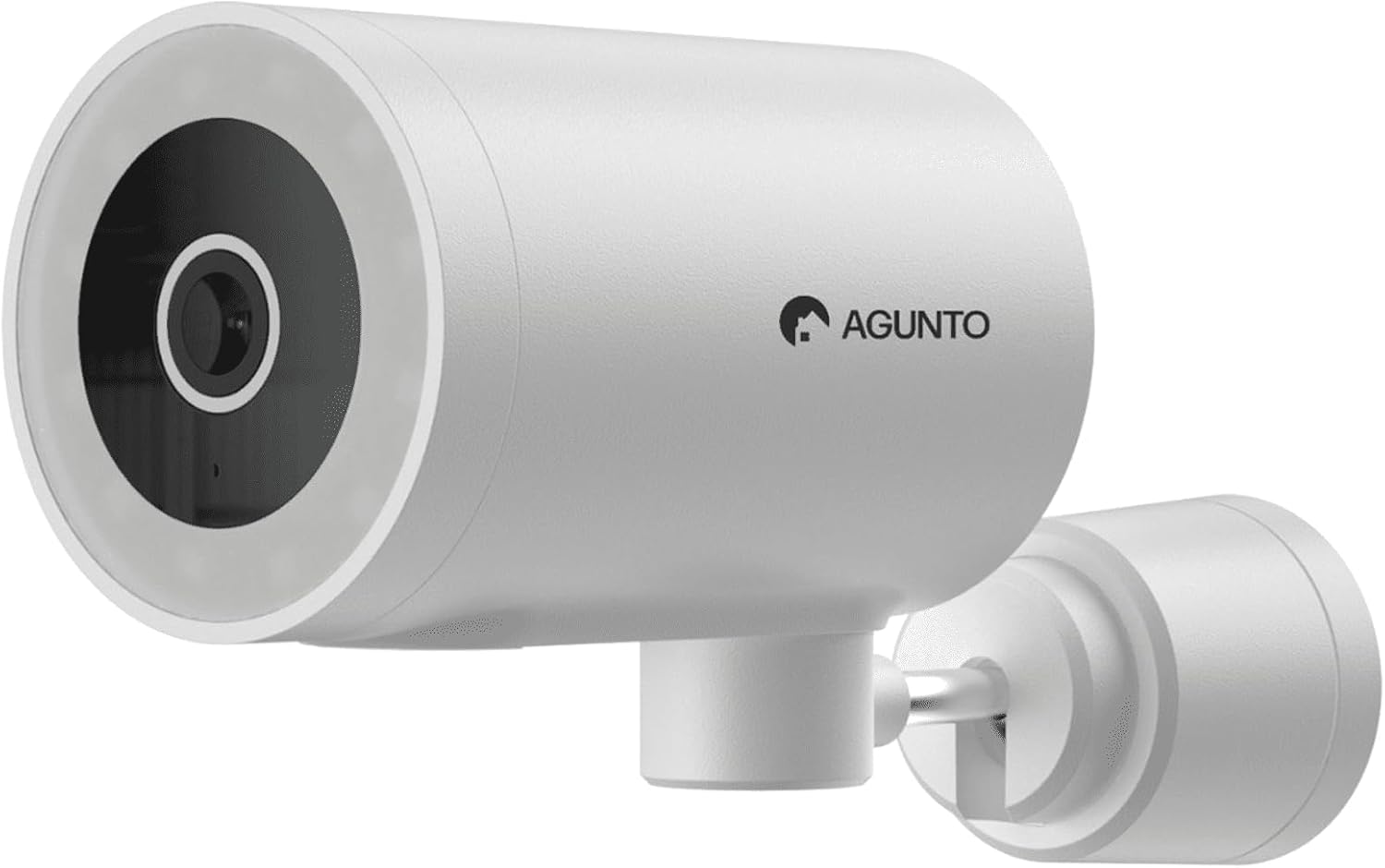
Obrázek: Podrobný view of the Agunto AGU-OC1 outdoor camera, highlighting its robust design and lens.
2.2. AGU-IC1 Indoor Camera
- Rezoluce: 1080P
- Čočka: 359-degree rotatable lens
- Noční vidění: Infračervené noční vidění
- Detekce: Detekce pohybu a zvuku

Image: The Agunto AGU-IC1 indoor camera, shown with its product packaging, indicating Wi-Fi connectivity and Google Assistant compatibility.
3. Nastavení a instalace
3.1. Než začnete
- Ensure you have a stable Wi-Fi connection.
- Download the free Agunto app from the App Store (iOS) or Google Play Store (Android).
- Unpack all components and verify contents against the packing list.

Image: A screenshot of the Agunto mobile application interface, demonstrating remote control capabilities and links to download the app from the App Store and Google Play.
3.2. Instalace aplikace a vytvoření účtu
- Hledat "Agunto" in your device's app store and install the application.
- Open the Agunto app and follow the on-screen prompts to create a new account or log in if you already have one.
3.3. Camera Placement and Mounting
AGU-OC1 Outdoor Camera:
- Vyberte místo s přehledem view oblasti, kterou chcete monitorovat.
- Ujistěte se, že je kamera v dosahu vaší Wi-Fi sítě.
- Mount the camera securely to a wall using the provided mounting hardware. The camera supports wall mounting.
AGU-IC1 Indoor Camera:
- Place the camera on a flat surface or mount it to a wall/ceiling in a central location for optimal coverage.
- Ensure it is within Wi-Fi range.
3.4. Connecting Cameras to the App
- Open the Agunto app.
- Klepnutím na ikonu „+“ přidáte nové zařízení.
- Select the appropriate camera model (AGU-OC1 or AGU-IC1).
- Follow the in-app instructions to connect each camera to your Wi-Fi network. This typically involves scanning a QR code displayed on your phone with the camera's lens or entering Wi-Fi credentials.
- Once connected, you can name each camera for easy identification.
4. Návod k obsluze
4.1. Živě View a dálkové ovládání
- Open the Agunto app.
- Select the desired camera from the device list to view jeho živý přenos.
- For AGU-OC1, use the app to rotate the 180-degree lens.
- For AGU-IC1, use the app to control the 359-degree pan/tilt function.
4.2. Záznam a ukládání
The camera set supports two storage options:
- Micro SD karta: Insert a Micro SD card (not included) into the designated slot on each camera for local storage of recordings.
- Cloudové úložiště: Utilize the cloud storage options provided through the Agunto app (subscription may be required).
4.3. Noční vidění
- Both cameras feature infrared night vision for clear images in low-light conditions.
- The AGU-OC1 outdoor camera also has a built-in lamp for color night vision, providing enhanced visibility at night.
4.4. Motion and Sound Detection
- Enable motion and sound detection in the Agunto app settings for each camera.
- Receive real-time alerts on your smartphone when motion or sound is detected.
- Adjust sensitivity settings to minimize false alarms.
5. Údržba
- Čištění: Gently wipe the camera lenses and body with a soft, dry cloth. Do not use harsh chemicals or abrasive cleaners.
- Aktualizace firmwaru: Regularly check the Agunto app for available firmware updates to ensure optimal performance and security.
- Stabilita sítě: Ensure your Wi-Fi network remains stable for uninterrupted camera operation.
6. Řešení problémů
6.1. Kamera se nepřipojuje k Wi-Fi
- Ensure your Wi-Fi password is entered correctly.
- Přesuňte kameru blíže k Wi-Fi routeru.
- Restartujte router a kameru.
- Verify that your Wi-Fi network is 2.4GHz, as these cameras may not support 5GHz networks.
6.2. No Live View / Offline Camera
- Zkontrolujte připojení k internetu.
- Ujistěte se, že je kamera zapnutá.
- Restart the camera from its power source.
- If the issue persists, try re-pairing the camera with the app.
6.3. Detekce pohybu nefunguje
- Verify that motion detection is enabled in the app settings.
- Upravte úroveň citlivosti.
- Ujistěte se, že v záběru kamery nejsou žádné překážky. view.
6.4. Špatná kvalita obrazu
- Vyčistěte čočku fotoaparátu.
- Zajistěte dostatečné osvětlení v monitorované oblasti.
- Check your internet speed, as low bandwidth can affect streaming quality.
7. Specifikace
| Funkce | Detail |
|---|---|
| Značka | Agunto |
| Název modelu | AGU-OC1IC1 |
| Protokol připojení | Wi-Fi |
| Kompatibilní zařízení | Smartphone |
| Typ montáže | Držák na zeď |
| Materiál | Plast |
| Product Dimensions (L x B x H) | 10 x 4.4 x 7.3 cm |
| Hmotnost položky | 78 gramů |
| Jsou vyžadovány baterie | Žádný |
| Outdoor Camera (AGU-OC1) Features | 1080P, 180-degree rotatable lens, IP66 waterproof/dustproof, Infrared & Color Night Vision |
| Indoor Camera (AGU-IC1) Features | 1080P, 359-degree rotatable lens, Infrared Night Vision |
| Možnosti úložiště | Micro SD card (local), Cloud storage |
8. Záruka a podpora
For warranty information and technical support, please refer to the official Agunto website or contact their customer service. The product is designed for long-term use with proper care and maintenance.
Zásady vrácení: Vítěz Buyboxu uvádí 30denní lhůtu pro vrácení peněz/výměnu.
Výrobce: Agunto
prodejce: Homevitaal (via Amazon.nl)
Pro další pomoc můžete navštívit Agunto Store on Amazon.


