1. Úvod
Thank you for choosing the DIERYA K68se Gaming Mechanical Keyboard. This ultra-compact 60% keyboard is designed for gamers and typists seeking a high-performance, space-saving solution with customizable RGB lighting and responsive red linear switches. This manual will guide you through the setup, operation, and maintenance of your new keyboard.
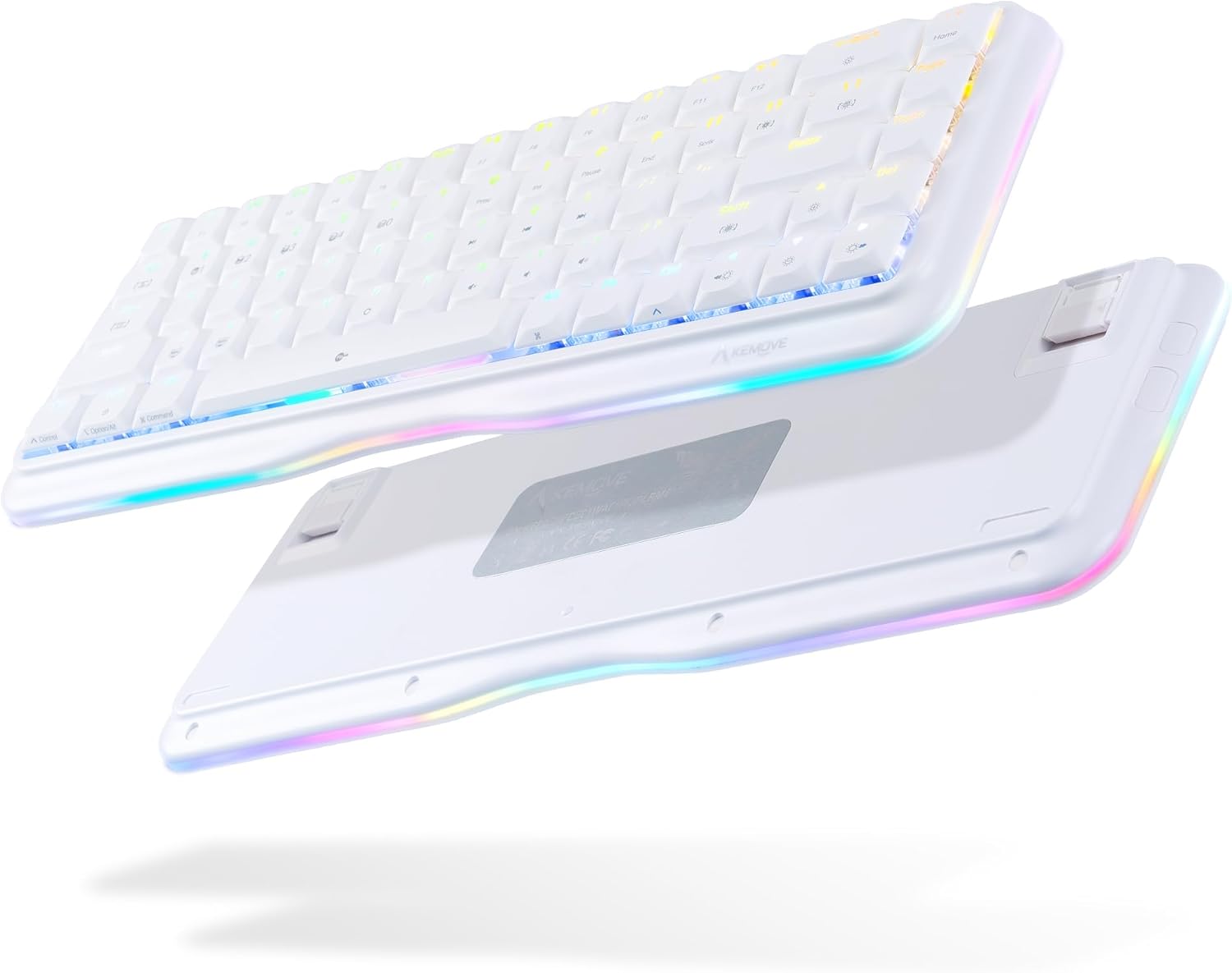
This image displays the DIERYA K68se mechanical keyboard from both a top-down and an angled bottom-up perspective, highlighting its compact 60% layout and the vibrant RGB lighting visible along the sides and through the keycaps. The bottom view shows the adjustable feet.
2. Co je v krabici
Zkontrolujte prosím obsah balení, abyste se ujistili, že jsou přítomny všechny položky:
- DIERYA K68se Mechanical Keyboard
- Odnímatelný kabel USB typu C
- Uživatelská příručka (tento dokument)

This image displays the contents of the DIERYA K68se keyboard package, including the keyboard itself, the detachable USB cable, and the instruction manual, all neatly arranged next to the product box.
3. Nastavení
Setting up your DIERYA K68se keyboard is straightforward:
- Připojte kabel: Vložte konec dodaného kabelu s konektorem USB typu C do portu na zadní straně klávesnice.
- Připojení k počítači: Plug the USB-A end of the cable into an available USB port on your computer (PC or Laptop).
- Instalace ovladače: The keyboard is plug-and-play and should be automatically recognized by your operating system (Windows). No additional drivers are typically required.
- Instalace softwaru (volitelné): For advanced customization, including macro programming and detailed RGB lighting effects, download the official DIERYA software from the manufacturer's webmísto.
4. Návod k obsluze
4.1 Základní funkce
The DIERYA K68se is a 68-key keyboard, offering a compact layout while retaining essential functionality through FN key combinations. All keys feature anti-ghosting for accurate and simultaneous key presses.
4.2 Ovládání RGB osvětlení
Your K68se keyboard features a rich RGB dynamic lighting system with multiple modes and customization options. You can control these directly from the keyboard using FN key combinations or via the dedicated software.
- Režimy podsvícení: The keyboard supports 19 different backlight modes.
- Režimy bočního světla: There are 5 distinct side light modes in basic operation.
- Vlastní barvy: The software allows for 16.8 million custom color options.

This image illustrates the DIERYA K68se keyboard on a desk setup, with a monitor in the background showcasing various RGB lighting customization options, including 16.8 million custom colors, 19 basic backlight modes, 5 side light strip modes, and customized lighting record capabilities.

This composite image highlights three key features of the DIERYA K68se keyboard: its "Light and Color" system with 19 backlight modes and 5 side light modes, its "Classic layout" showing the compact 68-key design compared to a full-size keyboard, and its "Ergonomic" design with adjustable 8-degree feet for comfortable long-term use.
4.3 Kombinace kláves FN
Klávesa FN umožňuje přístup k sekundárním funkcím vytištěným na klávesách. Stiskněte a podržte klávesu FN a poté stiskněte požadovanou funkční klávesu.

This detailed diagram outlines the various FN (Function) key combinations for the DIERYA K68se keyboard, including controls for Mac/Win layout switching, RGB lighting effects (speed, brightness, modes), multimedia functions (play/pause, volume), F-keys (F1-F12), navigation keys (Home, End, Print Screen), and other special functions like Scroll Lock and factory reset.
- FN + Z/X: Switch Mac/Win key layout.
- FN + ←: Decrease the speed of the light effect.
- FN + →: Increase the speed of the light effect.
- FN + ↑: Increase the brightness of the light.
- FN + ↓: Snižte jas světla.
- FN + J: The brightness of the light is weakened.
- FN + Win: Lock/Unlock the Windows key.
- FN + ]: Software lighting switching.
- FN + [: Scroll Lock.
- FN + T: Switch back to Standard layer (cannot set macro command).
- FN + R: Keyboard switch to profile 4.
- FN + E: Keyboard switch to profile 3.
- FN + W: Keyboard switch to profile 2.
- FN + Q: Keyboard switch to profile 1.
- FN + Capslock: Switch keyboard light with light effect.
- FN + Backspace: Turn off the light effect.
- FN + Tab: Switch the keyboard light strip color.
- FN + \: Hardware lighting switch.
- FN + mezerník: FN key function lock.
- FN + B: Press and hold for five seconds to restore the keyboard to factory default settings.
- FN + Home: Klávesa Domů.
- FN + U: Tisk obrazovky.
- FN + Pauza: Pause key.
- FN + I: Vložte klíč.
- FN + P: Koncový klíč.
- FN + F1 to F12: Access F1-F12 functions (e.g., FN + 1 = F1, FN + 2 = F2, etc.).
- FN + M, <, >, ?: Multimedia controls (Play/Pause, Previous Track, Next Track, Mute).
4.4 Přizpůsobení softwaru
The DIERYA K68se supports programmable software that allows you to:
- Define custom macro keys.
- Set up 16.8 million backlit colors.
- Create and save personalized lighting profiles.
Refer to the software's user interface for detailed instructions on customization.
5. Údržba
To ensure the longevity and optimal performance of your DIERYA K68se keyboard, follow these maintenance guidelines:
- Čištění kláves: Použijte měkký, damp cloth with mild soap and water to clean the keycaps. Ensure they are completely dry before reattaching them. For deeper cleaning, you may carefully remove keycaps using a keycap puller (not included) and clean underneath.
- Čištění těla klávesnice: Otřete tělo klávesnice suchým nebo lehce navlhčeným hadříkemamp tkanina. Vyhněte se používání agresivních chemikálií nebo abrazivních materiálů.
- Odstranění prachu: Use compressed air to remove dust and debris from between the keycaps and switches regularly.
- Vyhněte se tekutinám: Nevylévejte tekutiny na klávesnici. Pokud dojde k polití, okamžitě odpojte klávesnici od počítače a nechte ji před opětovným připojením zcela vyschnout.
- Skladování: Klávesnici skladujte na chladném a suchém místě mimo dosah přímého slunečního záření a extrémních teplot.
6. Řešení problémů
If you encounter issues with your DIERYA K68se keyboard, please refer to the following common solutions:
- Klávesnice nereaguje:
- Ujistěte se, že je kabel USB bezpečně připojen ke klávesnici i k počítači.
- Zkuste připojit klávesnici k jinému USB portu na počítači.
- Otestujte klávesnici na jiném počítači, abyste vyloučili problém specifický pro daný počítač.
- RGB osvětlení nefunguje/je nesprávné:
- Check FN key combinations for lighting control (e.g., FN + \ for hardware lighting switch, FN + Backspace to turn off/on).
- Ensure the brightness is not set to minimum (FN + ↓).
- If using software, ensure it is running correctly and not conflicting with other applications.
- Perform a factory reset: Press and hold FN + B po dobu pěti sekund.
- Klíče se neregistrují:
- Clean around the affected key to remove any debris that might be obstructing the switch.
- Pokud určitý klíč opakovaně selhává, může to znamenat problém s hardwarem.
- Neočekávané chování:
- Zkuste restartovat počítač.
- Perform a factory reset (FN + B for 5 seconds).
7. Specifikace
| Funkce | Popis |
|---|---|
| Číslo modelu | K68SE |
| Rozměry produktu | 12.99 x 4.53 x 1.18 palce |
| Hmotnost položky | 14.2 unce |
| Výrobce | Kemove |
| Technologie připojení | USB-C (odnímatelný opletený kabel) |
| Popis klávesnice | Mechanické |
| Typ přepínače | Red Linear Switch (50M+ keystrokes life) |
| Počet klíčů | 68 |
| Typ krytky kláves | Low-profile Dvojité PBT krytky kláves |
| Podsvícení | RGB (19 backlight modes, 5 side light modes, 16.8M custom colors) |
| Speciální funkce | Ergonomic, Lightweight, Backlit, Low-Profile Key, Customizable Display Keys, Full Anti-Ghosting |
| Kompatibilní zařízení | Laptop, PC (Windows) |
| Barva | Bílý |

Tento diagram poskytuje rozložené view of the DIERYA K68se keyboard, detailing its internal structure and solid hardware materials. Components shown include Low-Profile PBT Keycaps, Upper Housing, True Mechanical Switches, Fine-tune Satellite Switches, Fixed Plate, Silicone Pad, PCB, Lamp Strip Shell, EVA Foam, Bottom Shell, Anti Slip Foot Mats, and Adjustable Foot Stand.

Detailní view of the DIERYA K68se's low-profile PBT keycaps, emphasizing their lightweight and short U-shape design. The image also shows a disassembled red mechanical switch, highlighting its internal components and indicating a lifespan of over 60 million keystrokes.

Tento obrázek poskytuje detailní záběr views of the DIERYA K68se's key components: Double-Shot PBT Keycaps, known for durability; DSA Profile Keycaps, designed for reduced fatigue; and the mechanical switches, noting that the K68se offers red, blue, and brown switch options (this model features red switches).
8. Záruka a podpora
DIERYA offers a one-year warranty for the K68se mechanical keyboard from the date of purchase. This warranty covers manufacturing defects and ensures your product functions as intended under normal use.
For any questions, technical support, or warranty claims, please contact the DIERYA customer support team. You can typically find contact information on the official DIERYA webwebu nebo prostřednictvím prodejce, u kterého jste produkt zakoupili.


