1. Konec produktuview
The Andonstar AD246S-M Plus is a versatile 7-inch HDMI digital microscope designed for a wide range of applications, including electronics repair, coin observation, and biological slide examination. It features a 2160P UHD video record capability and comes with three interchangeable lenses (L, A, D) to provide varying magnification levels. The system includes an upgraded soldering station with helping hands and an extension base for enhanced workspace organization and stability.

Figure 1: Andonstar AD246S-M Plus Digital Microscope with included lenses and accessories.
2. Co je v krabici
- 7 inch Microscope Monitor with Lens A
- Objektiv L
- Objektiv D
- Sloupec
- Kovová základna
- Klipy
- Paprsek
- Držák na nářadí
- Pájení pomocné ruce
- Extension Base (Plastic)
- Soldering Mat
- Bottom Light Stage
- Slides Kit
- Observation Box
- Pinzeta
- Dálkové ovládání
- 32GB SD karta
- Adaptér
- Přepínací kabel
- USB kabel
- HDMI kabel
- Uživatelská příručka

Obrázek 2: Všechny komponenty obsažené v balení produktu.
3. Pokyny k nastavení
3.1 Assembling the Stand and Accessories
- Attach the column to the metal base.
- Mount the microscope monitor assembly onto the column.
- Secure the beam to the column and attach the tool holder.
- Install the soldering helping hands onto the beam.
- Place the plastic extension base and soldering mat onto the metal base. The extension base increases the workspace area and includes component storage boxes.
- Connect the bottom light stage if required for specific observations.

Figure 3: Assembled microscope station with helping hands and extension base.
3.2 Připojení mikroskopu
- Connect the power adapter to the microscope and a power outlet.
- Insert the provided 32GB Micro SD card into the SD card slot on the monitor.
- For external display, connect the HDMI cable from the microscope to an HDMI-compatible monitor or TV.
- For PC connection and measurement software, use the USB cable to connect the microscope to your Windows PC.
Video 1: Detailed assembly steps for the stand and tips for using the Plus tool kit.
4. Návod k obsluze
4.1 Lens Selection and Usage
The microscope comes with three specialized lenses for different applications:
- Lens L (60-240x magnification): Ideal for soldering and repairing tasks, offering a suitable working distance.
- Lens A (18-720x magnification): Suitable for observing larger objects like coins, plants, and stones.
- Lens D (1560-2040x magnification): Designed for high-magnification viewing of biological slides.
To exchange lenses, carefully remove the current lens by unscrewing it and install the desired lens by screwing it into place.

Figure 4: Microscope with Lens L, optimized for soldering and repair.

Figure 5: Microscope with Lens A, ideal for coin inspection.
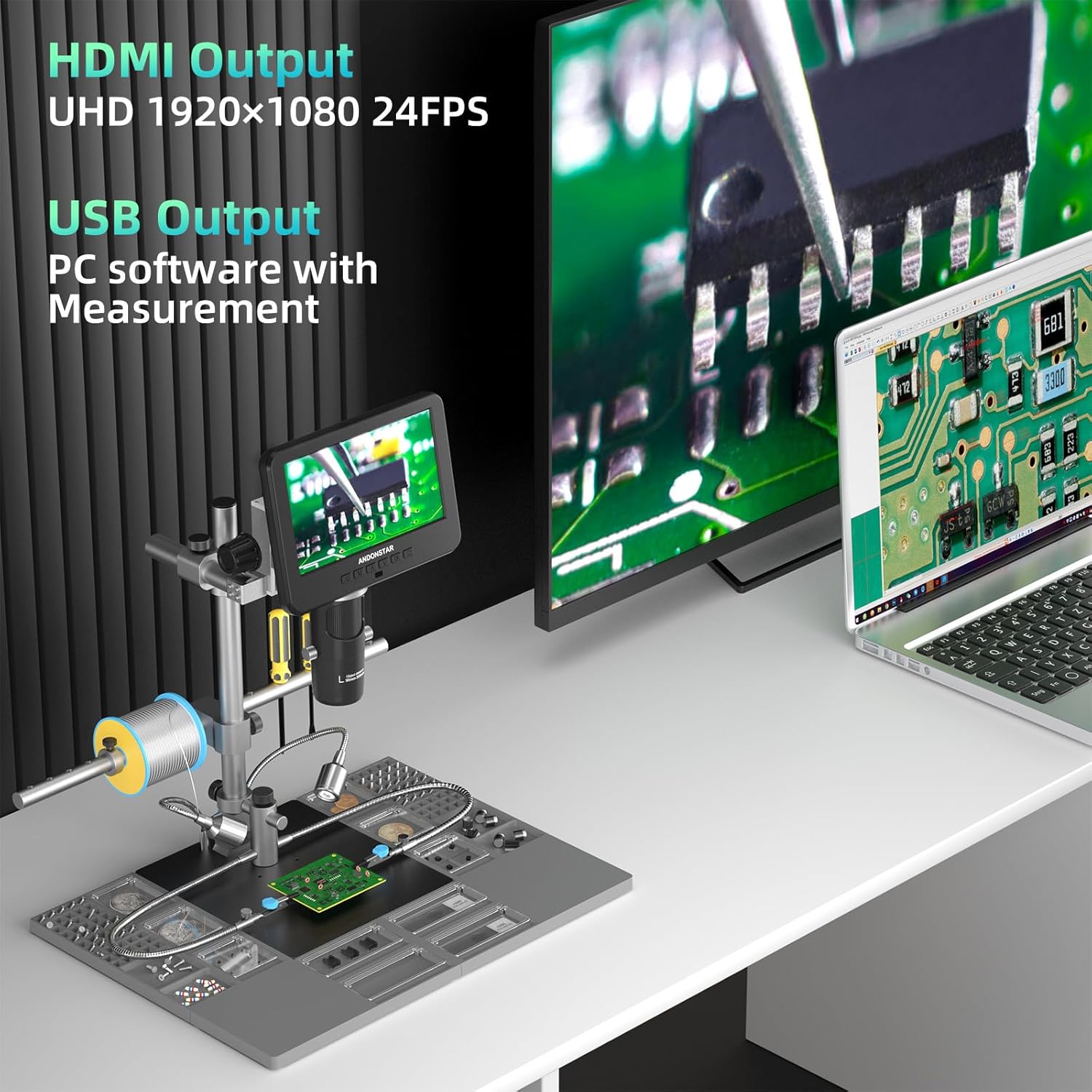
Figure 6: Microscope with Lens D, for detailed biological slide examination.
Video 2: Demonstration of how to use the three different lenses for various applications.
4.2 Focusing and Magnification Adjustment
- Rotate the focusing wheel on the microscope body to achieve a clear image.
- Adjust the object distance by rotating the bracket knob to move the microscope head up or down.
- Use the digital zoom function via the remote control or monitor buttons for further magnification adjustments.
4.3 Funkce dálkového ovládání
The remote control allows for convenient operation from a distance, offering functions such as:
- Zapnutí/vypnutí
- Mode/Menu navigation
- Digitální přiblížení/oddálení
- Fotografování/videa
- Image discoloration (e.g., black & white, sepia, negative)
- Adjusting exposure, sharpness, contrast, and color settings.

Obrázek 7: Dálkové ovládání pro pohodlné ovládání.
4.4 External Display and PC Connection
- HDMI výstup: Connect to a larger screen for seamless viewing of ultra-high-definition 2160P videos.
- USB výstup: Connect to a Windows PC to use the professional measurement software, allowing for measurement, photo, and video capture directly on your computer.
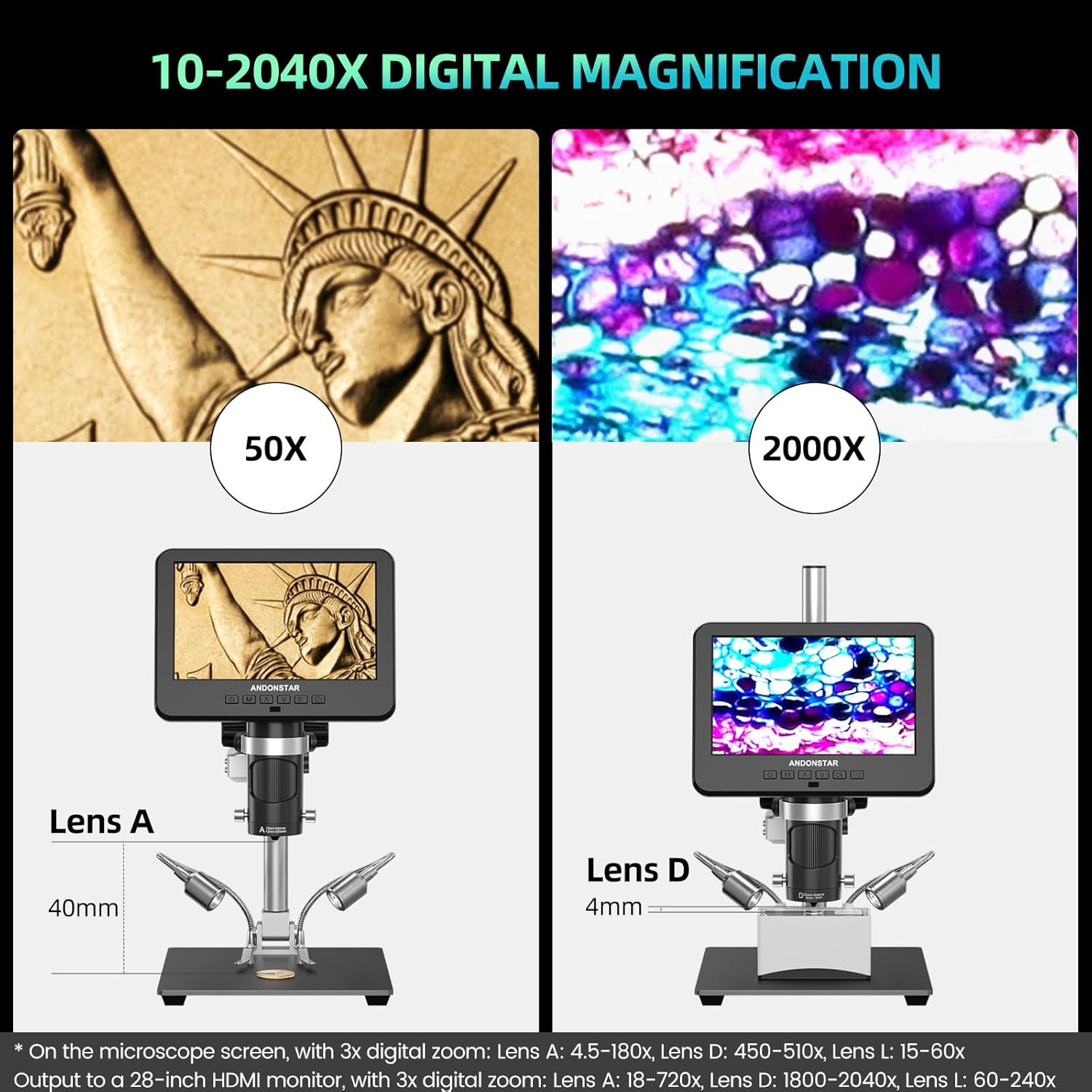
Figure 8: Microscope connected to an external monitor and PC.
Video 3: Konecview of the Andonstar AD246S-M digital microscope, demonstrating its features and capabilities.
5. Údržba
- Keep the microscope and lenses clean. Use a soft, lint-free cloth for cleaning the screen and lens surfaces. Avoid abrasive materials.
- Pokud mikroskop nepoužíváte, skladujte jej v suchém a bezprašném prostředí.
- Ensure all cables are properly connected and not strained.
- Nevystavujte zařízení extrémním teplotám nebo vlhkosti.
6. Řešení problémů
- Bez napájení: Check power adapter connection and ensure the power switch is on.
- Žádný obraz na obrazovce: Verify lens is correctly installed and focused. Check display mode settings.
- No Image on External Monitor/PC: Ensure HDMI/USB cables are securely connected and the correct input source is selected on the external display. For PC, confirm software installation and device selection.
- Nejasný obraz: Adjust the focusing wheel and bracket knob. Ensure lenses are clean.
- Chyba SD karty: Ensure the SD card is properly inserted. Try formatting the SD card (this will erase all data).
For further assistance, refer to the detailed user manual included in the package or contact customer support.
7. Specifikace
| Funkce | Specifikace |
|---|---|
| Rozměry produktu | 15.75 x 11.81 x 12.99 palce |
| Hmotnost položky | 1.13 unce |
| Číslo modelu položky | AD246S-M Plus |
| Typ světelného zdroje | LED |
| Materiál | Kov |
| Skutečný úhel View | 178 stupňů |
| Maximální zvětšení | 2040 XNUMX x |
| svtage | 240 voltů |
| Kompatibilní zařízení | Laptop, Personal Computer (Windows), Television |
8. Záruka a podpora
This Andonstar product comes with a worry-free Záruka 24 měsíců. For any technical issues, questions, or support needs, please utilize the 24-hour professional after-sales service provided by Andonstar Technology Co., Ltd. Contact information can be found in the included user manual or on the official Andonstar webmísto.


