Zavedení
Děkuji za nákupasing the Mesqool Projection Alarm Clock. This manual provides detailed instructions for the proper setup, operation, and maintenance of your new device. Please read this manual thoroughly before use and retain it for future reference.
Důležité bezpečnostní pokyny
- Nevystavujte zařízení extrémním teplotám, přímému slunečnímu záření nebo vysoké vlhkosti.
- Zabraňte pádu zařízení nebo jeho vystavení silným nárazům.
- Use only the provided power adapter or a compatible Type-C power source.
- Nepokoušejte se zařízení sami rozebírat nebo opravovat. Požádejte o pomoc zákaznickou podporu.
- Udržujte zařízení mimo dosah vody nebo jiných kapalin.
Obsah balení
- Mesqool Projection Alarm Clock
- Power Adapter (USB Type-C cable and wall adapter)
- Uživatelská příručka
Konec produktuview
Seznamte se s hlavními součástmi a ovládacími prvky budíku.
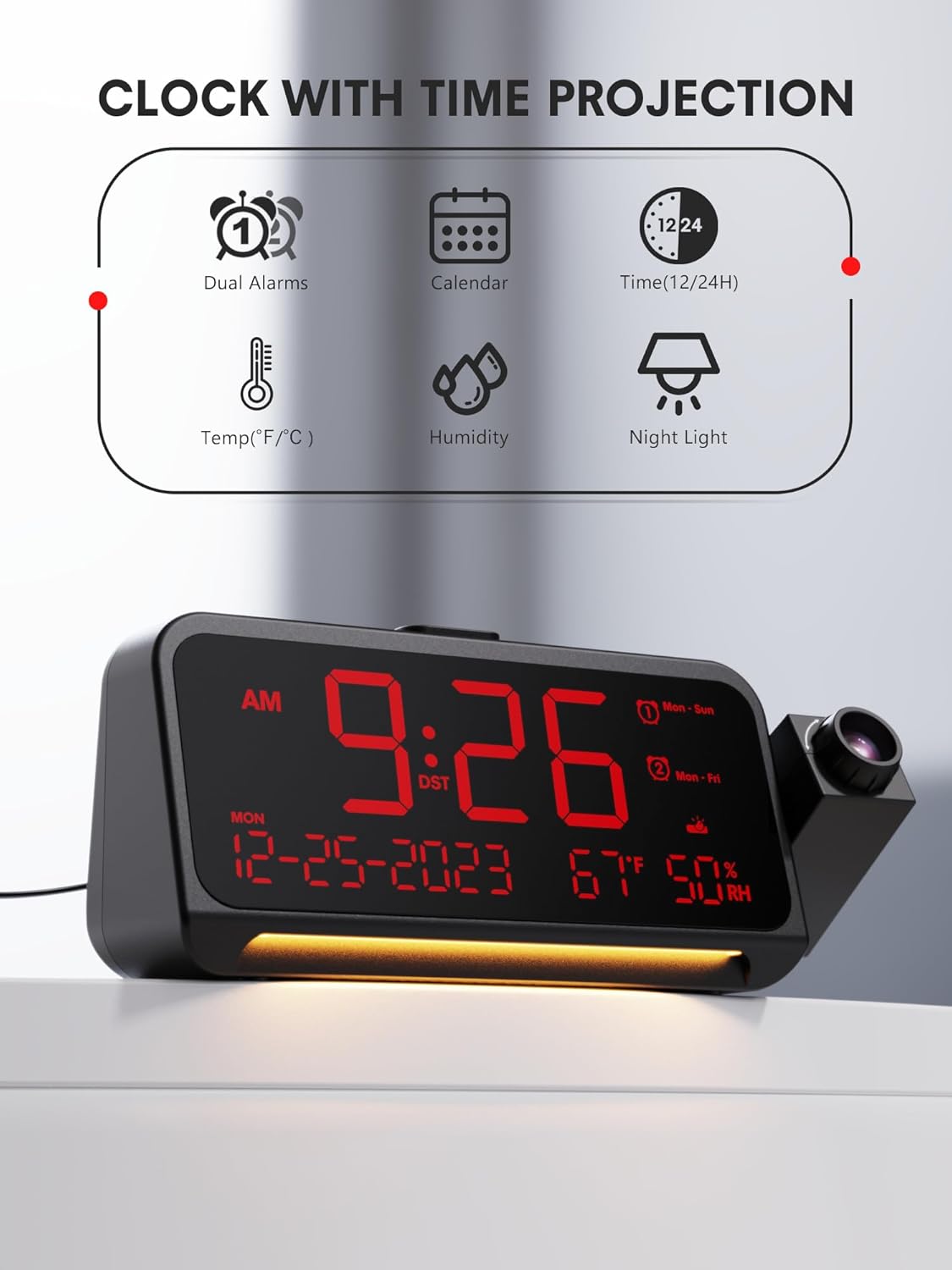
Obrázek 1: Přední strana View a klíčové vlastnosti
This image shows the front of the Mesqool Projection Alarm Clock, highlighting its main display with time, date, temperature, and humidity. Icons above the clock indicate its features: dual alarms, calendar, 12/24-hour format, temperature, humidity, and night light.
Ovládací tlačítka:
- NASTAVENÍ ČASU: Press to enter time setting mode.
- AL1/AL2: Press to set Alarm 1 or Alarm 2.
- VOL: Upravte hlasitost budíku.
- SNOOZE/OK/DIM: Snooze alarm, confirm settings, or adjust display brightness.
- , Upravte hodnoty nahoru nebo dolů.
- PROJECTION ON/OFF: Toggle projection.
- PROJECTION ROTATION/FLIP: Adjust projection orientation.
- FOCUS RING: Adjust projection clarity.
Nastavení
1. Připojení napájení
- Connect the provided USB Type-C cable to the Type-C port on the back of the alarm clock.
- Plug the other end of the USB cable into the wall adapter, then plug the adapter into a standard electrical outlet.
- Displej se rozsvítí, což znamená, že hodiny jsou zapnuté.
2. Počáteční nastavení času
Upon first power-on, the clock may display a default time. Follow the 'Setting Time and Date' instructions in the Operating section to set the correct time.
Návod k obsluze
1. Nastavení času a data
- Stiskněte a podržte NASTAVENÍ ČASU po dobu 3 sekund pro vstup do režimu nastavení času. Číslice hodin bude blikat.
- Použijte +/- tlačítka pro nastavení hodiny. Stiskněte NASTAVENÍ ČASU potvrdit.
- Opakujte pro minuty, rok, měsíc a den.
- After setting the date, you can select 12-hour or 24-hour format using the +/- tlačítka. lis NASTAVENÍ ČASU potvrdit.
- Finally, set Daylight Saving Time (DST) ON or OFF. Press NASTAVENÍ ČASU vystoupit.

Figure 2: Display Formats and Dimensions
This image provides the physical dimensions of the alarm clock (7.87 inches length, 3.15 inches height, 1.18 inches depth). It also shows examples of the 12-hour, 24-hour, and Daylight Saving Time (DST) display formats.
2. Setting Alarms (Dual Alarms, Modes, Snooze)
Hodiny podporují dva nezávislé budíky (AL1 a AL2).
- Stiskněte a podržte AL1 or AL2 po dobu 3 sekund pro vstup do režimu nastavení budíku. Číslice hodin bude blikat.
- Použijte +/- tlačítka pro nastavení hodiny. Stiskněte AL1 / AL2 potvrdit.
- Opakujte několik minut.
- Select the alarm mode: Po-Ne (every day), Po-Pá (weekdays), So-Ne (weekends), or Jednorázově. Použití +/- a potvrďte pomocí AL1 / AL2.
- To adjust alarm volume, press the VOL button during alarm setting or when the alarm is sounding. There are 7 levels.
- Pro aktivaci/deaktivaci budíku krátce stiskněte AL1 or AL2Na displeji se zobrazí/zmizí ikona alarmu.

Figure 3: Alarm Settings and Modes
This image depicts the alarm clock in a bedroom setting, displaying '7:20 AM'. Graphics highlight its 7-level adjustable alarm volume (ranging from 45dB to 116dB) and four customizable alarm modes: Monday-Sunday, Monday-Friday, Saturday-Sunday, and One-time.
Funkce odložení:
Když zazní alarm, stiskněte SNOOZE/OK/DIM button to activate snooze. The alarm will pause for 9 minutes and then sound again. To turn off the alarm completely, press any other button.
3. Nastavení jasu displeje
The main LED display has 5 brightness levels.
- Krátce stiskněte SNOOZE/OK/DIM button repeatedly to cycle through the 5 brightness levels (brightest to off).

Figure 4: Display Dimmer Levels
This image demonstrates the clock's 5-level adjustable dimmer feature, showing the main LED display at two different brightness settings to illustrate customization options for optimal viewpohodlí.
4. Použití funkce promítání
The clock can project the time onto a wall or ceiling.

Figure 5: Clear Time Projection
The alarm clock is shown projecting the time '23:50' onto a wall, demonstrating its clear time projection feature in a bedroom environment.

Figure 6: Ceiling Projection Features
This image illustrates the clock projecting time onto a bedroom ceiling. It highlights key projection features: optional projection distance of 4.9-9.8 feet, 350-degree adjustable projector, 180-degree flip of projection time, focus ring for clarity, and 5 adjustable projection brightness levels.
- Zapnout/Vypnout: Stiskněte tlačítko PROJEKCE ZAP/VYP button to toggle the projection.
- Upravit jas: Krátce stiskněte PROJEKCE ZAP/VYP button repeatedly to cycle through 5 projection brightness levels.
- Otočit projekci: The projector arm can be swiveled 350 degrees manually to direct the time onto your desired surface.
- Projekce s otočením: Stiskněte tlačítko PROJECTION ROTATION/FLIP button to flip the projected image 180 degrees, ensuring correct orientation.
- Upravit zaostření: Otočte ZAOSTŘENÝ KROUŽEK on the projector lens to achieve a clear and sharp image. Optimal projection distance is 4.92-9.84 feet.

Figure 7: Projection Customization
Tento obrázek nabízí detailní záběr view of the projection mechanism, illustrating its customizable features including an optimal projection distance of 4.92-9.84 feet, time flip function, 350-degree rotatable projector, adjustable focus ring for clarity, and five levels of projection brightness.
5. Používání nočního světla
The clock features a soft LED night light at its base.
- Stiskněte příslušné tlačítko Noční světlo button (if available, otherwise refer to general controls) to turn the night light on.
- Press again to cycle through brightness levels (Off, Medium, Full) or turn it off.
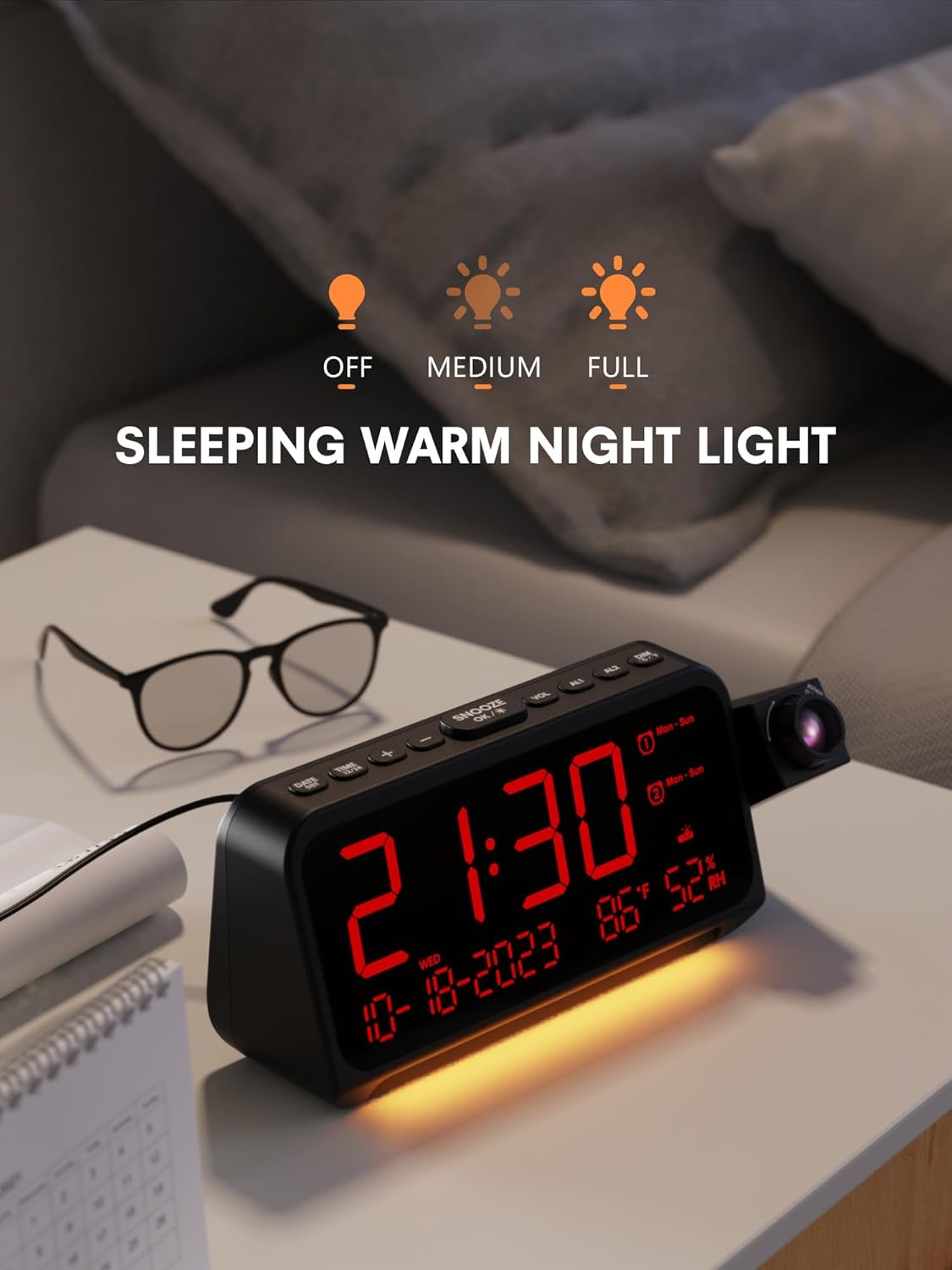
Figure 8: Night Light Function
The alarm clock is shown on a bedside table with its integrated night light emitting a soft glow. The display shows '21:30', and icons above indicate the night light's adjustable brightness settings: Off, Medium, and Full.
6. Zobrazení teploty a vlhkosti
The clock continuously displays indoor temperature (℉/℃) and humidity.
- To switch between Fahrenheit (℉) and Celsius (℃), press the +/- tlačítko v normálním režimu zobrazení času.
Údržba
- Čištění: Povrch hodin otřete měkkým, suchým hadříkem. Nepoužívejte abrazivní čisticí prostředky ani rozpouštědla.
- Péče o čočky: Gently clean the projector lens with a soft, lint-free cloth to maintain clear projection.
- Skladování: If storing for an extended period, disconnect the power adapter and keep the device in a cool, dry place.
Odstraňování problémů
| Problém | Možná příčina | Řešení |
|---|---|---|
| Displej hodin je prázdný. | Žádná síla. | Ensure the power adapter is securely connected to the clock and a working power outlet. |
| Projekce je rozmazaná. | Zaostření není upraveno. | Rotate the FOCUS RING on the projector lens until the image is clear. Ensure optimal projection distance. |
| Alarm se nespustí. | Budík není aktivován nebo je hlasitost příliš nízká. | Check if the AL1/AL2 icon is displayed. Adjust alarm volume using the VOL button. |
| Čas je nesprávný. | Time not set correctly or DST setting is wrong. | Re-enter time setting mode and adjust the time, date, and DST settings. |
Specifikace
- Značka: Mesqool
- Model: B0CHS1KY2W
- Typ displeje: Digitální LED
- Zdroj napájení: Elektrický kabel (typ C)
- Projekce: 350° Swivel, 5 Brightness Levels, Adjustable Focus, 180° Flip
- Budíky: Dual Alarms, 4 Modes (Mon-Sun, Mon-Fri, Sat-Sun, One-time), 7 Volume Levels, 9-minute Snooze
- Stmívač displeje: 5 úrovní
- Noční světlo: Integrated, Adjustable Brightness
- Další vlastnosti: Temperature (℉/℃), Humidity, 12/24H Format, DST
- Rozměry: Přibližně 7.87 x 3.15 x 1.18 palce
- Materiál: Kov (rám)
Záruka a podpora
Mesqool products are designed for reliability and performance. For warranty information or technical support, please refer to the contact details provided with your purchase or visit the official Mesqool website. Please have your model number (B0CHS1KY2W) ready when contacting support.


