1. Úvod
Thank you for choosing the Rollei Powerstation 2000. This portable power station is designed to provide reliable and versatile power for various applications, from outdoor adventures to emergency backup. With a 1920 Wh LiFePo4 battery and 2000 W output, it offers a safe and efficient energy solution. This manual provides essential information for safe operation, setup, maintenance, and troubleshooting.
2. Bezpečnostní pokyny
- Jednotku nerozebírejte, neopravujte ani neupravujte.
- Uchovávejte jednotku mimo dosah zdrojů tepla, přímého slunečního záření a hořlavých materiálů.
- Nevystavujte jednotku dešti nebo vlhkosti.
- Během používání a nabíjení zajistěte dostatečné větrání. Neblokujte větrací otvory.
- Používejte pouze originální nebo certifikované nabíjecí kabely a adaptéry.
- Uchovávejte mimo dosah dětí a domácích zvířat.
- V případě požáru použijte práškový hasicí přístroj. Voda může způsobit úraz elektrickým proudem.
3. Obsah balení
Ověřte, zda jsou v balení přítomny všechny položky:
- Rollei Powerstation 2000
- Síťový napájecí kabel
- Nabíjecí kabel do auta
- Solar Charging Cable (Anderson connector)
- Uživatelská příručka

4. Konec produktuview
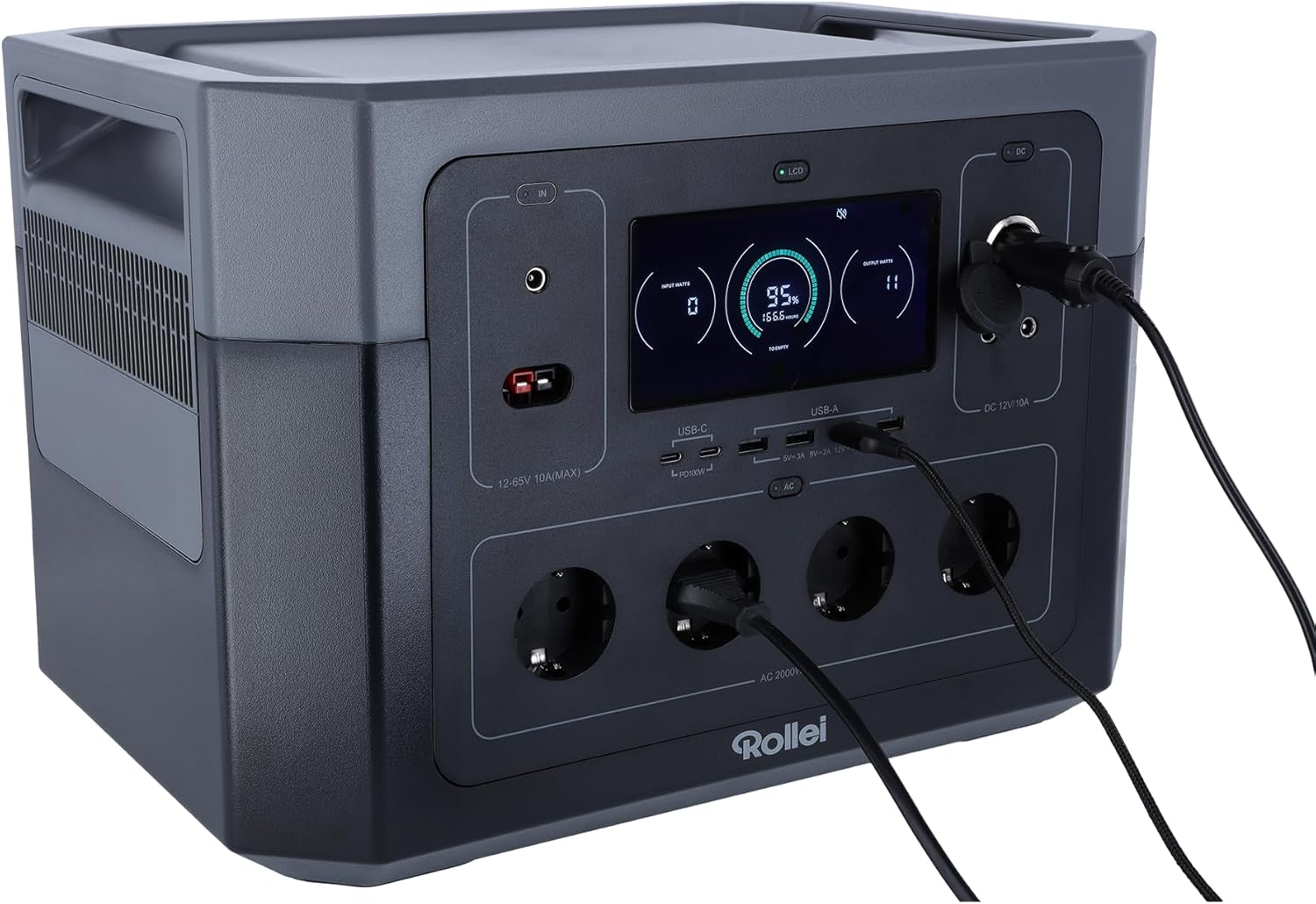
Familiarize yourself with the various ports and features of your Powerstation 2000.
Přední panel

- LCD displej: Zobrazuje stav baterie, vstupní/výstupní proudtage a indikátory stavu.
- Vstupní porty: For AC wall charging, solar charging (Anderson), and car charging.
- Porty USB-C: Two ports, each with 100W Power Delivery for fast charging compatible devices.
- Porty USB-A: Multiple ports for standard USB device charging.
- AC zásuvky: Four Schuko type F outlets providing 2000W total output.
- Výstup DC 12V/10A: Pro napájení zařízení s napětím 12 V DC.
Rear Panel and Dimensions
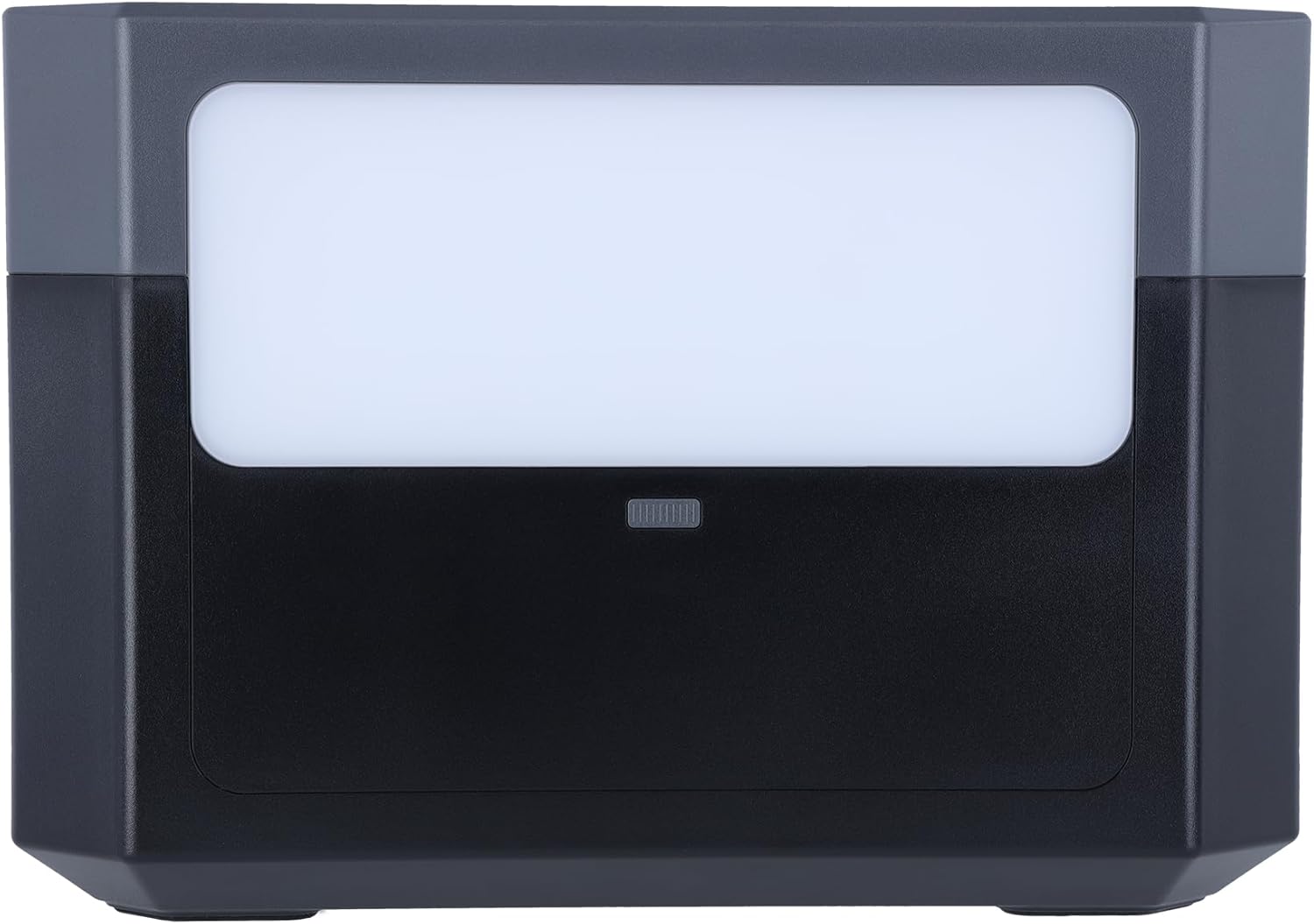
- LED světelný panel: Provides illumination for various situations.
- Ventilační mřížky: Umístěny po stranách pro odvod tepla.

5. Nastavení
Počáteční nabíjení
Before first use, fully charge the Powerstation 2000. This ensures optimal battery performance and longevity.
- AC nástěnné nabíjení: Connect the AC power cable to the input port on the power station and then to a wall outlet. The LCD display will show the charging status.

- Solární nabíjení: Connect compatible solar panels (not included) to the Anderson input port using the provided solar charging cable. Ensure the solar panels are placed in direct sunlight for efficient charging.
- Nabíjení auta: Connect the car charger cable to the input port and then to your vehicle's 12V cigarette lighter socket.
6. Návod k obsluze
Zapnutí/vypnutí
Stiskněte a několik sekund podržte hlavní tlačítko napájení pro zapnutí nebo vypnutí jednotky. Rozsvítí se LCD displej.
Použití výstupních portů
To activate specific output sections (AC, DC, USB), press the corresponding power button for that section. The indicator light next to the button will turn on.
- AC zásuvky: Plug your AC-powered devices into the Schuko outlets. Ensure the total wattage nepřesahuje 2000W.
- USB porty: Connect your USB devices (phones, tablets, laptops) to the USB-A or USB-C ports.
- Výstup stejnosměrného napětí 12 V: Connect 12V DC devices to the DC output port.
Funkce LED osvětlení
Press the LED light button on the rear panel to turn the light on. Press again to cycle through different brightness modes or turn it off.
Porozumění LCD displeji
LCD displej poskytuje informace v reálném čase:
- Úroveň baterie: Zobrazuje zbývající procenta baterietage.
- Vstup Wattage: Shows the power being drawn during charging.
- Výstupní Wattage: Displays the power being consumed by connected devices.
- Zbývající čas: Estimates the time until full charge or depletion based on current usage.
- Indikátory stavu: Icons for AC, DC, USB active, fan status, and error warnings.
7. Údržba
Péče o baterie
- For optimal battery life, fully charge the power station at least once every 3-6 months, even if not in use.
- Vyhněte se častému úplnému vybíjení baterie.
- Přístroj skladujte na chladném a suchém místě mimo dosah přímého slunečního záření a extrémních teplot. Ideální skladovací teplota je mezi 0 °C a 40 °C (32 °F a 104 °F).
Čištění
Use a dry, soft cloth to wipe the exterior of the power station. Do not use abrasive cleaners or immerse the unit in water.
8. Řešení problémů
- Jednotka se nezapíná: Ujistěte se, že je baterie nabitá. Pokud ne, připojte ji ke zdroji napájení.
- Žádný výstup z portů: Check if the specific output section (AC, DC, USB) is activated by pressing its power button. Ensure the connected device is working and within the power station's wattage limity.
- Pomalé nabíjení: Verify that the charging cable and adapter are correctly connected and functioning. For solar charging, ensure panels are in direct sunlight and clean.
- Upozornění na přetížení: If an overload warning appears on the LCD, disconnect some devices to reduce the load. The unit may automatically shut down to prevent damage.
9. Specifikace
| Funkce | Specifikace |
|---|---|
| Číslo modelu | Elektrárna 2000 |
| Typ baterie | LiFePo4 (Lithium-ion) |
| Kapacita | 1920 Wh |
| Výstupní výkon AC | 2000 W (max.) |
| Výstupní objemtage | 230 voltů |
| Výstup USB-C | 2 x 100W napájení |
| Výstup 12 V DC | 10A |
| Typ konektoru | Anderson, Schuko |
| Počet vývodů | 10 (celkem) |
| Barva | Černý |
| Výrobce | Rollei |
10. Záruka a podpora
Záruka
The Rollei Powerstation 2000 comes with a 24měsíční záruka výměny od data nákupu. Uschovejte si prosím doklad o koupi pro případné reklamace.
Zákaznická podpora
For technical assistance, troubleshooting, or warranty inquiries, please contact Rollei customer support:
- Telefon: +49 40 270 750 277
- Dostupnost: Monday - Friday, 10:00 AM to 4:00 PM (CET)


