1. Úvod
The Meta Ray-Ban Wayfarer Smart AI Glasses (Gen 1) combine iconic style with advanced technology, allowing you to capture photos and videos, listen to audio, make calls, and interact with Meta AI hands-free. Designed for seamless integration into your daily life, these glasses offer a unique perspective on wearable technology.
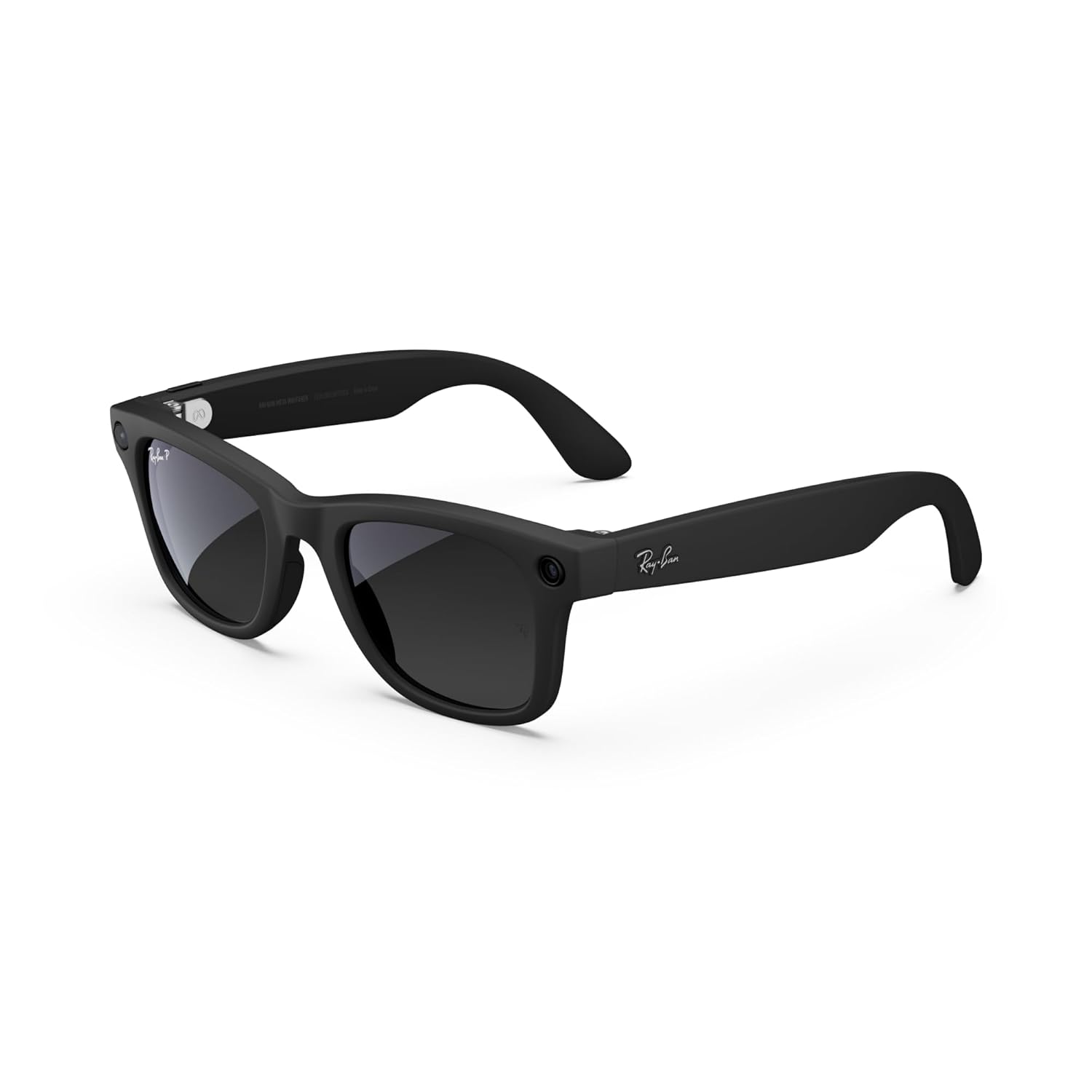
Obrázek 1: Přední strana view of the Meta Ray-Ban Wayfarer Smart AI Glasses (Gen 1).
2. Co je v krabici
Your Meta Ray-Ban Wayfarer Smart AI Glasses package includes the following items:
- Meta Ray-Ban Wayfarer Smart AI Glasses (Gen 1)
- Nabíjecí pouzdro
- Čisticí hadřík
- Uživatelská příručka (tento dokument)
- Rychlý průvodce
3. Nastavení
3.1. Počáteční nabíjení
Before first use, fully charge your glasses using the provided charging case.
- Place the glasses securely into the charging case.
- Connect the charging case to a power source using the supplied USB-C cable.
- The LED indicator on the case will show charging status. A solid green light indicates a full charge.

Figure 2: Glasses charging inside the portable case. Fully charged glasses can last up to four hours with moderate use, and the charging case provides an additional 32 hours of charge.
3.2. Párování s vaším zařízením
To unlock the full functionality of your glasses, pair them with your smartphone via Bluetooth.
- Ujistěte se, že jsou vaše brýle nabité a zapnuté.
- Povolte na svém smartphonu Bluetooth.
- Otevřete Meta View app (see section 3.3).
- Follow the on-screen instructions in the app to discover and pair your glasses.
3.3. Meta View Instalace aplikace
The Meta View app is essential for managing your glasses, viewing captured content, and accessing advanced features.
- Stáhněte si Meta View aplikaci z obchodu s aplikacemi ve vašem chytrém telefonu (iOS nebo Android).
- Install the app and create or log in to your Meta account.
- Complete the in-app tutorial for a guided tour of features.
4. Operating Your Glasses
4.1. Zapnutí/vypnutí
To power on your glasses, open the temples. To power off, close the temples or hold the capture button for 5 seconds.
4.2. Pořizování fotografií a videí
Capture moments from your perspective with the integrated 12 MP camera.
- Vyfoť: Press the capture button once.
- Nahrajte video: Press and hold the capture button for 2 seconds to start recording. Press once more to stop.
- Hlasový příkaz: Řekni „Hej Meta, vyfoť se“ nebo „Hej Meta, nahraj video“.

Figure 3: Built-in 12 MP HD camera for hands-free photo and video capture.
4.3. Přehrávání zvuku
Enjoy music, podcasts, and more through the discreet open-ear speakers.
- Přehrát/pozastavit: Tap the touchpad on the temple once.
- Přeskočit skladbu: Double-tap the touchpad.
- Upravit hlasitost: Swipe forward or backward on the touchpad.
- Hlasový příkaz: Say "Hey Meta, play music" or "Hey Meta, turn up the volume."

Figure 4: Open-ear audio allows you to listen to content while remaining aware of your surroundings.
4.4. Volání a posílání zpráv
Stay connected with hands-free calls and texts.
- Přijmout/ukončit hovor: Tap the touchpad once.
- Odmítnout hovor: Press and hold the touchpad.
- Hlasový příkaz: Say "Hey Meta, call [Contact Name]" or "Hey Meta, send a message to [Contact Name]."
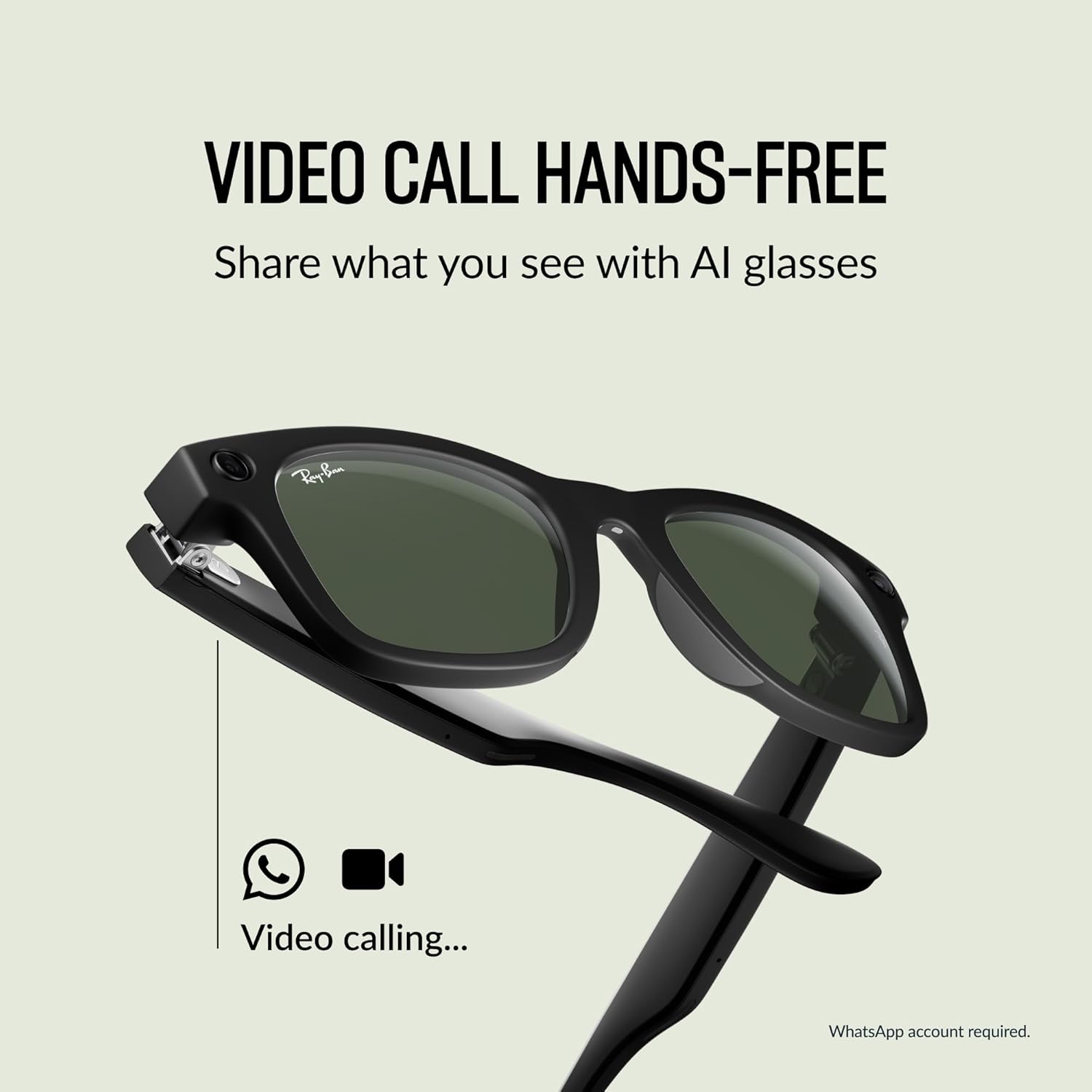
Figure 5: Conduct hands-free video calls directly from your glasses.
4.5. Using Meta AI
Access Meta AI for information and assistance based on your surroundings.
- Aktivace umělé inteligence: Say "Hey Meta" followed by your question or command.
- Meta AI can provide context-rich suggestions, analyze your surroundings, scan QR codes, and take notes.

Figure 6: Interact with Meta AI for information and assistance.
4.6. Live Translation
Experience real-time translation for various languages.
- Aktivovat překlad: Use a voice command like "Hey Meta, translate [language] to [language]."
- Supported languages include French, Italian, Spanish, English, German, and Portuguese.

Figure 7: Real-time translation feature for seamless communication.
4.7. Privacy Indicator Light
A small LED light on the front of the glasses illuminates when recording photos or videos, indicating to others that content is being captured. This feature cannot be disabled.
5. Údržba
5.1. Cleaning Your Glasses
K jemnému otření čoček a obroučky použijte přiložený čisticí hadřík. Nepoužívejte abrazivní materiály ani agresivní chemikálie.
5.2. Péče o baterie
To maximize battery life, store your glasses in the charging case when not in use. Avoid exposing the glasses or case to extreme temperatures.
6. Řešení problémů
6.1. Glasses Not Powering On
- Ensure the glasses are fully charged. Place them in the charging case and check the LED indicator.
- Try opening and closing the temples firmly.
6.2. Problémy s připojením
- Ověřte, že je na vašem smartphonu povoleno Bluetooth.
- Restart the Meta View aplikace
- Forget the device in your phone's Bluetooth settings and re-pair through the Meta View aplikace
6.3. Problémy se zvukem
- Adjust the volume using the touchpad or voice commands.
- Ensure the glasses are positioned correctly on your face for optimal sound delivery.
6.4. Problémy se záznamem
- Check the privacy indicator light; if it's not illuminating, the camera may not be active.
- Ensure sufficient storage space is available on the glasses (managed via the Meta View aplikace).
7. Specifikace
| Funkce | Detail |
|---|---|
| Číslo modelu | 0RW4006 |
| Rozměry | 2.13 x 3.94 x 3.94 palce |
| Hmotnost | 10.9 unce |
| Fotoaparát | 12MP ultraširokoúhlý objektiv |
| Zvuk | Open-ear speakers, Five-mic system |
| Typ baterie | 1 Lithium Ion (součástí balení) |
| Výrobce | Luxottica |
| Datum vydání | 17. října 2023 |
7.1. Lens Types
The Meta Ray-Ban Wayfarer Smart AI Glasses are available with various lens options:
- Sluneční čočky: Poskytuje pokročilou ochranu očí za jasného světla se 100% ochranou proti UVA a UVB záření.
- Čiré čočky: Blue light filter lenses designed to improve visual comfort by filtering blue light from digital screens and indoor lighting.
- Čočky Transitions®: Bezproblémově se přizpůsobí měnícím se světelným podmínkám, od zcela čirých nebo mírně tónovaných v interiéru až po zcela tmavé venku.
- Polarizované čočky: Zachycují odrazy a snižují oslnění pro lepší kontrast a větší jasnost, se 100% ochranou proti UVA a UVB záření.

Obrázek 8: Přesview of available lens types.
7.2. Frame Size
The Wayfarer model is available in different sizes to ensure a comfortable fit.
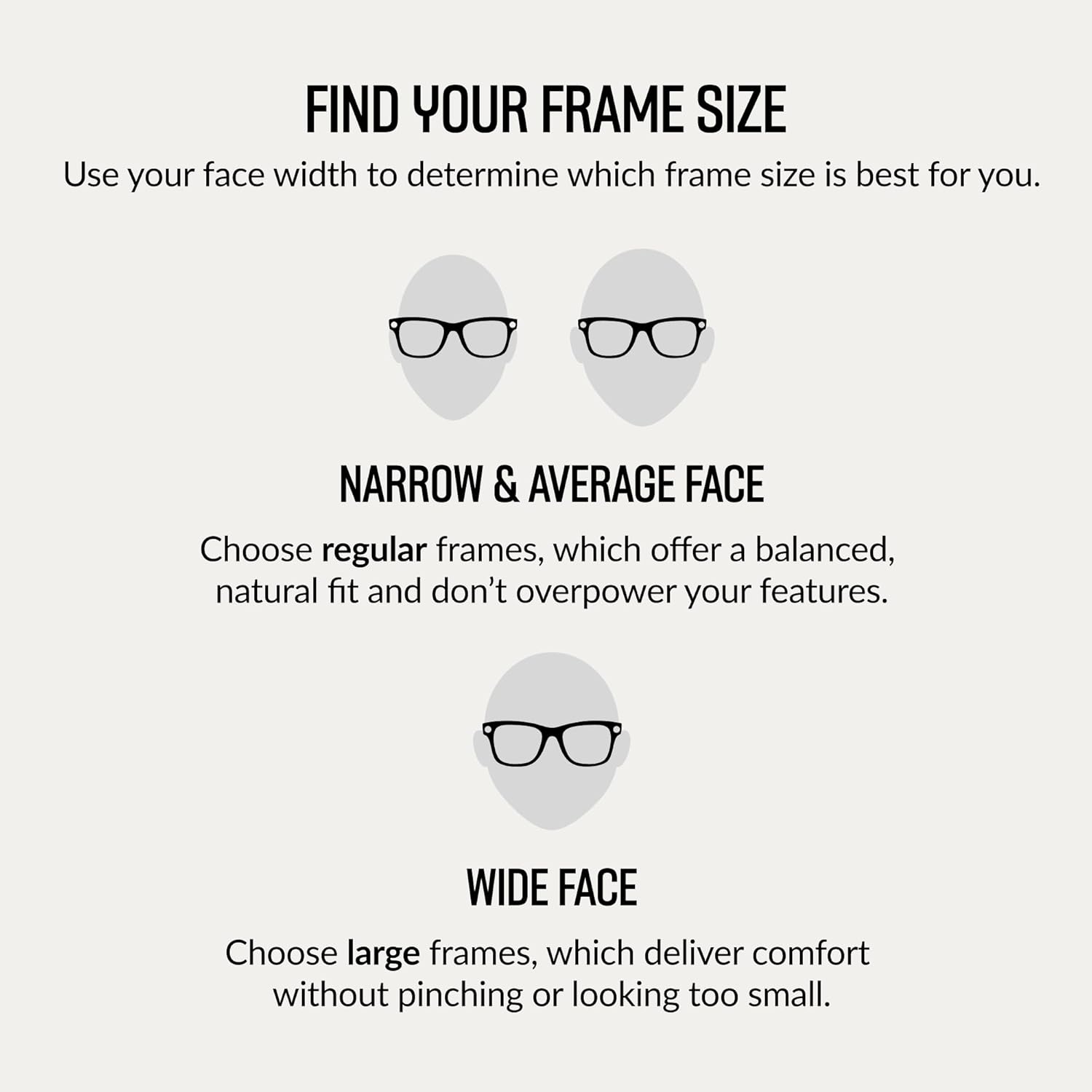
Figure 9: Guide to finding the correct frame size based on face width.

Figure 10: Dimensions for the Regular fit Wayfarer frame.
8. Záruka a podpora
For information regarding product warranty, returns, or technical support, please refer to the official Meta or Ray-Ban support websites. You can also find additional resources and FAQs within the Meta View aplikace


