6. Údržba
- Keep the module in a dry environment to prevent moisture damage.
- Nevystavujte modul extrémním teplotám.
- Clean the module with a soft, dry cloth. Do not use liquid cleaners.
- Ujistěte se, že všechny spoje jsou bezpečné a bez koroze.
Model: GY21191 | Brand: PEMENOL
This manual provides comprehensive instructions for the PEMENOL 60W Voice Playback Module, Model GY21191. This device supports TF cards up to 32GB, operates on DC 9-24V, and features sound and light alarm capabilities. It is designed for various audio applications requiring high-power sound output and versatile playback options.
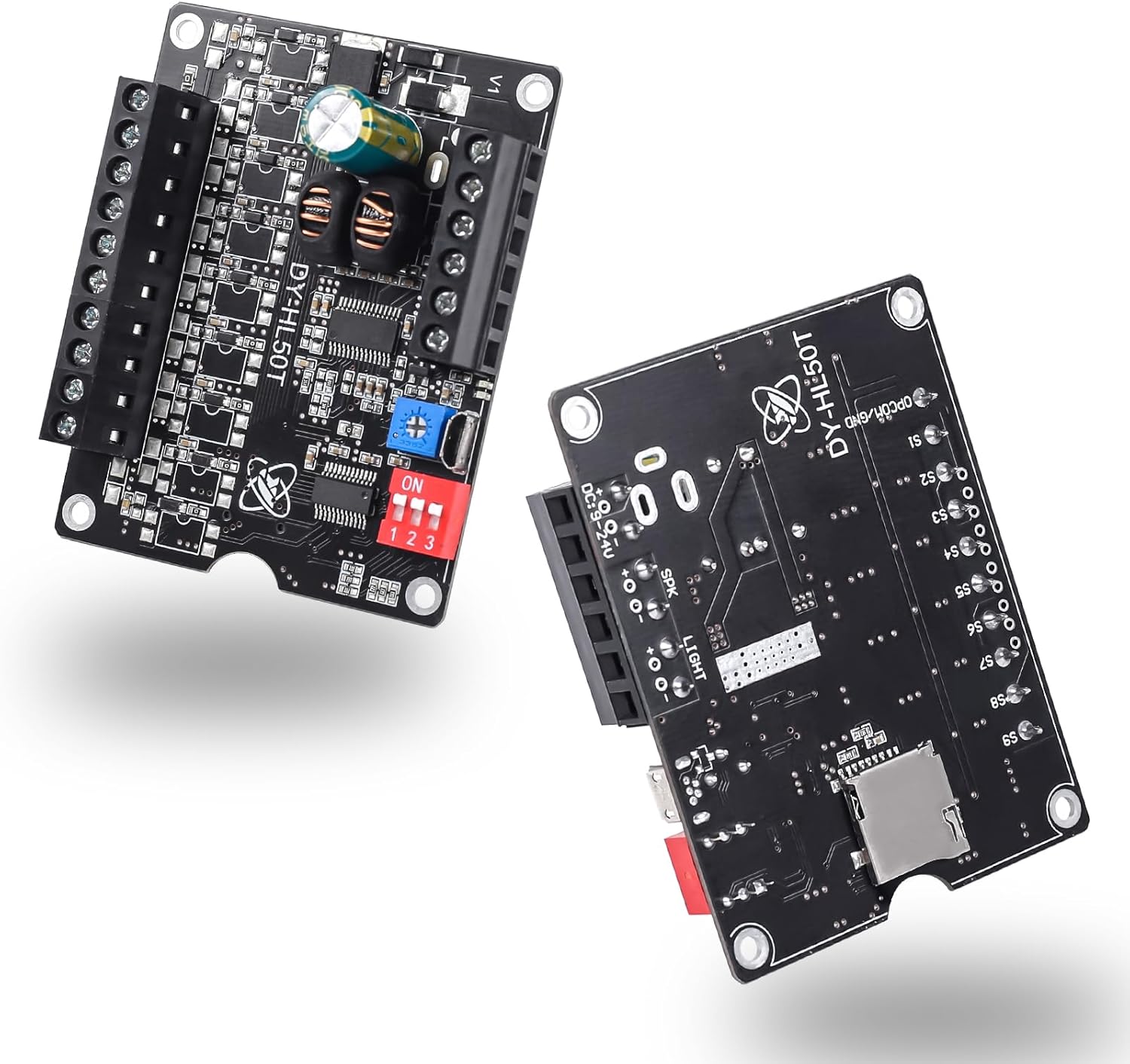
Obrázek 1: Přední a zadní strana view of the PEMENOL 60W Voice Playback Module.

Obrázek 2: Přample application of the PEMENOL Voice Playback Module in a toy piano.
The PEMENOL 60W Voice Playback Module is a compact and powerful audio solution. Key features include:
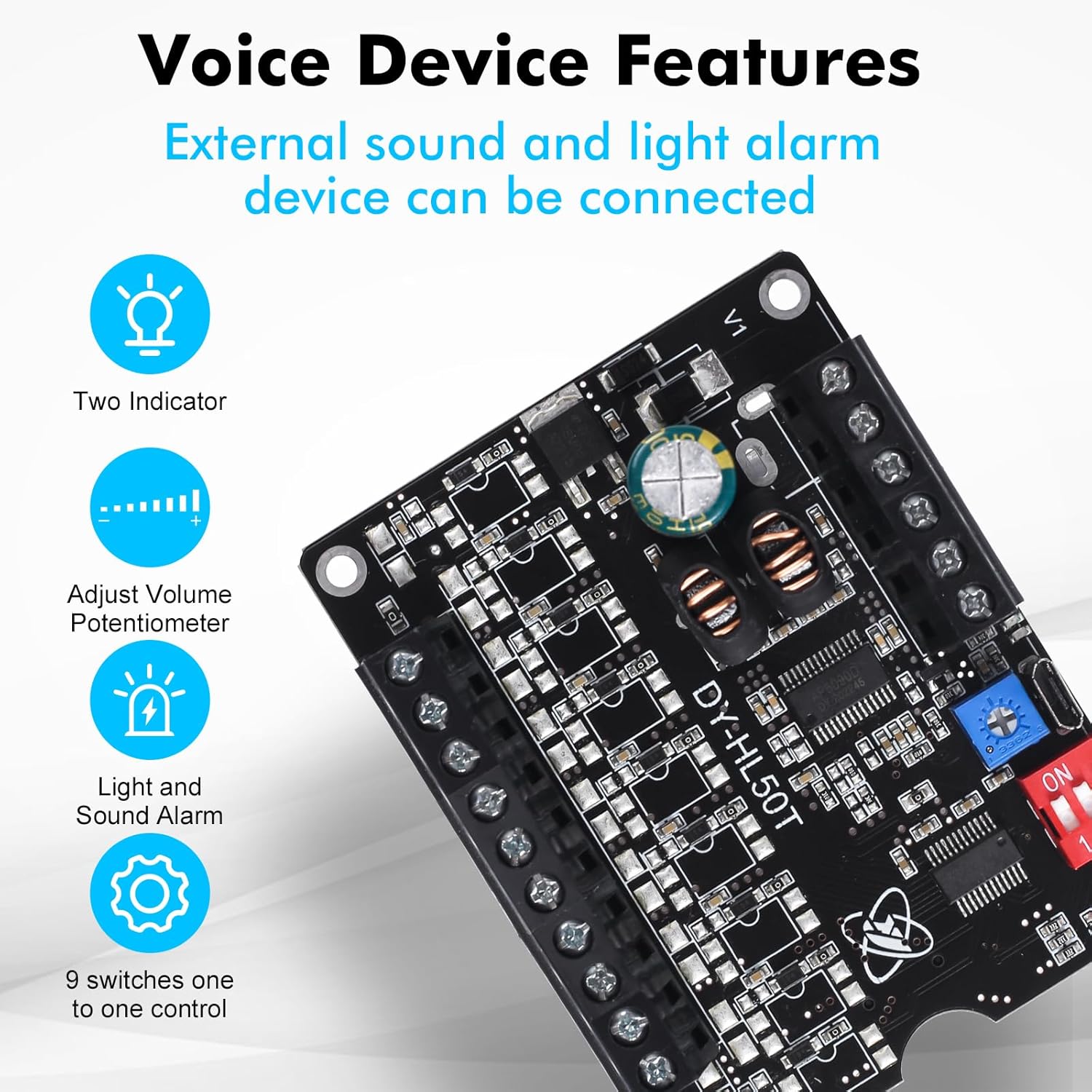
Figure 3: Key features of the Voice Playback Module.

Figure 4: The 60W Voice Playback Board with TF Card and USB Port indications.
| Funkce | Detail |
|---|---|
| Číslo modelu | GY21191 |
| Rozměry produktu | 2.76 x 1.57 x 0.79 palce |
| Hmotnost položky | 1.94 unce |
| Vstup napájení | DC 9-24V |
| Výstup reproduktoru | Below 60W, 4-8Ω |
| Podpora TF karet | Up to 32GB Max |
| Ovládací porty | 9 (S1-S9) |
| Rozhraní USB | Micro USB for data transfer (requires data cable) |

Figure 5: Physical dimensions of the module.
Refer to the diagram below for proper wiring of power, speaker, and control ports.

Figure 6: Detailed wiring diagram for the module.
Video 1: Demonstration of wiring connections for the Sound Playback Board.
Video 2: Visual guide on connecting the Voice Playback Module.
The module supports audio playback from a TF card (up to 32GB). Follow these steps to transfer audio files:

Figure 7: Two types of audio input: TF Card and USB Interface.

Figure 8: Steps for replacing audio files na kartě TF.
Video 3: Guide on transferring audio files to a recordable sound module.
Video 4: Instructions for managing MP3 music sound chips.
Video 5: Tutorial on using an MP3 sound player module.
The module features a potentiometer for volume control. Use a small screwdriver to rotate the potentiometer to adjust the output volume. Rotating clockwise increases volume, and counter-clockwise decreases it.
Video 6: Tutorial for adjusting the volume of the recording.
The module offers various playback modes configured using the 3-position dip switch. The functionality of the 9 control ports (S1-S9) changes based on these settings.
| Toggle Switch Position (123) | Pracovní režim | Popis funkce | Použitelné scénáře |
|---|---|---|---|
| ON DP ON | Level Trigger Non-interruptible | 1. Input trigger signal and start to playing. 2. Stop after playing once. 3. Input trigger signal again is invalid during playing. 4. Loop playback if keep input signal. | 1. It cannot be interrupted by other signals during playing. 2. Only the first triggered signal can be played when multiple signals are triggered simultaneously. |
| ON DP OFF | Level Trigger Interruptible | 1. Input trigger signal and start to playing. 2. Stop after playing once. 3. Replay music after input trigger signal again during playing. 4. Loop playback if keep input signal. | 1. Immediately replay the music as soon as receive the signal. 2. Only the last triggered signal can be played when multiple signals are triggered simultaneously. |
| OFF DP ON | Pulse Trigger Non-interruptible | 1. Input trigger signal and start to playing. 2. Stop after playing once. 3. Input trigger signal again is invalid during playing. 4. Just playing once even if keep input signal. | 1. Play music in the order of triggering when multiple signals are triggered simultaneously. |
| OFF DP OFF | Pulse Trigger Interruptible | 1. Input trigger signal and start to playing. 2. Stop after playing once. 3. Replay music after input trigger signal again during playing. 4. Just playing once even if keep input signal. | 1. Immediately replay the music as soon as receive the signal. 2. Only the last triggered signal can be played when multiple signals are triggered simultaneously. |
| ZAP ZAP ZAP | Level Keep Trigger | 1. Play when keep input signal. 2. Stop immediately if remove input signal. 3. Input others trigger signal again is invalid during playing. | 1. Signal hold trigger. |
| ZAPNUTO VYPNUTO | Play or Pause Trigger | 1. Input trigger signal and start to playing and keep loop playback. 2. Input trigger signal again to stop. 3. Restart playback after the input trigger signal again during stopping. | 1. Self locking playback. |
| VYPNUTO ZAPNUTO ZAPNUTO | Inter-Cut Trigger | 1. It just play in folder CHABO in root directory. 2. S1-S9 can trigger play music in folder CHABO after input trigger signal. 3. Play background music after power ON. 4. Input trigger signal again is invalid during playing. | 1. The background music's name cannot be 00001.mp3 to 00009.mp3. 2. Replay background music after inter-cut music. 3. S1-S9 just can trigger play music 00001.mp3 to 00009.mp3 in folder CHABO. |
| OFF ON OFF | MP3 Mode 1 | S1 : Connect to GND S2 : Next Music S3 : Prev Music S4 : VOL+ S5 : VOL- | 1. Input trigger signal and start to playing. 2. Stop after playing once. 3. Play in order of music files. 4. Note: potentiometer is used to adjust the upper limit of the maximum volume at this time. |
| ZAP VYP ZAP | MP3 Mode 2 | S1 : NC S2 : Next Music S3 : Prev Music S4 : VOL+ S5 : VOL- | 1. Automatically loop all music inside the folder after power ON. 2. Note: potentiometer is used to adjust the upper limit of the maximum volume at this time. |
Figure 9: Playback modes and their corresponding dip switch settings.
For warranty information and technical support, please refer to the official PEMENOL webnebo se obraťte na prodejce. Uschovejte si doklad o koupi pro případ reklamace.
Manufacturer: PEMENOL
 |
Bluetooth Stereo AmpUživatelská příručka pro desku Liferier XY-P40W Tento dokument poskytuje podrobné informace o Bluetooth Stereo XY-P40W AmpDeska Liferier, včetně jejích funkcí, specifikací, pokynů k použití a tipů pro řešení problémů. Naučte se, jak připojit a ovládat tento všestranný zvukový modul pro bezdrátové reproduktory a audio zařízení svépomocí. |
 |
Uživatelská příručka k napájecímu modulu PEMENOL 15W DC-DC LCD USB Komplexní průvodce napájecím modulem PEMENOL 15W DC-DC LCD USB s podrobným popisem jeho funkcí, parametrů, provozu a aplikací.tagregulátor, nabíječka baterií a ovladač LED. |
 |
Modul ovladače otáček stejnosměrného motoru PEMENOL PWM a generátoru signálu Průvodce k modulu ovladače otáček stejnosměrného motoru PEMENOL PWM a generátoru signálu s podrobným popisem jeho funkcí, parametrů, pokynů k použití a řešení problémů. |
 |
Stavebnice pro kutily s rádiovým přijímačem FM 87-108 MHz - montáž a uživatelská příručka Comprehensive guide for assembling the FM 87-108MHz Radio Receiver DIY Kit. This kit allows users to build a functional FM radio with Bluetooth connectivity, MP3 playback from USB/TF cards, and a dynamic LED spectrum display. Includes detailed component lists, installation steps, and usage instructions. |
 |
Sada pro výrobu Teslovy cívky s jiskřištěm - montážní návod a technické specifikace Komplexní návod pro sestavení stavebnice Teslovy cívky s jiskřištěm pro kutily, s podrobným popisem součástí, parametrů, použití a podrobnými pokyny k instalaci generátoru vysokoteplotní plazmy. |
 |
Uživatelská příručka a technické specifikace modulu přehrávání hlasu DY-HV8F Komplexní průvodce inteligentním hlasovým modulem DY-HV8F s podrobným popisem jeho funkcí, parametrů, definic I/O pinů, konfigurace pracovních režimů, komunikačních příkazů UART a režimu jednořádkové sběrnice. |