1. Úvod
Thank you for choosing the ACT AC5101 Wireless Ergonomic Vertical Mouse. This manual provides detailed instructions for setting up, operating, and maintaining your new mouse. Designed for right-handed users, this ergonomic mouse aims to reduce hand and wrist strain during extended computer use, promoting a more natural and comfortable posture.
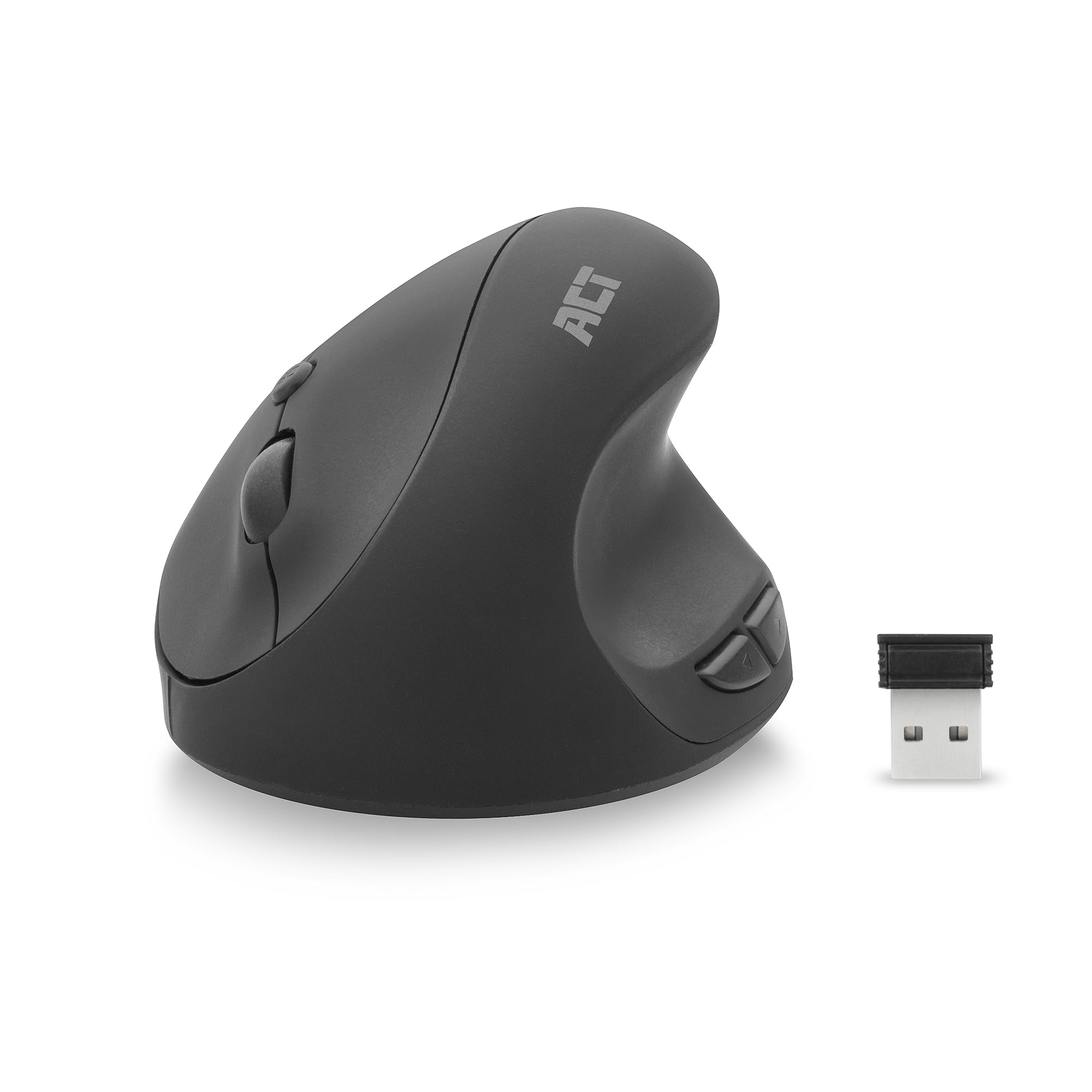
Image 1.1: The ACT AC5101 Wireless Ergonomic Vertical Mouse with its USB receiver.
2. Obsah balení
Zkontrolujte prosím balení, zda neobsahuje následující položky:
- 1 x ACT AC5101 Wireless Ergonomic Vertical Mouse
- 1 x USB-A Nano Receiver (stored in the mouse battery compartment)
- 1 x AA baterie (součástí balení)
- 1 x Uživatelská příručka (tento dokument)
3. Konec produktuview
The ACT AC5101 mouse features a vertical design for improved ergonomics and includes multiple buttons for enhanced functionality.

Image 3.1: Diagram showing the buttons on the ACT AC5101 mouse. These include the Left Key, Right Key, Scroll Wheel, DPI Button, Forward Button, and Back Button.
- Levé tlačítko: Standardní funkce levého kliknutí.
- Pravý klíč: Standardní funkce kliknutí pravým tlačítkem myši.
- Rolovací kolečko: Pro vertikální rolování a funkci kliknutí prostředním tlačítkem myši.
- Tlačítko DPI: Cykluje mezi nastaveními DPI (800/1200/1600).
- Tlačítko vpřed: Naviguje vpřed web prohlížeče popř file průzkumníci.
- Tlačítko Zpět: Naviguje zpět web prohlížeče popř file průzkumníci.
- Vypínač: Located on the bottom of the mouse to conserve battery life.
4. Pokyny k nastavení
Follow these steps to set up your ACT AC5101 Wireless Ergonomic Vertical Mouse:
- Vložte baterii:
Locate the battery compartment on the bottom of the mouse. Open the cover and insert the included AA battery, ensuring correct polarity (+/-). Close the battery compartment cover securely.

Image 4.1: The bottom of the mouse showing the battery compartment and the USB-A Nano Receiver storage slot.
- Připojení USB přijímače:
Remove the USB-A Nano Receiver from its storage slot next to the battery compartment. Plug the receiver into an available USB-A port on your computer.

Image 4.2: The USB-A Nano Receiver.
- Zapnutí:
Flip the On/Off switch, located on the bottom of the mouse, to the "On" position. Your computer should automatically detect and install the necessary drivers. The mouse is now ready for use.
5. Návod k obsluze
5.1 Ergonomický úchop
The vertical design of the ACT AC5101 mouse promotes a natural handshake position, reducing pronation of the forearm and wrist strain. Place your hand over the mouse so your thumb rests comfortably on the thumb rest, and your fingers align with the main buttons.

Image 5.1: Comparison illustrating how a traditional mouse twists the arm and wrist, while the ACT ergonomic mouse allows for a relaxed shoulder and neutral wrist position.
5.2 Nastavení citlivosti DPI
The DPI (Dots Per Inch) button allows you to adjust the mouse cursor speed. Press the Tlačítko DPI (refer to Image 3.1) to cycle through the available sensitivity settings: 800 DPI, 1200 DPI, and 1600 DPI. Select the setting that best suits your preference and task.
5.3 Using Side Buttons
The Tlačítko vpřed a Tlačítko Zpět are conveniently located for thumb access. These buttons are typically used for navigation in web browsers (e.g., going back or forward a page) or file průzkumníci.
6. Údržba
To ensure the longevity and optimal performance of your ACT AC5101 mouse, follow these maintenance guidelines:
- Čištění: K otření povrchu myši použijte měkký, suchý hadřík. V případě odolné nečistoty lehceampOtřete hadřík vodou nebo jemným čisticím roztokem. Nepoužívejte agresivní chemikálie ani abrazivní materiály.
- Výměna baterie: When the mouse performance degrades or it stops responding, replace the AA battery. Ensure the On/Off switch is in the "Off" position before replacing the battery.
- Skladování: When not in use for extended periods, turn off the mouse using the On/Off switch to conserve battery life. Store the USB receiver in its dedicated slot on the bottom of the mouse to prevent loss.
7. Řešení problémů
If you encounter issues with your ACT AC5101 mouse, refer to the following common problems and solutions:
| Problém | Možná příčina | Řešení |
|---|---|---|
| Myš neodpovídá |
|
|
| Nesprávný pohyb kurzoru |
|
|
| Boční tlačítka nefungují |
|
|
8. Specifikace
Technical details for the ACT AC5101 Wireless Ergonomic Vertical Mouse:
- Název modelu: AC5101
- Značka: AKT
- Technologie připojení: 2.4 GHz bezdrátové (rádiová frekvence)
- Přijímač: USB-A Nano Receiver
- Technologie detekce pohybu: Optický
- Nastavení DPI: 800 / 1200 / 1600 DPI (adjustable via DPI button)
- Počet tlačítek: 6 (doleva, doprava, kolečko, DPI, vpřed, vzad)
- Orientace rukou: Pravoruký
- Zdroj napájení: 1 x AA baterie (součástí balení)
- Barva: Černý
- Kompatibilní zařízení: Osobní počítač
- Rozměry: Approximately 105mm (Length) x 77mm (Height) x 60mm (Width)

Image 8.1: Approximate dimensions of the ACT AC5101 mouse.
9. Záruka a podpora
Záruka: The ACT AC5101 Wireless Ergonomic Vertical Mouse comes with a manufacturer's warranty of 2 years. This warranty covers defects in materials and workmanship under normal use.
Podpora: For technical assistance, troubleshooting beyond this manual, or warranty claims, please contact your retailer or visit the official ACT website for support information. Please have your product model number (AC5101) and proof of purchase ready when contacting support.


