Zavedení
This manual provides comprehensive instructions for the setup, operation, and maintenance of your Surfans F22 Portable HiFi MP3 Player. Please read this manual thoroughly before using the device to ensure proper functionality and to maximize your listening experience.
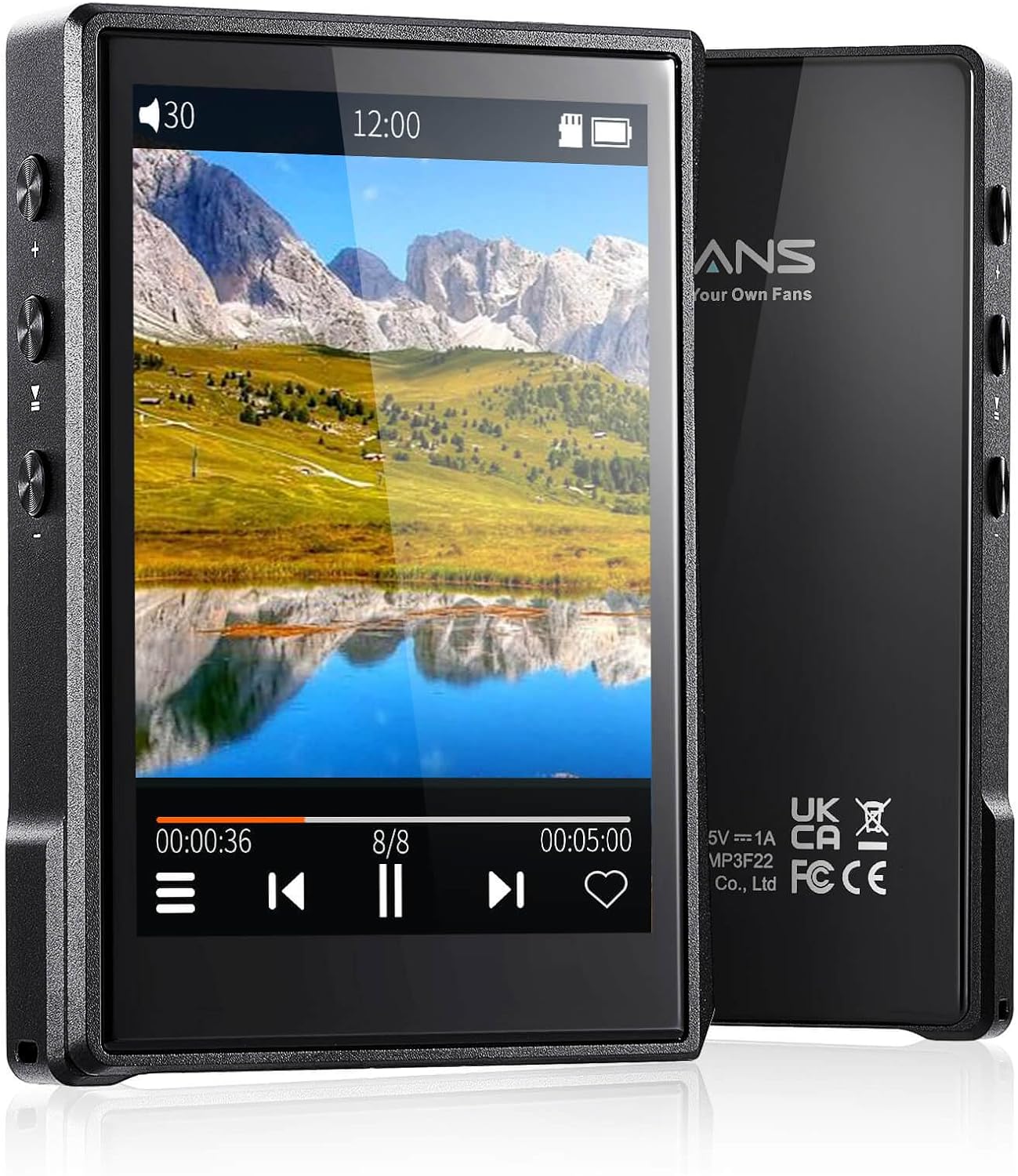
Obrázek: Přední a zadní strana view of the Surfans F22 Portable HiFi MP3 Player, showcasing its 2.8-inch touchscreen and sleek design.
Obsah balení
Ověřte, zda jsou v balení přítomny všechny položky:
- Surfans F22 HiFi Music Player
- Uživatelská příručka (tento dokument)
- USB-C kabel
- Paměťová karta 32 GB (předinstalovaná nebo dodávaná samostatně)
Zařízení skončiloview
Familiarize yourself with the physical components of your F22 player.

Image: Diagram illustrating the various ports and buttons on the Surfans F22 MP3 Player, including the power button, volume controls, headphone jack, and USB-C port.
- 2.8-inch IPS TFT Full Touchscreen: Main interface for navigation and control.
- Vypínač: Zapíná/vypíná zařízení a zamyká/odemyká obrazovku.
- Tlačítka hlasitosti: Upravuje úroveň zvukového výstupu.
- Jack pro sluchátka (3.5 mm): Připojte drátová sluchátka.
- Port USB-C: Pro nabíjení a přenos dat.
- Slot pro kartu Micro SD: Pro rozšiřitelné úložiště až do 1 TB.
Nastavení
1. Nabíjení zařízení
Before first use, fully charge the F22 player. Connect the provided USB-C cable to the device's USB-C port and the other end to a USB power adapter (not included) or a computer's USB port. The charging indicator will show progress. A full charge typically takes approximately 2 hours and provides up to 10 hours of playback.
2. Vložení karty Micro SD
The F22 comes with a 32GB memory card. For additional storage, you can insert a Micro SD card (up to 1TB) into the designated slot. Ensure the card is inserted correctly until it clicks into place.

Image: A Surfans F22 MP3 Player shown with a Micro SD card being inserted into its slot, illustrating the expandable storage capability.
3. Přenos hudby Files
Connect the F22 player to your computer using the USB-C cable. The device will appear as a removable storage drive. Drag and drop your music files (FLAC, WMA, WAV, DSF, DSD, MP3, etc.) into the appropriate folders on the player's internal storage or the Micro SD card.

Image: A Surfans F22 MP3 Player displaying music playback, with a person wearing headphones in the background, symbolizing the high-fidelity audio experience.
Návod k obsluze
1. Power On/Off and Screen Lock
- Pro zapnutí stiskněte a podržte tlačítko napájení, dokud se obrazovka nerozsvítí.
- To power off, press and hold the Power button, then select "Power Off" on the screen.
- To lock/unlock the screen, briefly press the Power button.
2. Navigace v rozhraní
The F22 features a 2.8-inch touchscreen for navigation. Swipe left/right or up/down to browse menus and lists. Tap icons to select options or open applications.
3. Přehrávání hudby
- From the main menu, select "Music" to access your library.
- Browse by Artist, Album, Song, Genre, or Folder.
- Klepnutím na skladbu spusťte přehrávání.
- During playback, use the on-screen controls for play/pause, skip track, and volume adjustment. Physical volume buttons also control volume.

Image: The Surfans F22 MP3 Player screen showing options for music playback modes: List play, Single play, List loop, and Random, indicating flexible listening options.
4. Připojení Bluetooth
The F22 supports Bluetooth 4.2 for wireless audio output.
- Přejděte do „Nastavení“ a vyberte „Bluetooth“.
- Turn Bluetooth on. The player will scan for available devices.
- Select your desired Bluetooth headphones or speaker from the list to pair.
- Once paired, audio will stream wirelessly to the connected device.

Image: A visual representation of the Surfans F22 MP3 Player's Bluetooth 4.2 capabilities, showing connections to Bluetooth headphones, a Bluetooth speaker, and a car stereo system.
5. E-Book Functionality
The F22 also supports E-book reading.
- Transfer compatible E-book files k zařízení.
- V hlavní nabídce vyberte možnost „E-kniha“.
- Browse and select a book to open and read.
Údržba
- Čištění: K čištění zařízení používejte měkký, suchý hadřík. Nepoužívejte tekuté čisticí prostředky ani abrazivní materiály.
- Skladování: Přehrávač skladujte na chladném a suchém místě mimo dosah přímého slunečního záření a extrémních teplot.
- Péče o baterie: Chcete-li prodloužit životnost baterie, vyvarujte se častého úplného vybíjení. Zařízení pravidelně nabíjejte, i když jej delší dobu nepoužíváte.
- Aktualizace softwaru: Zkontrolujte výrobce webpravidelně navštěvujte stránky s aktualizacemi firmwaru, abychom zajistili optimální výkon a nové funkce.
Odstraňování problémů
| Problém | Možná příčina | Řešení |
|---|---|---|
| Zařízení se nezapne. | Slabá baterie. | Nabíjejte zařízení alespoň 30 minut. |
| Žádný zvuk. | Volume too low; headphones not connected properly; incorrect audio output. | Increase volume; ensure headphones are fully plugged in; check Bluetooth connection if using wireless. |
| Nelze přenést files. | USB cable issue; device not recognized by computer. | Try a different USB port or cable; ensure the device is in data transfer mode if prompted. |
| Nestabilní připojení Bluetooth. | Interference; device too far from player. | Reduce distance between devices; avoid obstacles; try re-pairing. |
| Obrazovka nereaguje. | Dočasná softwarová závada. | Perform a soft reset by holding the Power button until the device restarts. |
Specifikace
| Funkce | Detail |
|---|---|
| Model | Surfans F22 Hi Res Music Player |
| Procesor | RK3308G 64-bit Quad-core ARM Cortex-A35 |
| Zobrazit | 2.8-inch IPS TFT Full Touchscreen (240*320 resolution) |
| Podporované zvukové formáty | FLAC, WMA, WAV, DSF, DSD (Native DSD 128/256), PCM (up to 384kHz/32bit), DFF, DTS, APE, OGG, M4A, AIFF, AAC, MP3, Apple Lossless |
| Bluetooth | Verze 4.2 |
| Interní úložiště | 32 GB (součástí balení) |
| Rozšiřitelné úložiště | Micro SD card up to 1TB |
| Baterie | Lithium-polymer 1500 mAh |
| Životnost baterie | Až 10 hodin přehrávání |
| Doba nabíjení | Approximately 2 hours (fast charge) |
| Rozměry | 4.72 x 3.15 x 1.77 palce |
| Hmotnost | 7.4 unce |
| Konektivita | USB-C |
| Speciální funkce | Equalizer, Hi-Res Audio, E-book function |
Záruka a podpora
The Surfans F22 Portable HiFi MP3 Player comes with a one-year return and exchange guarantee from the date of purchase. This warranty covers manufacturing defects under normal use.
For technical support, warranty claims, or further assistance, please contact Surfans customer service through their official website or the retailer where the product was purchased. Please have your purchase receipt and product model number (F22) available when contacting support.
Výrobce: Surfaři
Webmísto: Surfans Official Store


