1. Úvod
This manual provides detailed instructions for the MEIZE D115A Android 13 Tablet. Please read this manual thoroughly before using your device to ensure proper operation and to maximize its features. Keep this manual for future reference.
The MEIZE D115A tablet features a powerful Octa-Core processor, 10.1-inch HD screen, Android 13 operating system, and comes with essential accessories to enhance your user experience.
2. Co je v krabici
Ověřte, zda jsou v balení přítomny všechny položky:
- MEIZE D115A Android 13 Tablet
- Bluetooth klávesnice
- Bezdrátová myš
- Touch Pen (Stylus)
- Ochranné pouzdro
- Napájecí adaptér
- USB kabel

Image: The MEIZE D115A tablet displayed with its complete set of accessories, including the Bluetooth keyboard, wireless mouse, stylus, charging cable, power adapter, and protective case.
3. Uspořádání zařízení
Seznamte se s fyzickými součástmi tabletu:

Image: A detailed diagram illustrating the location of the front camera, flash, rear camera, headphone jack, Micro SD slot, Type-C port, volume buttons, power button, and speakers on the MEIZE D115A tablet.
- Přední kamera: Při horizontálním držení se nachází uprostřed nahoře a používá se pro videohovory a selfie.
- Zadní kamera: Located on the back, equipped with a flash for photography and video recording.
- Vypínač: Slouží k zapnutí/vypnutí tabletu nebo k jeho uspání/probuzení.
- Tlačítka hlasitosti: Upravte hlasitost zvuku.
- Port typu C: Pro nabíjení a přenos dat.
- Slot Micro SD: Insert a Micro SD card for expanded storage (up to 512GB).
- 3.5mm konektor pro sluchátka: Připojte drátová sluchátka.
- Řečníci: Poskytněte zvukový výstup.
4. Nastavení
4.1 Počáteční zapnutí
- Stiskněte a podržte Tlačítko napájení dokud se nerozsvítí obrazovka.
- Postupujte podle pokynů na obrazovce a vyberte jazyk, region a přijměte podmínky.
4.2 Wi-Fi připojení
- Přejít na Nastavení > Síť a internet > Wi-Fi.
- Přepnout Wi-Fi On.
- Vyberte požadovanou síť ze seznamu a v případě potřeby zadejte heslo.

Image: The tablet screen showing a graphic indicating support for both 5G and 2.4G Wi-Fi networks, ensuring stable and fast internet connectivity.
4.3 Nastavení účtu Google
Sign in with your Google account to access the Google Play Store, Gmail, and other Google services. If you don't have one, you can create one during this step.
4.4 Accessory Connection
The MEIZE D115A tablet comes with a Bluetooth keyboard, wireless mouse, and stylus for enhanced functionality.
- Bluetooth klávesnice: Turn on the keyboard and enable Bluetooth on your tablet (Settings > Connected devices > Bluetooth). Select the keyboard from the available devices and follow pairing instructions.
- Bezdrátová myš: Insert the USB receiver from the mouse into the OTG adapter, then plug the OTG adapter into the tablet's Type-C port. The mouse should connect automatically.
- Stylus: The stylus is a passive input device and does not require pairing. Simply use it to interact with the screen.

Image: A user operating the MEIZE D115A tablet with the connected Bluetooth keyboard and wireless mouse, demonstrating its capability as a portable workstation.
5. Ovládání tabletu
5.1 Základní navigace
- Dotek: Klepnutím na ikonu otevřete aplikaci nebo vyberete položku.
- Výpad: Pohybem prstu po obrazovce můžete procházet stránky nebo obsah.
- Štípání: Pro přiblížení nebo oddálení obrázků použijte dva prsty a web stránky.
- Domovská obrazovka: Centrální centrum pro vaše aplikace a widgety.
5.2 Aplikace
- Instalace aplikací: Stáhněte si aplikace z Obchodu Google Play.
- Správa aplikací: Přejít na Nastavení > Aplikace na view, spravovat nebo odinstalovat aplikace.

Image: The tablet screen displaying numerous application icons and media content, illustrating the ample 128GB internal storage and 16GB RAM (8GB physical + 8GB virtual) for diverse usage.
5.3 Správa úložiště
The tablet comes with 128GB of internal storage. You can expand this by inserting a Micro SD card (up to 512GB) into the dedicated slot. To manage storage, go to Nastavení > Skladování.
5.4 Použití kamery
The tablet features a 13MP rear camera and an 8MP front camera.
- Otevřete Fotoaparát aplikace
- Tap the shutter button to take photos or switch to video mode for recording.
- Use the front camera for video calls and selfies.
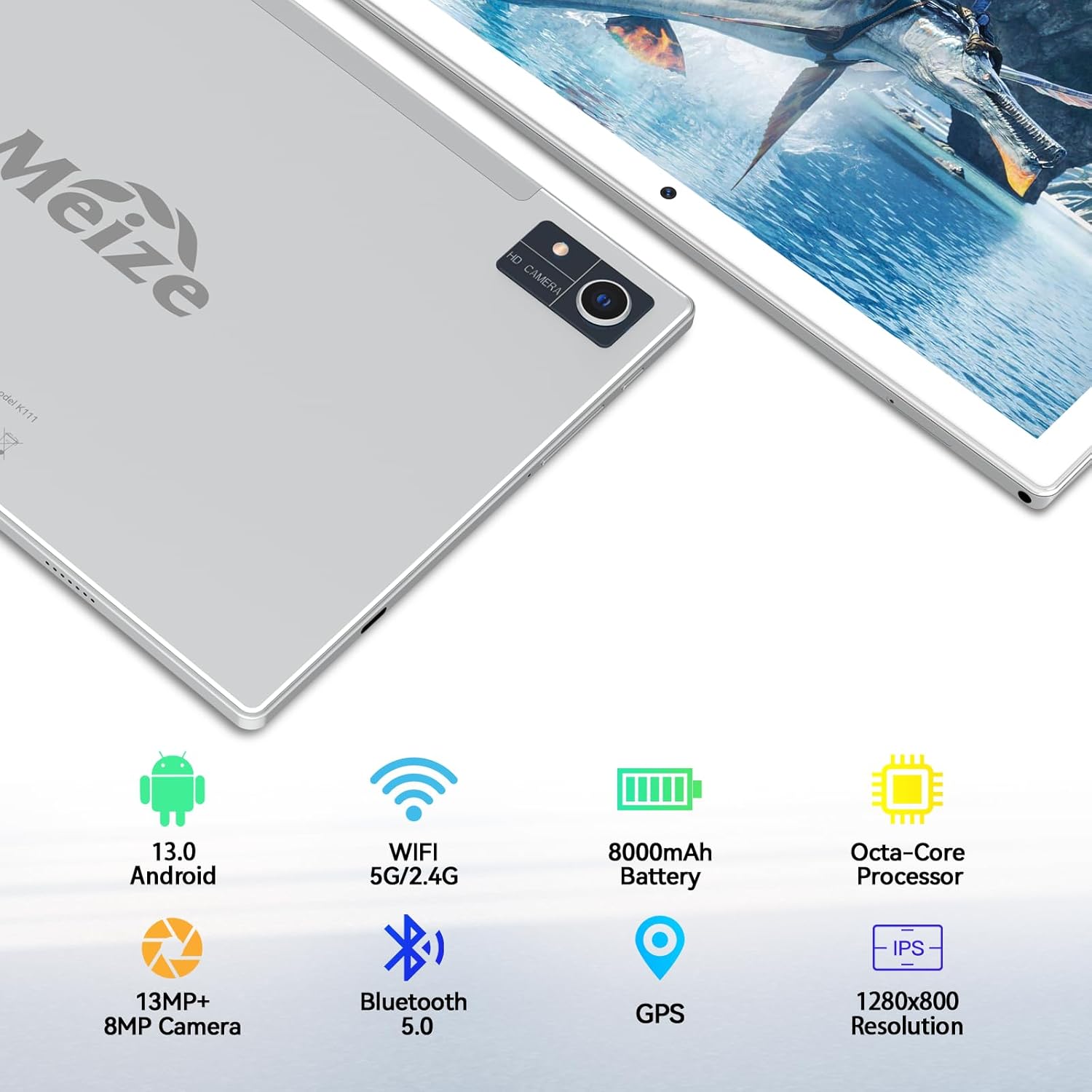
Image: An infographic highlighting the tablet's camera specifications, showing a 13MP rear camera and an 8MP front camera, alongside other key features.
5.5 Správa baterie
Baterie s kapacitou 15 600 mAh poskytuje delší dobu používání. Pro optimalizaci výdrže baterie:
- Upravte jas obrazovky.
- Zavřete nepoužívané aplikace běžící na pozadí.
- Vypněte Wi-Fi nebo Bluetooth, když je nepoužíváte.

Image: A visual representation of the tablet's 8000mAh battery, indicating approximate usage durations: 10 hours for videos, 8 hours for games, and 12 hours for music playback.
6. Údržba
- Čištění: K čištění obrazovky a těla tabletu používejte měkký hadřík, který nepouští vlákna. Nepoužívejte abrazivní materiály ani agresivní chemikálie.
- Aktualizace softwaru: Pravidelně kontrolujte aktualizace systému v Nastavení > Systém > Aktualizace systému aby byl zajištěn optimální výkon a bezpečnost.
- Záloha dat: Periodically back up important data to a cloud service or external storage device to prevent data loss.
7. Řešení problémů
7.1 Tablet se nezapíná
- Ensure the tablet is charged. Connect it to the power adapter and wait a few minutes before attempting to power on again.
- Press and hold the Power Button for at least 10-15 seconds to perform a forced restart.
7.2 Problémy s připojením k Wi-Fi
- Restartujte Wi-Fi router a tablet.
- Zapomeňte na síť v nastavení Wi-Fi a znovu se připojte.
- Ujistěte se, že jste v dosahu signálu Wi-Fi.
7.3 Pomalý výkon
- Zavřete nepoužívané aplikace.
- Vymažte mezipaměť často používaných aplikací (Nastavení > Aplikace > [Název aplikace] > Úložiště a mezipaměť > Vymazat mezipaměť).
- Consider performing a factory reset if performance issues persist (Poznámka: This will erase all data on the tablet. Back up your data first).
8. Specifikace
| Funkce | Specifikace |
|---|---|
| Značka | MEIZE |
| Číslo modelu | D115A |
| Operační systém | Android 13 |
| Velikost obrazovky | 10.1 palce |
| Rozlišení obrazovky | 1280 x 800 pixelů |
| Procesor | Octa-Core, 2 GHz |
| BERAN | 8 GB (rozšiřitelné až na 16 GB pomocí virtuální RAM) |
| Interní úložiště | 128 GB |
| Rozšiřitelné úložiště | Up to 512 GB (Micro SD) |
| Zadní kamera | 13 MP |
| Přední kamera | 8 MP |
| Kapacita baterie | 8000 XNUMX mAh |
| Průměrná životnost baterie | 10 Hours (video), 8 Hours (gaming), 12+ Hours (music) |
| Bezdrátový typ | 802.11ac (5G/2.4G Wi-Fi) |
| Bluetooth | Bluetooth 5.0 |
| Rozměry (DxŠxV) | 10 x 7 x 0.3 palce |
| Hmotnost položky | 2.94 libry |
9. Záruka a podpora
MEIZE is committed to customer satisfaction. If you encounter any issues with your product, please contact our professional support team. We are dedicated to providing excellent service and assistance.
For support inquiries, please refer to the contact information provided with your product packaging or visit the official MEIZE webmísto.