1. Úvod
This manual provides detailed instructions for the setup, operation, and maintenance of your SANSUI 24 Inch Gaming Monitor, model ES-G24F4. Please read this manual thoroughly before using the product to ensure proper functionality and to prevent damage.
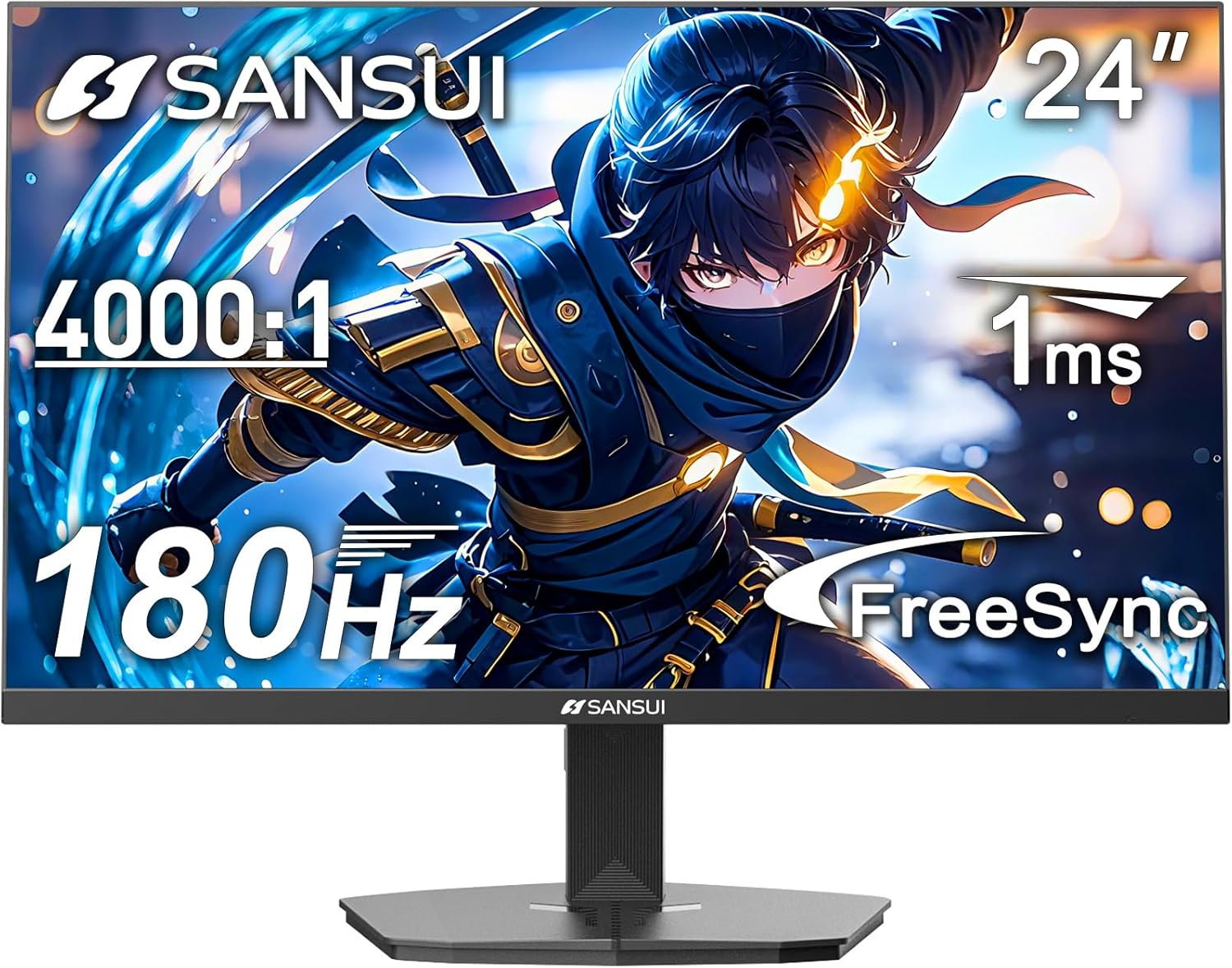
Obrázek 1: Přední strana view of the SANSUI 24 Inch Gaming Monitor (ES-G24F4).
2. Konec produktuview
The SANSUI ES-G24F4 is a 24-inch Full HD gaming monitor designed for an enhanced visual experience. Key features include:
- Velikost a rozlišení displeje: 24 Inch Full HD (1920x1080)
- Obnovovací frekvence: 180Hz for smooth visuals
- Doba odezvy: 1ms MPRT to minimize motion blur
- Barevný rozsah: 110% sRGB for vibrant and accurate colors
- Jas: 300 nitů
- Adaptivní synchronizace: Technology to eliminate screen tearing and stuttering
- Konektivita: DP 1.4 and HDMI 2.0 Ports (HDMI Cable included)
- Montáž: 75x75mm VESA compatibility
- Ergonomie: Eye care features, stable stand with -5° to 15° tilt, 178° viewúhel
- Zvuk: No built-in speakers

Obrázek 2: Přesview of monitor features.

Figure 3: Multimedia connection options for the monitor.
3. Nastavení
3.1 Sestavení stojanu
The monitor comes with a detachable stand for desktop use. To assemble:
- Opatrně vyjměte komponenty monitoru a stojanu z obalu.
- Attach the base to the stand pillar using the provided screws.
- Align the stand pillar with the mounting slot on the back of the monitor.
- Push the stand firmly into the slot until it clicks into place. Ensure the latch is engaged for a secure connection.
To detach the stand for VESA mounting, pull the latch located on the back of the monitor near the stand connection point, and gently pull the stand away from the monitor.
3.2 Propojovací kabely
Connect the necessary cables to the monitor's ports:
- Napájecí kabel: Connect the power adapter to the DC input port on the monitor and then to a power outlet.
- Video kabel: Connect one end of the HDMI cable (included) or a DisplayPort (DP) cable to the corresponding port on your computer's graphics card and the other end to the HDMI 2.0 or DP 1.4 port on the monitor.
- Audio výstup: If using external speakers or headphones, connect them to the Audio Out port on the monitor.
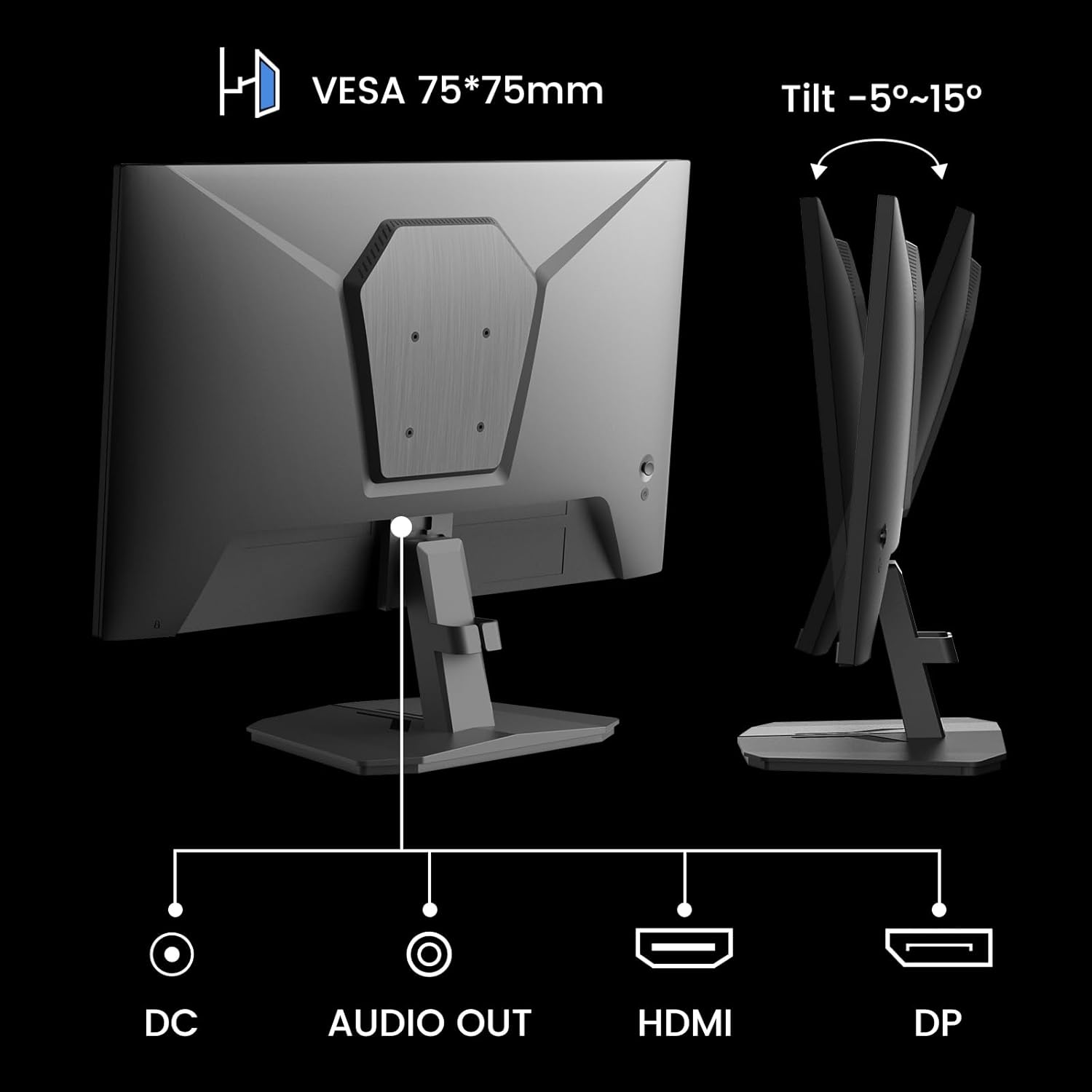
Figure 4: Monitor ports and tilt adjustment.
3.3 Montáž VESA
The monitor supports VESA 75x75mm mounting standards. If you wish to mount the monitor on a wall or an alternative stand, ensure the VESA mount is compatible and can support the monitor's weight (approximately 5.94 pounds).
Video 1: Demonstrates the monitor's thin design and detachable stand, highlighting its suitability for various setups including wall mounting.
4. Návod k obsluze
4.1 Navigace v nabídce OSD
The On-Screen Display (OSD) menu is controlled by buttons located on the back of the monitor. Use these buttons to navigate through settings and adjust display parameters.
4.2 Nastavení obrazu
- Jas: Upravuje celkový jas obrazovky.
- Kontrast: Řídí rozdíl mezi nejjasnějšími a nejtmavšími oblastmi.
- Ostrost: Enhances the clarity of image edges.
- Úroveň černé: Adjusts the depth of black colors.
4.3 Nastavení barev
- Gamma: Adjusts the tone response curve of the display.
- Nízké modré světlo: Reduces blue light emission for eye comfort.
- Teplota barev: Vybere přednastavené teploty barev (např. Teplá, Studená, Uživatelská).
- Hue/Saturation: Fine-tunes color tones and intensity.

Figure 5: Color depth and gamut information.
4.4 herních režimů
The monitor offers optimized gaming modes for different genres:
- FPS (střílečka z pohledu první osoby): Enhances visibility in dark areas.
- RTS (Real-Time Strategy): Optimizes clarity for strategic gameplay.
- Závodění: Provides a smooth and immersive experience for racing games.

Figure 6: Exclusive Gaming Modes (RTS, FPS, Racing).

Figure 7: Different display modes for various content types.
4.5 Adaptivní synchronizace (FreeSync)
Adaptive Sync technology synchronizes the monitor's refresh rate with your graphics card's frame rate, eliminating screen tearing and stuttering for a smoother gaming experience. Ensure this feature is enabled in both the monitor's OSD and your graphics card settings.

Figure 8: FreeSync ON vs. FreeSync OFF comparison.
4.6 Podpora HDR
The monitor supports HDR (High Dynamic Range) for a clearer display of moving graphics and enhanced visual depth. Enable HDR in your operating system's display settings and ensure it is activated on the monitor if applicable.
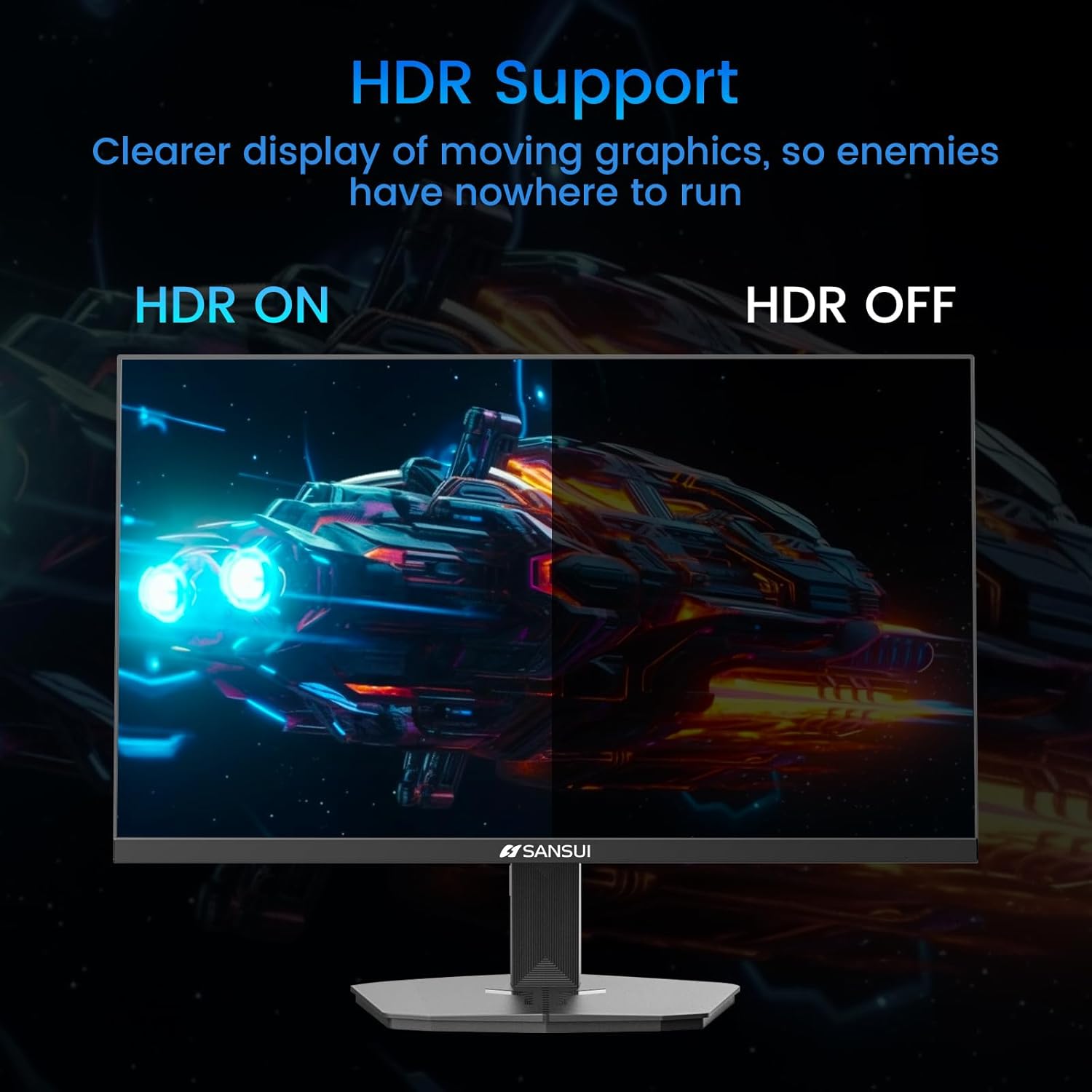
Figure 9: HDR ON vs. HDR OFF comparison.
5. Údržba
Pro zajištění dlouhé životnosti a optimálního výkonu monitoru dodržujte tyto pokyny pro údržbu:
- Čištění obrazovky: Lehce používejte měkký hadřík, který nepouští vlákna dampOpláchněte vodou nebo čističem obrazovek bez amoniaku a alkoholu. Nestříkejte tekutinu přímo na obrazovku.
- Čištění Casing: K otření monitoru použijte měkký, suchý hadřík casing. Vyhněte se abrazivním čisticím prostředkům.
- Větrání: Abyste zabránili přehřátí, ujistěte se, že ventilační otvory monitoru nejsou zablokované.
- Vypnout: Před čištěním nebo pokud nebudete monitor delší dobu používat, vždy jej vypněte a odpojte ze zásuvky.
6. Řešení problémů
Pokud se s monitorem setkáte s problémy, podívejte se na následující běžné problémy a jejich řešení:
| Problém | Možná příčina | Řešení |
|---|---|---|
| Na obrazovce není žádný obraz | Power cable disconnected, video cable loose, incorrect input source. | Zkontrolujte připojení napájecího a video kabelu. V nabídce OSD vyberte správný vstupní zdroj. |
| Blikání nebo zkreslení obrazu | Faulty video cable, refresh rate mismatch, Adaptive Sync issue. | Replace video cable. Ensure refresh rate is set correctly in OS. Check Adaptive Sync settings. |
| Barvy se zobrazují nesprávně | Incorrect color settings, HDR not enabled/disabled properly. | Adjust color settings in OSD. Verify HDR settings in OS and monitor. |
| Monitor wobbles on desk | Stand not securely attached, uneven surface. | Ensure stand is fully clicked into place. Place monitor on a stable, level surface. |
If the problem persists after attempting these solutions, please contact SANSUI customer support for further assistance.
7. Specifikace
| Funkce | Specifikace |
|---|---|
| Číslo modelu | ES-G24F4 |
| Velikost obrazovky | 24 palce |
| Rezoluce | 1920 x 1080 (Full HD) |
| Obnovovací frekvence | 180 Hz |
| Doba odezvy | 1 ms MPRT |
| Jas | 300 nitů |
| Barevný gamut | 110% sRGB |
| Poměr stran | 16:9 |
| Viewúhel | 178° (horizontálně/vertikálně) |
| Konektivita | 1x DisplayPort 1.4, 2x HDMI 2.0, 1x Audio Out |
| Kompatibilita VESA | 75x75mm |
| Nastavení sklonu | -5° až 15° |
| Hmotnost položky | 5.94 libry |
| Přiložený kabel | Kabel HDMI 1.5m |

Obrázek 10: Rozměry produktu.
8. Záruka a podpora
SANSUI provides the following support for your monitor:
- Záruka: A 30-day money-back and free replacement warranty from the order date.
- Technická podpora: K dispozici je doživotní technická podpora.
For warranty claims, technical assistance, or any product-related inquiries, please contact SANSUI customer service through their official channels.

Figure 11: Warranty and support details.


