Zavedení
This manual provides detailed instructions for the setup, operation, maintenance, and troubleshooting of your Divoom Songbird Karaoke Bluetooth Speaker. Please read this manual thoroughly before using the product to ensure proper function and longevity.

Figure 1: The Divoom Songbird Karaoke Bluetooth Speaker system, including the main speaker unit, two wireless microphones, and their charging base.
Obsah balení
Před zahájením instalace se ujistěte, že balení obsahuje všechny komponenty:
- 1 x SongBird-HQ Speaker Unit
- 2 x bezdrátové mikrofony
- 1 x Microphone Charging Base
- 1 x Uživatelská příručka (tento dokument)
- Nabíjecí kabel 1 x USB-C
- 1 x Aux kabel
- 1 x Giftbag (packaging)

Figure 2: All items included in the Divoom Songbird Karaoke Bluetooth Speaker package, showing the speaker, microphones, cables, and manual.
Nastavení
1. Nabíjení zařízení
The Divoom Songbird speaker and microphones are powered by internal Lithium Ion batteries. For optimal performance, fully charge all components before first use.
- Connect the provided USB-C cable to the charging port on the speaker unit and to a compatible USB power adapter (not included).
- Place the two microphones onto their charging base. Ensure they are seated correctly for charging.
- Charging indicators (LEDs) on the speaker and microphones will illuminate during charging and turn off or change color when fully charged.
2. Počáteční zapnutí
- To power on the speaker, locate the power button (refer to Figure 3 for control layout) and press and hold it until you hear an audible prompt or see an indicator light.
- To power on the microphones, slide the power switch on each microphone to the 'ON' position.

Figure 3: Top panel of the Divoom Songbird speaker, illustrating the various control knobs and buttons for operation.
Návod k obsluze
1. Připojení Bluetooth
The Divoom Songbird speaker uses Bluetooth for wireless audio streaming.
- Ensure the speaker is powered on and in Bluetooth pairing mode (usually indicated by a blinking LED).
- On your mobile device or computer, navigate to the Bluetooth settings.
- Hledat available devices and select "Divoom Songbird" from the list.
- Once connected, the speaker will provide an audible confirmation, and the LED indicator will become solid.
2. Auxiliary (AUX) Connection
For wired audio playback, use the provided 3.5mm Aux cable.
- Connect one end of the Aux cable to the 3.5mm Aux-in port on the speaker.
- Connect the other end to the headphone jack or audio output of your audio source (e.g., smartphone, MP3 player).
- The speaker will automatically switch to AUX mode or may require manual selection via a mode button.
3. Using the Microphones for Karaoke
The two wireless microphones are designed for karaoke functionality.
- Ensure both the speaker and microphones are powered on.
- Mikrofony by se měly automaticky spárovat s reproduktorem. Pokud ne, podívejte se do části o řešení problémů.
- Adjust microphone volume and echo effects using the dedicated knobs on the speaker's top panel (refer to Figure 3).
- Sing into the microphone while playing music through the speaker via Bluetooth or AUX.

Figure 4: The two wireless microphones for the Divoom Songbird speaker, shown resting in their charging base.
Údržba
1. Čištění
Pro zachování vzhledu a funkčnosti reproduktoru:
- Vnější povrchy otřete měkkým, suchým hadříkem, který nepouští vlákna.
- Do not use abrasive cleaners, alcohol, benzene, or other chemical solvents, as these may damage the finish.
- Zabraňte vniknutí vlhkosti do jakýchkoli otvorů.
2. Skladování
Pokud se delší dobu nepoužívá:
- Store the speaker and microphones in a cool, dry place, away from direct sunlight and extreme temperatures.
- Ensure the batteries are partially charged (around 50%) before long-term storage to preserve battery health.
3. Péče o baterie
The device contains a built-in rechargeable Lithium Ion battery. To maximize battery lifespan:
- Vyhněte se častému úplnému vybíjení baterie.
- Avoid leaving the device plugged in constantly after it's fully charged.
- Charge the device at least once every three months if not in regular use.
Odstraňování problémů
If you encounter issues with your Divoom Songbird speaker, refer to the following common problems and solutions:
| Problém | Možná příčina | Řešení |
|---|---|---|
| Žádné napájení/Zařízení se nezapne | Baterie je vybitá. | Charge the speaker and microphones fully using the provided USB-C cable. |
| Nelze se připojit přes Bluetooth | Reproduktor není v režimu párování; Bluetooth zařízení je vypnuté; zařízení je příliš daleko od reproduktoru. | Ensure speaker is in pairing mode. Turn Bluetooth off and on again on your device. Move closer to the speaker (within 10 meters). Forget the device on your phone and re-pair. |
| Žádný zvuk z reproduktoru | Volume is too low; incorrect input mode; audio source issue. | Increase volume on both the speaker and your audio source. Ensure the correct input mode (Bluetooth/AUX) is selected. Check if the audio source is playing correctly. |
| Mikrofony nefungují | Microphones are off; not charged; not paired with speaker. | Ensure microphones are powered on and charged. Power cycle both the speaker and microphones. They should automatically pair. |
Specifikace
Detailed technical specifications for the Divoom Songbird Karaoke Bluetooth Speaker:
- Číslo modelu: 90100058218
- Značka: Divoom
- Rozměry produktu: 28 x 10 x 25 cm
- Hmotnost položky: 1.3 kg
- Zdroj napájení: Napájení baterií (1 lithium-iontová baterie je součástí balení)
- Akustický výkon: 50 Wattů
- Mikrofony: Dual Microphone 24bit
- Životnost baterie: Přibližně 8 hodiny
- Technologie připojení: Pomocný, Bluetooth
- Typ konektoru: Zásuvka 3.5 mm
- Speciální vlastnosti: Bluetooth, přenosný
- Barva: Zelený
- Doporučená použití: For music players, Karaoke
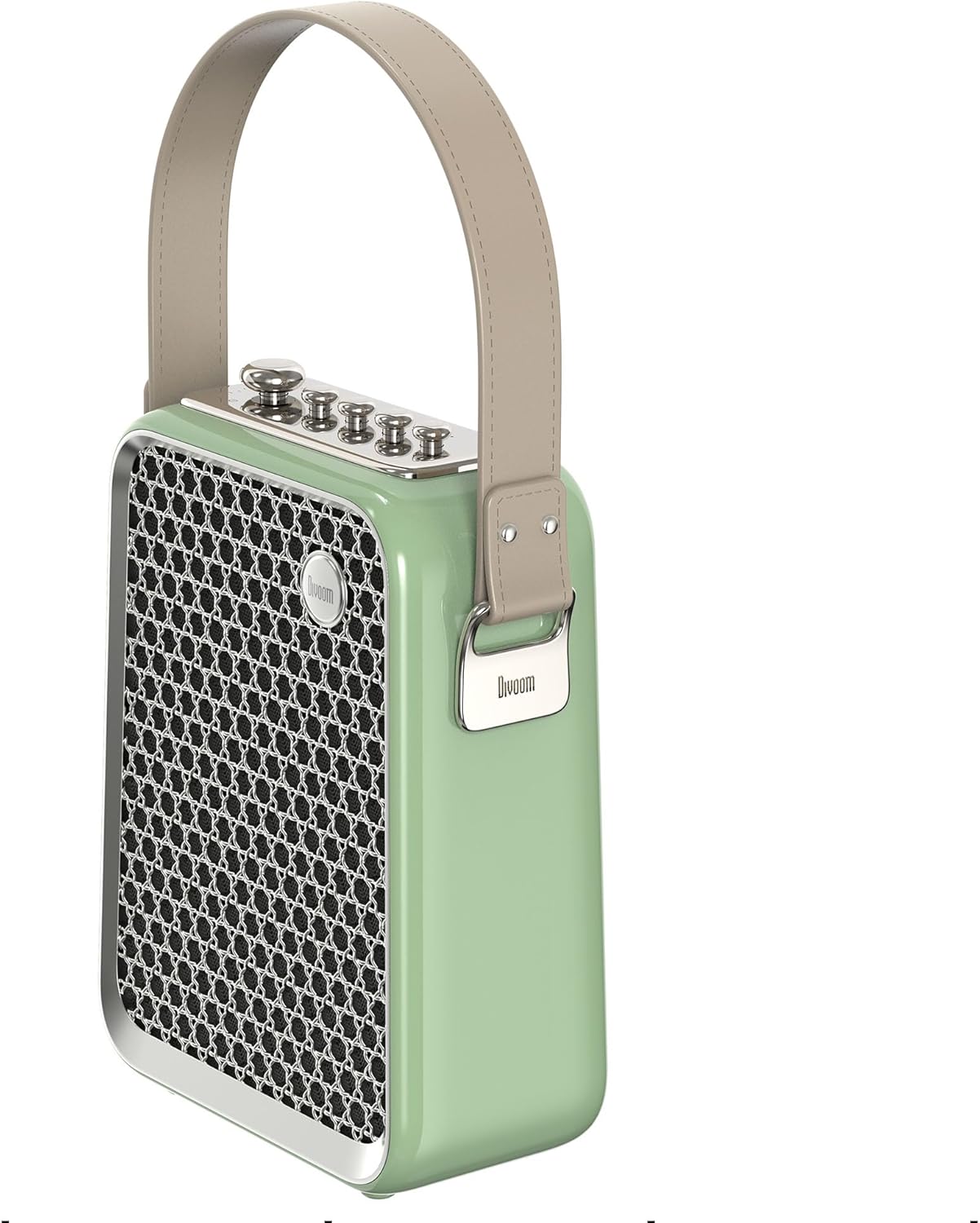
Obrázek 5: Boční profíkfile of the Divoom Songbird speaker, highlighting its compact dimensions and integrated carrying handle.
Záruka a podpora
Informace o záruce
This product may be eligible for extended warranty plans and accidental damage protection plans. Please refer to your purchase documentation or contact your retailer for specific warranty terms and conditions applicable to your region.
- Plán prodloužené záruky na 1 rok: K dispozici ke koupi.
- 1 Year Accidental Damage Protection Plan: K dispozici ke koupi.
- 2letý prodloužený záruční plán: K dispozici ke koupi.
Zákaznická podpora
For technical assistance, troubleshooting beyond this manual, or warranty claims, please contact Divoom customer support. Visit the official Divoom website for contact information or refer to the support details provided with your product packaging.
Můžete také navštívit Divoom brand page on Amazon pro více informací.


