Zavedení
Tato příručka obsahuje základní pokyny pro nastavení, provoz, údržbu a řešení problémů s vaší novou 65palcovou 4K UHD chytrou televizí Tesla (model 65E635SUS). Před použitím televize si prosím pečlivě přečtěte tuto příručku, abyste zajistili její správný provoz a maximalizovali její využití. viewzkušenosti. Uschovejte tento návod pro budoucí použití.
Důležité bezpečnostní informace: Při používání tohoto výrobku vždy dodržujte základní bezpečnostní opatření, abyste snížili riziko požáru, úrazu elektrickým proudem a zranění. Nepokoušejte se tento výrobek opravovat sami. Veškerý servis svěřte kvalifikovanému servisnímu personálu.
1. Nastavení
1.1 Vybalení a kontrola obsahu
Opatrně vyjměte televizor z obalu. Ujistěte se, že jsou přítomny všechny součásti:
- Chytrá televize Tesla 65 palců s rozlišením 4K UHD
- Dálkové ovládání
- AAA baterie pro dálkové ovládání
- TV stolek (2 kusy)
- Šrouby pro televizní stojan
- Napájecí kabel
- Uživatelská příručka (tento dokument)

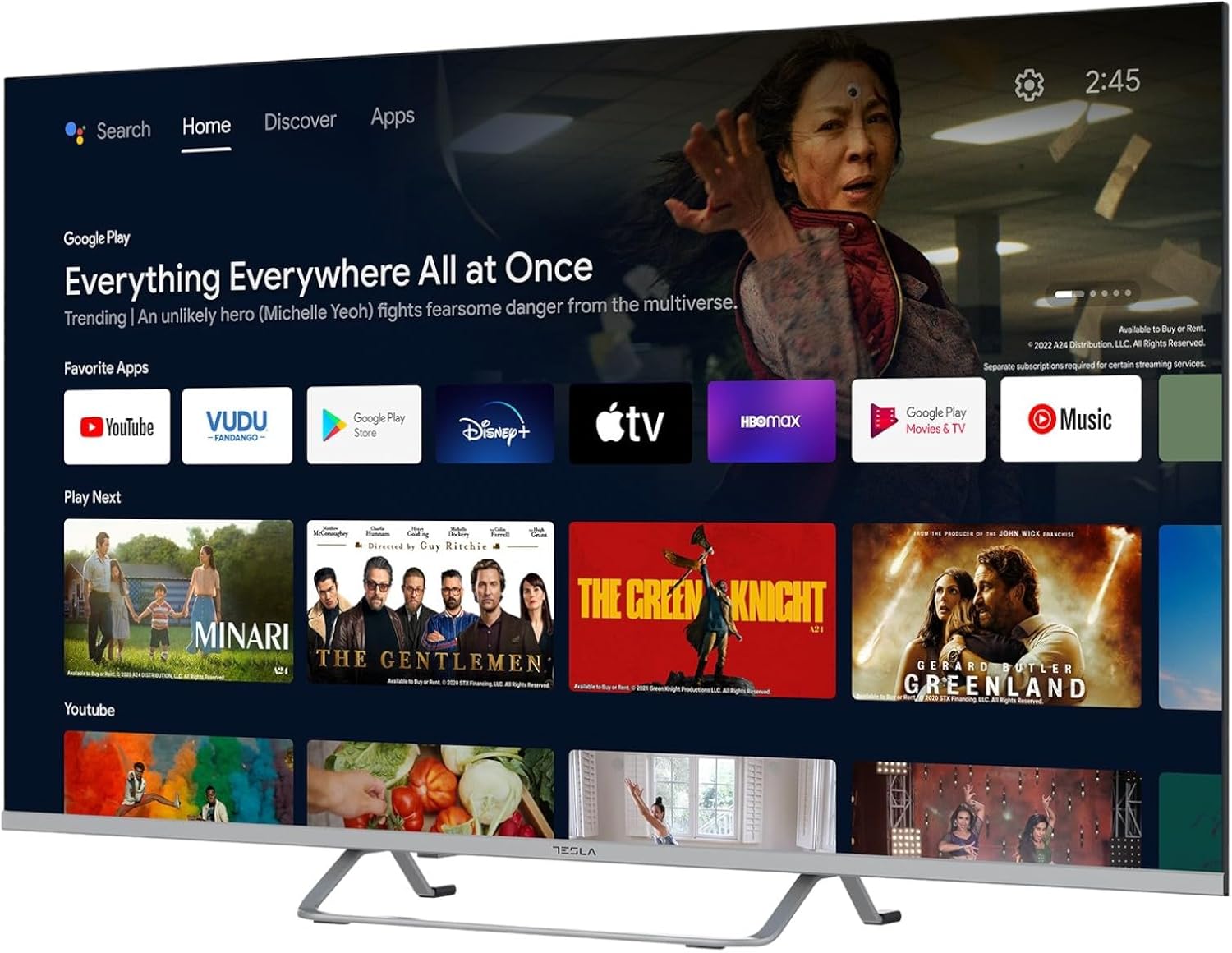
Obrázek 1.1: Přední strana view 65palcové chytré televize Tesla se stojanem.
1.2 Připevnění televizního stojanu
- Umístěte televizor displejem dolů na měkký, rovný povrch, abyste zabránili poškození obrazovky.
- Zarovnejte každý kus stojanu s odpovídajícími otvory na spodní straně televizoru.
- Každý díl stojanu zajistěte dodanými šrouby. Ujistěte se, že jsou pevně utažené.

Obrázek 1.2: Zadní strana view televizoru, znázorňující body pro upevnění stojanu.
Poznámka: Pokud plánujete televizor namontovat na zeď, řiďte se pokyny k sadě pro montáž na zeď (prodává se samostatně) a tento krok přeskočte. Při montáži na zeď zajistěte dostatečné větrání.
1.3 Připojení napájení
Zapojte napájecí kabel do zásuvky na televizoru a poté do elektrické zásuvky. Televizor přejde do pohotovostního režimu.
1.4 Počáteční nastavení
Po prvním zapnutí vás televizor provede procesem počátečního nastavení:
- Výběr jazyka: Vyberte preferovaný jazyk.
- Internetové připojení: Připojte se k síti Wi-Fi nebo použijte ethernetový kabel pro kabelové připojení.
- Přihlášení k účtu Google: Přihlaste se pomocí svého účtu Google a získejte přístup k Obchodu Google Play, Asistentovi Google a dalším funkcím Android TV.
- Skenování kanálu: Pokud používáte anténu nebo kabelové připojení, vyhledejte dostupné televizní kanály.
- Nastavení soukromí: Review a podle potřeby upravte nastavení soukromí.
2. Návod k obsluze
2.1 Dálkové ovládání Overview
Dodaný dálkový ovladač umožňuje ovládat funkce televizoru. Před použitím vložte do dálkového ovladače baterie typu AAA.

Obrázek 2.1: Dálkové ovládání Bluetooth pro chytrou televizi Tesla.
- Vypínač: Zapíná nebo vypíná televizor (pohotovostní režim).
- Navigační tlačítko (nahoru/dolů/vlevo/vpravo/OK): Prochází menu a vybírá položky.
- Tlačítko Zpět: Vrátí se na předchozí obrazovku.
- Tlačítko Domů: Otevře domovskou obrazovku Android TV.
- Zvýšení/Snížení hlasitosti: Nastavuje úroveň hlasitosti.
- Tlačítko ztlumení: Vypne nebo vypne zvuk.
- Tlačítko Google Assistant: Aktivuje hlasové ovládání.
- Tlačítka zkratek aplikací: Přímý přístup k oblíbeným streamovacím službám (např. Netflix, YouTube).
2.2 Navigace v rozhraní Android TV 11
Rozhraní Android TV 11 poskytuje přístup k aplikacím, nastavením a obsahu. Pro pohyb po domovské obrazovce použijte navigační tlačítko na dálkovém ovladači.
Obrázek 2.2: Domovská obrazovka Android TV 11 zobrazující různé aplikace a návrhy obsahu.
- Domovská obrazovka: Zobrazuje doporučený obsah, nainstalované aplikace a vstupní zdroje.
- Sekce aplikací: Přístup ke všem nainstalovaným aplikacím.
- Nastavení: Nakonfigurujte nastavení televizoru, sítě, účtů a předvoleb zařízení.
2.3 Používání Google Assistantu
Stiskněte tlačítko Google Assistant na dálkovém ovladači a mluvte do mikrofonu, abyste mohli ovládat televizi, vyhledávat obsah, získávat informace a dělat další věci.
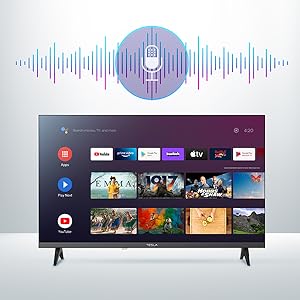
Obrázek 2.3: Vizuální znázornění aktivace Google Assistant na televizní obrazovce.
Exampseznam příkazů:
- „Otevřít Netflix“
- "Hledat akční filmy"
- "Jaké je počasí?"
- "Zvyš hlasitost"
2.4 Vestavěný Chromecast
Pomocí vestavěného Chromecastu můžete přehrávat obsah z kompatibilního chytrého telefonu, tabletu nebo počítače přímo do televizoru. Ujistěte se, že je vaše zařízení připojeno ke stejné síti Wi-Fi jako televizor.

Obrázek 2.4: Chytrý telefon přenáší obsah do televizoru přes Chromecast.
2.5 Připojení externích zařízení
Váš televizor nabízí několik možností připojení:
- HDMI porty (x4): Připojte Blu-ray přehrávače, herní konzole, set-top boxy atd.
- USB porty (x2): Připojte USB disky pro přehrávání médií nebo externí klávesnice/myši.
- Ethernet (LAN): Pro kabelové připojení k internetu.
- Wi-Fi: Pro bezdrátové připojení k internetu.
- Bluetooth: Připojte bezdrátová sluchátka, reproduktory nebo jiná zařízení Bluetooth.

Obrázek 2.5: Boční profesionálfile televizoru se zvýrazněním dostupných portů.
2.6 Nastavení obrazu a zvuku
Pro přizpůsobení možností obrazu a zvuku otevřete nabídku nastavení televizoru.
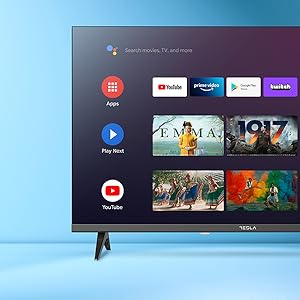
Obrázek 2.6: Příkladampv levé části nabídky nastavení televizoru pro přizpůsobení.
- Obrazové režimy: Vyberte si z režimů Standardní, Živé barvy, Sport, Film, Hra nebo Uživatelský (vlastní). Upravte jas, kontrast, barvy a ostrost.
- HDR10: Televizor podporuje HDR10 pro vylepšený kontrast a barvy u kompatibilního obsahu.
- Zvukové režimy: Vyberte si z režimů Standardní, Hudba, Film, Sport nebo Uživatelský (vlastní). Pro jemné doladění zvukových frekvencí použijte ekvalizér.
- Řečníci: Televizor je vybaven 2 x 12W reproduktory.
3. Údržba
3.1 Čištění televizoru
- Obrazovka: Jemně otřete obrazovku měkkým hadříkem, který nepouští vlákna. V případě odolných skvrn lehceamphadřík vodou nebo specializovaným čističem obrazovek. Nikdy nestříkejte čistič přímo na obrazovku.
- Tělo: Tělo televizoru otřete měkkým, suchým hadříkem. Nepoužívejte abrazivní čisticí prostředky ani rozpouštědla.
- Před čištěním vždy odpojte televizor od elektrické zásuvky.
3.2 Aktualizace softwaru
Vaše chytrá televize Tesla může dostávat aktualizace softwaru pro zlepšení výkonu a přidání nových funkcí. Ujistěte se, že je vaše televize připojena k internetu, aby tyto aktualizace dostávala automaticky, nebo je zkontrolujte ručně v nabídce nastavení.
4. Řešení problémů
Než kontaktujete podporu, vyzkoušejte následující řešení běžných problémů:
| Problém | Možné řešení |
|---|---|
| Žádná síla | Zkontrolujte, zda je napájecí kabel bezpečně připojen k televizoru a do zásuvky. Ujistěte se, že zásuvka funguje. |
| Žádný obraz, ale zvuk je přítomný | Ujistěte se, že je vybrán správný vstupní zdroj. Zkontrolujte kabelová připojení k externím zařízením. Zkuste restartovat televizor. |
| Žádný zvuk, ale obraz je přítomen | Zkontrolujte úroveň hlasitosti a ujistěte se, že televizor není ztlumený. V případě potřeby ověřte nastavení zvuku a připojení externích reproduktorů. |
| Dálkové ovládání nefunguje | Vyměňte baterie. Ujistěte se, že mezi dálkovým ovladačem a televizorem nejsou žádné překážky. V případě potřeby znovu spárujte dálkový ovladač Bluetooth (viz nastavení televizoru). |
| Problémy s připojením k síti | Restartujte router a modem. Zkontrolujte heslo k Wi-Fi. Pokud je to možné, zkuste kabelové ethernetové připojení. |
| Aplikace jsou pomalé nebo padají | Zavřete nepoužívané aplikace. Vymažte mezipaměť aplikací (Nastavení > Aplikace > [Název aplikace] > Vymazat mezipaměť). Restartujte televizor. |
5. Specifikace
| Funkce | Detail |
|---|---|
| Značka | TESLA |
| Číslo modelu | 65E635SUS |
| Velikost obrazovky | 65 palce (165 cm) |
| Technologie displeje | LED |
| Rezoluce | 4K (3840 x 2160) |
| Obnovovací frekvence | 60 Hz |
| Operační systém | Android TV 11 |
| Speciální funkce | Vysoký dynamický rozsah (HDR10), Google Play, Vestavěný Chromecast, Asistent Google, Personalizovaný prostorový zvuk |
| Konektivita | Wi-Fi, Bluetooth, Ethernet (LAN) |
| HDMI porty | 4 |
| USB porty | 2 |
| Zvukový výstup | 2x 12W reproduktory |
| Rozměry produktu (se stojanem) | 25H x 25Š x 144.5V cm (přibližně) |
6. Záruka a podpora
Informace o záruce naleznete v záruční kartě, která je součástí vašeho produktu, nebo navštivte oficiální web společnosti Tesla. webUschovejte si doklad o koupi pro případ reklamace.
S technickou podporou nebo servisními dotazy se prosím obraťte na zákaznický servis Tesla prostřednictvím jejich oficiálních kanálů. Kontaktní údaje obvykle naleznete na webových stránkách výrobce. webmístě nebo na obalu produktu.


