1. Úvod
The STRICH Stereo Looper Pedal is a versatile 2-in-1 device combining a powerful looper with a comprehensive drum machine. Designed for guitarists and musicians, it offers extensive recording capabilities and a wide array of rhythmic patterns to enhance practice, composition, and live performance. This manual provides essential information for setting up, operating, maintaining, and troubleshooting your pedal.
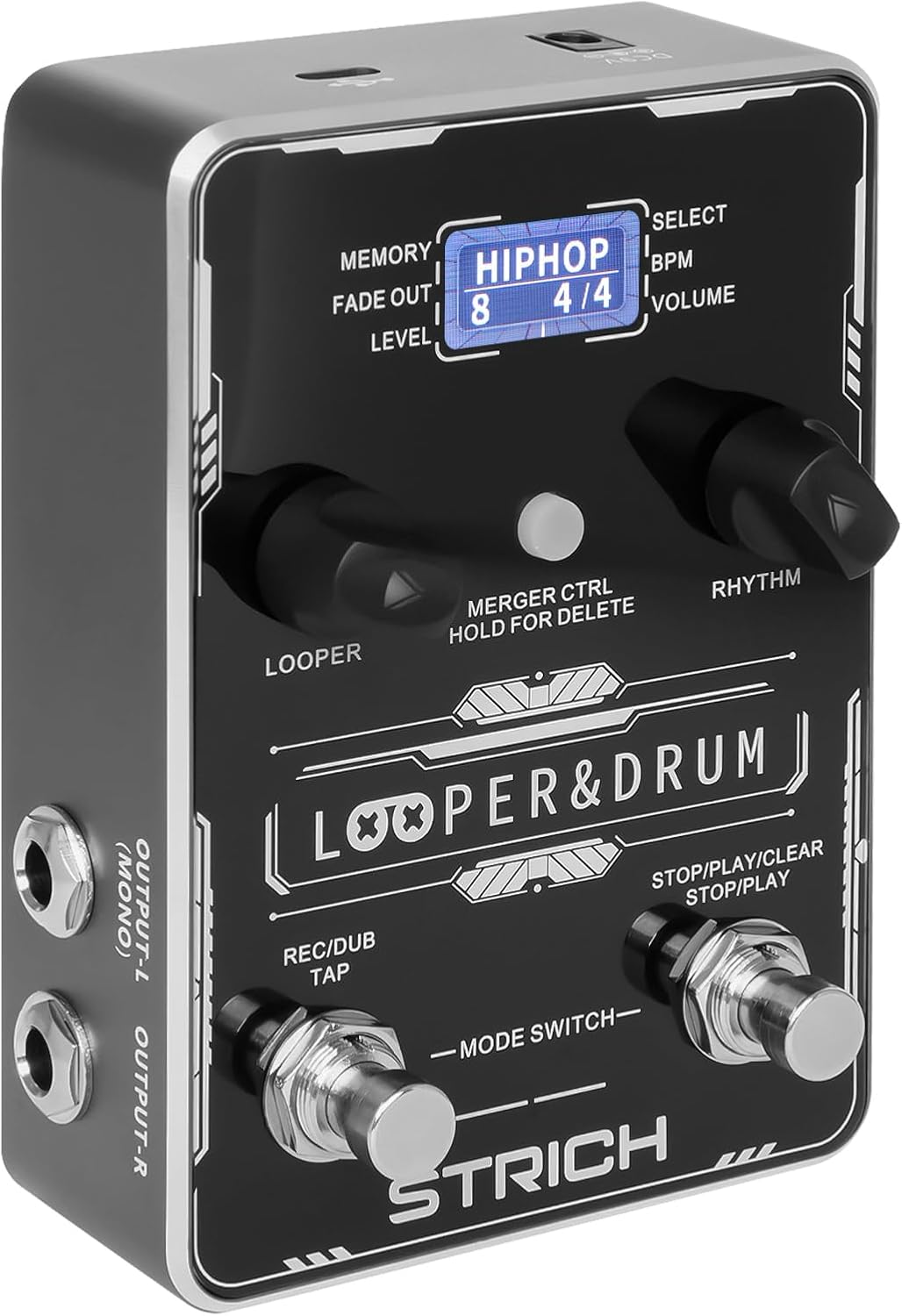
Přední view of the STRICH Stereo Looper Pedal, showcasinjeho ovládací prvky a displej.
2. Klíčové vlastnosti
- Design 2 v 1: Integrates a looper and drum machine for combined creative and rhythmic practice needs.
- Powerful Looper: Stores 40 presets, each with a maximum recording time of 4 minutes, totaling 160 minutes. Features a 24-bit/44.1kHz DSP chip for accurate sound reproduction.
- Versatile Drum Machine: Offers 10 different drum styles, each with 10 unique rhythmic patterns, providing 100 diverse drum patterns (pop, rock, metal, Latin, blues, jazz, fusion, hip-hop, funk, disco).
- Dual Inputs/Outputs: Two mono 1/4" inputs for simultaneous instrument and microphone connection, and two mono 1/4" outputs for stereo output.
- USB připojení: Supports audio upload and download, and software editing for loop management.
- Ovládání nožním spínačem: Allows for hands-free operation during performance.

The pedal's 2-in-1 design combines looper and drum machine functionalities.
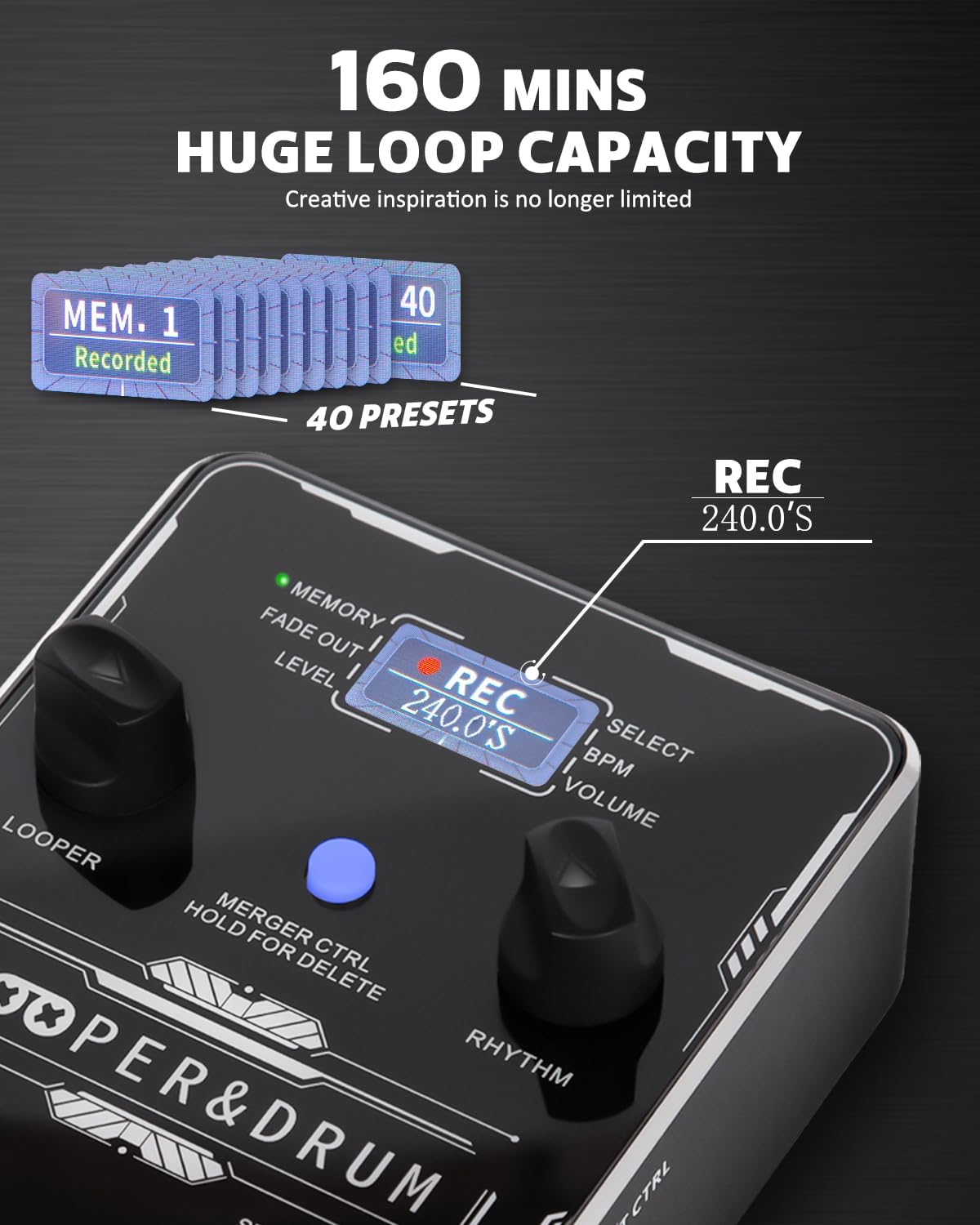
The looper offers a substantial 160 minutes of total recording time across 40 presets.

Explore 100 diverse drum patterns across various musical genres.
3. Průvodce nastavením
3.1 napájecí zdroj
The STRICH Stereo Looper Pedal requires a 9V DC, minimum 300mA, center-negative adapter. The power supply is není součástí dodávky with the pedal. Using an incorrect adapter may damage the device. There is no battery compartment.

Ensure correct power supply (9V DC, 300mA, center-negative) and proper signal connections.
3.2 Připojení
The pedal features dual inputs and outputs for versatile connectivity:
- Input R (Mono): Connect your instrument (e.g., guitar) here for mono input.
- Input L (Mono): Connect a second instrument or microphone here. Connect both L and R inputs for stereo input.
- Output L (Mono): Připojte se k vašemu amplifier or audio interface. Connect both L and R outputs for stereo output.
- Output R: Připojte se k vašemu amplifikátor nebo audio rozhraní.
- EXT CTRL: For connecting an external footswitch (purchased separately).
- USB (typu C): Connect to a computer for editor software, import/export files, or factory reset.

The pedal supports dual input and output for stereo or multi-instrument setups.

Example connection setup for the looper pedal with instruments and output devices.
4. Návod k obsluze
4.1 Ovládací prvky Overview

Detailní view of the pedal's controls and their functions.
- LOOPER Control: Adjusts loop position, volume, and fade out time.
- LED LOOPER: Indicates current looper parameters.
- Displej: Shows current status information.
- LED RHYTHM: Indicates current rhythm parameters.
- MERGER CTRL (Hold for Delete): Toggles independent/simultaneous operation of looper and drum machine. Hold to delete recorded tracks.
- RHYTHM Control: Selects rhythm type, speed (BPM), and volume.
- Right Footswitch (STOP/PLAY/CLEAR): Controls playback, stop, and clear functions for the looper. Also controls Play/Stop for the drum machine.
- Left Footswitch (REC/DUB/TAP): Controls record, dub, and playback in looper mode. Taps tempo for rhythm.
4.2 Looper Operation
- Záznam: Press the Left Footswitch (REC/DUB) once to start recording. The screen will show 'REC' and the recording time.
- Přehrávání: Press the Left Footswitch again to stop recording and start playback. The screen will show 'PLAY'.
- Dabing: During playback, press the Left Footswitch again to start dubbing (overdubbing). The screen will show 'DUB'.
- Stop: Press the Right Footswitch (STOP/PLAY/CLEAR) once to stop playback/dubbing.
- Jasný: While stopped, hold the Right Footswitch to clear the current loop.
- Select Memory: Use the LOOPER control knob to navigate through the 40 memory slots.
4.3 Drum Machine Operation
- Select Drum Pattern: Use the RHYTHM control knob to select from 100 diverse drum patterns.
- Úprava BPM: Press the RHYTHM control knob to enter BPM adjustment mode, then turn the knob to change the tempo.
- Upravit hlasitost: Press the RHYTHM control knob again to enter volume adjustment mode, then turn the knob to change the drum volume.
- Klepněte na Tempo: Tap the Left Footswitch (REC/DUB/TAP) multiple times to set the tempo for the drum machine.
4.4 USB Functionality and Software
The pedal supports USB Type-C connectivity for managing your loops and settings via computer software. This allows for importing/exporting recorded files and performing factory resets.

Manage your loops and settings using the dedicated editor software.
4.5 Instructional Videos
For visual guidance on setup and operation, please refer to the official product videos:
Video: STRICH Looper Pedal Guitar Pedal with Drum Machine 2 IN 1
Toto video poskytuje přesview and demonstration of the pedal's core functionalities, including basic looping and drum machine features.
Video: STRICH Stereo Guitar Looper Pedal with Drum Machine 2 IN 1
A detailed demonstration of the stereo capabilities and integrated drum machine, showcasing various operational aspects.
5. Údržba
- Čištění: K čištění povrchu pedálu používejte měkký, suchý hadřík. Nepoužívejte abrazivní čisticí prostředky ani rozpouštědla.
- Skladování: Pedál skladujte na chladném a suchém místě mimo dosah přímého slunečního záření a extrémních teplot.
- Zacházení: Handle the pedal with care to prevent damage to the footswitches and knobs. Avoid dropping or subjecting it to strong impacts.
- Odpojení napájení: Vždy odpojte napájení, pokud pedál delší dobu nepoužíváte.
6. Řešení problémů
- Bez napájení: Ensure the correct 9V DC, 300mA, center-negative power adapter is connected securely. Check the power outlet.
- Žádný zvuk: Verify all audio cables are correctly connected to inputs and outputs. Check instrument and amplifier volume levels. Ensure the pedal's volume is not set to zero.
- Zkreslený zvuk: Check input levels to avoid clipping. Ensure proper impedance matching with your instruments and ampživější.
- Loop Not Recording/Playing: Ensure you are in the correct mode (REC/PLAY). Check if the memory slot is full or corrupted (try clearing it).
- Drum Machine Issues: Verify drum volume is up. Ensure a drum pattern is selected.
- Problémy s připojením softwaru: Ensure the USB cable is securely connected. Try a different USB port or cable. Restart your computer and the pedal.
7. Specifikace
| Funkce | Detail |
|---|---|
| Číslo modelu | LOOPER&DRUM |
| Hmotnost položky | 1.21 liber (0.55 kilogramů) |
| Rozměry produktu | 6.69 x 4.33 x 2.95 palce |
| Typ materiálu | Slitina |
| Zdroj napájení | Elektrický kabel |
| svtage | 9 voltů |
| Hardwarové rozhraní | USB typ C |
| Doba nahrávání | 160 minutes total (40 presets, 4 minutes each) |
| Bubnové patterny | 100 diverse patterns (10 styles, 10 patterns each) |
| Sampsazba ling | 44.1 kHz |
| Sampling přesnost | 24 bit |

Detailed input and output specifications of the pedal.
8. Záruka a podpora
STRICH is committed to crafting quality musical instruments and values customer feedback. For any inquiries or support needs, please refer to the following:
- Záruční servis: Up to 12-month warranty.
- Zásady vrácení: 30denní bezplatné vrácení.
- Péče o zákazníky: E-mail chat assistant response within 24 hours.
For additional support, you may refer to the official User Manual (PDF) available online: Uživatelská příručka (PDF)


