Zavedení
This manual provides essential information for setting up, operating, maintaining, and troubleshooting your ASUS Zenbook 14" OLED Touchscreen Laptop (Model: UM3402YA-WS51T). Please read this manual thoroughly to ensure proper use and to maximize the lifespan of your device.
The ASUS Zenbook 14" OLED Touchscreen Laptop is designed for productivity and entertainment, featuring a stunning 14-inch OLED touchscreen display, a powerful AMD Ryzen 5 7530U processor, 8GB of RAM, and a fast 256GB SSD. It comes pre-installed with Windows 11 Home and offers advanced connectivity options.
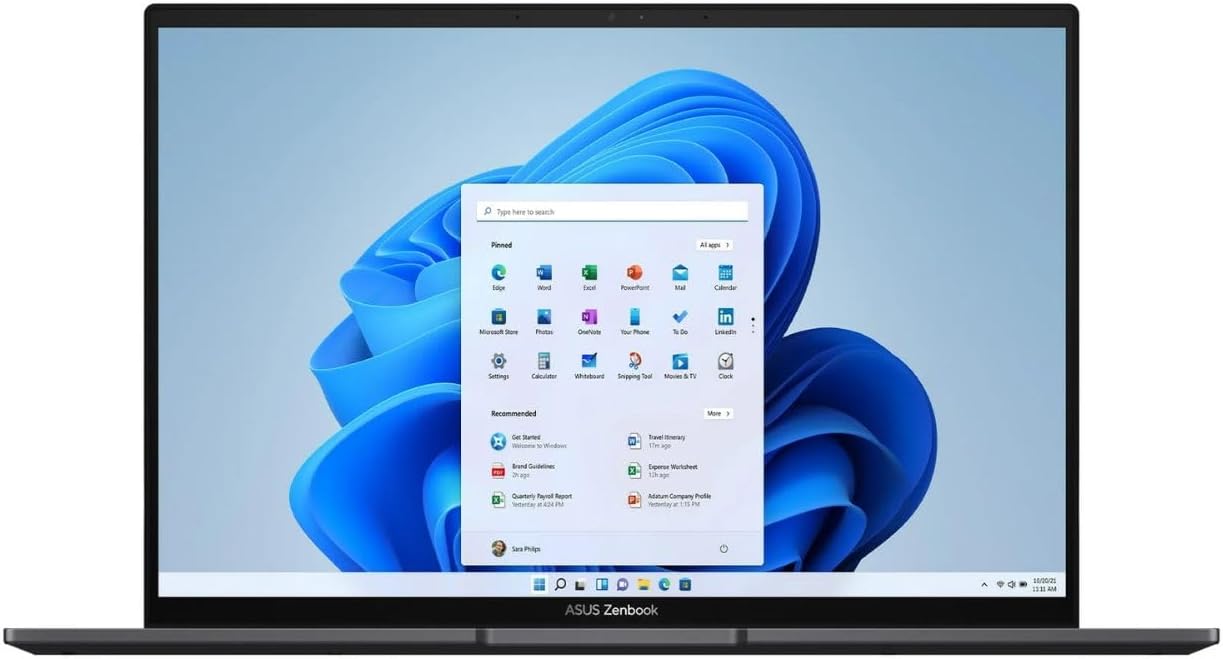
Figure 1: ASUS Zenbook 14" OLED Laptop with Windows 11 Interface.
This image shows the laptop open, displaying the Windows 11 operating system desktop, highlighting the vibrant OLED screen.
Nastavení
- Rozbalení: Opatrně vyjměte notebook a veškeré příslušenství z obalu. Ujistěte se, že jsou přítomny všechny součásti: notebook, napájecí adaptér a dokumentace.
- Připojení napájení:
- Připojte napájecí adaptér do vstupního portu napájení notebooku.
- Zapojte napájecí kabel do uzemněné elektrické zásuvky.
- Allow the battery to charge for at least 30 minutes before first use, or until the battery indicator shows sufficient charge.
- První spuštění:
- Open the laptop lid. The laptop may power on automatically. If not, press the power button located on the keyboard.
- Postupujte podle pokynů na obrazovce a dokončete proces nastavení systému Windows 11 Home, včetně výběru jazyka, síťového připojení a vytvoření uživatelského účtu.
Návod k obsluze
Klávesnice a touchpad
The ASUS Zenbook features an ASUS ErgoSense keyboard and a large touchpad for comfortable and precise input. The touchpad also integrates a virtual numeric keypad for convenient data entry.

Obrázek 2: Rozložení klávesnice a touchpadu.
Tento obrázek nabízí pohled shora dolů view of the laptop's keyboard, highlighting the backlit keys and the large touchpad with its integrated virtual numeric keypad.
Funkce displeje
Your Zenbook is equipped with a 14-inch 2.8K (2880 x 1800) OLED NanoEdge touchscreen display. This display offers vibrant colors, deep blacks, and excellent contrast, making it ideal for various tasks. The touchscreen allows for intuitive interaction with Windows 11.

Figure 3: OLED Display Certifications.
This image showcases the laptop's OLED display and various certifications, including TÜV Rheinland for low blue light and VESA DisplayHDR True Black 500, indicating high visual quality and eye comfort.
Konektivita
The Zenbook 14 OLED provides a comprehensive set of I/O ports for versatile connectivity:
- USB 3.2 Gen 2 typu A: Pro připojení standardních USB zařízení.
- USB-C 3.2 Gen 2: Versatile ports supporting data transfer, power delivery, and display output.
- HDMI 2.1: For connecting external displays or projectors.
- Kombinovaný audio konektor: Pro sluchátka nebo headsety.
- Čtečka karet MicroSD: Pro rozšíření úložiště nebo přenos files z paměťových karet.
Wireless connectivity includes Wi-Fi 6E for fast and reliable internet access and Bluetooth 5 for connecting wireless peripherals.

Figure 4: Connectivity Ports.
Tento obrázek zobrazuje boční profesionálafiles of the laptop, clearly labeling the USB 3.2 Gen 2 Type-A port on one side and the MicroSD card reader, USB-C 3.2 Gen 2 ports, audio combo jack, and HDMI 2.1 port on the other side.
Údržba
- Čištění:
- Použijte měkký hadřík, který nepouští vlákna dampDisplej omyjte vodou nebo čističem obrazovek. Nepoužívejte agresivní chemikálie.
- For the keyboard and chassis, use a soft, dry cloth. A can of compressed air can be used to remove dust from between keys.
- Péče o baterie:
- Vyhněte se častému úplnému vybíjení baterie.
- Pokud notebook delší dobu nepoužívat, nabijte baterii na přibližně 50–60 %, než ji vypnete.
- Používejte pouze originální napájecí adaptér ASUS.
- Aktualizace softwaru: Regularly check for and install updates for Windows 11 and ASUS drivers/utilities to ensure optimal performance and security.
- Správa úložiště: Pravidelně uklízejte nepotřebné files and applications to maintain sufficient free space on the 256GB SSD for optimal system performance.
Odstraňování problémů
| Problém | Možná příčina | Řešení |
|---|---|---|
| Notebook se nezapne. | Problém s nízkou baterií nebo napájecím adaptérem. | Ensure power adapter is securely connected to both laptop and outlet. Allow battery to charge for a few minutes before attempting to power on again. |
| Displej je prázdný nebo bliká. | Display driver issue, external display conflict, or power saving mode. | Stiskněte Fn + F7 (or the display toggle key) to cycle display modes. Update graphics drivers. Restart the laptop. |
| Problémy s připojením k Wi-Fi. | Vypnutý Wi-Fi adaptér, nesprávné heslo nebo problém s routerem. | Ensure Wi-Fi is enabled in Windows settings. Re-enter Wi-Fi password. Restart your router and laptop. |
| Pomalý výkon. | Too many applications running, low storage space, or outdated drivers. | Zavřete nepotřebné aplikace. Uvolněte místo na disku. Aktualizujte systém Windows a ovladače. |
If you encounter issues not covered here or if solutions do not resolve the problem, please refer to the ASUS support webnebo kontaktujte zákaznický servis.
Specifikace
| Funkce | Detail |
|---|---|
| Značka | ASUS |
| Název modelu | UM3402YA-WS51T |
| Velikost obrazovky | 14 palce |
| Rozlišení obrazovky | 2880 x 1800 pixelů |
| Procesor | AMD Ryzen 5 7530U (2 GHz base speed) |
| Velikost nainstalované paměti RAM | 8 GB DDR4 |
| Velikost pevného disku | 256 GB SSD |
| Operační systém | Windows 11 Home |
| Popis grafické karty | Integrovaný |
| Bezdrátový typ | 802.11ax (Wi-Fi 6E) |
| Barva | Černý |
| Hmotnost položky | 5.85 libry |
| Rozměry produktu (DxŠxV) | 12.34 x 8.69 x 0.67 palce |
Záruka a podpora
Your ASUS Zenbook 14" OLED Touchscreen Laptop comes with a standard manufacturer's warranty. Please refer to the warranty card included in your product packaging for specific terms and conditions, including warranty duration and coverage details.
Pro technickou podporu, stažení ovladačů, odpovědi na nejčastější dotazy a servisní dotazy navštivte oficiální stránky podpory ASUS. webmísto:
When contacting support, please have your product model number (UM3402YA-WS51T) and serial number ready.


