Zavedení
Thank you for choosing the A4 TECH 2DRUMTEK B25 True Wireless Earbuds. These earbuds feature advanced Bluetooth 5.2 technology for stable connectivity, Hybrid Active Noise Cancelling for an immersive audio experience, and an IPX4 rating for water and dust resistance, making them suitable for active lifestyles. The M.O.C.I (Mycelium of Carbon IT) hybrid diaphragm ensures clear highs, balanced mids, and deep bass. This manual provides detailed instructions for setup, operation, maintenance, and troubleshooting to help you get the most out of your device.
Obsah balení
- 2DRUMTEK B25 True Wireless Earbuds (Left and Right)
- Nabíjecí pouzdro
- Nabíjecí kabel
- Uživatelská příručka
Konec produktuview
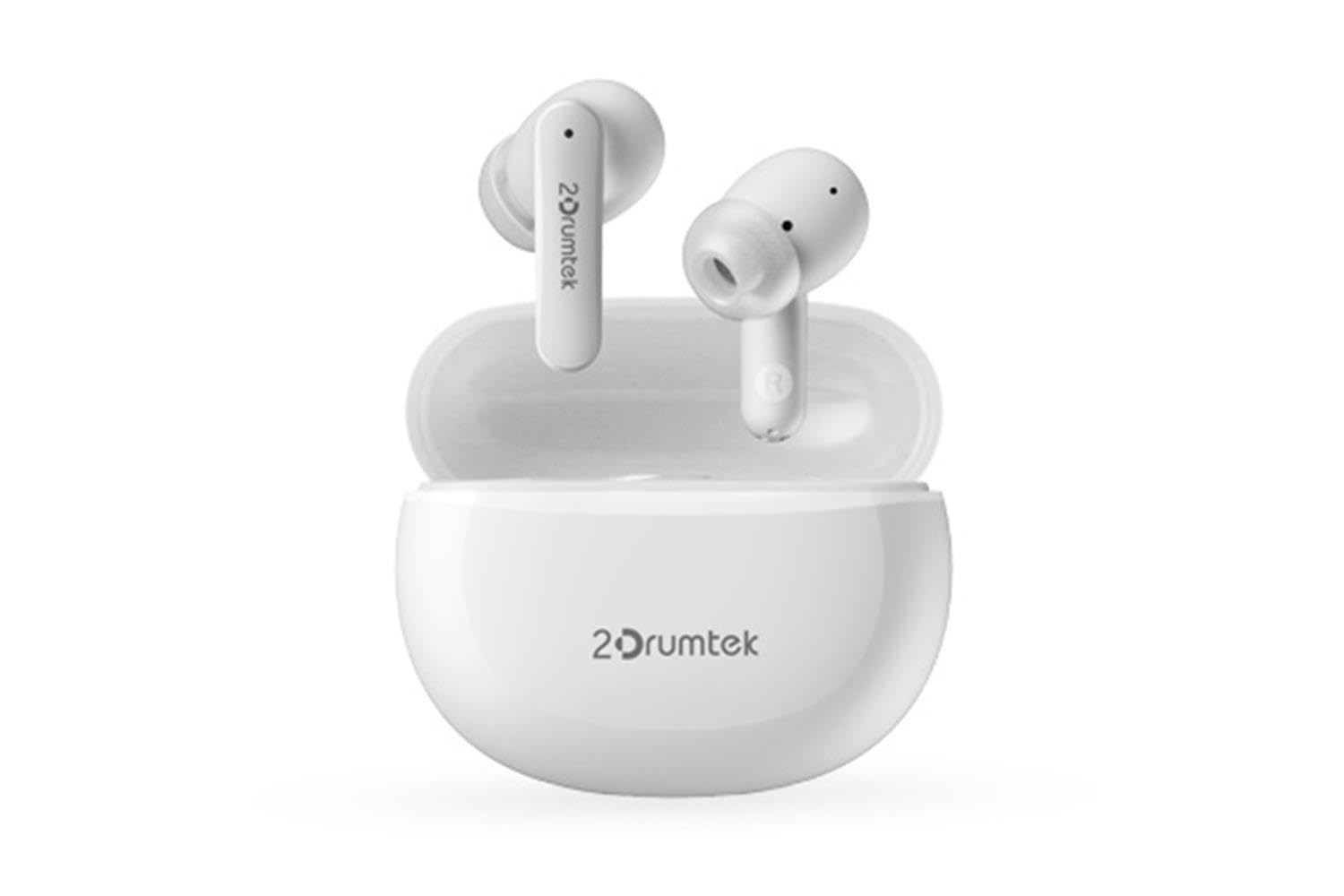
Image: A pair of white A4 TECH 2DRUMTEK B25 True Wireless Earbuds, showing their in-ear design and the '2Drumtek' branding on the stems.
The 2DRUMTEK B25 earbuds feature an ergonomic in-ear design. Each earbud includes a touch control area for various functions, a microphone for calls and voice assistant, and charging contacts at the bottom of the stem. An LED indicator provides status updates for pairing and battery life.
Nastavení
1. Nabíjení sluchátek a nabíjecího pouzdra
Before first use, fully charge the earbuds and the charging case. Place the earbuds into the charging case. Connect the charging cable to the case and a USB power source. The LED indicators on the case and earbuds will show charging status. A full charge provides up to 5 hours of playback for the earbuds, with an additional 15 hours from the charging case.
2. Počáteční párování
- Otevřete nabíjecí pouzdro. Sluchátka se automaticky přepnou do režimu párování.
- Na svém zařízení (chytrý telefon, tablet, počítač) povolte Bluetooth.
- Hledat available Bluetooth devices and select "2DRUMTEK B25".
- Once connected, you will hear a confirmation tone, and the LED indicator on the earbuds will change.
3. Automatické opětovné připojení
After the initial pairing, the earbuds will automatically connect to your previously paired device when you open the charging case and take them out, provided Bluetooth is enabled on your device.
Návod k obsluze
1. Zapnutí/vypnutí
- Zapnutí: Otevřete nabíjecí pouzdro a sluchátka se automaticky zapnou.
- Vypnout: Vložte sluchátka zpět do nabíjecího pouzdra a zavřete víko. Automaticky se vypnou.
2. Music Playback (Touch Control)
- Přehrát/pozastavit: Jediným klepnutím na jedno sluchátko.
- Další skladba: Dvakrát klepněte na pravé sluchátko.
- Předchozí skladba: Dvakrát klepněte na levé sluchátko.
3. Call Management (Touch Control)
- Přijmout/ukončit hovor: Jediným klepnutím na jedno sluchátko.
- Odmítnout hovor: Stiskněte a podržte jedno ze sluchátek po dobu 2 sekund.
4. Voice Assistant (Touch Control)
Triple tap on either earbud to activate your device's voice assistant (e.g., Siri, Google Assistant, Amazon Alexa).
5. Aktivní potlačení hluku (ANC)
The earbuds feature Hybrid Active Noise Cancelling. Refer to the specific touch control gestures in the quick start guide for activating and deactivating ANC mode, as these can vary.
Údržba
- Čištění: Regularly clean the earbuds, especially the ear tips and charging contacts, with a soft, dry cloth. Avoid using harsh chemicals or abrasive materials.
- Skladování: Pokud sluchátka nepoužíváte, uložte je do nabíjecího pouzdra, abyste je chránili před prachem a poškozením.
- Water and Dust Resistance (IPX4): The earbuds are rated IPX4, meaning they are resistant to splashing water and sweat from any direction. They are suitable for workouts and outdoor activities but should not be submerged in water. Ensure the earbuds are dry before placing them back in the charging case to prevent damage.
- Péče o baterie: Chcete-li prodloužit životnost baterie, vyvarujte se častého úplného vybíjení sluchátek. Pravidelně je nabíjejte, i když je nepoužíváte neustále.
Odstraňování problémů
- Sluchátka se nespárují: Ujistěte se, že jsou obě sluchátka nabitá. Vložte je zpět do pouzdra, zavřete víko a poté jej znovu otevřete, abyste znovu přešli do režimu párování. Zkontrolujte nastavení Bluetooth v zařízení a zkuste se znovu připojit.
- Funguje pouze jedno sluchátko: Ensure both earbuds are charged. Try resetting the earbuds by placing them in the case and then taking them out. Re-pair with your device if necessary.
- Žádný zvuk: Check the volume level on your connected device. Ensure the earbuds are properly paired and connected.
- Problémy s nabíjením: Ujistěte se, že je nabíjecí kabel bezpečně připojen k pouzdru i ke zdroji napájení. Vyčistěte nabíjecí kontakty na sluchátkách a uvnitř pouzdra.
- Špatná kvalita zvuku: Ensure the earbuds are properly seated in your ears. Try different ear tip sizes for a better seal.
Specifikace
| Funkce | Popis |
|---|---|
| Název modelu | 2DRUMTEK B25 |
| Technologie připojení | Bezdrátové připojení (Bluetooth 5.2) |
| Potlačení hluku | Hybridní aktivní potlačení hluku |
| Úroveň odolnosti proti vodě | IPX4 (voděodolný) |
| Umístění uší | In-Ear |
| Typ ovládání | Dotykové ovládání |
| Kompatibilní zařízení | PCs, Laptops, Mobile Phones, Tablets, Other Bluetooth Devices |
| Materiál | Plastic, Metal, Carbon Fiber |
| Výdrž baterie (sluchátka) | Až 5 hodin na jedno nabití |
| Celková doba přehrávání (s pouzdrem) | Až 20 hodin |
Bezpečnostní informace
- Výrobek nerozebírejte ani neupravujte.
- Chraňte před extrémními teplotami a přímým slunečním zářením.
- Nevystavujte výrobek ohni nebo vysokým teplotám.
- Nepoužívejte sluchátka s příliš vysokou hlasitostí po delší dobu, abyste předešli poškození sluchu.
- Uchovávejte mimo dosah dětí a domácích zvířat.
Záruka a podpora
This product comes with a standard manufacturer's warranty. For detailed warranty information, please refer to the warranty card included in your package or visit the official A4 TECH website. If you encounter any issues or require technical assistance, please contact A4 TECH customer support through their official channels. Please have your model number (B25) and proof of purchase ready when contacting support.


