Zavedení
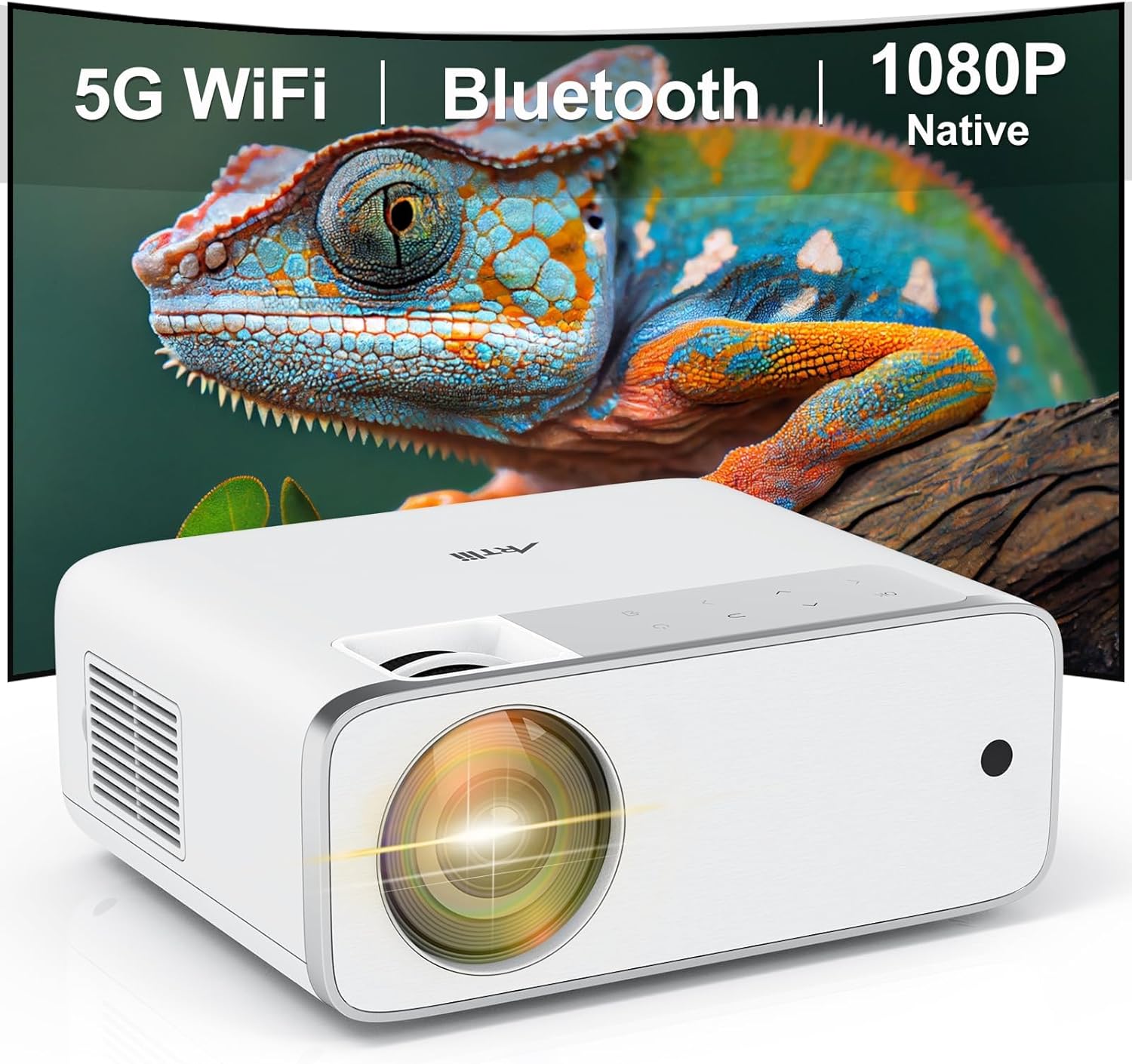
This manual provides detailed instructions for the setup, operation, and maintenance of your Artlii Enjoy4 Mini Projector. Please read this manual thoroughly before using the projector to ensure proper functionality and to maximize your viewing experience. The Artlii Enjoy4 offers native 1080P Full HD resolution, dual-band 2.4G/5G WiFi, and Bluetooth 5.0 connectivity for versatile entertainment and presentation needs.

Image: The Artlii Enjoy4 Mini Projector, showcasing its key features including 5G WiFi, Bluetooth, and native 1080P resolution.
Obsah balení
Po vybalení zkontrolujte obsah balení. Pokud některé položky chybí nebo jsou poškozené, kontaktujte zákaznickou podporu.
- Artlii Enjoy4 Mini Projector
- Dálkové ovládání (baterie AAA nejsou součástí balení)
- Napájecí kabel
- HDMI kabel
- 3.5mm to RCA AV Cable
- Krytka objektivu
- Čisticí sada
- Uživatelská příručka
Konec produktuview
Přední a horní View
Obrázek: Přední strana view of the projector, highlighting the projection lens and infrared receiver.
The front of the projector features the main projection lens. The top panel includes illuminated control buttons and focus/keystone adjustment dials.

Image: Close-up of the projector's top control panel, showing illuminated buttons for power, navigation, and input selection, visible in both day and night settings.
Rear and Side Ports

Image: Rear panel of the projector displaying various connectivity options such as HDMI, USB, AV, and a 3.5mm audio jack, illustrating its multi-device compatibility.
The rear and side panels house the input/output ports. These include:
- HDMI porty (x2): For connecting devices like laptops, gaming consoles, TV sticks, and DVD players.
- USB porty (x2): For connecting USB drives for media playback or powering external devices.
- AV port: For connecting older devices using the included 3.5mm to RCA cable.
- 3.5mm audio výstup: Pro připojení externích reproduktorů nebo sluchátek.
- Příkon: Pro připojení napájecího kabelu.
Nastavení
1. Umístění
Position the projector on a stable, flat surface or mount it to a ceiling or tripod. Ensure the projector lens is perpendicular to your projection surface (screen or wall) for optimal image geometry. The recommended projection distance ranges from approximately 1.18 meters to 9.2 meters, allowing for screen sizes from 37 inches up to 300 inches.

Image: Illustration of the Artlii Enjoy4 Mini Projector's flexible placement options and the resulting screen sizes at different projection distances, from 37 inches to 300 inches.
2. Připojení napájení
- Připojte napájecí kabel ke vstupnímu portu projektoru.
- Zapojte druhý konec napájecího kabelu do elektrické zásuvky.
- Stisknutím tlačítka napájení na projektoru nebo dálkovém ovladači jej zapněte.
3. Zaostření a korekce lichoběžníkového zkreslení
Po zapnutí upravte jasnost a tvar obrazu:
- Zaostřovací kroužek: Otáčejte zaostřovacím kroužkem v blízkosti objektivu, dokud se promítaný obraz nebude jevit ostrý a jasný.
- Korekce lichoběžníkového zkreslení: Use the keystone adjustment dial (or digital keystone in settings) to correct trapezoidal distortion, ensuring the image is rectangular. The Artlii Enjoy4 supports ±15° keystone correction.

Image: Visual representation of the keystone correction feature, demonstrating how the projector can adjust the image to a perfect rectangle even when placed at an angle, with a range of ±15 degrees.
Návod k obsluze
1. Connecting Devices via Cable
Projektor podporuje různá kabelová připojení:
- HDMI: Connect your device (laptop, game console, TV stick) to one of the HDMI ports using an HDMI cable. Select the corresponding HDMI input from the projector's source menu.
- USB: Vložte USB flash disk do USB portu pro přehrávání médií files (photos, videos, music). Navigate the media browser using the remote control.
- AV: Use the provided 3.5mm to RCA cable to connect older devices like DVD players. Select the AV input from the source menu.
2 Bezdrátové připojení (WiFi)
The Artlii Enjoy4 supports dual-band 2.4G and 5G WiFi for stable and fast wireless connections.
- Go to the projector's settings menu and select "WiFi Settings".
- Turn on WiFi and select your desired network from the list.
- Enter the WiFi password using the on-screen keyboard.
- Once connected, you can use screen mirroring features or access online content (if supported by connected devices).

Image: The Artlii Enjoy4 Mini Projector in use, projecting content wirelessly, emphasizing its fast and stable 2.4G/5G dual-band WiFi capabilities.
3. Připojení Bluetooth Audio
Pro vylepšený zvukový zážitek připojte externí Bluetooth reproduktory nebo sluchátka.
- Ujistěte se, že je vaše audiozařízení Bluetooth v režimu párování.
- On the projector, navigate to "Bluetooth Settings" in the menu.
- Turn on Bluetooth and select your device from the list of available devices to pair.

Image: The Artlii Enjoy4 Mini Projector surrounded by Bluetooth-compatible headphones and speakers, illustrating its ability to connect to external audio devices for an improved sound experience.
4. Screen Mirroring (Smartphone/Tablet)
The projector supports screen mirroring from compatible smartphones and tablets (iOS and Android). Refer to the projector's on-screen instructions for specific steps, which typically involve connecting both devices to the same WiFi network and enabling screen mirroring on your mobile device.
5. Nastavení obrazu a zvuku
- Funkce zoom: Adjust the image size from 75% to 100% using the remote control or menu settings without moving the projector.
- Poměr stran: Select between 16:9 and 4:3 aspect ratios to match your content.
- Režim obrazu: Choose from various picture modes (e.g., Standard, Vivid, User) to optimize image quality.
- Režim zvuku: Adjust audio settings or select a sound mode (e.g., Standard, Music, Movie).
Údržba
Pravidelná údržba zajišťuje optimální výkon a dlouhou životnost vašeho projektoru.
- Čištění objektivu: Use a soft, lint-free cloth and lens cleaning solution (if necessary) to gently wipe the projector lens. Avoid abrasive materials.
- Odstranění prachu: Periodically clean the projector's vents with a soft brush or compressed air to prevent dust buildup, which can affect cooling and performance.
- Skladování: When not in use, cover the lens with the provided cap and store the projector in a cool, dry place away from direct sunlight and extreme temperatures.
Odstraňování problémů
Pokud narazíte na problémy, podívejte se na následující běžné problémy a jejich řešení:
- Bez obrázku:
- Ujistěte se, že je napájecí kabel bezpečně připojen a projektor je zapnutý.
- Verify the input source is correctly selected (e.g., HDMI1, USB).
- Check if the connected device is powered on and outputting a signal.
- Rozmazaný obrázek:
- Upravte zaostřovací kroužek na objektivu projektoru.
- Ujistěte se, že projekční vzdálenost je v doporučeném rozsahu.
- Correct any keystone distortion using the adjustment dial or menu settings.
- Žádný zvuk:
- Zkontrolujte úroveň hlasitosti na projektoru i na připojeném zdrojovém zařízení.
- Pokud používáte externí reproduktory, ujistěte se, že jsou správně připojeny přes Bluetooth nebo 3.5mm audio jack.
- Ověřte, zda je nastavení zvukového výstupu na zdrojovém zařízení správné.
- Problémy s připojením přes WiFi/Bluetooth:
- Ensure WiFi/Bluetooth is enabled on both the projector and the device you are trying to connect.
- Check that the WiFi password is entered correctly.
- Move the projector closer to your WiFi router or Bluetooth device to improve signal strength.
- Restart both the projector and the connecting device.
Specifikace
| Funkce | Specifikace |
|---|---|
| Značka | Artlii |
| Model | Užijte si 4 |
| Nativní rozlišení | 1920 x 1080 (Full HD) |
| Jas | 210 ANSI Lumens |
| Kontrastní poměr | 1400:1 |
| Velikost projekce | 37" - 300" (Recommended: 40" - 200") |
| Korekce lichoběžníkového zkreslení | ±15° Manuální |
| Funkce zvětšení | 75 % - 100 % |
| Bezdrátové připojení | 2.4G/5G Wi-Fi, Bluetooth 5.0 |
| Vstupní porty | 2x HDMI, 2x USB, 1x AV, 1x 3.5mm Audio Out |
| Kompatibilní zařízení | TV Sticks, Smartphones (iOS & Android), Laptops, DVD Players, USB Drives, PS5, Xbox |
Záruka a podpora
Information regarding specific warranty terms and customer support contact details is typically provided with your product packaging or on the manufacturer's official webwebu. Pro nejpřesnější a nejaktuálnější informace se prosím podívejte do těchto zdrojů.


