Zavedení
Thank you for choosing The Voice Hollywood Wireless Headphones. These headphones are designed to provide a superior audio experience with the convenience of wireless connectivity. Featuring HD Ultra Max Sound, a comfortable adjustable headband, and a tri-fold design for portability, they are optimized for seamless integration with Siri and Google Assistant. This manual provides detailed instructions for setup, operation, maintenance, and troubleshooting to ensure optimal performance and longevity of your device.
Bezpečnostní informace
- Nevystavujte sluchátka extrémním teplotám, vlhkosti nebo korozivním látkám.
- Vyhněte se dlouhodobému poslechu při vysoké hlasitosti, abyste předešli poškození sluchu.
- Do not use the headphones while driving, cycling, or in situations where inability to hear ambient sounds could be dangerous.
- Uchovávejte sluchátka mimo dosah dětí a domácích zvířat.
- Používejte pouze dodaný nabíjecí kabel a příslušenství.
- Nepokoušejte se sluchátka rozebírat ani upravovat. Ztratíte tak záruku.
Obsah balení
Prosím, ověřte, zda jsou v balení přítomny všechny položky:
- The Voice Hollywood Wireless Headphones
- Nabíjecí kabel USB typu C.
- 3.5mm audio kabel (AUX)

Figure 1: Included components and key features of the headphones.
Konec produktuview
The Hollywood Wireless Headphones feature an ergonomic design for extended comfort and intuitive controls for ease of use. The over-ear cups provide a comfortable fit, and the adjustable headband ensures a secure fit for various head sizes. The tri-fold design allows for compact storage and portability.

Obrázek 2: Přední strana view sluchátek.

Figure 3: Headphones in folded position for portability.
Ovládací prvky a porty
Refer to Figure 1 for a visual guide to the controls and ports. The main controls are located on the ear cups and include:
- Vypínač: Používá se k zapnutí/vypnutí a zahájení párování Bluetooth.
- Tlačítko pro zvýšení hlasitosti/následující skladbu: Krátké stisknutí pro zvýšení hlasitosti, dlouhé stisknutí pro další skladbu.
- Tlačítko pro snížení hlasitosti/předchozí skladba: Krátké stisknutí pro snížení hlasitosti, dlouhé stisknutí pro předchozí skladbu.
- Multifunkční tlačítko (MFB): Přehrávání/pozastavení, přijímání/ukončování hovorů, aktivace hlasového asistenta.
- Port USB Type-C: Pro nabíjení sluchátek.
- 3.5mm audio jack: For wired connection using the AUX cable.
- Vestavěný mikrofon: Pro handsfree volání a hlasové asistenty.
Nastavení
Nabíjení sluchátek
Before first use, fully charge your headphones. A full charge typically takes approximately 2-3 hours.
- Connect the small end of the USB Type-C charging cable to the charging port on the headphone ear cup.
- Připojte větší konec kabelu USB k napájecímu adaptéru USB (není součástí balení) nebo k portu USB počítače.
- LED indikátor se během nabíjení rozsvítí a po úplném nabití zhasne nebo změní barvu.
Párování pomocí Bluetooth
Spárujte sluchátka se zařízením s podporou Bluetooth (např. chytrý telefon, tablet, počítač).
- Ujistěte se, že jsou sluchátka vypnutá.
- Press and hold the Power button for approximately 5-7 seconds until the LED indicator light flashes blue and red alternately, indicating pairing mode.
- Na svém zařízení povolte Bluetooth a vyhledejte nová zařízení.
- Select "Hollywood" from the list of available devices.
- Once successfully paired, the LED indicator will flash blue slowly or turn solid blue.
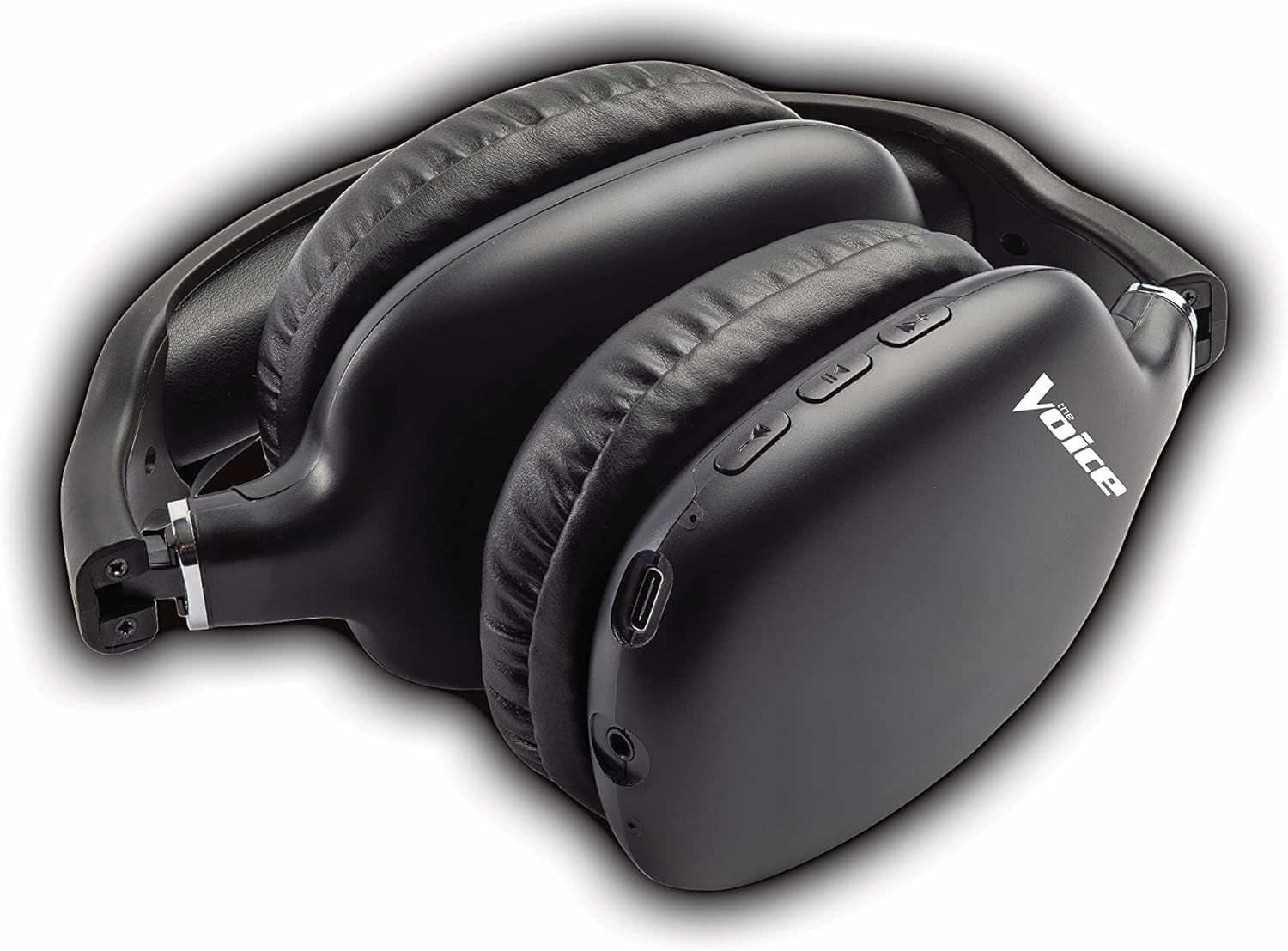
Figure 4: Headphones paired with a smartphone.
Drátové připojení (režim AUX)
You can use the headphones with non-Bluetooth devices or when the battery is depleted using the included 3.5mm audio cable.
- Plug one end of the 3.5mm audio cable into the audio jack on the headphone ear cup.
- Druhý konec zapojte do 3.5mm audio výstupního konektoru na vašem zařízení.
- Sluchátka se automaticky přepnou do kabelového režimu.
Návod k obsluze
Zapnutí/vypnutí
- Zapnutí: Stiskněte a podržte tlačítko napájení přibližně 3 sekundy, dokud LED indikátor nezačne modře blikat.
- Vypnout: Stiskněte a podržte tlačítko napájení přibližně 3 sekund, dokud nezhasne LED indikátor.
Přehrávání hudby
- Přehrát/pozastavit: Krátce stiskněte multifunkční tlačítko (MFB).
- Další skladba: Dlouze stiskněte tlačítko pro zvýšení hlasitosti.
- Předchozí skladba: Dlouze stiskněte tlačítko pro snížení hlasitosti.
- Zvýšit hlasitost: Krátce stiskněte tlačítko pro zvýšení hlasitosti.
- Snížit hlasitost: Krátce stiskněte tlačítko pro snížení hlasitosti.
Správa hovorů
- Přijmout/ukončit hovor: Krátce stiskněte multifunkční tlačítko (MFB).
- Odmítnout hovor: Dlouze stiskněte multifunkční tlačítko (MFB).
- Znovu vytočit poslední číslo: Dvakrát stiskněte multifunkční tlačítko (MFB).
Aktivace hlasového asistenta
- Activate Siri/Google Assistant: Třikrát stiskněte multifunkční tlačítko (MFB).
Video 1: Demonstrates the adjustable and padded comfort, built-in mic, and connectivity to Google or Siri for The Voice Hollywood Wireless Headphones.

Figure 5: User enjoying audio with the headphones, highlighting comfort and usability.
Údržba
Čištění
Regular cleaning helps maintain the headphones' appearance and functionality.
- Otřete náušníky a hlavový most měkkým, suchým hadříkem, který nepouští vlákna.
- Pro odolnou špínu lehceamphadřík omyjte vodou a jemným mýdlem a poté ihned otřete dosucha.
- Nepoužívejte abrazivní čisticí prostředky, alkohol ani chemická rozpouštědla.
Skladování
When not in use, store your headphones in a cool, dry place, away from direct sunlight and extreme temperatures. Utilize the tri-fold feature for compact storage.
Odstraňování problémů
If you encounter issues with your headphones, refer to the table below for common problems and solutions.
| Problém | Možná příčina | Řešení |
|---|---|---|
| Sluchátka se nezapínají | Slabá baterie | Plně nabijte sluchátka. |
| Nelze spárovat se zařízením | Sluchátka nejsou v režimu párování; Bluetooth zařízení vypnuto; Příliš daleko od zařízení | Ensure headphones are in pairing mode (flashing red/blue). Turn device Bluetooth on/off. Move headphones closer to device (within 10 meters). |
| Žádný zvuk | Volume too low; Not connected; Incorrect audio source | Zvyšte hlasitost na sluchátkách a zařízení. Ujistěte se, že jsou sluchátka správně spárována/připojena. Zkontrolujte nastavení zvukového výstupu na zařízení. |
| Zkreslení zvuku | Interference; Device volume too high | Move away from other wireless devices. Lower the volume on your device. |
| Mikrofon nefunguje | Not connected; Device settings | Ensure headphones are properly paired. Check microphone input settings on your device. |
Specifikace
| Funkce | Detail |
|---|---|
| Název modelu | Hollywood |
| Technologie připojení | Wireless, Wired (Bluetooth) |
| Umístění uší | Přes ucho |
| Form Factor | Přes ucho |
| Typ ovládání | Voice Control, Built-in buttons and microphone |
| Frekvenční rozsah | 20 Hz - 20 kHz |
| Hmotnost položky | 13.4 unce |
| Rozměry (balení) | 9.65 x 8.35 x 3.58 palce |
| Číslo modelu | VHOL-6/2069 |
| UPC | 841133120698 |
Záruka a podpora
The Voice Hollywood Wireless Headphones come with a standard manufacturer's warranty. For detailed warranty information, technical support, or service inquiries, please refer to the warranty card included in your product packaging or visit the official The Voice Electronics webNepokoušejte se výrobek opravovat sami.


