1. Úvod
Děkuji za nákupasing the NEDIS SmartLife Wi-Fi Smart Plug with Power Meter. This device allows you to control connected appliances remotely via the SmartLife app on your smartphone or through voice commands with compatible smart home assistants like Google Home and Amazon Alexa. It also features a power meter to monitor energy consumption.
Please read this manual carefully before use to ensure proper operation and to prevent damage.
2. Bezpečnostní informace
- Ensure the smart plug is used within its specified voltage and current ratings (240V, 16A, 3680W).
- Zařízení nerozebírejte ani neupravujte.
- Nevystavujte zařízení vodě, vlhkosti nebo extrémním teplotám.
- Uchovávejte mimo dosah dětí.
- Do not connect appliances that exceed the maximum load capacity.
- Pouze pro vnitřní použití.
3. Obsah balení
- NEDIS SmartLife Wi-Fi Smart Plug (WIFIP121FWT3)
- Návod k použití
Note: The product is typically sold in packs of 3. This manual covers the operation of a single unit.
4. Nastavení
4.1. Download the SmartLife App
- Hledat "SmartLife" in the Apple App Store (for iOS devices) or Google Play Store (for Android devices).
- Stáhněte a nainstalujte aplikaci.
- Zaregistrujte si nový účet nebo se přihlaste, pokud již nějaký máte.
4.2. Connect the Smart Plug
- Plug the NEDIS SmartLife Wi-Fi Smart Plug into a standard wall outlet.
- Ensure your smartphone is connected to a 2.4 GHz Wi-Fi network. The smart plug does not support 5 GHz Wi-Fi.
- Open the SmartLife app.
- Klepněte na ikonu „+“ v pravém horním rohu pro přidání zařízení.
- V seznamu zařízení vyberte možnost „Elektrická zásuvka“ nebo „Chytrá zástrčka“.
- Follow the on-screen instructions to put the smart plug into pairing mode. This usually involves pressing and holding the power button on the plug until the indicator light flashes rapidly.
- Ověřte, zda kontrolka v aplikaci rychle bliká.
- Zadejte své heslo k síti Wi-Fi.
- Wait for the app to connect to the smart plug. Once connected, you can rename the device for easier identification.
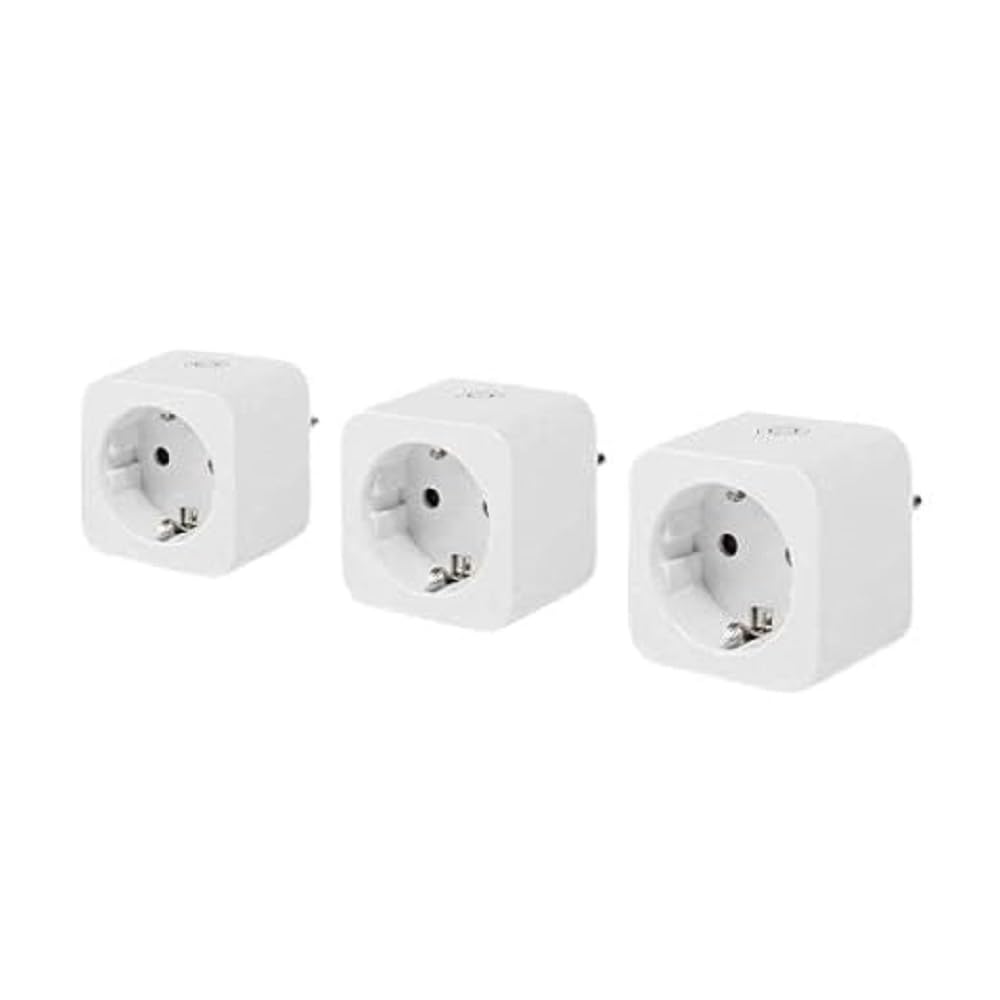
Image: The NEDIS SmartLife Wi-Fi Smart Plug. This image shows the compact design of the smart plug, which connects directly to a wall outlet.
5. Návod k obsluze
5.1 Základní ovládání zapnutí/vypnutí
- Ruční ovládání: Press the physical button on the smart plug to turn the connected appliance on or off.
- Ovládání aplikace: Open the SmartLife app, select your smart plug, and tap the power icon to toggle its state.
5.2. Plánování a časovače
The SmartLife app allows you to set schedules and timers for your smart plug:
- Naplánovat: Set specific times for the plug to turn on or off daily or on selected days of the week.
- Časovač: Set a countdown timer for the plug to turn off after a certain duration.
- Obíhat: Configure the plug to cycle on and off at regular intervals.
5.3. Monitorování výkonu
The integrated power meter allows you to monitor the energy consumption of the connected appliance. In the SmartLife app, navigate to the smart plug's details page to view real-time power usage, current, voltage, and historical consumption data.
5.4. Integrace hlasového ovládání
Chcete-li povolit hlasové ovládání pomocí Google Home nebo Amazon Alexa:
- Ensure your smart plug is successfully added to the SmartLife app.
- Open the Google Home or Amazon Alexa app.
- Go to the "Skills & Games" (Alexa) or "Works with Google" (Google Home) section.
- Hledat and enable the "SmartLife" skill/service.
- Link your SmartLife account when prompted.
- Discover devices. Your smart plug should now appear and be controllable via voice commands (e.g., "Alexa, turn on Living Room Plug" or "Hey Google, turn off Fan").
6. Údržba
- Chytrou zástrčku čistěte suchým, měkkým hadříkem. Nepoužívejte tekuté čisticí prostředky ani aerosoly.
- Před čištěním se ujistěte, že je zařízení odpojeno.
- Regularly check for firmware updates in the SmartLife app to ensure optimal performance and security.
7. Řešení problémů
| Problém | Možná příčina | Řešení |
|---|---|---|
| Chytrá zásuvka se nepřipojuje k Wi-Fi. | Incorrect Wi-Fi password, 5 GHz Wi-Fi network, plug too far from router, incorrect pairing mode. |
|
| Zařízení nereaguje na příkazy aplikace. | No internet connection, smart plug offline, app glitch. |
|
| Hlasové ovládání nefunguje. | SmartLife skill not enabled, account not linked, device not discovered. |
|
8. Specifikace
| Funkce | Detail |
|---|---|
| Značka | NEDIS |
| Číslo modelu | WIFIP121FWT3 |
| Rozměry produktu (D x Š x V) | 8 x 6 x 5.5 cm |
| Hmotnost | 320 gramů |
| Materiál | Plast |
| Maximální zatížení | 3680 wattů |
| Aktuální hodnocení | 16 A |
| Provozní svtage | 240 voltů |
| Electrical Outlet Type | Type F (CEE 7/7), Wall Mount |
| Bezdrátové připojení | Wi-Fi 2.4 GHz |
| Provozní teplota | 0-55 °C |
| Kompatibilita | Android™, iOS, Google Home, Amazon Alexa |
| Certifikace | CE |
| Země původu | Čína |
9. Záruka a podpora
Specific warranty information for the NEDIS SmartLife Wi-Fi Smart Plug (WIFIP121FWT3) is not available in the provided product data. Please refer to the warranty card included with your purchase or contact NEDIS customer support directly for detailed warranty terms and conditions.
For technical support or further assistance, please visit the official NEDIS website or contact their customer service department. Contact details are typically found on the product packaging or on the manufacturer's webmísto.