1. Důležité bezpečnostní informace
Please read all instructions carefully before installation and use. Failure to follow these instructions may result in electric shock, fire, or serious injury.
- Elektrická instalace: Instalaci musí provést kvalifikovaný elektrikář v souladu s místními elektrotechnickými předpisy a předpisy.
- Odpojení napájení: Always turn off power at the circuit breaker before installing or servicing the switch. Verify power is off using a voltage tester.
- svtage a načíst: This switch is designed for 240V AC circuits and supports a maximum load of 500 Watts. Do not exceed these ratings.
- Pouze pro vnitřní použití: This product is intended for indoor use in dry locations. Do not install in wet or damp prostředí.
- Nestmívatelné: This is a 1-way, non-dimmable switch. Do not attempt to use it with dimmable lights or as part of a 2-way (multi-location) switching system. It is not compatible with smart home systems like Alexa or Google Home.
- kondenzátor: If a capacitor is included, install it as per the wiring diagram to ensure proper operation and prevent flickering with certain LED loads.

Figure 1: Important operational limitations and warnings. This switch is not a dimmer, not for 2-way control, and not a Wi-Fi smart switch. Avoid touching the internal circuit board.
2. Konec produktuview
The CNBINGO 1-Gang No Neutral Touch Light Switch features a modern design with a tempered glass panel and an intuitive touch control system. It is designed for single-pole, 1-way lighting control without the need for a neutral wire, simplifying installation.
Klíčové vlastnosti:
- 1cestné ovládání: Controls a single light circuit from one location.
- Není vyžadován neutrální vodič: Simplifies installation in older homes or locations without neutral wiring at the switch box.
- Tvrzený skleněný panel: Durable, fire-resistant, scratch-resistant, and electric shock-resistant. Safe to touch even with wet hands.
- Fast Touch Response: 40ms high-speed touch-sensitive operation.
- LED podsvícení: A blue LED indicates the switch status (strong for ON, weak for OFF), visible in the dark without disturbing sleep.
- Standardní rozměry: Designed to fit standard wall boxes.
3. Nastavení a instalace
Follow these steps carefully for safe and correct installation. If you are unsure, consult a qualified electrician.
Požadované nástroje (nejsou součástí dodávky):
- Šroubovák
- svtage Tester
- Odizolovače drátů
Kroky instalace:
- Vypnout napájení: Locate the circuit breaker controlling the light switch you intend to replace or install. Turn off the power completely. Use a voltage tester to confirm that no power is present at the switch location.
- Demontáž starého spínače (pokud je k dispozici): Carefully remove the existing wall plate and switch. Disconnect the wires, noting which wire was connected to which terminal.
- Příprava zapojení: This switch requires only a Live wire (L) and a Load wire (L1) for a 1-way connection. No neutral wire is needed. Ensure wires are stripped to the appropriate length for secure connection.
- Připojit dráty: Refer to the wiring diagram below. Connect the Live wire to the 'L' terminal and the Load wire (to the light fixture) to the 'L1' terminal on the back of the switch. Securely tighten all screw terminals.

Figure 2: Wiring diagram showing connections for Live Wire (red) to 'L' and Load Wire (blue) to 'L1'.
- Install Capacitor (if included and necessary): If your light fixture experiences flickering or instability, install the included capacitor across the Live and Neutral terminals at the light fixture itself, not at the switch.
- Namontujte spínač: Gently push the switch module into the wall box. Ensure the wall box has a minimum depth of 30mm and a diameter of 60mm for proper fit. Secure the switch to the wall box using the provided screws.

Figure 3: Product dimensions (86x86x36mm) and required wall box depth (minimum 30mm) and diameter (60mm).
- Attach Glass Panel: Carefully align and snap the tempered glass panel onto the switch module. Important: Do not touch the switch button before the glass panel is fully installed, as this may prevent proper function.
- Obnovit napájení: Once the installation is complete and the glass panel is securely in place, turn the power back on at the circuit breaker.
4. Návod k obsluze
The CNBINGO touch light switch offers simple and intuitive operation.
Základní provoz:
- Zapnutí/vypnutí: Gently touch the circular icon on the glass panel to toggle the connected light on or off. The touch system has a fast response time of 40 milliseconds.
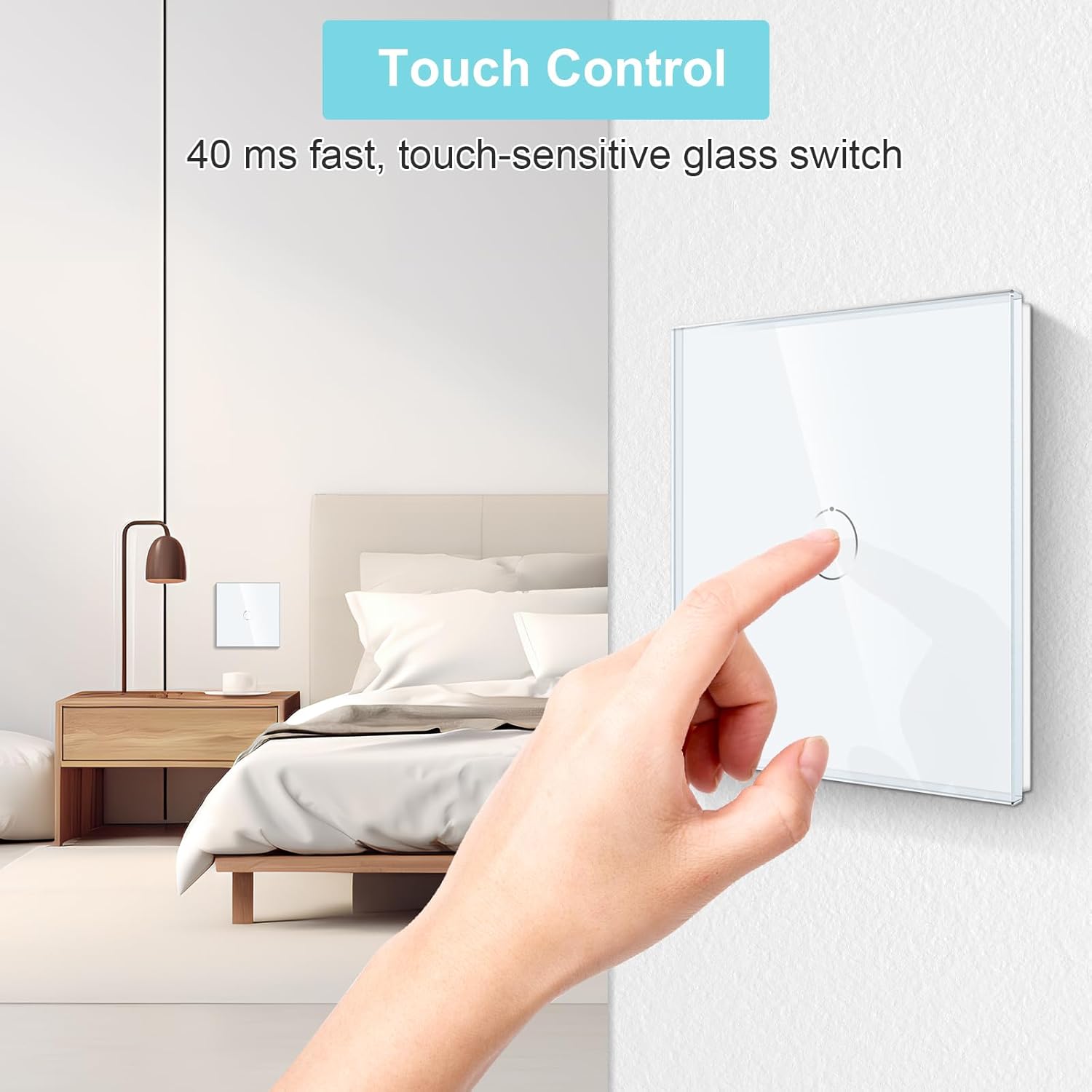
Figure 4: A hand demonstrating the touch control on the glass panel switch.
LED indikátor stavu:
- Each button on the switch is equipped with a blue LED backlight.
- Když je světlo ON, the LED will glow with a strong blue light.
- Když je světlo VYPNUTO, the LED will glow with a weak blue light.
- This backlight allows you to easily locate the switch in the dark without being overly bright or disruptive to sleep.
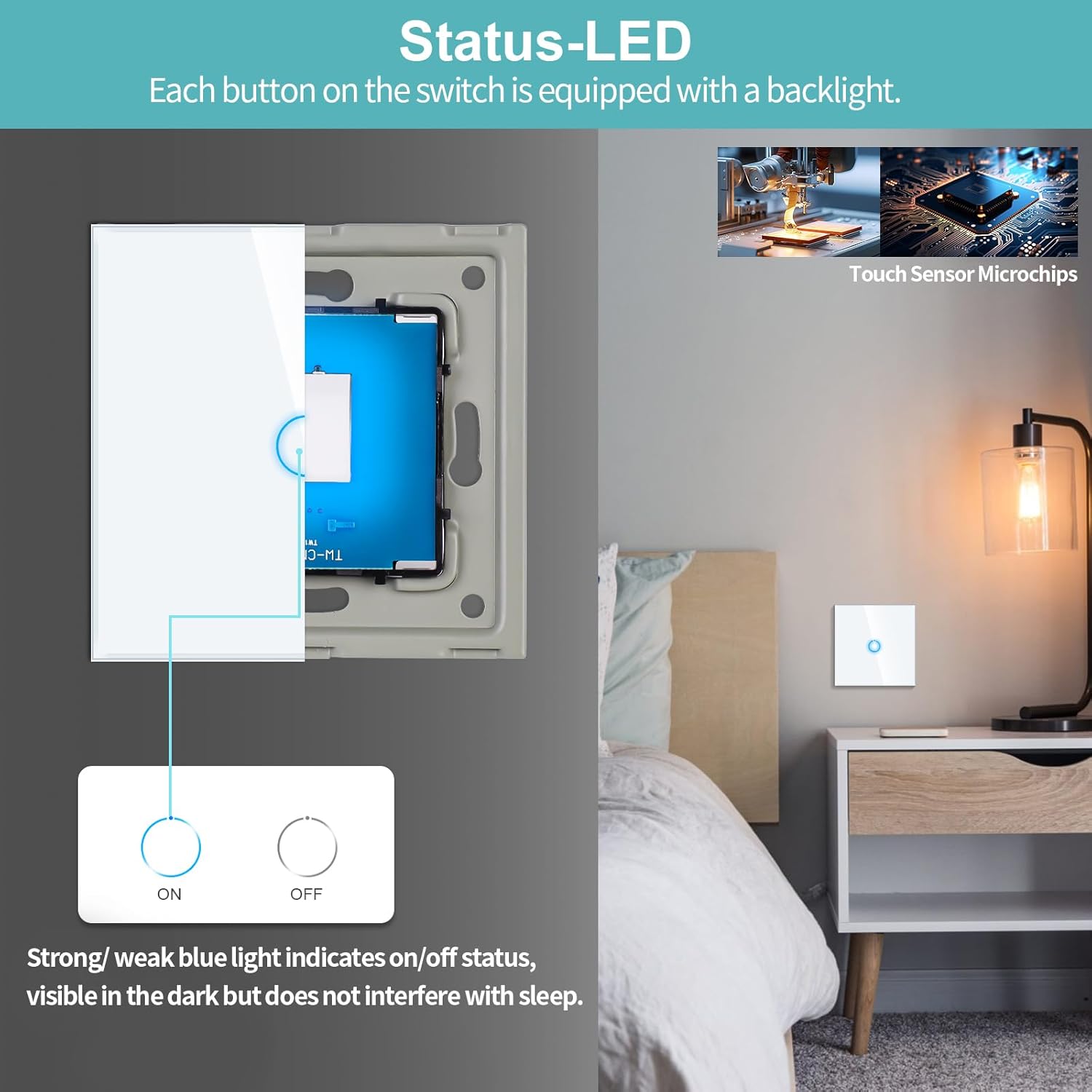
Figure 5: Illustration of the LED backlight indicating the ON/OFF status of the switch.
5. Údržba
The CNBINGO touch light switch is designed for minimal maintenance.
- Čištění: To clean the glass panel, gently wipe it with a soft, damp hadříkem. Nepoužívejte abrazivní čisticí prostředky, rozpouštědla ani agresivní chemikálie, protože by mohly poškodit povrchovou úpravu.
- Inspekce: Periodically check the switch for any signs of damage or loose connections. If any issues are found, turn off the power at the circuit breaker and consult a qualified electrician.
- Žádné díly opravitelné uživatelem: The internal components of the switch are not user-serviceable. Do not attempt to open or repair the switch yourself.
6. Řešení problémů
If you encounter any issues with your CNBINGO touch light switch, refer to the following common problems and solutions:
| Problém | Možná příčina | Řešení |
|---|---|---|
| Spínač nereaguje na dotyk. |
|
|
| Light flickers or does not turn off completely. |
|
|
| LED backlight is not working. |
|
|
| Switch gets warm during operation. |
|
|
7. Specifikace
| Funkce | Specifikace |
|---|---|
| Číslo modelu | S1-101-D |
| Rozměry (D x Š x V) | 8.6 x 8.6 x 3.6 cm |
| Hmotnost | 400 gramů |
| Barva | Bílý |
| Materiál | Tvrzené sklo |
| Vstupní objemtage | 240 voltů AC |
| Maximální zatížení | 500 wattů |
| Aktuální hodnocení | 3.33 A |
| Typ přepínače | 1-Way Touch Switch |
| Typ montáže | Nástěnná montáž (zapuštěná) |
| Required Wall Box Depth | Minimálně 30 mm |
| Required Wall Box Diameter | 60 mm |
| Osvědčení | CE |
| Zahrnuté komponenty | Touch switch, 4 screws, user manual |
8. Záruka a podpora
CNBINGO products are manufactured with quality and reliability in mind. For specific warranty details, please refer to the documentation included with your purchase or contact CNBINGO customer service.
Zákaznická podpora:
For any product inquiries or technical assistance, please contact CNBINGO customer service. Our dedicated team aims to respond to all inquiries within 24 hours.
Zásady vrácení: Tento produkt má nárok na vrácení peněz nebo výměnu do 30 dnů od zakoupení, v souladu s podmínkami pro vrácení zboží prodejce.


