1. Úvod
The EVISTR AI Voice Recorder L027N64 is a sophisticated digital recording device designed for high-quality audio capture, transcription, and summarization. It features 1536Kbps HD sound quality with advanced noise reduction technology, making it suitable for various environments such as business meetings, lectures, interviews, and study sessions. The integrated AI transcription function supports 59 languages and offers AI summary templates for efficient organization of recorded content. With its portable design and long battery life, the L027N64 provides a reliable solution for all your recording needs.
2. Co je v krabici
- EVISTR AI Voice Recorder L027N64
- Nabíjecí/datový kabel USB typu C
- Uživatelská příručka (tento dokument)

Image: The EVISTR AI Voice Recorder L027N64 shown alongside a smartphone running the companion application, illustrating the device's compact size and app integration.
3. Zařízení skončiloview
The L027N64 is designed for ease of use and portability. It features a compact and lightweight build, measuring approximately 2.5 x 3.9 x 0.4 inches and weighing 0.2 lbs. The device includes a magnetic ring for secure attachment to compatible smartphones (iPhone 12 and above) during calls or for convenient carrying.
Klíčové komponenty:
- Recording Switch: A single slide switch for instant one-press recording, pause, and resume functions.
- Vestavěný mikrofon: High-quality microphone with 10-foot sound capture range and advanced noise reduction.
- Port USB Type-C: Pro nabíjení a přenos dat.
- Kontrolka: Provides status feedback (can be turned off for stealthy recording).
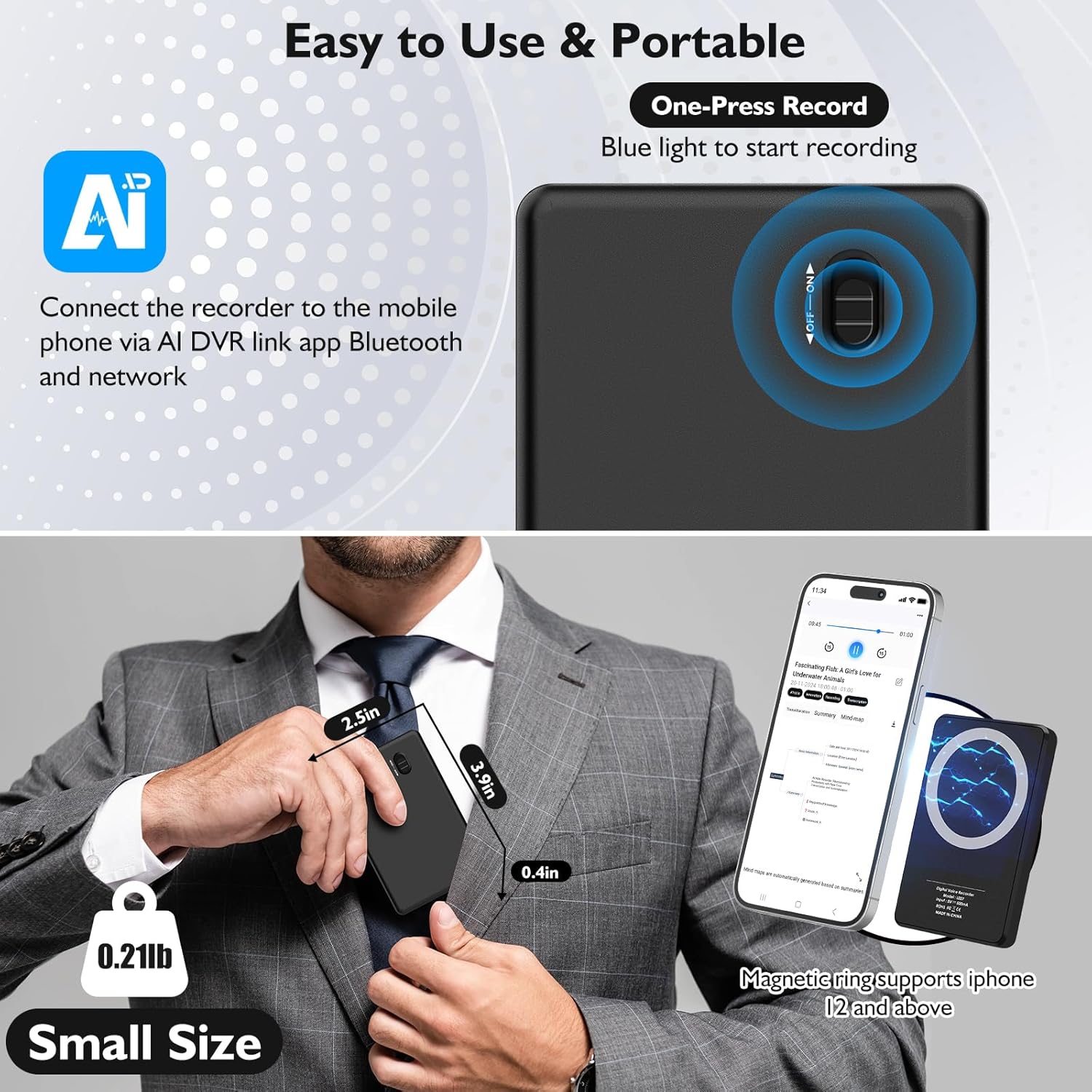
Image: The voice recorder highlighting its one-press record switch and demonstrating its small, portable size when held or attached to a phone.
4. Nastavení
4.1. Nabíjení zařízení
Before first use, fully charge the EVISTR AI Voice Recorder using the provided USB Type-C cable. Connect the cable to the device's Type-C port and the other end to a standard USB power adapter (not included) or a computer's USB port. The device has a 2500mAh battery, providing approximately 55 hours of continuous recording on a full charge.
4.2. Instalace aplikace
To unlock the full potential of your EVISTR AI Voice Recorder, including transcription and summarization features, download and install the "AIDVRLink" app on your smartphone. The app is compatible with iOS 9.0 and Android 5.0 and above.
You can download the app from the official webmísto: https://www.kinghal.com/news/download/download.html
4.3. Device Pairing and Connection
- Ensure your EVISTR AI Voice Recorder is sufficiently charged.
- Povolte na svém smartphonu Bluetooth.
- Open the AIDVRLink app. The app will guide you through the pairing process to connect to your "Voice Recorder" via Bluetooth.
- Once connected, you can manage recordings, access AI features, and view device status directly from the app.

Image: A user interacting with the EVISTR AI Voice Recorder and its companion app on a smartphone, demonstrating the quick and smooth transcription feature.
5. Návod k obsluze
5.1. Záznam zvuku
To start recording, simply slide the dedicated recording switch to the 'ON' position. The device will begin recording immediately. To pause or resume recording, slide the switch accordingly. The built-in microphone captures sound within a 10-foot range with 1536kbps HD quality. Advanced noise reduction technology helps to suppress background noise for clearer recordings.
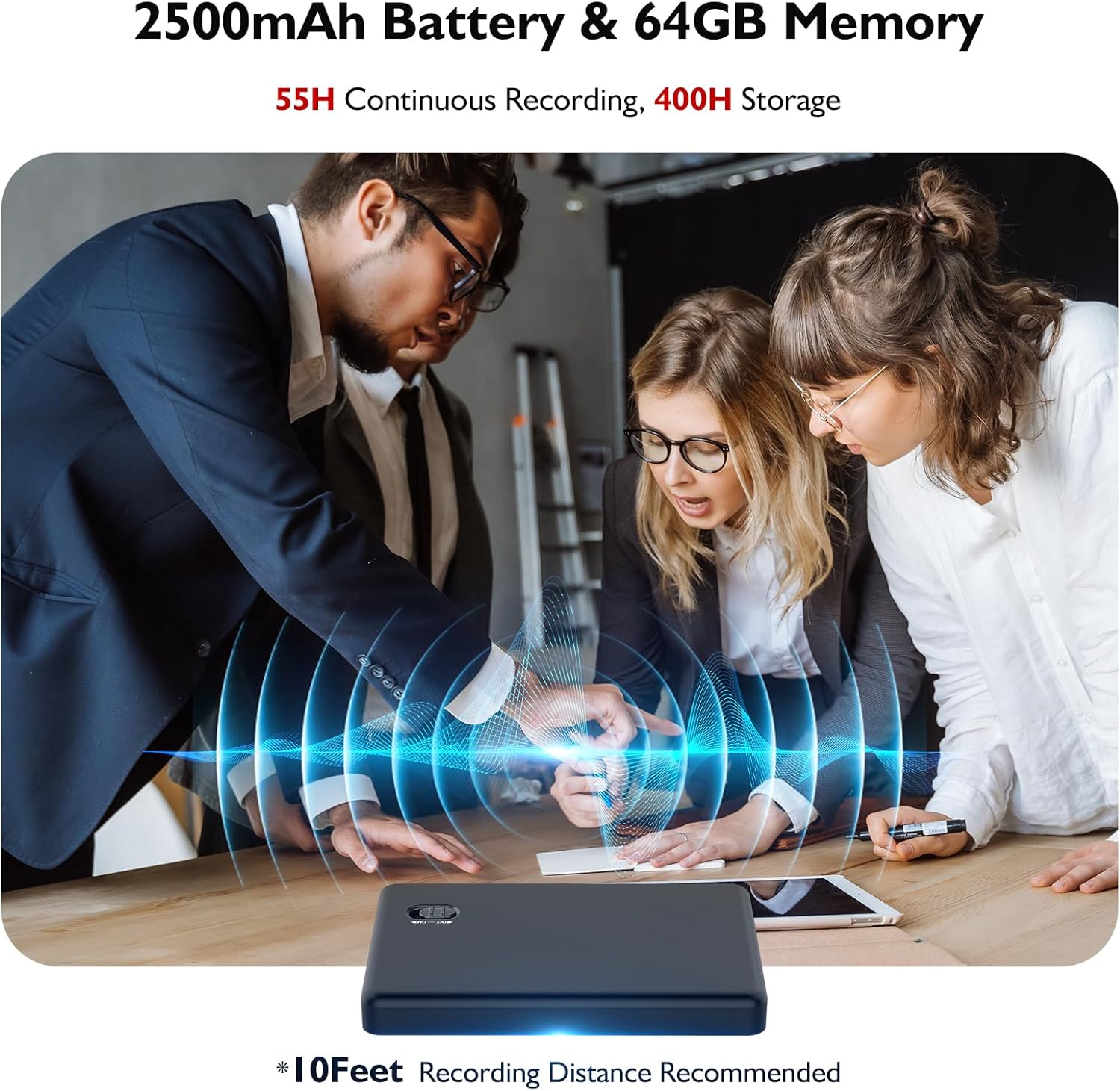
Image: The voice recorder positioned on a table during a meeting, illustrating its 10-foot recording range and highlighting its 2500mAh battery and 64GB memory capacity.
5.2. Přehrávání a File Řízení
Zaznamenáno files are stored on the device's internal 64GB memory, which can hold up to 400 hours of audio. You can access and manage these files through the AIDVRLink app. The app allows for file synchronization, backup, sharing, and deletion. You can also listen to recordings directly from the app.
5.3. AI Transcription and Summarization
The EVISTR AI Voice Recorder integrates advanced AI functions for transcription and summarization. After syncing your recording files to the AIDVRLink app, you can:
- Transcribe: Convert speech to text quickly and accurately in 59 supported languages.
- Přeložit: Real-time translation of transcribed content.
- Shrnout: Utilize 9 different AI summary templates (e.g., meeting minutes, calls, speeches, interview transcripts) to organize and condense information.
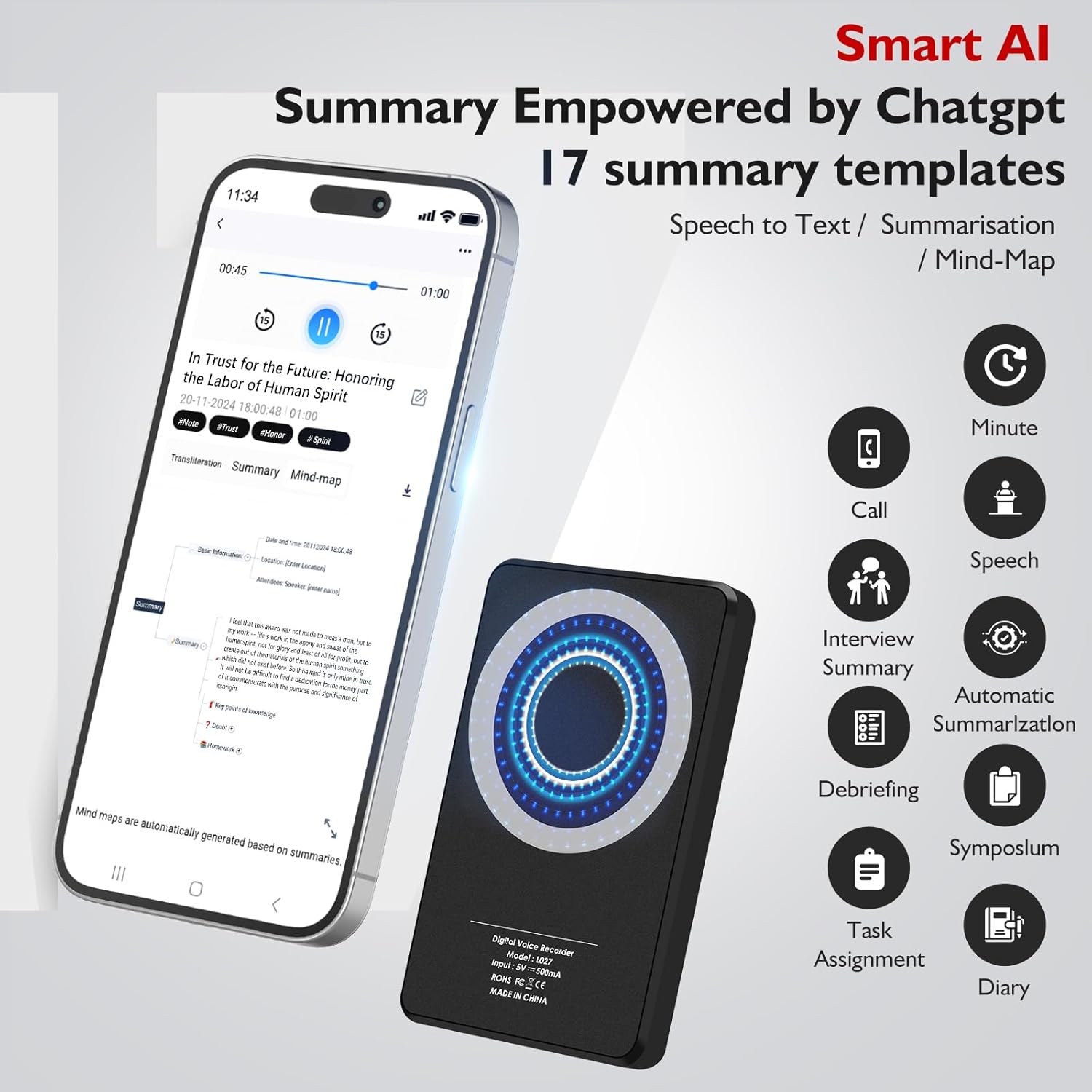
Image: The smartphone app interface displaying various AI summary templates and options for speech-to-text and mind-mapping, powered by AI.
6. Údržba
6.1. Péče o baterie
To prolong battery life, avoid fully discharging the device frequently. Charge the device regularly, especially if it will not be used for an extended period. The device uses one CR5 battery (included).
6.2. Správa úložiště
The 64GB internal storage can hold up to 400 hours of recording. Regularly sync your files to your smartphone or computer via the AIDVRLink app or data cable to free up space. The app also features a "Recycle Bin" to recover accidentally deleted files.

Image: A man holding the voice recorder, with graphics emphasizing data privacy protection, 400 minutes of free monthly transcription, file recovery from a recycle bin, and the ability to export and share files.
7. Řešení problémů
If you encounter any issues with your EVISTR AI Voice Recorder, please refer to the detailed User Manual PDF for comprehensive troubleshooting steps. Common issues may include:
- Zařízení se nezapne: Check battery level and charge the device.
- Problémy s připojením k aplikaci: Ensure Bluetooth is enabled on both devices and the app is updated.
- Špatná kvalita zvuku: Ensure the microphone is not obstructed and the recording environment is suitable.
- Transcription inaccuracies: Speak clearly and ensure minimal background noise during recording.
For further assistance, please consult the full User Manual PDF available at: https://manuals.plus/m/d1994957b2fbeaaca936a7e8b40b0ec11ecf56340b5134fc52407fd656d98435
8. Specifikace
| Funkce | Detail |
|---|---|
| Číslo modelu | L027N64 |
| Kapacita paměti | 64 GB (approx. 400 hours recording) |
| Kvalita zvuku | 1536kbps HD |
| Životnost baterie | 55 hours (continuous recording) |
| Typ baterie | 1 baterie CR5 (součástí balení) |
| Rozměry produktu | 3.9 x 2.5 x 0.4 palce |
| Hmotnost položky | 3.36 unce |
| Hardwarové rozhraní | USB typ C |
| Tvarový faktor mikrofonu | Vestavěný |
| Formát zvuku | WAV |
| Kompatibilní zařízení | Windows, iOS (via AIDVRLink app) |
| Transkripční jazyky | 59 languages (including English, Spanish, French, German, Arabic, Chinese) |
9. Záruka a podpora
The EVISTR AI Voice Recorder L027N64 comes with an Záruka 18 měsíců od data zakoupení. Tato záruka se vztahuje na výrobní vady a zajišťuje spolehlivý výkon vašeho zařízení.
For any technical support, troubleshooting, or warranty claims, please refer to the comprehensive User Manual PDF or contact EVISTR customer support through the contact information provided in the manual or on the official EVISTR webmísto.
Full User Manual PDF: https://manuals.plus/m/d1994957b2fbeaaca936a7e8b40b0ec11ecf56340b5134fc52407fd656d98435


