1. Úvod
This manual provides comprehensive instructions for the setup, operation, maintenance, and troubleshooting of your Havit MS951GT Wireless Mouse. Please read this manual carefully before using the product to ensure optimal performance and longevity.
2. Obsah balení
Prosím, ověřte, zda jsou v balení přítomny všechny položky:
- Havit MS951GT Wireless Mouse
- USB přijímač
- Uživatelská příručka (tento dokument)
Note: An AA battery is typically not included and must be purchased separately.
3. Konec produktuview
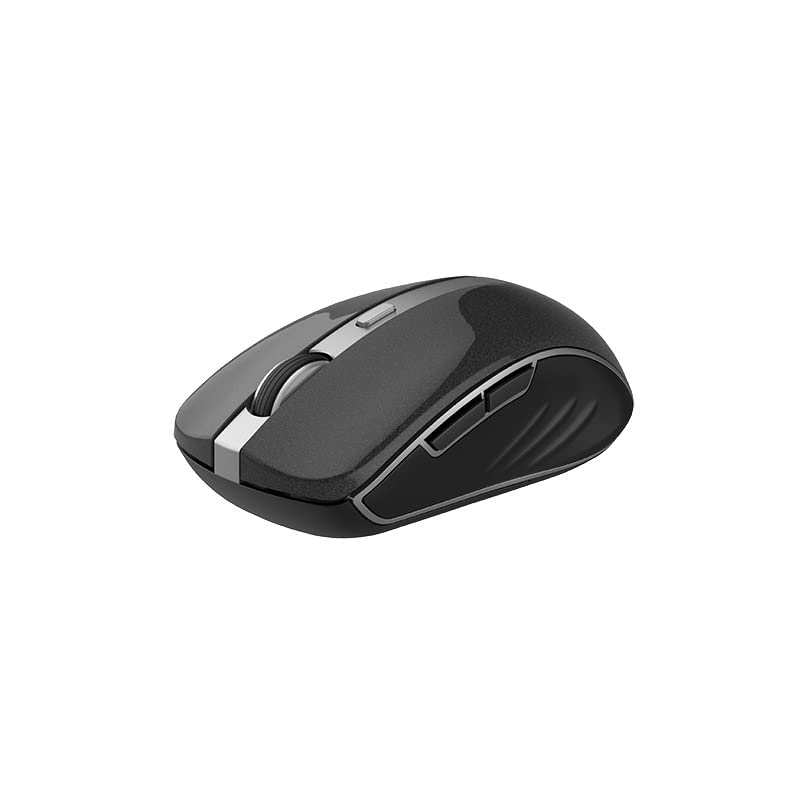
The Havit MS951GT is a wireless optical mouse designed for comfortable and precise control. It features symmetrical ergonomics, making it suitable for both left and right-handed users, and includes multi-level DPI adjustment for varied sensitivity needs.

Obrázek 3.1: Havit MS951GT Wireless Mouse highlighting key features such as DPI adjustment and side buttons.
Klíčové komponenty:
- Levé/pravé tlačítko pro kliknutí: Standard mouse functionality.
- Rolovací kolečko: Pro vertikální rolování a funkci kliknutí prostředním tlačítkem myši.
- Tlačítko pro nastavení DPI: Cycles through sensitivity settings (800-1200-1600 DPI).
- Boční tlačítka: Multi-functional, typically used for forward/backward page navigation.
- Přihrádka na baterie: Nachází se na spodní straně myši.
- Úložiště USB přijímače: A dedicated slot on the underside for the USB receiver when not in use.
4. Nastavení
4.1. Instalace baterie
- Turn the mouse over to access the underside.
- Locate the battery compartment cover and gently slide or lift it off.
- Insert one AA battery into the compartment, ensuring the polarity (+/-) matches the indicators inside.
- Nasaďte kryt přihrádky na baterie zpět, dokud bezpečně nezacvakne.
4.2. Připojení USB přijímače
- Locate the USB receiver, which is typically stored in a slot on the underside of the mouse or within the packaging.
- Zapojte USB přijímač do volného USB portu na vašem počítači.
- Your computer should automatically detect and install the necessary drivers. This is a plug-and-play device, so no additional software installation is usually required.
Obrázek 4.1: The underside of the Havit MS951GT mouse, illustrating the battery compartment and the storage slot for the USB receiver.
5. Návod k obsluze
5.1. Základní funkce myši
- Levé kliknutí: Select items, open files, activate links.
- Klikněte pravým tlačítkem myši: Access context menus.
- Rolovací kolečko: Procházejte dokumenty nahoru nebo dolů a web pages. Pressing the scroll wheel often acts as a middle-click.
5.2. Nastavení DPI
The DPI (Dots Per Inch) button, located behind the scroll wheel, allows you to adjust the mouse's sensitivity. Pressing this button will cycle through the available DPI settings:
- 800 DPI: Lower sensitivity for precise tasks.
- 1200 DPI: Standardní citlivost pro všeobecné použití.
- 1600 DPI: Vyšší citlivost pro rychlejší pohyb kurzoru.
Choose the DPI setting that best suits your preference and task requirements.
5.3. Boční tlačítka
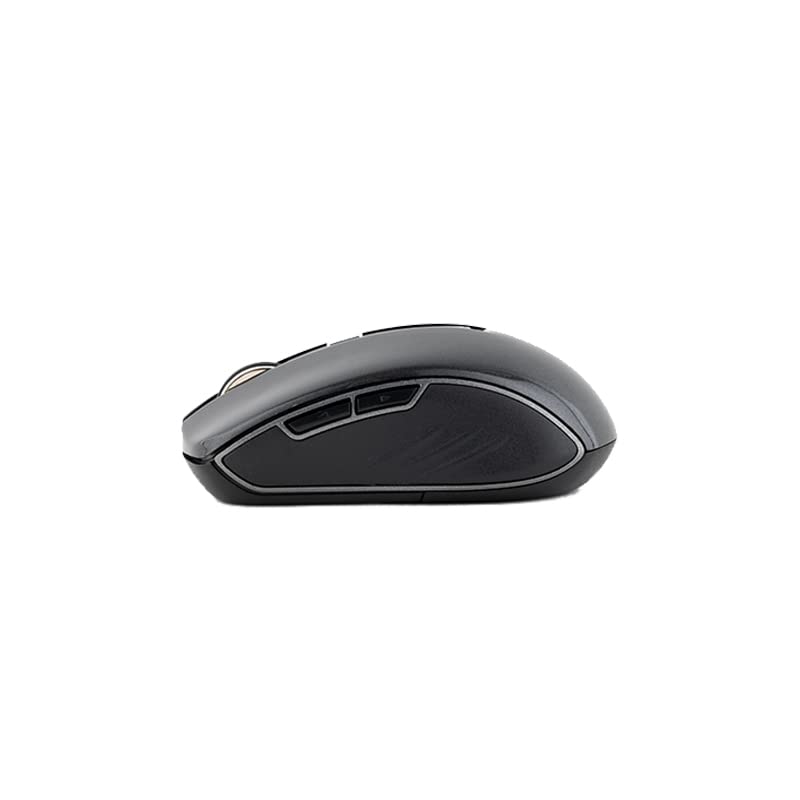
The Havit MS951GT features multi-function side buttons, typically located on the left side of the mouse. By default, these buttons are configured for:
- Tlačítko vpřed: Naviguje vpřed web prohlížeče popř file průzkumníci.
- Tlačítko zpět: Naviguje zpět web prohlížeče popř file průzkumníci.
Obrázek 5.1: Strana view of the Havit MS951GT mouse, illustrating the position of the multi-function side buttons.
6. Údržba
6.1. Čištění
Pro udržení optimálního výkonu a hygieny myš pravidelně čistěte:
- Odpojte USB přijímač od počítače.
- Použijte měkký hadřík, který nepouští vlákna dampPovrch myši otřete vodou nebo jemným čisticím roztokem.
- Vyhněte se používání agresivních chemikálií nebo abrazivních materiálů.
- Use a cotton swab or compressed air to clean around the scroll wheel and optical sensor.
6.2. Výměna baterie
When the mouse performance degrades or it stops responding, it is likely time to replace the AA battery. Refer to Section 4.1 for battery installation instructions.
6.3. Skladování
When not in use for an extended period, the mouse features a built-in auto-sleep function to conserve battery life. For transport or long-term storage, it is recommended to:
- Remove the AA battery to prevent leakage.
- Store the USB receiver in its dedicated slot on the underside of the mouse to prevent loss.
7. Řešení problémů
If you encounter issues with your Havit MS951GT Wireless Mouse, please refer to the following common solutions:
7.1. Myš nereaguje
- Zkontrolujte baterii: Ujistěte se, že je baterie AA správně vložena a dostatečně nabitá. V případě potřeby ji vyměňte.
- Zkontrolujte USB přijímač: Ujistěte se, že je USB přijímač bezpečně zapojený do funkčního USB portu v počítači. Zkuste jiný USB port.
- Cyklus napájení: Turn off the mouse (if it has a power switch), remove the battery, wait a few seconds, then reinsert the battery and turn it back on.
7.2. Nepravidelný pohyb kurzoru
- Čistý optický senzor: Dust or debris on the optical sensor can cause erratic movement. Clean the sensor on the underside of the mouse with a soft, dry cloth or compressed air.
- Zkontrolujte povrch: Ujistěte se, že myš používáte na čistém, nereflexním a rovnoměrném povrchu. Vyhněte se sklu nebo vysoce reflexním povrchům.
7.3. Connection Issues / Lag
- Snížit rušení: Move the mouse closer to the USB receiver. Avoid placing the receiver near other wireless devices (e.g., Wi-Fi routers, cordless phones) that might cause interference.
- Re-plug Receiver: Odpojte a znovu zapojte USB přijímač.
8. Specifikace
| Funkce | Specifikace |
|---|---|
| Značka | Havit |
| Model | MS951GT |
| Bezdrátová technologie | 2.4 GHz |
| Bezdrátová vzdálenost | 10 m |
| Úrovně DPI | 800-1200-1600 DPI |
| Číslo klíče | 6 (Left, Right, Scroll, DPI, 2 Side Buttons) |
| Napájení | 1 * AA Battery |
| Rozměry (DxŠxV) | 50 x 50 x 50 mm (přibližně) |
| Hmotnost položky | 100 g |
| Kompatibilita operačního systému | Windows XP and above (PC, Laptop) |
| Materiál | Plast |
| Orientace rukou | Obouruký |
9. Záruka a podpora
Výrobky Havit jsou navrženy pro spolehlivost a výkon. Informace o záručním krytí naleznete v záruční kartě dodané s produktem nebo na oficiálních webových stránkách společnosti Havit. website. If you require technical assistance or have questions not covered in this manual, please contact Havit customer support through their official channels.
Uschovejte si prosím doklad o koupi pro uplatnění záruky.


