Zavedení
Diagnostický přístroj pro motocykly FXTUL M3-A je všestranný skener OBD2 určený pro komplexní diagnostiku motocyklů a univerzálních automobilů kompatibilních s OBD2. Tento nástroj umožňuje uživatelům číst a mazat chybové kódy, přistupovat k živým datovým streamům, provádět testy ovládání a provádět měření hlasitosti.tage-testy, které poskytují základní informace pro údržbu a opravy vozidel. Kromě standardních protokolů OBD2 podporuje různé značky motocyklů, včetně Yamaha, Honda a Kawasaki.
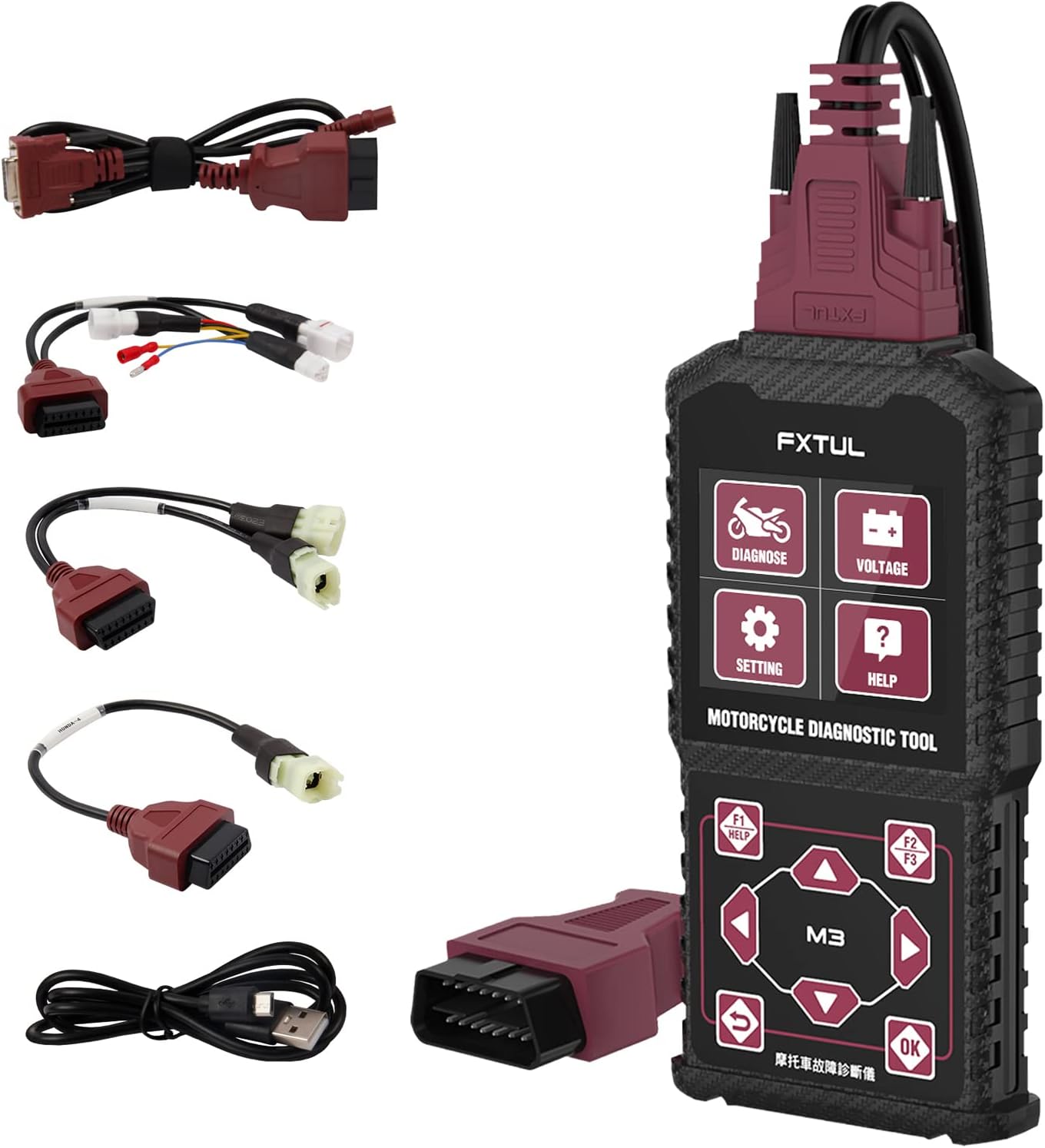
Obrázek: Diagnostický přístroj FXTUL M3-A zobrazený s hlavní jednotkou a různými diagnostickými kabely pro různé motocykly a OBD2 připojení.
Nastavení a první použití
Obsah balení
Po otevření balení se ujistěte, že jsou přítomny všechny součásti:
- Hlavní jednotka diagnostického přístroje FXTUL M3-A
- Diagnostický kabel OBD2
- Adaptérové kabely specifické pro motocykly (např. pro Yamaha, Honda, Kawasaki)
- Datový kabel USB pro aktualizace softwaru
- Uživatelská příručka (tento dokument)
Připojení zařízení
Pro zahájení diagnostiky připojte příslušný kabel k diagnostickému portu vašeho motocyklu nebo automobilu. U motocyklů budete možná muset použít jeden z dodaných adaptérových kabelů. U automobilů kompatibilních s OBD2 použijte standardní kabel OBD2.

Obrázek: Nástroj M3-A zdůrazňuje jeho klíčové funkce, včetně vymazání chybových kódů, datového toku, testu ovládání a objemu.tage Test, multisystémová diagnostika a podpora 11 jazyků.
Zařízení je po připojení napájeno přímo z diagnostického portu vozidla. Displej se rozsvítí, což signalizuje napájení.
Návod k obsluze
Rozhraní skončiloview a Navigace

Obrázek: Podrobný view rozměrů a rozložení tlačítek nástroje M3-A, včetně tlačítek „Diagnostika“, „Hlasitost“tagTlačítka „Test“, „Nastavení“, „Nápověda“ a ovládací prvky navigace.
M3-A se vyznačuje přehledným displejem a intuitivním rozložením tlačítek pro snadnou navigaci:
- Diagnostikovat: Vstup do hlavní diagnostické nabídky.
- svtage Test: Zahájí vybíjení baterie v reálném časetage test.
- Nastavení: Přístup k nastavení zařízení, včetně výběru jazyka.
- Pomoc: Poskytuje pomoc na obrazovce.
- Navigační tlačítka (nahoru/dolů, vlevo/vpravo): Používá se k procházení nabídek a výběru možností.
- Tlačítko OK: Potvrzuje výběr.
- Tlačítko Zpět: Vrátí se na předchozí obrazovku.
- Tlačítka F1/F2/F3: Funkční tlačítka, často pro „Nápovědu“, „Rychlé volby“ nebo „Pozastavení“, jak je uvedeno na obrazovce.
Klíčové diagnostické funkce
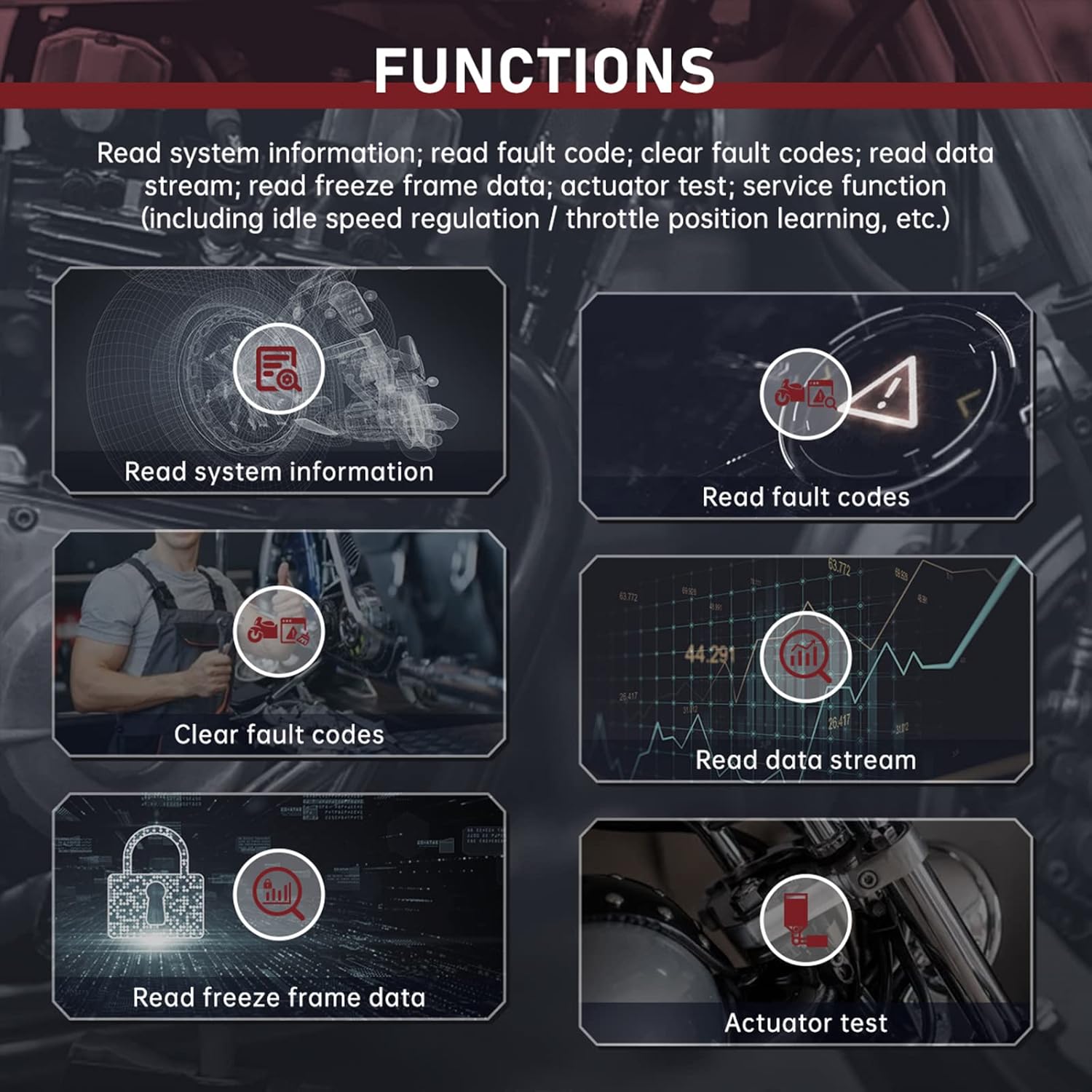
Obrázek: Overview diagnostických funkcí: Čtení systémových informací, Čtení chybových kódů, Vymazání chybových kódů, Čtení datového proudu, Čtení dat zmrazeného obrazu a Test akčních členů.
- Přečíst systémové informace: Zobrazuje informace o vozidle, jako je VIN, ID kalibrace a informace o modulu.
- Přečtěte si chybové kódy: Načítá aktuální, čekající a historické diagnostické chybové kódy (DTC) z řídicí jednotky vozidla.
- Vymazání chybových kódů: Vymaže kódy DTC z paměti vozidla. Před vymazáním kódů se ujistěte, že je příčina problému vyřešena.
- Číst datový proud: Zobrazuje parametry dat v reálném čase z různých senzorů a komponent (např. otáčky motoru, teplota, objemtagE).
- Čtení dat zmrazeného snímku: Zachycuje snímek dat ze senzorů v okamžiku nastavení chybového kódu, což usnadňuje diagnostiku.
- Test aktuátoru: Umožňuje testování specifických akčních členů (např. palivového čerpadla, chladicího ventilátoru) za účelem ověření jejich funkčnosti.
- Funkce služby: Zahrnuje specializované funkce, jako je regulace volnoběžných otáček a učení polohy škrticí klapky, pokud je vozidlo podporuje.
Rychlý test
Funkce Rychlý test automaticky prohledá všechny dostupné systémy modelu vozidla a načte jejich příslušné chybové kódy. To umožňuje rychléview diagnostického stavu vozidla.

Obrázek: Přampzobrazuje soubory rozhraní M3-A, včetně výsledků rychlého testu, diagnostiky jednotlivých systémů, informací o modulech, čtení chybových kódů, datového toku, dat zmrazeného snímku a obrazovek testu ovládání.
svtage Test
VoltagFunkce e Test umožňuje detekci nabití baterie OBD v reálném časetage, často zobrazovaný s křivkou pro podrobnou analýzu objemutage výkyvy.
Výběr více jazyků
Zařízení podporuje více jazyků, které lze vybrat v nabídce „Nastavení“. Mezi podporované jazyky patří angličtina, španělština, portugalština, francouzština, čínština, tradiční čínština, turkmenština, vietnamština, khmérština, thajština a indonéština.

Obrázek: Obrazovka pro výběr více jazyků nástroje M3-A zobrazující příznaky pro různé podporované jazyky.
Údržba
Čištění
Otřete zařízení a kabely měkkým hadříkemamp hadříkem. Nepoužívejte abrazivní čisticí prostředky ani rozpouštědla. Před čištěním se ujistěte, že je zařízení odpojeno od zdroje napájení.
Skladování
Diagnostický přístroj skladujte na suchém a chladném místě mimo dosah přímého slunečního záření a extrémních teplot. Kabely udržujte úhledně stočené, aby nedošlo k jejich poškození.
Upgrade softwaru
Software zařízení lze aktualizovat připojením k počítači pomocí dodaného datového kabelu USB. Navštivte oficiální stránky FXTUL. webstránky s nejnovějšími aktualizacemi softwaru a pokyny.

Obrázek: Diagnostický přístroj M3-A připojený k notebooku pomocí kabelu USB, ilustrující proces aktualizace softwaru.
Odstraňování problémů
Pokud se s diagnostickým přístrojem FXTUL M3-A setkáte s problémy, podívejte se na následující běžné problémy a jejich řešení:
- Zařízení se nezapne:
- Ujistěte se, že je diagnostický kabel bezpečně připojen k přístroji i k diagnostickému portu vozidla.
- Ověřte, zda je baterie vozidla dostatečně nabitá.
- Zkontrolujte, zda není diagnostický kabel nebo port nástroje poškozen.
- Žádná komunikace s vozidlem:
- Ujistěte se, že používáte správný adaptérový kabel pro váš konkrétní model motocyklu nebo standardní kabel OBD2 pro automobily.
- Ujistěte se, že je zapalování vozidla v poloze „ON“ (motor vypnutý nebo běžící, dle požadavků diagnostického postupu).
- Zkontrolujte, zda v obvodu diagnostického portu vozidla nejsou spálené pojistky.
- Některá starší nebo nestandardní vozidla nemusí být plně kompatibilní. Viz seznam kompatibility.
- Zobrazení nesprávných nebo žádných chybových kódů:
- Ujistěte se, že software nástroje je aktuální. Zastaralý software nemusí rozpoznat novější protokoly vozidla nebo specifické chybové kódy.
- Ověřte, zda řídicí jednotka vozidla funguje správně.
- Obrazovka je nečitelná nebo zamrzlá:
- Odpojte nástroj od vozidla a znovu jej připojte.
- Pokud problém přetrvává, proveďte aktualizaci softwaru.
- Problémy s kompatibilitou (např. „Nefunguje na Honda cbr600rr z roku 09“ nebo „Nefunguje na motorkách Kawasaki“, jak hlásili někteří uživatelé):
- I když je produkt inzerován jako kompatibilní s vozy Yamaha, Honda a Kawasaki, u konkrétních modelů nebo ročníků se mohou vyskytovat odchylky. Pokud narazíte na problémy, vždy si ověřte kompatibilitu u výrobce.
- Ujistěte se, že máte správný adaptérový kabel pro váš konkrétní model.
- Zkontrolujte aktualizace softwaru, protože ty často zahrnují rozšířené pokrytí vozidel.
Pokud tyto kroky problém nevyřeší, obraťte se prosím na zákaznickou podporu FXTUL s žádostí o další pomoc.
Specifikace
| Číslo modelu | FXTUL M3-A |
| Výrobce | FXTUL |
| Rozměry produktu | 6.4 x 3.3 x 0.9 palce (přibližně 163 mm x 85 mm x 23 mm) |
| Hmotnost položky | 1.43 libry |
| Operační systém (pro aktualizace softwaru) | Windows XP (a pravděpodobně i novější verze Windows) |
| Podporované protokoly | OBD2, specifické protokoly pro motocykly (Yamaha, Honda, Kawasaki) |
| Zobrazit | Monochromatický LCD (na základě obrázků) |
Záruka a podpora
Pro informace o záruce, technickou podporu nebo jakékoli dotazy týkající se diagnostického přístroje pro motocykly FXTUL M3-A kontaktujte prosím přímo zákaznický servis FXTUL. Řiďte se pokyny na obalu produktu nebo oficiálními informacemi FXTUL. webNejnovější kontaktní údaje a záruční podmínky naleznete na webových stránkách.
Oficiální obchod FXTUL: Navštivte obchod FXTUL na Amazonu


