1. Úvod
This manual provides detailed instructions for the setup, operation, maintenance, and troubleshooting of your ORIA Projection Alarm Clock. Please read this manual thoroughly before using the product to ensure proper function and longevity.
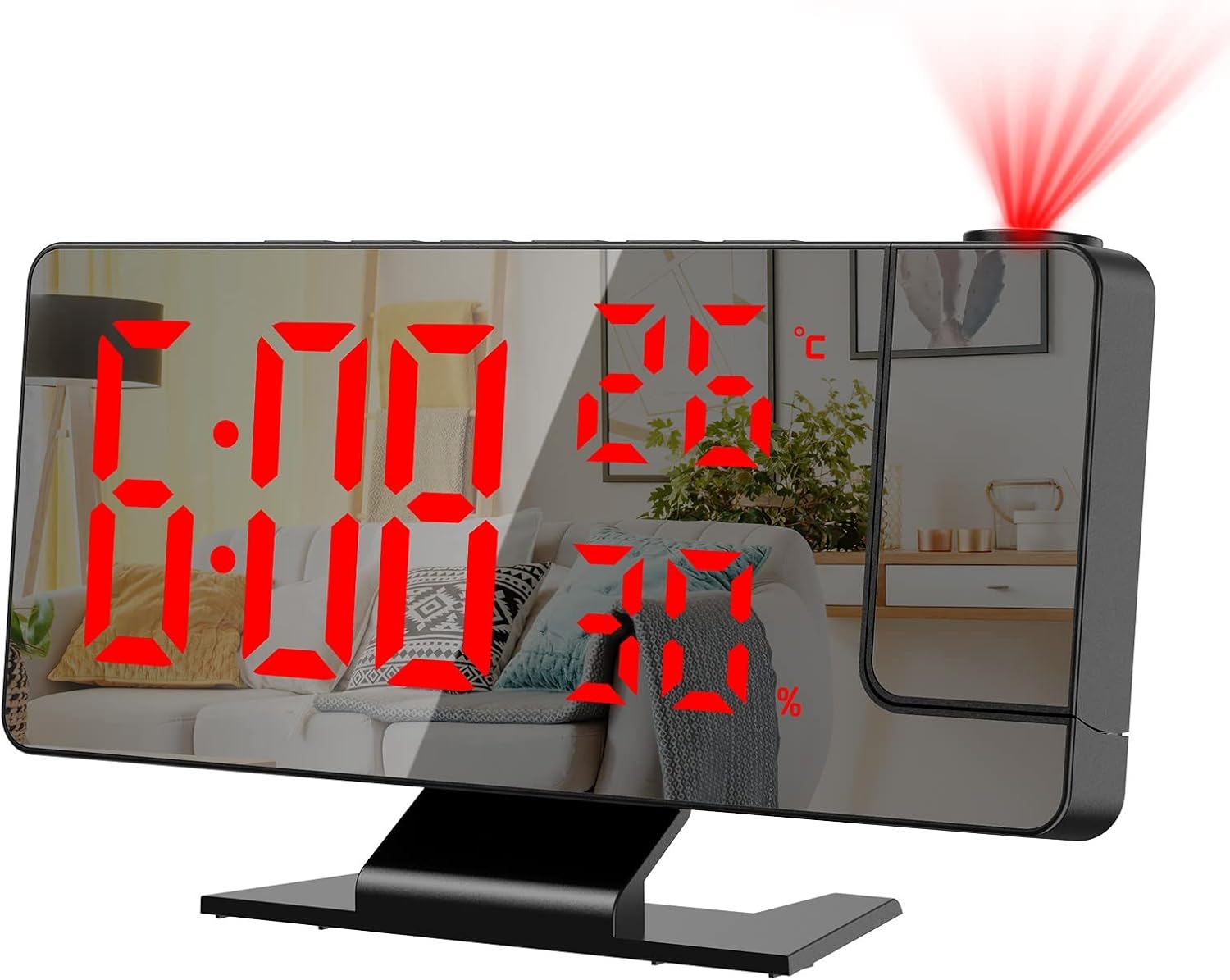
Obrázek 1.1: Přední strana view of the ORIA Projection Alarm Clock displaying time, temperature, and humidity, with a red projection on the wall.
2. Vlastnosti produktu
The ORIA Projection Alarm Clock is designed with multiple features to enhance your daily routine:
- Otočný projekční úhel 180°: Projects time onto your ceiling or wall with adjustable brightness and a projection distance of 2-5 meters (6.5-16 feet).
- Nastavitelný jas displeje: The 7.8-inch mirror LED display offers 4 levels of brightness (Bright, Medium, Dim, OFF) to suit your preference.
- Noční režim: Automatically dims the screen from 18:00 to 5:59 to prevent disturbance during sleep. The time range is adjustable.
- Multifunkční displej: Shows time, temperature, and humidity simultaneously.
- Více režimů alarmu: Set alarms for Monday-Friday, Monday-Saturday, or Monday-Sunday.
- Funkce odložení: Provides an adjustable snooze duration from 1 to 60 minutes.
- USB nabíjecí port: Features a USB output port for charging other devices.
- Funkce paměti: Built-in CR2032 backup battery (included) retains time settings during power outages.

Obrázek 2.1: Konecview of the alarm clock's main functions and dimensions.
3. Nastavení
3.1 Obsah balení
Než budete pokračovat, ověřte si prosím, zda jsou v balení přítomny všechny položky:
- 1 x ORIA Projection Alarm Clock
- 1 x 1.5m USB Cable (Power adapter not included)
- 1 x CR2032 Backup Battery (pre-installed)
- 1 x Uživatelská příručka

Obrázek 3.1: Obsah balení produktu.
3.2 Připojení napájení
The alarm clock requires continuous power via the included USB cable. It is not equipped with a charger, so you will need to use a standard USB power adapter (e.g., phone charger) or a USB port on another device.
- Connect the small end of the USB cable to the power port on the back of the alarm clock.
- Connect the large end of the USB cable to a USB power adapter (not included) or a powered USB port.
- Displej se rozsvítí, což znamená, že hodiny jsou zapnuté.
3.3 Záložní baterie
A CR2032 button cell battery is pre-installed to provide backup power for time settings during power interruptions. The screen will not display when running on backup battery power alone.

Obrázek 3.2: Zadní strana view of the alarm clock with labeled components, including the power port and battery compartment.
4. Návod k obsluze
4.1 Funkce tlačítek
Familiarize yourself with the control buttons located on the top and back of the unit:
- SNOOZE/LIGHT: Aktivuje odložení budíku, upravuje jas displeje.
- POPLACH: Vstupuje do režimu nastavení budíku.
- REŽIM: Switches between time, temperature, and humidity display modes; enters time setting mode.
- NAHORU: Increases values during setting; switches 12/24H format.
- DOLŮ: Decreases values during setting; adjusts projection brightness.
- PROJEKT: Activates/deactivates projection; flips projection orientation.
4.2 Čas nastavení
- Stiskněte a podržte MODE po dobu 3 sekund pro vstup do režimu nastavení času. Číslice hodin budou blikat.
- Použijte UP or DOLŮ tlačítka pro nastavení hodiny.
- Stiskněte MODE znovu pro potvrzení hodiny a přechod k nastavení minut. Číslice minut budou blikat.
- Použijte UP or DOLŮ tlačítka pro nastavení minut.
- Stiskněte MODE pro potvrzení a ukončení nastavení času.
4.3 12/24hodinový formát
Přepínání mezi 12hodinovým a 24hodinovým formátem času:
- V normálním režimu zobrazení času stiskněte UP button. The display will toggle between 12H and 24H format.

Image 4.1: Switching between 12-hour and 24-hour time formats.
4.4 Nastavení alarmů
The clock supports multiple alarm modes.
- Stiskněte tlačítko POPLACH tlačítko pro vstup do režimu nastavení budíku. Hodina budíku bude blikat.
- Použijte UP or DOLŮ tlačítka pro nastavení hodiny budíku.
- Stiskněte POPLACH again to confirm the hour and move to minute setting. The alarm minute will flash.
- Použijte UP or DOLŮ tlačítka pro nastavení minuty budíku.
- Stiskněte POPLACH again to select the alarm mode (1-5 for Monday-Friday, 1-6 for Monday-Saturday, 1-7 for Monday-Sunday). Use UP or DOLŮ pro procházení možností.
- Stiskněte POPLACH pro potvrzení a ukončení nastavení budíku.

Image 4.2: Available alarm modes for different days of the week.
4.5 Funkce odložení
Když zazní alarm, stiskněte SNOOZE / SVĚTLO button to activate the snooze function. The alarm will pause for the set snooze duration (default 9 minutes, adjustable from 1-60 minutes) and sound again afterward.
- To adjust snooze duration: While in alarm setting mode (after setting hour and minute), press POPLACH until the snooze duration flashes. Use UP or DOLŮ pro nastavení požadovaných minut.

Image 4.3: The snooze button and its function.
4.6 Nastavení jasu displeje
The main LED display has 4 brightness levels:
- In normal time display mode, short press the SNOOZE / SVĚTLO button to cycle through brightness levels: Bright, Medium, Dim, OFF.

Image 4.4: Four levels of screen brightness adjustment.
4.7 Noční režim
The clock features an automatic night mode that dims the display during specific hours.
- Default night mode is from 18:00 (6 PM) to 5:59 (5:59 AM). During this period, the screen brightness will automatically switch to the lowest setting.
- To adjust night mode time: Press and hold the MODE button until the hour flashes. Press MODE opakovaně až do
Související dokumenty - DS-3718LW

ORIA Analog Alarm Clock: Usage Method and Important Precautions
Detailed instructions on how to use the ORIA analog alarm clock, including battery installation, time setting, and important matters to pay attention to for safe and optimal operation.
ORIA WA28 2-Channel Refrigerator Thermometer User Manual | Installation, Operation, Troubleshooting
Comprehensive user manual for the ORIA WA28 2-Channel Refrigerator Thermometer. Learn how to install, operate, and troubleshoot your wireless thermometer for accurate indoor and outdoor temperature monitoring.
Návod k obsluze hodin s projekcí teploty a vlhkosti NieNie LED
Komplexní uživatelská příručka pro projekční hodiny NieNie LED s teplotou a vlhkostí (modely 3718LW, NNBB-24039, 3618LW). Podrobně popisuje funkce, nastavení, alarm, zobrazení teploty/vlhkosti, noční režim, projekci a ochranu při výpadku napájení.
Uživatelská příručka k digitálním hodinám DS-3822LP: Funkce, ovládání a nastavení
Komplexní uživatelská příručka pro digitální hodiny, budík a teploměr DS-3822LP s LED/LCD displejem a projekční funkcí. Naučte se, jak nastavit čas, datum, budíky, upravit jas a používat projekční funkce.
DS-3618LP Projection Clock: User Manual and Features
Detailed instructions and features for the DS-3618LP projection clock, including alarm, temperature display, night mode, and projection functions. Learn how to set up and use your digital alarm clock.