1. Úvod
The Elite Aria Smart Cooling Fan is an advanced device designed to enhance your indoor cycling experience by replicating outdoor ride conditions. It features intelligent airflow adjustment based on your workout intensity and data, reaching speeds up to 50 km/h. The Aria fan offers extensive compatibility with various sensors and devices, ensuring a highly immersive and effective training environment.
This manual provides essential information for the safe and efficient operation, setup, and maintenance of your Elite Aria Smart Cooling Fan. Please read it thoroughly before using the product.
2. Bezpečnostní informace
- Vždy se ujistěte, že je ventilátor umístěn na stabilním a rovném povrchu, aby se zabránilo jeho převrácení.
- Během provozu držte ruce, vlasy a volné oblečení v dostatečné vzdálenosti od lopatek ventilátoru.
- Neprovozujte ventilátor s poškozeným napájecím kabelem nebo zástrčkou.
- Neponořujte ventilátor do vody ani jej nevystavujte nadměrné vlhkosti.
- Před čištěním nebo prováděním jakékoli údržby odpojte ventilátor ze zásuvky.
- Tento spotřebič není určen pro použití osobami (včetně dětí) se sníženými fyzickými, smyslovými nebo duševními schopnostmi nebo nedostatečnými zkušenostmi a znalostmi, pokud na ně nedohlíží osoba odpovědná za jejich bezpečnost nebo jim nebyla poskytnuta instrukce ohledně používání spotřebiče.
3. Obsah balení
Ověřte, zda jsou v balení přítomny všechny položky:
- Elite Aria Smart Fan Unit
- Napájecí adaptér
- 2 x Activated Carbon Filters (pre-installed or separate)
- Uživatelská příručka (tento dokument)
4. Nastavení
4.1 Vybalení a umístění
- Carefully remove the Elite Aria Smart Cooling Fan from its packaging.
- Place the fan on a flat, stable surface in front of your training setup.
- Adjust the fan's angle to optimize airflow. The Aria features 10 adjustable positions, ranging from 0° to 50°, to best cover a cyclist's body shape.
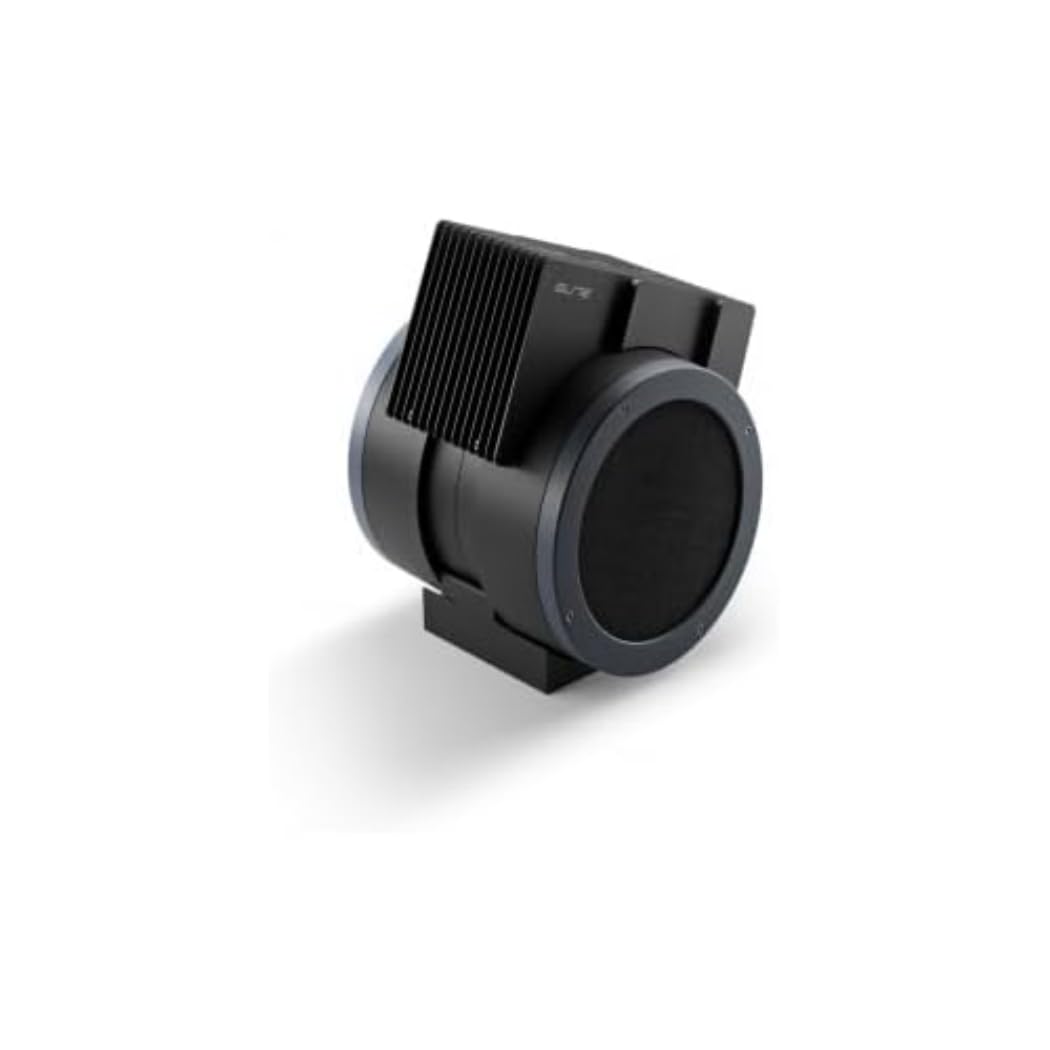
An image showing the Elite Aria Smart Cooling Fan, a black, cylindrical device with a rectangular top section containing cooling fins, designed for indoor cycling training.
4.2 Připojení napájení
- Connect the power adapter to the fan's power input port.
- Zapojte napájecí adaptér do vhodné elektrické zásuvky.
- The fan will power on in standby mode or manual mode, indicated by the control panel lights.
4.3 Instalace filtru (pokud není předinstalován)
The Aria includes 2 activated carbon filters designed to filter air and remove workout odors. If not pre-installed, follow these steps:
- Locate the filter compartments on the fan (refer to the diagram in the quick start guide if available).
- Insert the activated carbon filters into their respective slots. Ensure they are securely seated.
5. Provozní režimy
5.1 Ruční režim
The Aria fan can be operated manually using the small keyboard on the unit:
- Vypínač: Press to turn the fan on/off or activate standby mode.
- Nastavení rychlosti: Use the dedicated buttons to cycle through 4 manual wind intensity levels.
- Pohotovostní režim: Activate standby mode when not actively training.
5.2 Smart Mode (Automatic Adjustment)
The Aria fan's primary feature is its ability to automatically adjust airflow based on your workout data. It communicates wirelessly with various sensors and devices:
- ANT+ FE-C & ANT+ Speed Devices/Sensors: For speed-based airflow.
- ANT+ Power Meters: For power-based airflow.
- ANT+ & BLE Heart Rate Monitors: For heart rate-based airflow.
- ANT+ Body Temperature Sensors: For body temperature-based airflow.
To pair with a device or sensor:
- Ensure your sensor/device is active and within range.
- On the Aria's keyboard, press the button to select the desired data source (speed, power, heart rate, body temperature).
- The fan will automatically search for and connect to compatible sensors. Once connected, airflow will adjust dynamically.
5.3 My E-Training App Control
The Elite Aria fan can also be controlled via the My E-Training app, providing quick access to all main functions and advanced settings:
- Download and install the My E-Training app on your smartphone or tablet.
- Open the app and ensure Bluetooth is enabled on your device.
- Follow the in-app instructions to connect to your Elite Aria fan.
- Through the app, you can select the device/sensor to be connected, adjust wind power percentage, and customize advanced settings to suit your workout needs.
Note: You do not need a subscription to the My E-Training app to access all of Aria's features within the app.
6. Údržba
6.1 Čištění
- Před čištěním vždy odpojte ventilátor.
- Vnější povrchy ventilátoru otřete měkkým hadříkemamp tkanina. Nepoužívejte abrazivní čisticí prostředky nebo rozpouštědla.
- Zajistěte, aby se do vnitřních součástí nedostala voda.
6.2 Activated Carbon Filter Replacement
The activated carbon filters help remove workout odors. They should be replaced periodically depending on usage and air quality.
- Odpojte ventilátor ze zásuvky.
- Locate the filter compartments.
- Carefully remove the spent filters.
- Insert new activated carbon filters, ensuring they fit snugly.
- Staré filtry zlikvidujte zodpovědně.
7. Řešení problémů
- Ventilátor se nezapíná:
- Check if the power cord is securely plugged into both the fan and the electrical outlet.
- Ujistěte se, že je elektrická zásuvka funkční.
- No automatic airflow adjustment:
- Ensure your sensors/devices are turned on and within range of the fan.
- Verify that the correct data source (speed, power, HR, temp) is selected on the fan's control panel or via the My E-Training app.
- Check battery levels of your external sensors.
- Try restarting both the fan and your sensors/devices.
- Slabé proudění vzduchu:
- In manual mode, increase the speed level.
- In smart mode, ensure your workout intensity data is being correctly transmitted and interpreted.
- Check if the air intake or output is obstructed.
- Consider replacing the activated carbon filters if they are old or heavily used.
8. Specifikace
| Funkce | Specifikace |
|---|---|
| Název značky | Elita |
| Název modelu | Árie |
| Číslo dílu | 3204003750 |
| Materiál | Termoplast |
| Rozměry položky (DxŠxV) | 12.2 x 11.81 x 14.17 palce |
| Rozměry balení (DxŠxV) | 17.72 x 17.32 x 14.76 palce |
| Hmotnost balení | 6.2 kg |
| Maximální rychlost proudění vzduchu | Až 50 km / h |
| Nastavitelné polohy | 10 (0° to 50°) |
| Konektivita | ANT+ FE-C, ANT+ Speed, ANT+ Power, ANT+ HR, BLE HR, ANT+ Body Temperature |
| Zahrnuté komponenty | Aria Smart Fan, 2 Activated Carbon Filters |
9. Záruka a podpora
Elite products are manufactured to high standards and are covered by a limited warranty. For specific warranty terms and conditions, please refer to the warranty card included with your product or visit the official Elite webmísto.
For technical support, troubleshooting assistance, or to inquire about replacement parts (such as activated carbon filters), please contact Elite customer service through their official webwebu nebo kontaktních informací uvedených na obalu produktu.
Online zdroje:


