Zavedení
This manual provides instructions for the Trust 25025 AZERTY Wireless Keyboard and Mouse Set. This comfortable wireless set features silent keys and buttons, and is constructed using 85% recycled materials. It is designed for ease of use and long-lasting performance.
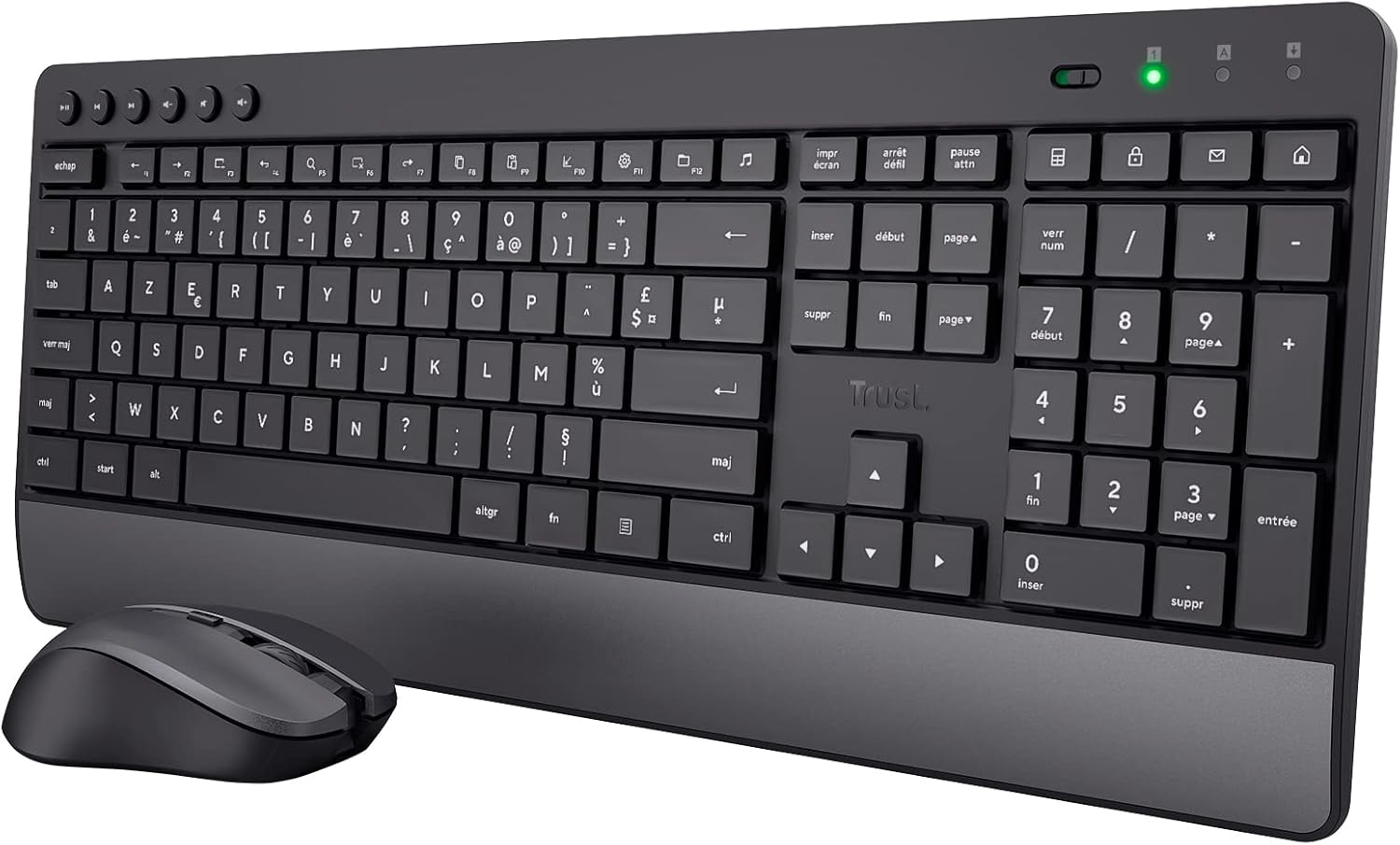
Image: The Trust 25025 AZERTY Wireless Keyboard and Mouse Set, featuring a full-size keyboard with a wrist rest and a compact mouse.
Obsah balení
- Trust 25025 AZERTY Wireless Keyboard
- Bezdrátová myš Trust
- Mikro USB přijímač
- 3 x AA baterie (předinstalované nebo přiložené samostatně)
- Uživatelská příručka (tento dokument)
Nastavení
1. Instalace baterie
The keyboard requires 2 AA batteries and the mouse requires 1 AA battery. These are typically included. If not, or if replacing, ensure correct polarity.
- Locate the battery compartments on the underside of the keyboard and mouse.
- Otevřete kryty baterií.
- Insert the AA batteries, matching the + and - indicators.
- Bezpečně zavřete kryty baterií.
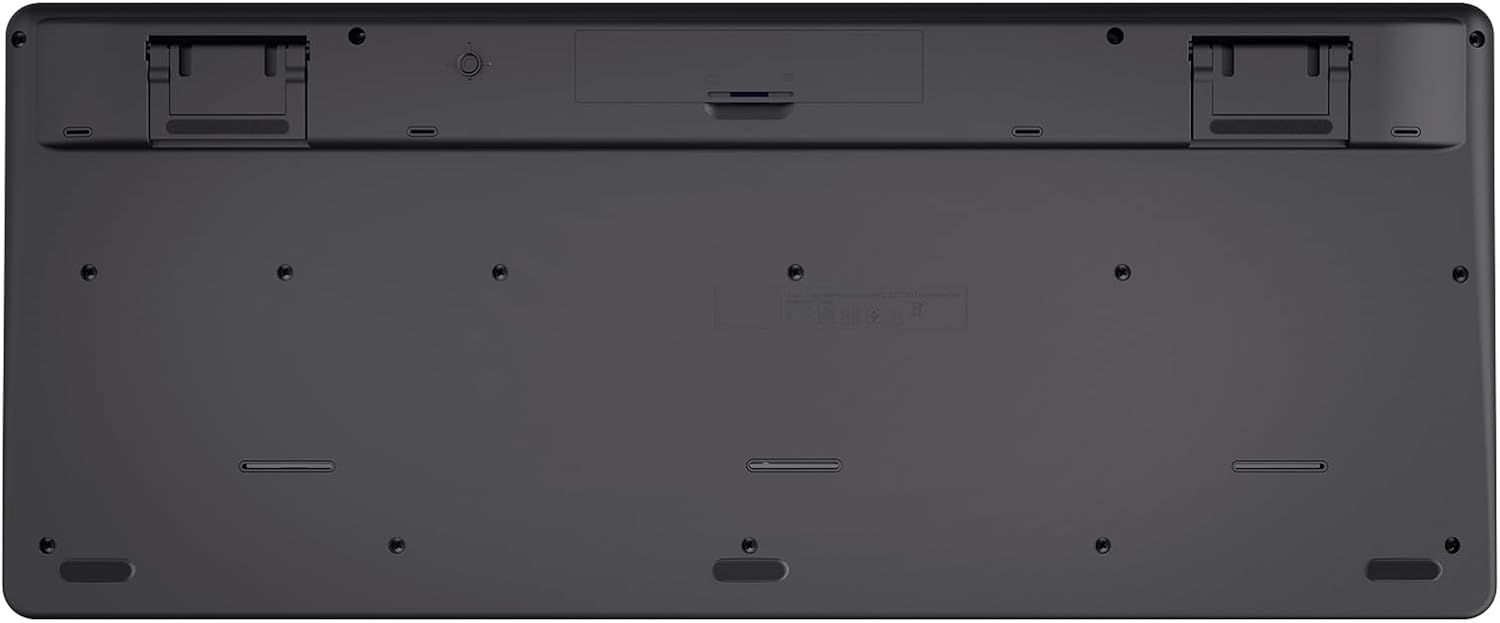
Image: The underside of the Trust 25025 keyboard, showing the battery compartment and the storage slot for the USB micro receiver.
2. Connecting the USB Micro Receiver
The keyboard and mouse connect wirelessly to your computer via a single USB micro receiver.
- Locate the USB micro receiver, usually stored in the mouse's battery compartment or a dedicated slot on the keyboard's underside.
- Plug the USB micro receiver into an available USB port on your computer (PC or Mac).
- Your computer should automatically detect and install the necessary drivers. This is a plug-and-play device, requiring no additional software installation.

Image: An icon representing 'Plug & Play' functionality, indicating easy setup without additional drivers.
3. Zapnutí
Ensure the keyboard and mouse are switched on. The mouse typically has an on/off switch on its underside. The keyboard may have an indicator light to show it's active.
Návod k obsluze
Funkce klávesnice
- Rozvržení AZERTY: Standard French keyboard layout for comfortable typing.
- Tiché klávesy: Designed for quiet operation, reducing typing noise.
- Integrovaná opěrka zápěstí: Provides ergonomic support during extended use.
- Multimediální klávesy: Dedicated keys for quick access to media controls (play, pause, volume, etc.).
- Design odolný proti polití: Helps protect against accidental liquid spills.
- Dlouhá výdrž baterie: Up to 48 months of battery life under typical usage conditions.

Obrázek: Pohled shora dolů view of the Trust 25025 keyboard and mouse, highlighting the AZERTY layout and multimedia keys.
Funkce myši
- Tichá tlačítka: Snižuje hluk klikání pro tišší pracovní prostředí.
- Nastavitelné DPI: Cycle through 1000, 1400, and 1800 DPI settings for precise cursor control. Use the DPI button located near the scroll wheel to change sensitivity.
- Oboustranný design: Suitable for both left-handed and right-handed users.
- Dlouhá výdrž baterie: Up to 12 months of battery life under typical usage conditions.

Obrázek: Detailní záběr view of the Trust wireless mouse, showing its ergonomic shape and the DPI adjustment button.
Údržba
Čištění
- K čištění povrchů klávesnice a myši používejte měkký, suchý hadřík.
- Pro odolnou špínu lehceampOtřete hadřík vodou nebo jemným čisticím roztokem. Vyhněte se agresivním chemikáliím.
- Neponořujte zařízení do vody.
Výměna baterie
When the battery indicator light (if present) illuminates or performance degrades, replace the batteries.
- Turn off the mouse using its power switch.
- Open the battery compartments on both devices.
- Remove old batteries and dispose of them according to local regulations.
- Vložte nové baterie typu AA a dbejte na správnou polaritu.
- Close the battery covers.
Odstraňování problémů
No Response from Keyboard or Mouse
- Zkontrolujte baterie: Ujistěte se, že jsou baterie správně vloženy a nejsou vybité. V případě potřeby je vyměňte.
- Vypínač: Verify that the mouse (and keyboard, if applicable) is switched ON.
- USB přijímač: Ensure the USB micro receiver is securely plugged into a working USB port on your computer. Try a different USB port.
- Vzdálenost: Make sure the keyboard and mouse are within the operational range of the USB receiver (typically up to 10 meters).
- Rušení: Move the devices away from other wireless devices or large metal objects that might cause interference.
Mouse Cursor Jumps or is Erratic
- Povrch: Používejte myš na čistém, nereflexním povrchu. Doporučuje se podložka pod myš.
- Nastavení DPI: Adjust the DPI setting using the button on the mouse to find a comfortable sensitivity.
- Baterie: Low battery power can affect mouse performance. Replace batteries if needed.
Specifikace
| Funkce | Detail |
|---|---|
| Značka | Důvěra |
| Číslo modelu | 25025 |
| Série | Trezo |
| Barva | Černý |
| Technologie připojení | Rádiová frekvence (bezdrátová) |
| Rozložení klávesnice | AZERTY |
| Nastavení DPI myši | 1000, 1400, 1800 |
| Výdrž baterie klávesnice | Až 48 měsíců |
| Výdrž baterie myši | Až 12 měsíců |
| Jsou vyžadovány baterie | 3 x AA (součástí balení) |
| Rozměry produktu | 18.2 x 43.6 x 4.4 cm |
| Hmotnost položky | 752 g |
| Hardwarová platforma | Mac, PC |
| Kompatibilita operačního systému | Windows, Mac OS, Chrome OS |
| Speciální funkce | 85% recycled plastic, long battery life, silent typing and clicks, wrist rest, single USB adapter for mouse and keyboard |
| Kompatibilní zařízení | Notebook, PC |

Image: An icon indicating compatibility with multiple devices, including laptops and PCs.
Záruka a podpora
Informace o záruce a technickou podporu získáte od oficiálního poskytovatele služeb Trust. website or contact their customer service directly. Details regarding specific warranty periods and support channels are typically provided with the product packaging or on the manufacturer's webmísto.


