Zavedení
Welcome to the VTech CS1500 DECT Cordless Phone user manual. This guide provides detailed instructions to help you set up, operate, and maintain your new phone. The VTech CS1500 offers features such as a call blocking function, an innovative dual-charge design, caller ID, and a hands-free speakerphone for enhanced communication convenience. Please read this manual thoroughly to ensure optimal performance and longevity of your device.

Image: The VTech CS1500 DECT Cordless Phone, showing the white handset docked in its black charging base.
Průvodce nastavením
Follow these steps to set up your VTech CS1500 DECT Cordless Phone.
- Rozbalení: Opatrně vyjměte všechny součásti z obalu. Ujistěte se, že máte sluchátko, základnovou jednotku, napájecí adaptér a telefonní kabel.
- Instalace baterie:
- Otevřete kryt bateriového prostoru na zadní straně sluchátka.
- Insert the provided NiMH rechargeable battery, observing the polarity markings (+ and -).
- Bezpečně zavřete kryt bateriového prostoru.
- Připojení základní jednotky:
- Připojte jeden konec telefonního kabelu do zdířky TEL LINE na základní jednotce.
- Připojte druhý konec telefonního kabelu do telefonní zásuvky ve zdi.
- Plug the small end of the power adapter into the POWER jack on the base unit.
- Zapojte větší konec napájecího adaptéru do standardní elektrické zásuvky.
- Počáteční nabíjení: Place the handset on the base unit to charge. The handset will display a charging indicator. For optimal battery performance, allow the handset to charge for at least 16 hours before its first use.
- Nastavení data a času: After the initial charge, the phone may prompt you to set the date and time. Follow the on-screen instructions to configure these settings. Refer to the "Operating Instructions" section for detailed menu navigation.
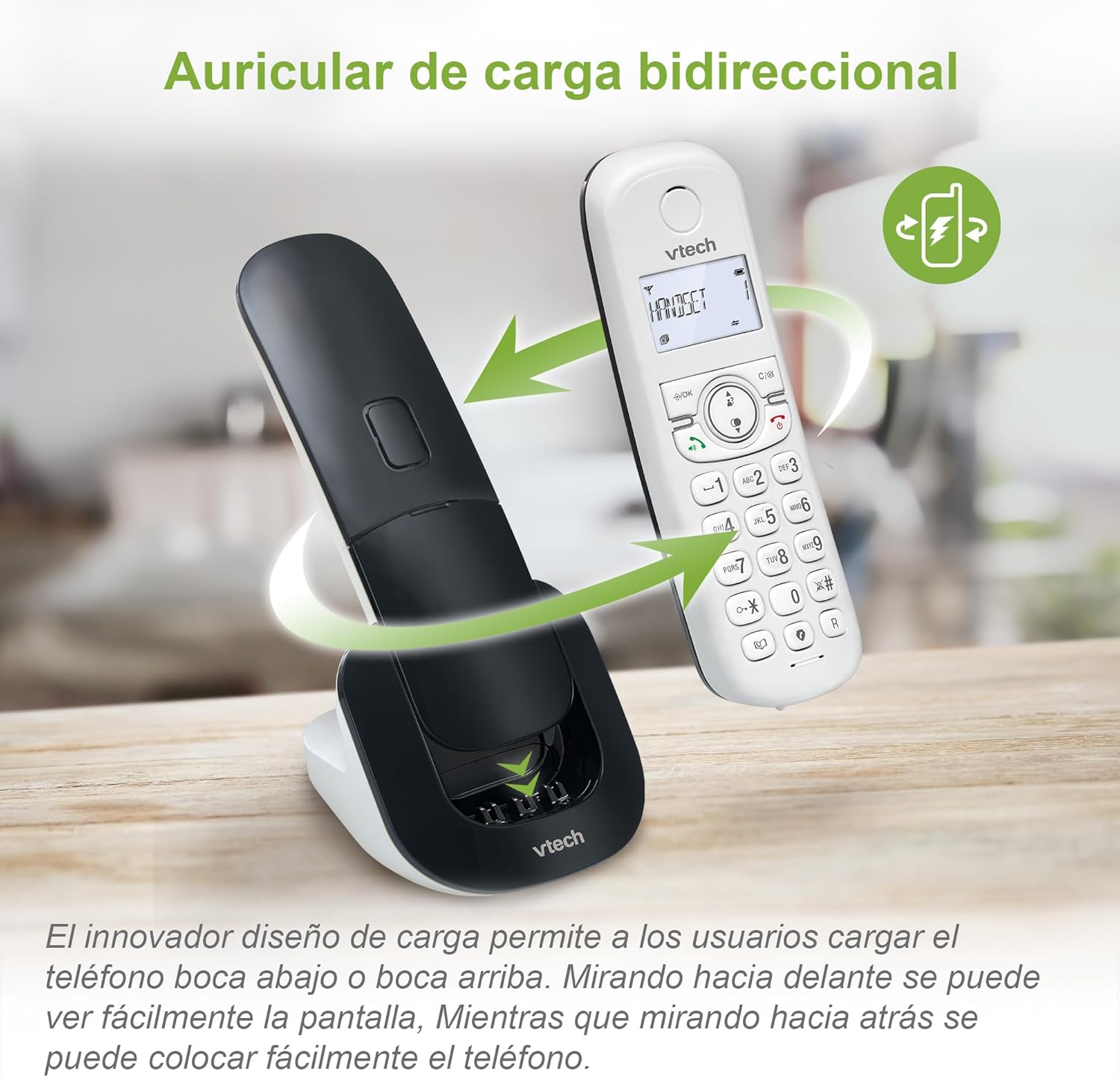
Image: The VTech CS1500 handset being placed on its charging base, illustrating the dual-charge design where it can be docked facing forward or backward.
Návod k obsluze
This section covers the basic operations of your VTech CS1500 DECT Cordless Phone.
Uskutečňování a přijímání hovorů
- Chcete-li zavolat:
- Stiskněte MLUVIT (zelená ikona telefonu).
- Vytočte telefonní číslo.
- Alternatively, dial the number first, then press MLUVIT.
- Chcete-li přijmout hovor:
- Když telefon zazvoní, stiskněte MLUVIT (zelená ikona telefonu).
- Ukončení hovoru:
- Stiskněte KONEC (ikona červeného telefonu) nebo vraťte sluchátko zpět do základnové jednotky.
Používání hlasitého telefonu
The VTech CS1500 features a hands-free speakerphone function.
- To Activate Speakerphone: Během hovoru stiskněte Hlasitý telefon tlačítko (ikona reproduktoru).
- To Deactivate Speakerphone: Stiskněte tlačítko Hlasitý telefon znovu stiskněte tlačítko pro přepnutí zpět do režimu sluchátka.

Image: A VTech CS1500 handset on its base, with an overlay highlighting the speakerphone button and indicating hands-free communication. A person is shown cooking in the background, demonstrating hands-free use.
Správa telefonního seznamu
Store up to 60 names and numbers in your phonebook for quick dialing.
- Přidání kontaktu:
- Stiskněte MENU / OK.
- Navigate to "Phonebook" and select "Add New Entry".
- Zadejte jméno a číslo pomocí klávesnice.
- Stiskněte ULOŽIT.
- To Dial from Phonebook:
- Stiskněte TELEFONNÍ SEZNAM tlačítko (book icon).
- Scroll through the entries using the navigation keys.
- Stiskněte MLUVIT pro vytočení vybraného kontaktu.
Caller ID and Call History
The phone displays the name and number of incoming calls (if available from your service provider) and stores up to 20 recent calls.
- Na View Historie hovorů:
- Stiskněte tlačítko TELEFONNÍ ZÁZNAM tlačítko (down arrow icon).
- Scroll through the list using the navigation keys.
- Stiskněte MLUVIT to dial a number from the call history.

Image: The VTech CS1500 handset displaying an incoming call number on its screen, with a separate graphic showing a list of stored caller ID entries.
Blokování hovorů
Block unwanted calls from up to 60 numbers.
- Jak zablokovat číslo z historie hovorů:
- Access the Call History.
- Vyberte číslo, které chcete zablokovat.
- Stiskněte MENU / OK, poté přejděte na „Číslo bloku“ a potvrďte.
- To Manually Add a Number to Block List:
- Stiskněte MENU / OK.
- Navigate to "Call Blocking" and select "Add New".
- Enter the number and confirm.
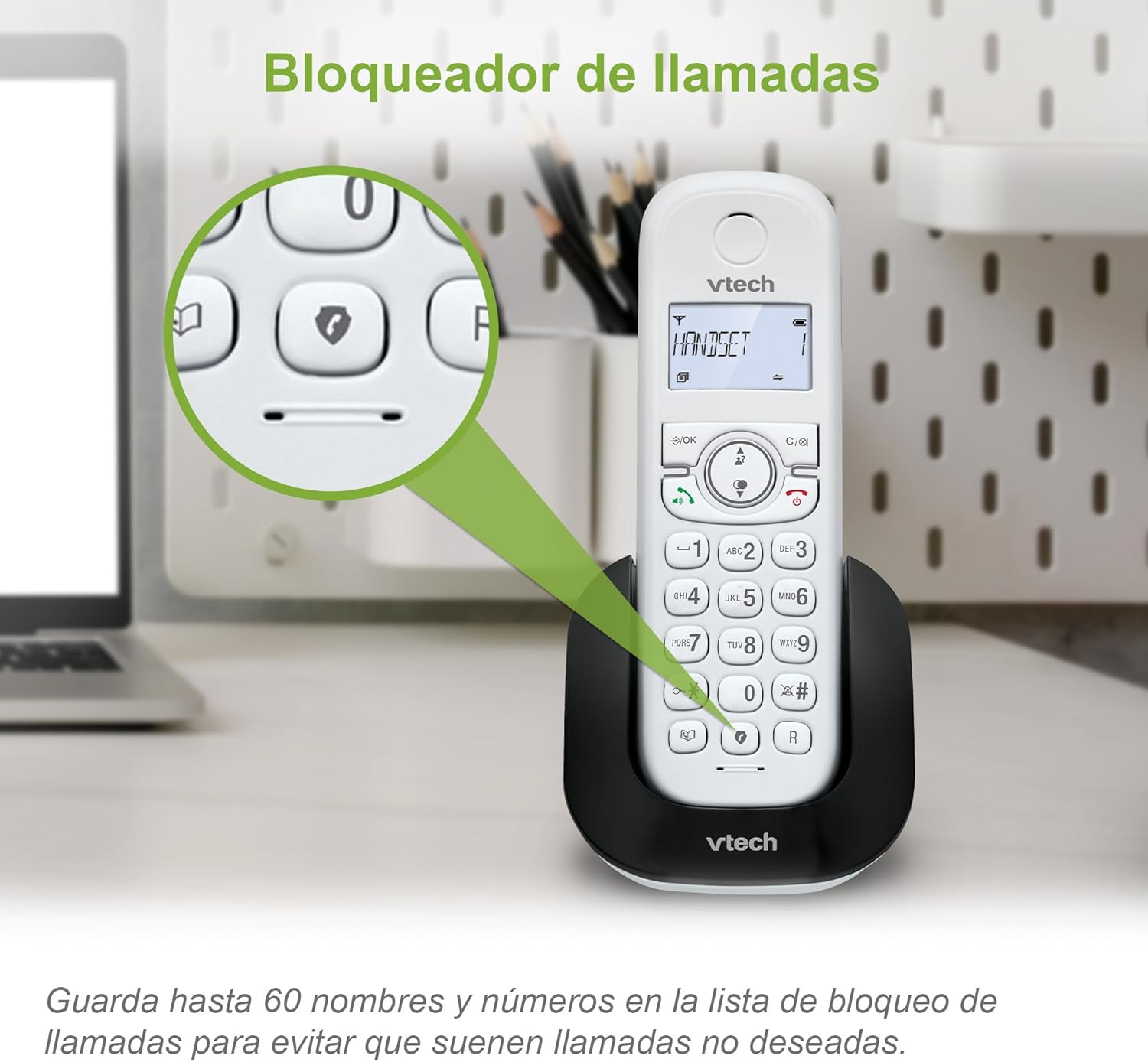
Image: The VTech CS1500 handset on its base, with a magnified view highlighting the call blocking button (shield icon) on the keypad.
Režim ECO
The phone automatically adjusts and reduces RF power based on the distance between the handset and the base unit, optimizing energy consumption. This mode is typically active by default.
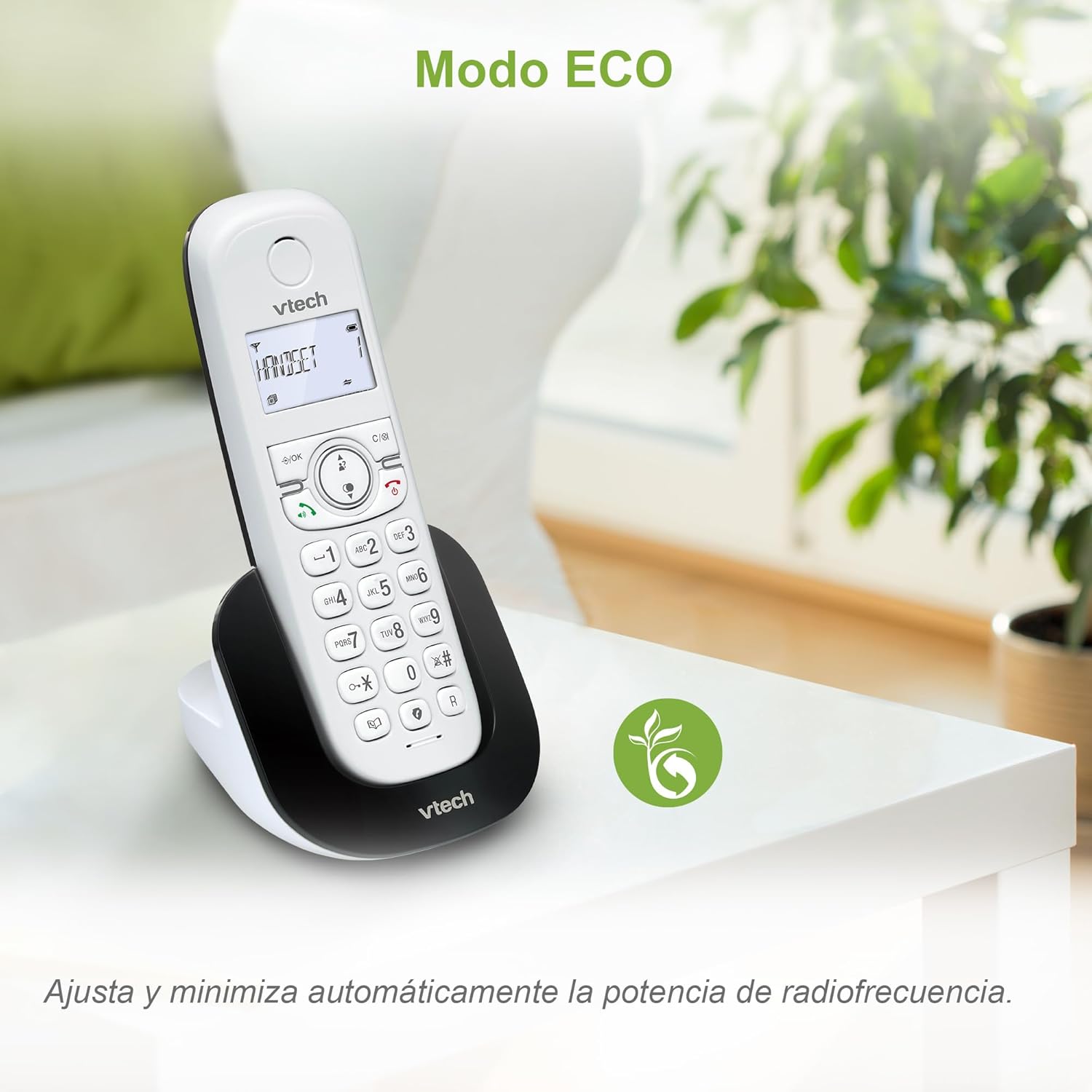
Image: The VTech CS1500 handset on a table in a living room setting, with an ECO mode leaf icon indicating its energy-saving feature.
Další funkce
- Opakovaná volba: Stiskněte tlačítko OPAKOVÁNÍ tlačítko (curved arrow icon) to redial the last number called.
- Funkce alarmu: Set alarms via the handset menu.
- Funkce ztlumení: Mute your microphone during a call by pressing the ZTLUMIT tlačítko.
- Podsvícený LCD displej: The screen is backlit for easy viewza zhoršených světelných podmínek.
Údržba
Proper care and maintenance will ensure the longevity of your VTech CS1500 DECT Cordless Phone.
- Čištění:
- Otřete telefon a základnovou jednotku měkkým hadříkemamp tkanina.
- Do not use cleaning sprays or liquid cleaners, as they may damage the finish or electrical components.
- Péče o baterie:
- Use only the specified NiMH rechargeable battery.
- Pokud telefon nebudete delší dobu používat, vyjměte baterii, abyste zabránili jejímu vytečení.
- Baterie zlikvidujte zodpovědně v souladu s místními předpisy.
- Podmínky prostředí:
- Avoid placing the phone in direct sunlight or near heat sources.
- Protect the phone from moisture and extreme temperatures.
Odstraňování problémů
If you encounter issues with your VTech CS1500, refer to the following common problems and solutions.
| Problém | Řešení |
|---|---|
| Žádný oznamovací tón. |
|
| Sluchátko se nenabíjí. |
|
| Špatná kvalita zvuku nebo statický šum. |
|
| Nelze uskutečňovat ani přijímat hovory. |
|
Specifikace
| Funkce | Detail |
|---|---|
| Značka | VTech |
| Číslo modelu | CS1500 |
| Barva | Bílý |
| Typ telefonu | Bezdrátový DECT |
| Speciální funkce | Call Blocking, Hands-free Speakerphone, Backlit LCD Screen, ECO Mode, Dual-Charge Handset Design |
| Kompatibilní zařízení | Standard Telephone Networks (PSTN, ISDN) |
| Typ baterie | NiMH Rechargeable (1 included) |
| Doba hovoru (přibližně) | Až 13 hodin |
| Standby Time (approx.) | Až 200 hodin |
| Kapacita telefonního seznamu | 60 jmen a čísel |
| Call History Capacity | 20 hovorů |
| Kapacita blokování hovorů | Až 60 čísel |
| Materiál | Plast |
| Hmotnost položky | 350 gramů |
| Výrobce | VTECH TELECOMMUNICATIONS LTD |
| Země původu | Čína |
Záruka a podpora
For warranty information and technical support, please refer to the documentation included with your product at the time of purchase or visit the official VTech webmísto.
- Výrobce: VTECH TELECOMMUNICATIONS LTD
- Online podpora: Visit the official VTech support page for your region for FAQs, product registration, and contact information.


