Zavedení
Thank you for choosing the XIWBSY Mini Projector. This portable projector is designed to provide a versatile and immersive viewing experience for home theater, gaming, and outdoor entertainment. Featuring advanced connectivity options and a compact design, it brings your favorite content to a large screen with ease.

Figure 1: The XIWBSY Mini Projector, showcasing its compact design and wireless capabilities.
Key features include 2.4G+5G dual-band WiFi for stable screen mirroring, Bluetooth 5.1 for external audio, and support for a large projection display up to 200 inches. Its high brightness and 1080P resolution support ensure a clear and vibrant picture.
Co je v krabici
Upon unboxing your XIWBSY Mini Projector, please ensure all the following components are present:
- XIWBSY Mini Projector
- Dálkové ovládání
- Napájecí adaptér
- HDMI kabel
- AV kabel
- Uživatelská příručka
Konec produktuview
Familiarize yourself with the projector's physical components and interfaces.

Figure 2: The compact and lightweight design of the projector, highlighting its portability.
Rozhraní
The projector is equipped with multiple ports for diverse connectivity options:
- Port HDMI: Connect to laptops, gaming consoles (PS4), TV sticks, and other HDMI-enabled devices.
- USB port: Připojte USB disky pro přehrávání médií.
- AV port: Connect to DVD players or older video devices.
- 3.5mm audio jack: Připojte externí reproduktory nebo sluchátka.
- DC IN: Vstupní napájení projektoru.

Obrázek 3: Detailní view vstupních/výstupních portů projektoru.
Nastavení
Počáteční zapnutí
- Connect the power adapter to the projector's DC IN port and then to a power outlet.
- Stisknutím tlačítka napájení na projektoru nebo na dálkovém ovladači jej zapněte.
Nastavení zaostření
To achieve a clear image, adjust the focus ring located on the projector lens until the projected image is sharp.

Figure 4: Adjusting the focus for a clear image.
Korekce lichoběžníkového zkreslení
The projector supports ±15° keystone correction to adjust for distorted images when the projector is not perfectly perpendicular to the screen. Use the keystone adjustment on the projector to correct the image shape.
Placement and Projection Distance
The projector can display images from 40 to 200 inches, with an optimal projection distance between 6.8 and 16.4 feet. Adjust the distance to achieve your desired screen size.

Figure 5: Recommended projection distances for different screen sizes.
Obsluha projektoru
Možnosti připojení
The XIWBSY Mini Projector offers multiple ways to connect your devices:
- Wireless WiFi Screen Mirroring: Compatible with 2.4GHz and 5GHz networks, allowing for smooth and stable content transmission from iOS, Android, and laptop devices without extra adapters.
- Bluetooth 5.1: Connect to external Bluetooth speakers or headphones for an enhanced audio experience. The built-in HiFi stereo speakers also provide quality sound.
- Kabelová připojení: Utilize the HDMI, USB, and AV ports to connect devices such as TV sticks, PS4, DVD players, and more.
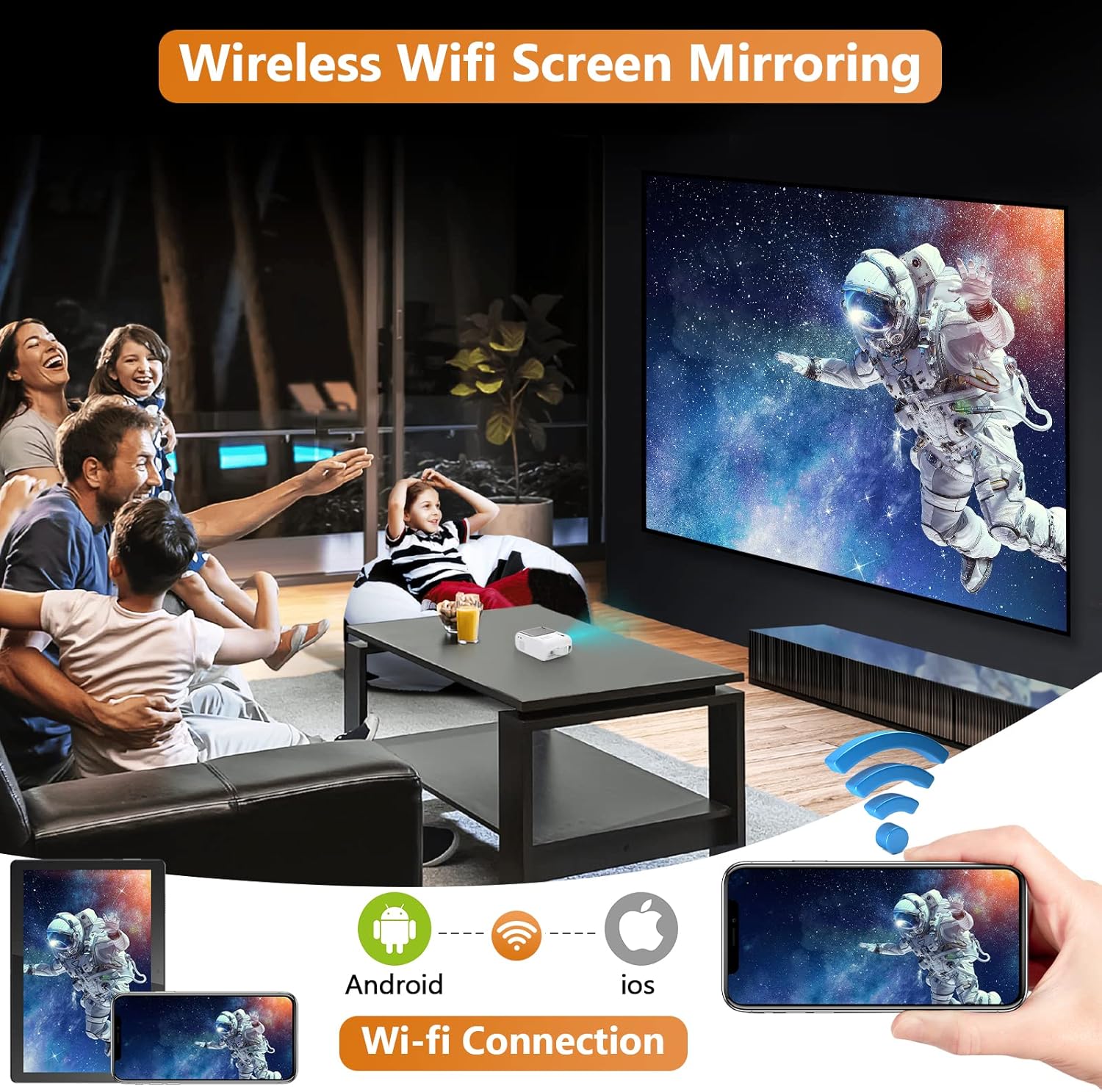
Figure 6: Wireless screen mirroring in action, connecting various devices.

Figure 7: The projector supports a wide range of devices and streaming platforms via multiple connection types.
Scénáře použití
The projector is versatile for various entertainment needs:
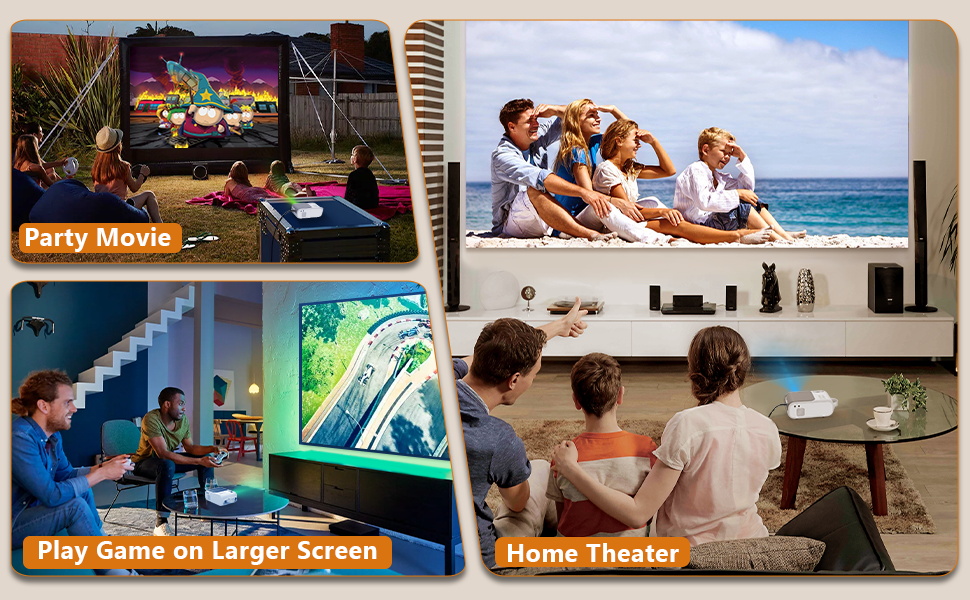
Figure 8: Enjoy movies outdoors, play games on a larger screen, or create a home theater experience.
Údržba
Správná údržba zajistí dlouhou životnost a optimální výkon vašeho projektoru.
Čištění objektivu
K jemnému otření čočky projektoru použijte měkký hadřík bez žmolků, speciálně určený pro optické čočky. Nepoužívejte abrazivní čisticí prostředky ani hadříky, které by mohly poškrábat povrch čočky.
Chladicí systém
The projector features a built-in cooling system to prevent overheating. Ensure the ventilation vents are not blocked during operation. Regularly check and clean the vents to maintain proper airflow.

Figure 9: Internal cooling system design for efficient heat dissipation.
Odstraňování problémů
Pokud se s projektorem setkáte s problémy, postupujte podle následujících běžných kroků pro řešení problémů:
- Žádný obraz/Špatná kvalita obrazu:
- Ujistěte se, že je napájecí kabel pevně připojen.
- Adjust the focus ring for clarity.
- Verify the input source is correctly selected (HDMI, USB, AV).
- Check the projection distance and adjust keystone correction if the image is trapezoidal.
- Žádný zvuk:
- Increase the volume on both the projector and the connected device.
- If using Bluetooth, ensure the external speaker/headphone is properly paired and charged.
- Check audio output settings on the connected device.
- Problémy s bezdrátovým připojením:
- Ensure your device and projector are connected to the same WiFi network (2.4G or 5G).
- Restart both the projector and your casting device.
- Ensure your device's screen mirroring feature is enabled.
Specifikace
| Funkce | Detail |
|---|---|
| Značka | XIWBSY |
| Číslo modelu | Q2 |
| Rozlišení displeje | 1920 x 1080 (podporováno) |
| Technologie připojení | Bluetooth, Wifi (2.4G+5G), HDMI, USB, AV |
| Speciální funkce | Built-In Cooling System, Speakers |
| Doporučená použití | Domácí kino |
| Hmotnost položky | 2.42 libry |
| Rozměry balení | 11.54 x 10.71 x 4.88 palce |
| Viditelná úhlopříčka obrazovky | 200" / 508 cm |
Záruka a podpora
For warranty information and technical support, please refer to the contact details provided on the product packaging or the official XIWBSY webUschovejte si účtenku jako doklad o koupi pro případ reklamace.


