1. Úvod
Thank you for choosing the Baseus Portable Charger. This 10000mAh slim battery pack is designed to provide fast and efficient charging for your mobile devices on the go. Featuring 20W Power Delivery (PD) and Quick Charge (QC) capabilities, it ensures your devices are powered quickly and safely. This manual provides essential information on product features, setup, operation, maintenance, and troubleshooting.

Obrázek: Přední strana view of the Baseus Portable Charger, showcasing its sleek design, LED indicator lights, and charging ports.
2. Bezpečnostní informace
Před použitím tohoto výrobku si prosím přečtěte všechna bezpečnostní varování a pokyny, abyste zajistili bezpečný provoz a předešli poškození. Uschovejte si tento návod k obsluze pro budoucí použití.
- Nevystavujte powerbanku extrémním teplotám (nad 60 °C/140 °F) ani přímému slunečnímu záření.
- Zabraňte pádu, rozebírání nebo pokusu o vlastní opravu zařízení.
- Chraňte před vodou, vlhkostí a hořlavými materiály.
- Nepoužívejte, pokud je powerbanka poškozená, nafouklá nebo z ní netěsní.
- Používejte pouze certifikované nabíjecí kabely a adaptéry.
- Uchovávejte mimo dosah dětí.
- Výrobek zlikvidujte zodpovědně v souladu s místními předpisy.

Image: Diagram illustrating the 8 built-in safety protections of the Baseus Portable Charger, including overcharge, overdischarge, overvoltage, overheating, overpower, restoration, short circuit, and overcurrent protection.
3. Obsah balení
Ověřte, zda jsou v balení přítomny všechny položky:
- 1x Baseus 20W Power Bank
- 1x 30cm USB A to USB C cable

Image: Visual representation of the package contents, showing the power bank, USB-A to USB-C cable, and user manual.
4. Konec produktuview
The Baseus Portable Charger features a compact design with multiple ports for versatile charging.
4.1. Fyzikální vlastnosti
- LED kontrolky: Four blue LED lights indicate the remaining battery capacity. Each light represents approximately 25% charge.
- Vypínač: Aktivuje powerbanku a kontroluje stav baterie.

Obrázek: Detail view of the power bank's LED indicator lights and the orange power button.
4.2. Porty
- Port USB-C: Supports 20W Power Delivery output and 18W input for fast recharging.
- Port USB-A: Supports 18W output for charging devices.
- Micro USB port: Supports 18W input for recharging the power bank.

Obrázek: Overview of the power bank's ports (Micro USB, USB-A, USB-C) and a list of widely compatible devices including iPhones, Samsung Galaxy, Google Pixel, Nintendo Switch, earbuds, and handheld fans.
5. Nastavení
5.1. První nabití powerbanky
Before first use, fully charge your Baseus Portable Charger.
- Connect the included USB-A to USB-C cable to the USB-C input port of the power bank.
- Connect the other end of the cable to a compatible 18W (or higher) wall charger (not included).
- The LED indicator lights will illuminate to show charging progress. All four lights will be solid when fully charged.
A full charge takes approximately 2 hours and 48 minutes with an 18W charger.

Image: The Baseus Portable Charger connected to a wall adapter for recharging, with an indication that it fully recharges in 2.8 hours.
6. Návod k obsluze
6.1. Nabíjení zařízení
The power bank supports fast charging for a wide range of devices.
- Připojte nabíjecí kabel zařízení k výstupnímu portu USB-C nebo výstupnímu portu USB-A na powerbankě.
- Připojte druhý konec kabelu k zařízení.
- Powerbanka automaticky začne nabíjet vaše zařízení.
- To check the power bank's remaining battery, press the power button once.
The 20W PD USB-C output can charge an iPhone 15 up to 50% in approximately 30 minutes.
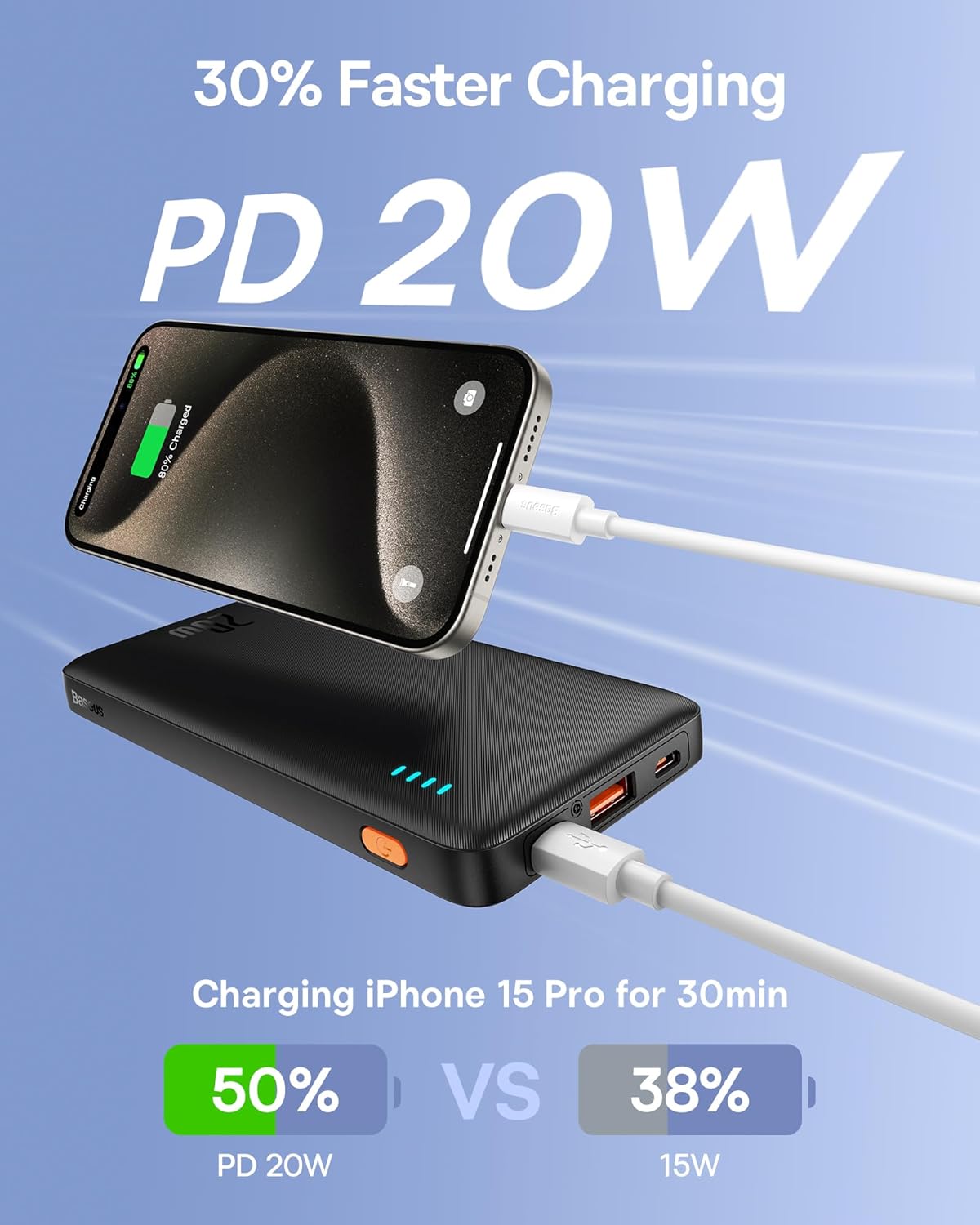
Image: An iPhone 15 Pro being fast-charged by the Baseus Portable Charger, demonstrating 50% charge in 30 minutes compared to 38% with 15W charging.
6.2. Současné nabíjení
You can charge two devices simultaneously using both the USB-C and USB-A output ports.

Image: The Baseus Portable Charger connected to and simultaneously charging two smartphones, one via USB-C and one via USB-A.
7. Údržba
- Powerbanku čistěte měkkým, suchým hadříkem. Nepoužívejte agresivní chemikálie ani abrazivní materiály.
- Skladujte na chladném a suchém místě mimo dosah přímého slunečního záření a extrémních teplot.
- Pokud powerbanku delší dobu nepoužíváte, nabíjejte ji alespoň jednou za tři měsíce, aby se zachovala její životnost.
- Avoid physical shocks or impacts to the device.
8. Řešení problémů
| Problém | Možná příčina | Řešení |
|---|---|---|
| Powerbanka se nenabíjí. | Problém s kabelem nebo adaptérem; powerbanka plně nabitá; vadný port. | Try a different cable or wall adapter. Ensure the power bank is not already full. Try a different input port if available. |
| Zařízení se nenabíjí z powerbanky. | Power bank is empty; cable issue; device incompatibility; power bank in standby. | Recharge the power bank. Try a different charging cable. Ensure your device supports charging from a power bank. Press the power button to activate output. |
| Pomalé nabíjení. | Non-fast charging cable/adapter; device not supporting fast charge; multiple devices charging. | Use a fast-charging compatible cable and adapter. Ensure your device supports PD/QC. Charging multiple devices simultaneously may reduce individual charging speeds. |
| LED indikátory nefungují. | Powerbanka je vypnutá; vnitřní závada. | Press the power button. If still unresponsive, contact customer support. |
9. Specifikace
| Funkce | Detail |
|---|---|
| Číslo modelu | PPAP10 |
| Kapacita baterie | 10000 miliamp hodiny |
| Rozměry produktu | 6 x 0.7 x 2.7 palce |
| Hmotnost položky | 11.4 unce |
| Vstup (USB-C) | 18W Fast Re-charging |
| Výstup (USB-C) | Napájení 20 W (PD) |
| Výstup (USB-A) | 18W rychlé nabíjení (QC) |
| Barva | Obsidiánová černá |
| Speciální funkce | LED Indicator Lights, 9 Built-in Safety Protections |

Image: Diagram showing the dimensions of the Baseus Portable Charger: 6 inches in length, 0.7 inches in thickness, and 2.7 inches in width.
10. Záruka a podpora
Baseus products come with a standard warranty. For specific warranty terms and conditions, please refer to the warranty card included with your product or visit the official Baseus webmísto.
For technical support, troubleshooting assistance, or warranty claims, please contact Baseus customer service through their official channels. You can often find contact information on the product packaging or the Baseus brand store on Amazon.
Baseus Brand Store: Visit Baseus Store on Amazon


