1. Úvod
Thank you for choosing the Baseus Qpow Pro Digital Display Power Bank. This high-capacity portable charger is designed to provide reliable and fast charging for a wide range of electronic devices, including smartphones, tablets, and laptops. Featuring a 20000mAh battery, 22.5W fast charging output, and a convenient digital display, it ensures your devices stay powered on the go. This manual provides essential information for safe and efficient use of your power bank.
2. Bezpečnostní informace
Před použitím tohoto produktu si prosím přečtěte všechna bezpečnostní varování a pokyny, abyste zajistili bezpečný provoz a předešli poškození.
- Nevystavujte powerbanku extrémním teplotám (nad 60 °C/140 °F) ani přímému slunečnímu záření.
- Zabraňte pádu, rozebírání nebo pokusu o vlastní opravu zařízení.
- Chraňte před vodou, vlhkostí a hořlavými materiály.
- Používejte pouze certifikované nabíjecí kabely a adaptéry.
- Uchovávejte mimo dosah dětí.
- Powerbanku zlikvidujte zodpovědně v souladu s místními předpisy.
3. Konec produktuview
The Baseus Qpow Pro Power Bank is equipped with multiple features for optimal performance and convenience.

Obrázek 3.1: Přední strana view of the Baseus Qpow Pro Power Bank, displaying the digital battery percentage and 20W output indicator. It features a sleek white casing with a built-in cable.
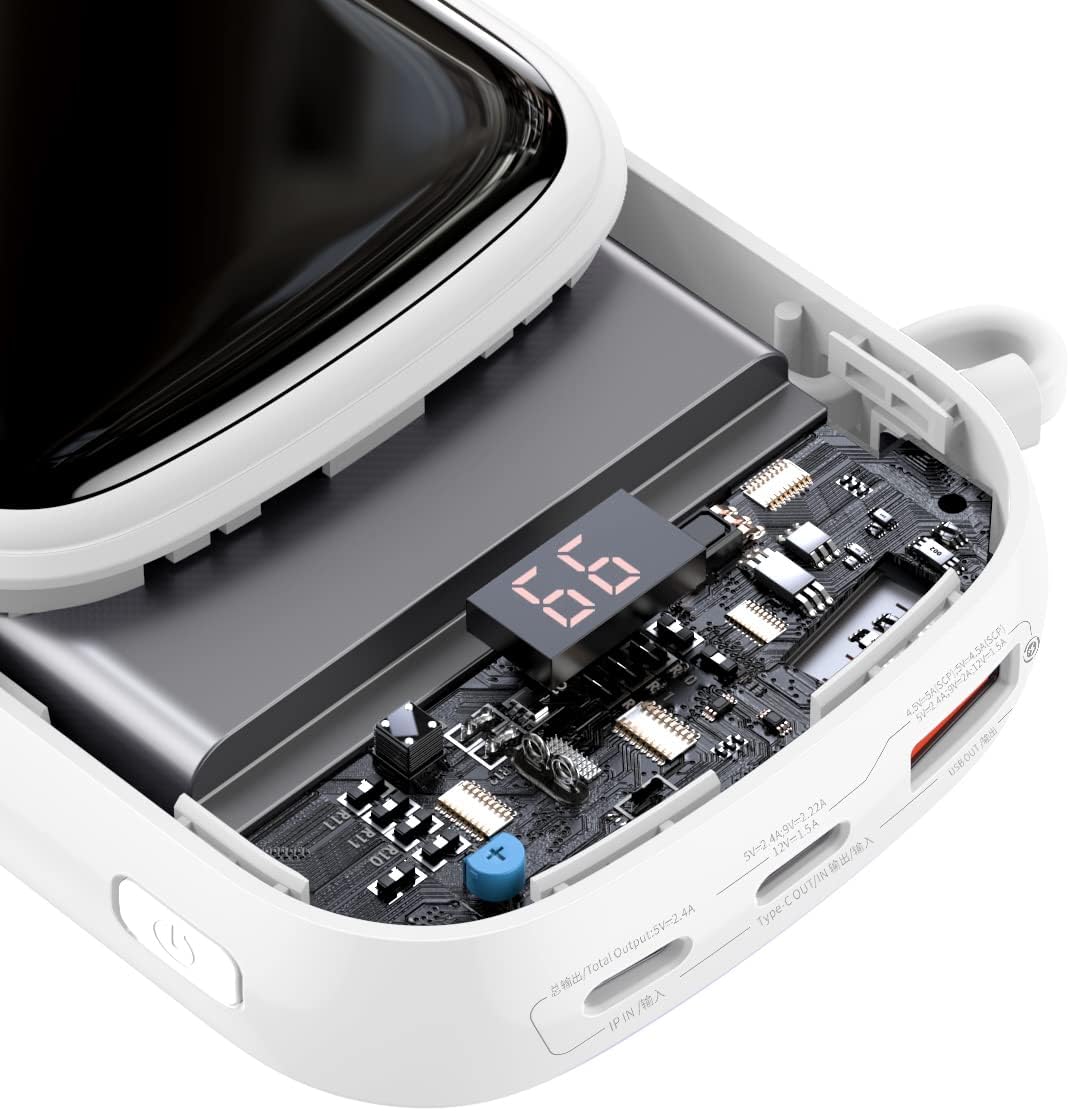
Obrázek 3.2: Vnitřní view of the power bank, highlighting the advanced circuitry and the digital display module. This illustrates the quality components used for efficient power management and safety.

Figure 3.3: This image emphasizes the "Nine Security Protection" features, showcasing the high-quality polymer lithium battery and internal components designed for safe power storage and discharge.

Figure 3.4: Detail of the power bank showing the integrated cable neatly stored within a hidden compartment, emphasizing its break-proof and durable design. The cable length is approximately 19cm.
Klíčové vlastnosti:
- Vysoká kapacita 20 000 mAh: Nabízí více nabíjecích stanic pro různá zařízení.
- Rychlé nabíjení 22.5 W: Supports rapid charging for compatible devices.
- Digitální displej: Real-time battery percentage indikátor.
- Vestavěný kabel typu C: Convenient integrated cable for charging and recharging.
- Design se dvěma porty: Nabízí všestranné možnosti nabíjení.
- Kompaktní a přenosné: Slim and lightweight for easy carrying.
4. Nastavení
4.1 Počáteční nabíjení
Before first use, it is recommended to fully charge your Baseus Qpow Pro Power Bank.
- Connect the integrated Type-C cable or a separate USB-C cable to the power bank's input port.
- Druhý konec kabelu připojte ke kompatibilnímu USB adaptéru do zásuvky (není součástí balení).
- The digital display will show the charging progress. The power bank is fully charged when the display shows "100".
4.2 Kontrola stavu baterie
To check the current battery level, simply press the power button once. The digital display will illuminate and show the remaining percentage.
5. Návod k obsluze
5.1 Nabíjení vašich zařízení
The Baseus Qpow Pro Power Bank can charge various devices using its integrated cable or external ports.
- Použití integrovaného kabelu:
- Pull out the integrated Type-C cable from its storage slot.
- Connect the Type-C connector to your device's charging port.
- Powerbanka automaticky začne nabíjet vaše zařízení.

Figure 5.1: The power bank connected to an Apple iPhone 13, demonstrating fast charging capabilities. The image indicates a 50% charge in 30 minutes for Apple 13 (20W).
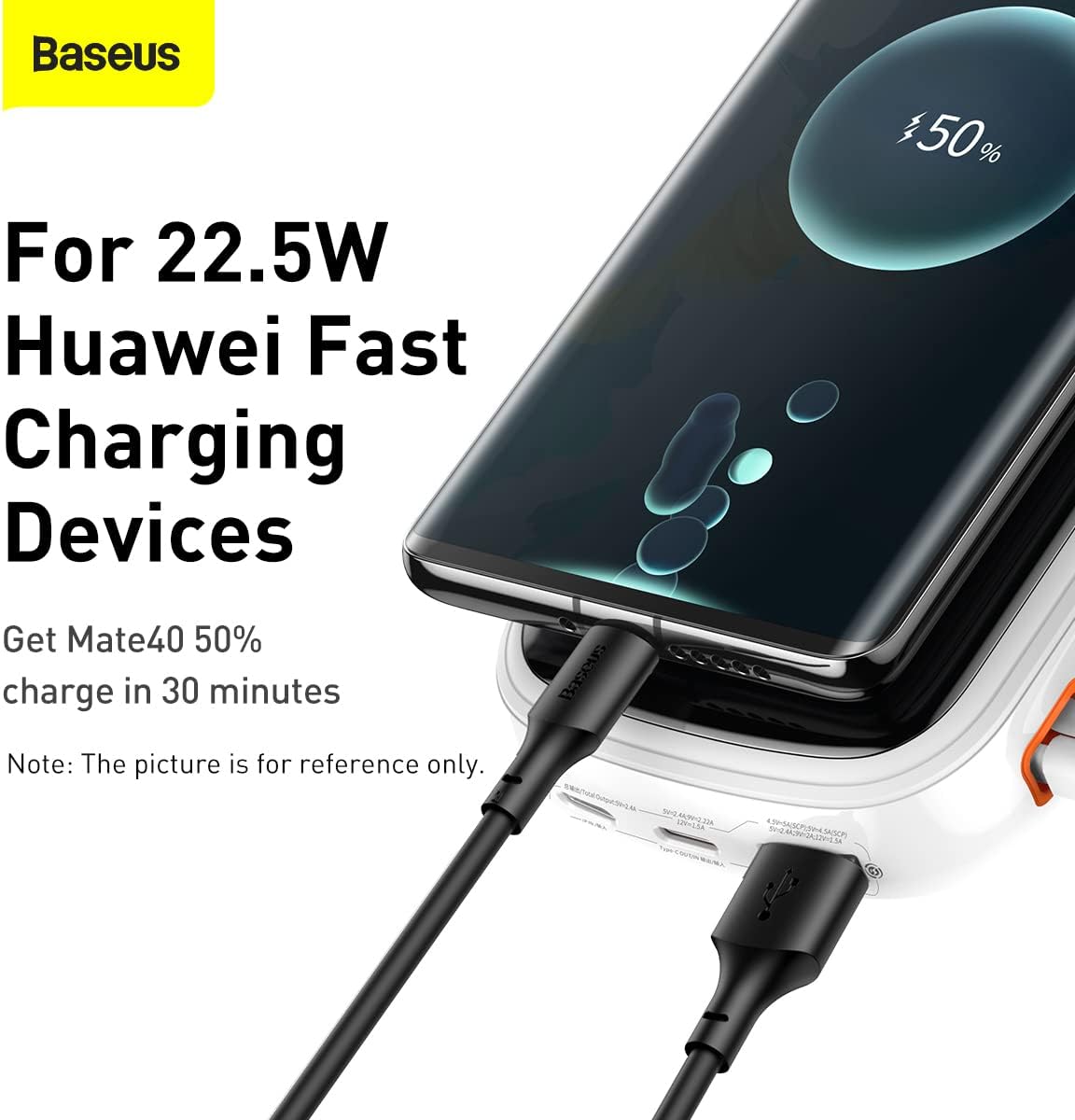
Figure 5.2: The power bank connected to a Huawei device, illustrating its compatibility with 22.5W Huawei Fast Charging. A Mate40 can achieve 50% charge in 30 minutes.
- Using External Ports:
- Connect your device's charging cable to one of the power bank's output ports (USB-A or USB-C).
- Připojte druhý konec kabelu k zařízení.
- Powerbanka se automaticky začne nabíjet.
The digital display will show the charging status and remaining battery. Once your device is fully charged, disconnect it from the power bank.

Figure 5.3: The power bank shown alongside a smartphone, highlighting the inclusion of a 22.5W 5A fast charging cable for efficient power delivery.

Figure 5.4: A visual comparison illustrating the convenience of the Baseus Qpow Pro's integrated cable ("Plug and Charge") compared to conventional power banks that require a separate cable.
6. Údržba
6.1 Čištění
Pro zachování vzhledu a funkčnosti vaší powerbanky:
- Otřete povrch měkkým suchým hadříkem.
- Nepoužívejte agresivní chemikálie, abrazivní čisticí prostředky ani neponořujte zařízení do vody.
6.2 Skladování
When not in use for extended periods, store the power bank in a cool, dry place, away from direct sunlight and extreme temperatures. It is recommended to charge the power bank to about 50-70% before long-term storage to preserve battery health.
7. Řešení problémů
| Problém | Možná příčina | Řešení |
|---|---|---|
| Powerbanka se nenabíjí. | Kabel není správně připojen; vadný kabel/adaptér; vybitá baterie powerbanky. | Ensure cables are securely connected. Try a different cable or wall adapter. Allow the power bank to charge for a few minutes. |
| Zařízení se nenabíjí z powerbanky. | Power bank battery depleted; incorrect cable; device not compatible; power bank in standby. | Check power bank battery level. Ensure correct cable is used. Press the power button to activate output. |
| Pomalé nabíjení. | Cable not supporting fast charging; device not supporting fast charging; multiple devices charging simultaneously. | Use a fast-charging compatible cable. Ensure your device supports fast charging. Charge one device at a time for maximum speed. |
| Digitální displej nefunguje. | Powerbanka vypnutá; interní problém. | Press the power button to activate the display. If it remains off, contact customer support. |
8. Specifikace
| Funkce | Detail |
|---|---|
| Číslo modelu | PPQD060202 |
| Kapacita baterie | 20000 XNUMX mAh |
| Výstupní výkon | Až 22.5W |
| Typ vstupu | USB Type-C |
| Výstupní porty | USB Type-C (integrated cable), USB-A |
| Speciální funkce | Digital Display, Integrated Type-C Cable |
| Barva | Bílý |
| Hmotnost položky | 430 g |
9. Záruka a podpora
Baseus products come with a standard manufacturer's warranty. For detailed warranty information, please refer to the warranty card included with your product or visit the official Baseus website. If you encounter any issues not covered in this manual or require further assistance, please contact Baseus customer support.
Baseus Official Webmísto: www.baseus.com


