1. Úvod
The LFF Atomic Clock (Model LWC150) is a versatile digital wall or desk clock designed for accurate timekeeping and environmental monitoring. It automatically synchronizes with the WWVB radio broadcast for precise time and features a large, easy-to-read LCD display showing time, date, day of the week, alarm status, and both indoor and outdoor temperature and humidity.
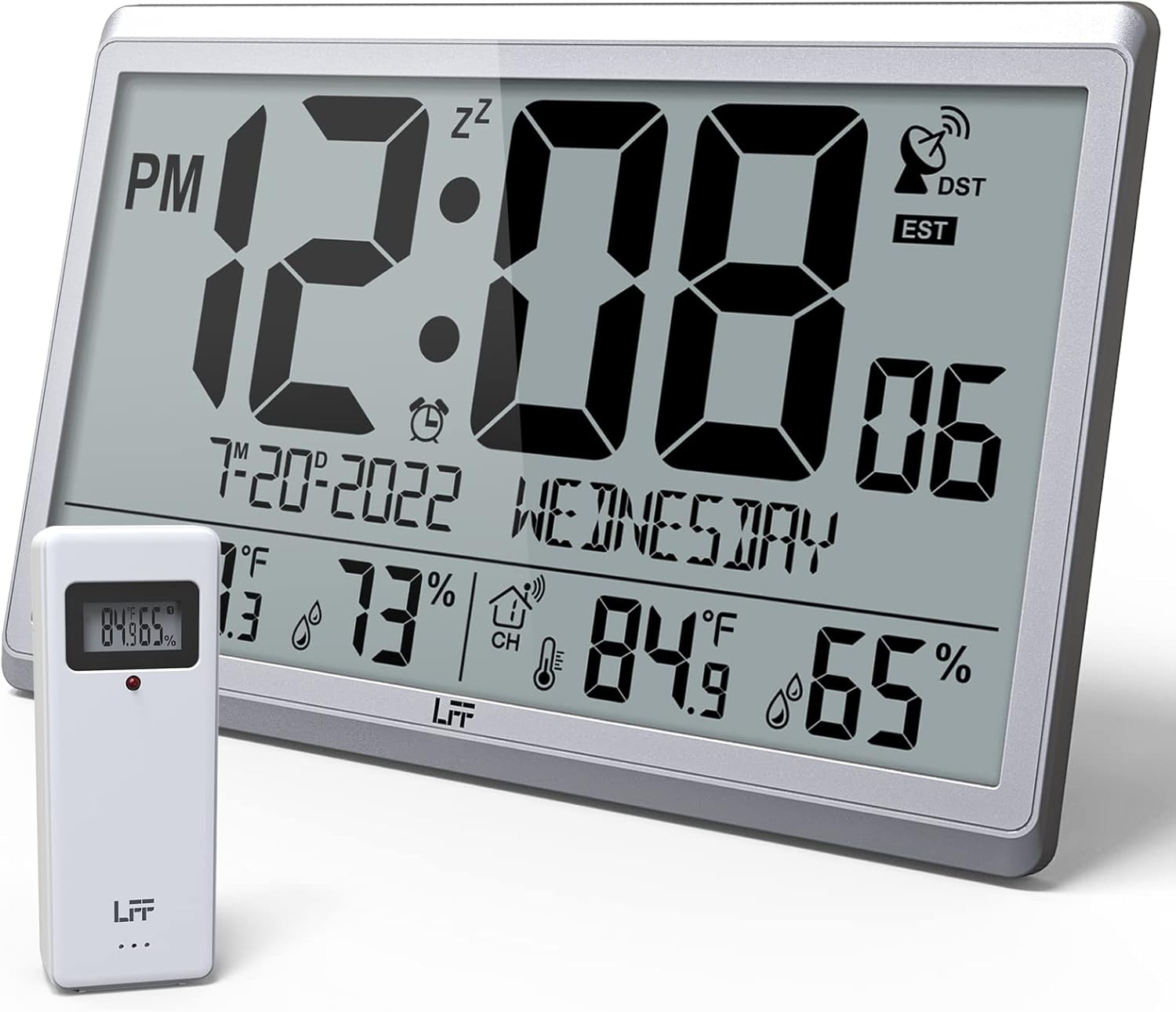
Figure 1.1: LFF Atomic Clock with its wireless outdoor sensor.
2. Vlastnosti
- Accurate Atomic Clock: Built-in receiver automatically synchronizes with the WWVB radio broadcast from NIST in Fort Collins, Colorado, ensuring precise time and calendar adjustments.
- Large LCD High-Definition Display: 9.4-inch tall display with large numbers for easy readability. Displays time (12/24H), calendar, day of the week, alarm, indoor/outdoor temperature (°C/°F), and humidity simultaneously.
- Bezdrátový venkovní senzor: Transmits accurate outdoor temperature and humidity measurements up to 328 feet (100 meters). The sensor has an IPX4 splash-proof rating.
- Provoz na baterie: Main clock requires 4 AA batteries (not included), and the outdoor sensor requires 2 AAA batteries (not included). No backlight display.
- Více časových pásem: Supports 8 time zones including EST, CST, MST, PST, AKT, HST, AST, NST.
- Flexibilní umístění: Can be used as a wall clock (3 hanging holes) or a desk clock (integrated bracket).
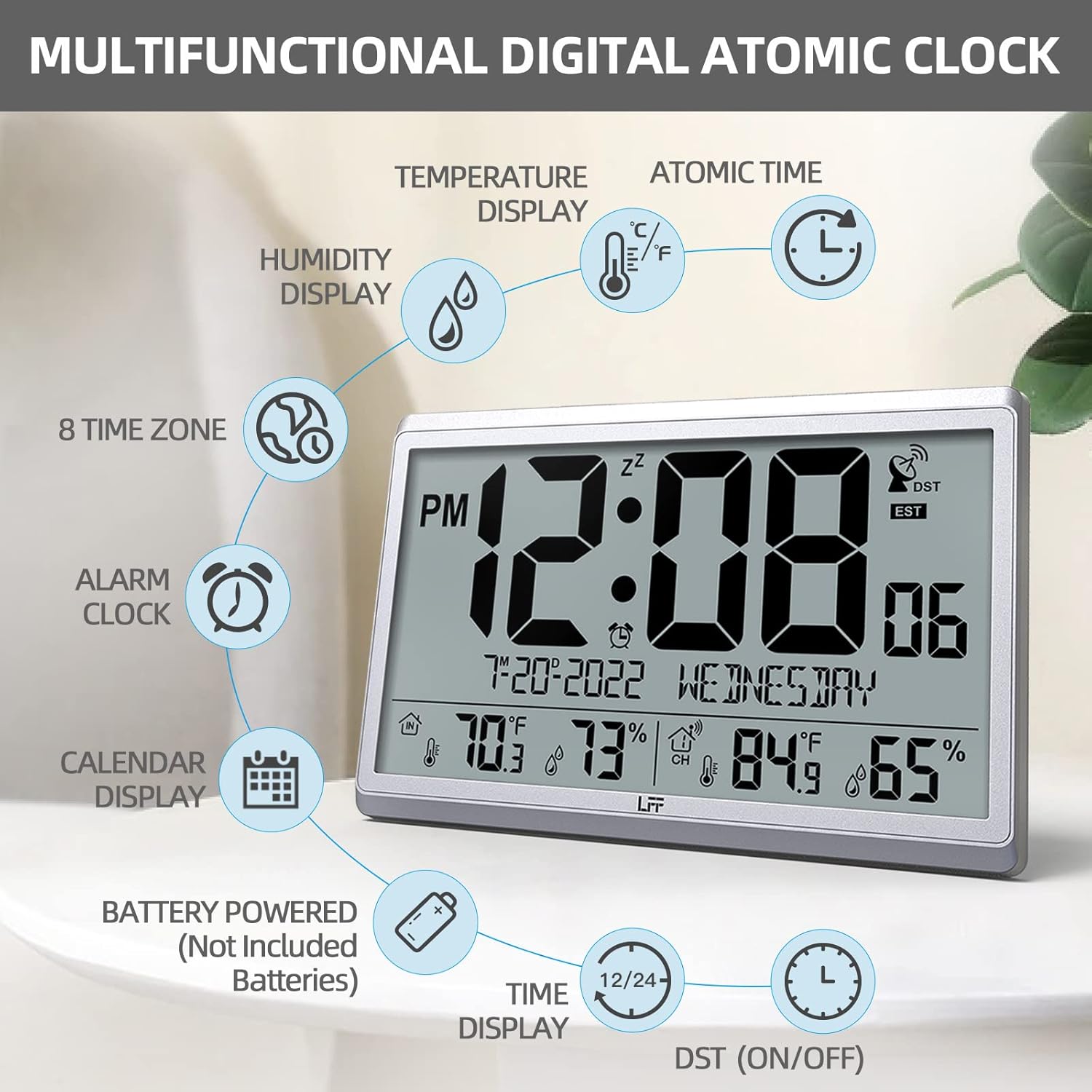
Obrázek 2.1: Přesview of the clock's multifunctional display and features.
3. Obsah balení
Po vybalení zkontrolujte obsah balení, abyste se ujistili, že jsou přítomny všechny položky:
- 1 x LFF Atomic Clock (Main Unit)
- 1 x Bezdrátový venkovní senzor
- 1 x Uživatelská příručka
4. Nastavení
4.1 Instalace baterie
The main clock unit and the outdoor sensor are battery-powered. Batteries are not included.
- For the Main Clock Unit: Open the battery compartment on the back of the clock. Insert 4 new AA batteries, ensuring correct polarity (+/-).
- Pro bezdrátový venkovní senzor: Open the battery compartment on the back of the sensor. Insert 2 new AAA batteries, ensuring correct polarity (+/-).

Figure 4.1: Battery installation and button layout on the main clock unit.
4.2 Umístění venkovního senzoru
For accurate temperature and humidity readings, place the outdoor sensor in a location that is:
- Out of direct sunlight and rain.
- Away from any heat sources (e.g., vents, exhaust fans) or extreme cold sources.
- Within the wireless transmission range of 328 feet (100 meters) from the main clock unit.

Figure 4.2: Optimal placement for the wireless outdoor sensor.
4.3 Initial Atomic Time Synchronization
After battery installation, the clock will automatically attempt to synchronize with the WWVB atomic time signal. This process may take several minutes to several hours, depending on your location and signal strength. Ensure the clock is placed in an area where it can receive a clear signal, ideally near a window and away from electronic interference.

Figure 4.3: The clock synchronizes with the atomic time signal broadcast from Fort Collins, Colorado.
5. Návod k obsluze
5.1 Ruční nastavení času a data
While the clock primarily relies on atomic synchronization, you can manually set the time and date if needed (e.g., during initial setup before signal acquisition or in areas with poor reception).
- Stiskněte a podržte SOUBOR button on the back of the clock until the display flashes.
- Použijte UP or DOLŮ/RCC tlačítka pro nastavení blikající hodnoty (např. hodina, minuta, rok, měsíc, den).
- Stiskněte SOUBOR znovu pro potvrzení nastavení a přechod na další hodnotu.
- Opakujte, dokud nebudou nakonfigurována všechna požadovaná nastavení.
5.2 Výběr časového pásma
The clock supports 8 time zones. After atomic synchronization, you may need to select your local time zone.
- Stiskněte tlačítko SOUBOR button repeatedly until the time zone setting flashes.
- Použijte UP or DOLŮ/RCC buttons to cycle through the available time zones (EST, CST, MST, PST, AKT, HST, AST, NST).
- Stiskněte SOUBOR pro potvrzení vašeho výběru.
5.3 Výběr teplotní jednotky (°C/°F)
To switch between Celsius and Fahrenheit for temperature display:
- Krátce stiskněte DOLŮ/RCC tlačítko. Jednotka teploty se bude přepínat mezi °C a °F.
5.4 Funkce budíku
The clock includes an alarm function.
- Stiskněte tlačítko POPLACH tlačítko na view aktuální čas alarmu.
- Stiskněte a podržte POPLACH tlačítko , dokud nezačne blikat čas budíku.
- Použijte UP or DOLŮ/RCC tlačítky nastavte požadovanou hodinu a minutu budíku.
- Stiskněte POPLACH pro potvrzení každého nastavení.
- Pro aktivaci/deaktivaci budíku krátce stiskněte POPLACH button when the alarm time is displayed. An alarm icon will appear/disappear on the screen.
5.5 Zobrazení informací
Velký LCD displej poskytuje přehledné informace:
- Horní sekce: Current time (with AM/PM indicator), atomic signal strength, DST indicator, and time zone.
- Střední část: Date (Month-Day-Year) and Day of the Week.
- Spodní část: Indoor temperature and humidity, and outdoor temperature and humidity (from wireless sensor).

Figure 5.1: The LFF Atomic Clock can be placed on a desk or mounted on a wall.
6. Údržba
6.1 Výměna baterie
Replace batteries in both the main unit and the outdoor sensor when the display becomes dim or readings become erratic. Always replace all batteries at the same time with new ones of the same type. For temperatures below -4°F, lithium batteries are recommended for the outdoor sensor.
6.2 Čištění
Hodiny a senzor otřete měkkým, suchým hadříkem. Nepoužívejte abrazivní čisticí prostředky ani rozpouštědla, protože by mohly poškodit displej nebo...asing. Avoid getting moisture into the battery compartments or electronic components.
6.3 Péče o senzor
Periodically check the outdoor sensor for any debris or obstructions that might affect its readings. Ensure it remains in a sheltered location to protect it from extreme weather conditions, despite its splash-proof design.
7. Řešení problémů
| Problém | Možná příčina | Řešení |
|---|---|---|
| Hodiny se nesynchronizují s atomovým časem. | Weak signal, interference, incorrect time zone. | Relocate the clock closer to a window or away from electronic devices. Ensure correct time zone is selected. Allow up to 24 hours for initial synchronization. |
| Venkovní teplota/vlhkost se nezobrazuje nebo je nepřesná. | Sensor out of range, low sensor batteries, sensor exposed to direct elements. | Ensure sensor is within 328 feet of the main unit. Replace sensor batteries. Reposition sensor in a shaded, dry area. Press the KANÁL tlačítko na hlavní jednotce pro obnovení připojení. |
| Displej je tmavý nebo prázdný. | Slabé baterie v hlavní jednotce. | Replace all 4 AA batteries in the main clock unit. |
| Time is incorrect after synchronization. | Bylo vybráno nesprávné časové pásmo. | Verify and adjust the time zone setting as described in Section 5.2. |
8. Specifikace
| Funkce | Detail |
|---|---|
| Číslo modelu | LWC150 |
| Typ zobrazení | Digitální LCD |
| Rozměry produktu | 14.2 cm Š x 9.4 cm V x 1.2 cm H |
| Zdroj napájení (hlavní jednotka) | 4 x AA baterie (nejsou součástí balení) |
| Zdroj napájení (venkovní senzor) | 2 x AAA baterie (nejsou součástí balení) |
| Rozsah vnitřní teploty | 14.1 °F až 122.0 °F (-9.9 °C až 50.0 °C) |
| Rozsah venkovních teplot | -58.0 °F až 158.0 °F (-50.0 °C až 70.0 °C) |
| Rozsah vnitřní vlhkosti | 1 % až 99 % |
| Rozsah venkovní vlhkosti | 1 % až 99 % |
| Dosah bezdrátového přenosu | Až 100 metrů (328 stop) v otevřeném prostoru |
| Outdoor Sensor Waterproof Rating | IPX4 (odolné proti stříkající vodě) |
| Materiál | Plastic (Acrylonitrile Butadiene Styrene frame) |
| Hmotnost položky | 2.7 liber (1.23 kilogramů) |
9. Záruka a podpora
LFF products are designed for reliability and performance. For any questions, technical support, or warranty claims, please contact LFF customer service through the retailer's platform or the official LFF webwebu. Uschovejte si prosím doklad o koupi pro účely záruky.


