1. Úvod
The Keychron Q2 Pro is a highly customizable 65% layout mechanical keyboard designed for enthusiasts and professionals. Crafted from durable 6063 aluminum, it features a programmable knob, hot-swappable switches, and extensive customization options via QMK/VIA. This manual provides detailed instructions for setting up, operating, maintaining, and troubleshooting your Q2 Pro keyboard.

Image 1.1: Keychron Q2 Pro RGB QMK/VIA Bluetooth Wireless Custom Mechanical Keyboard.
2. Nastavení a připojení
2.1 Vybalení a úvodní kontrola
Upon receiving your Keychron Q2 Pro, carefully unbox all components. The package should include:
- 1x plně sestavená klávesnice
- 1x hliníkové pouzdro
- 1x PCB
- 1x PC deska
- 1x Pěna pohlcující zvuk
- 1x Pěna na pouzdro
- 14x těsnění (10 nainstalovaných a 4 v krabici)
- 4 sady x stabilizátory
- 1 sada kláves (Double-Shot KSA PBT)
- 1 sada x spínače
- 1x kabel Type-C to Type-C
- 1x adaptér typu A na typ C
- 1x stahovák spínačů
- 1x stahovák klíčenky
- 1x Šroubovák
- 1x hexadecimální klíč

Image 2.1: Contents of the Keychron Q2 Pro package.
2.2 Připojení klávesnice
The Keychron Q2 Pro supports both wireless Bluetooth 5.1 and wired USB-C connectivity.
2.2.1 Drátový režim
- Vyhledejte port USB-C na zadní straně klávesnice.
- Connect the provided Type-C to Type-C cable (or Type-A to Type-C using the adapter) from your computer to the keyboard.
- Ensure the toggle switch on the back of the keyboard is set to 'Cable' mode.
- The keyboard will be recognized automatically by your operating system. The polling rate in wired mode is 1000 Hz.
2.2.2 Bezdrátový režim Bluetooth
- Ensure the toggle switch on the back of the keyboard is set to 'BT' (Bluetooth) mode.
- Chcete-li vstoupit do režimu párování, stiskněte a podržte Fn1 + 1 (for device 1), Fn1 + 2 (for device 2), or Fn1 + 3 (for device 3) for 4 seconds until the indicator light flashes rapidly.
- On your computer or device, open Bluetooth settings and search for 'Keychron Q2 Pro'.
- Vyberte klávesnici, kterou chcete spárovat. Po připojení kontrolka přestane blikat.
- Chcete-li přepínat mezi spárovanými zařízeními, stiskněte Fn1 + 1, Fn1 + 2nebo Fn1 + 3. The polling rate in wireless mode is 90 Hz.

Image 2.2: Connectivity switches (Windows/macOS, Bluetooth/Cable) on the Keychron Q2 Pro.
2.3 Kompatibilita operačních systémů
The Q2 Pro is fully compatible with Mac, Windows, and Linux operating systems. Use the toggle switch on the back of the keyboard to select between 'Win' (Windows/Linux) and 'Mac' modes for optimal key mapping.
3. Operation and Customization
3.1 Přizpůsobení QMK/VIA
The Keychron Q2 Pro supports QMK firmware and VIA software for advanced key remapping, macro creation, and lighting customization. VIA is a graphical user interface that allows for easy configuration without needing to write code.
- Stáhněte si software VIA z oficiálního webu Keychron. webmísto.
- Download the specific JSON keymap file for the Keychron Q2 Pro from the Keychron webmísto.
- Open VIA software and load the JSON keymap file.
- You can now remap any key, create custom macros, shortcuts, or key combinations. Changes are applied in real-time.

Image 3.1: QMK/VIA software interface for keyboard customization.
3.2 Programmable Rotary Knob
The aluminum rotary encoder can be customized to perform various functions, enhancing your workflow. Through VIA, you can assign it to control:
- Nastavení hlasitosti
- Jas obrazovky
- Přiblížit/oddálit
- Brush size in creative software
- Scrolling through video clips or photos
- Backlight hue or brightness
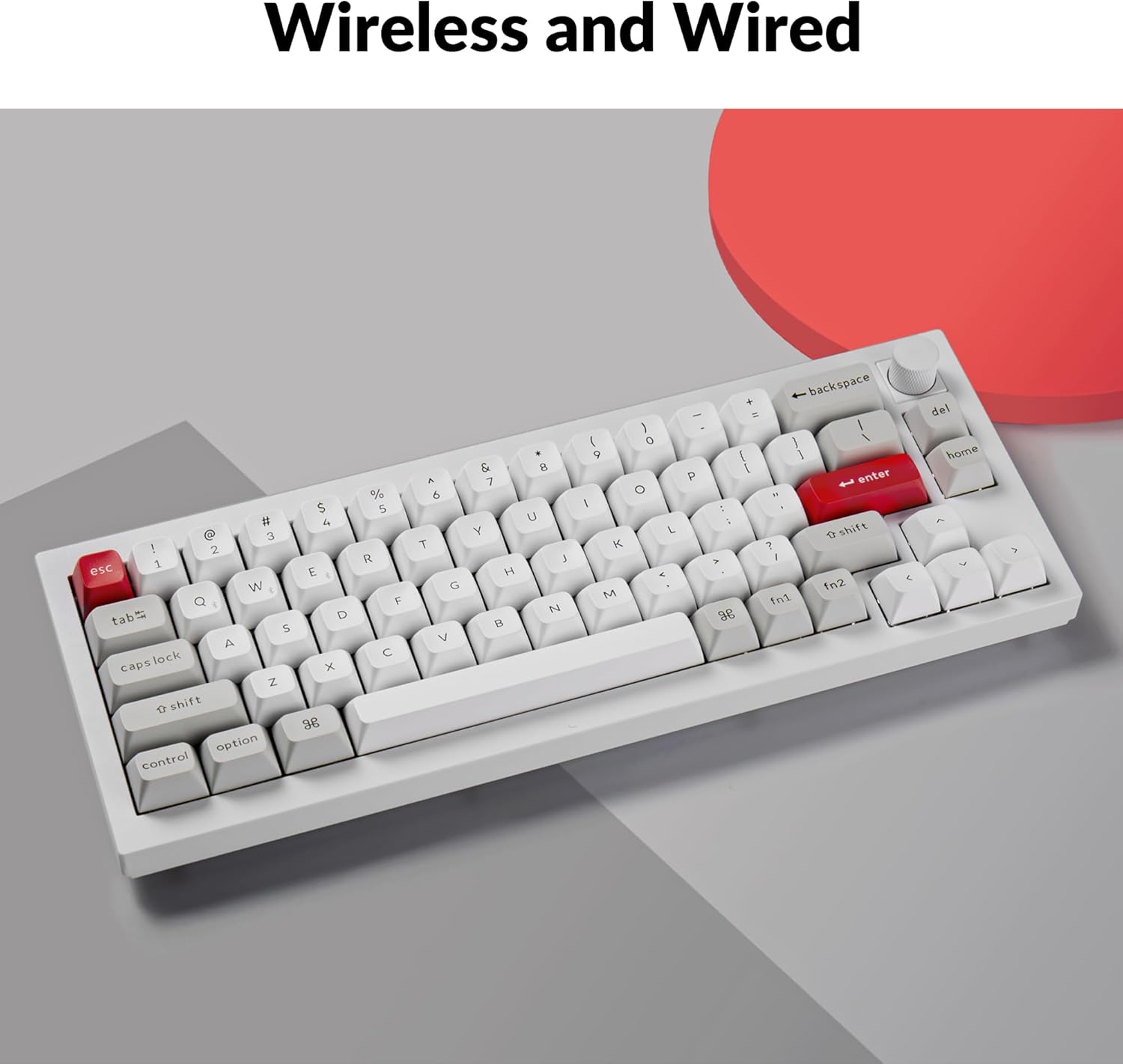
Image 3.2: Close-up of the programmable rotary knob on the Keychron Q2 Pro.
3.3 RGB podsvícení
The Q2 Pro features south-facing RGB LEDs with 22 types of backlight settings. You can fine-tune the RGB hue, saturation, brightness, effect speed, and different modes directly on the keyboard or remap these controls using QMK/VIA.
Image 3.3: South-facing RGB lighting visible on the Keychron Q2 Pro.
4. Údržba a péče
4.1 Přepínače vyměnitelné za provozu
The Q2 Pro features hot-swappable switch sockets, allowing you to easily change switches without soldering. This enables customization of typing feel and sound, and simplifies replacement of faulty switches.
- Power off the keyboard or disconnect the USB-C cable.
- Use the provided keycap puller to remove the desired keycap.
- Use the provided switch puller to gently grasp the switch and pull it straight up.
- Align the pins of the new switch with the holes on the PCB and press it firmly until it clicks into place. Ensure pins are not bent.
- Vyměňte krytku kláves.

Image 4.1: Hot-swappable switches being removed from the Keychron Q2 Pro.
4.2 Disassembly and Assembly
The Q2 Pro is designed for easy disassembly, allowing access to internal components for modification or deeper cleaning. Refer to the exploded view schéma pro identifikaci komponent.

Obrázek 4.2: Rozložený view diagram of the Keychron Q2 Pro components.
4.3 Čištění
- Klávesnice: Remove keycaps using the keycap puller. Clean with mild soap and water, then dry thoroughly before reattaching.
- Věc: Otřete hliníkové pouzdro měkkým hadříkemamp tkanina. Vyhněte se abrazivním čisticím prostředkům.
- Mezi klíči: K odstranění prachu a nečistot z prostoru mezi spínači použijte stlačený vzduch.
4.4 Double-Gasket Design and PCB Stabilizers
The Q2 Pro features a double-gasket design with silicone pads between the top and bottom cases to reduce sound resonance. It also includes PCB-mounted screw-in stabilizers for improved stability on larger keys. These components are designed for durability and a smoother typing experience.

Image 4.3: Illustration of the double-gasket design and PCB stabilizers.
5. Řešení problémů
5.1 Problémy s připojením
- Klávesnice se nepřipojuje přes Bluetooth: Ensure the keyboard is in 'BT' mode and in pairing mode (Fn1 + 1/2/3 for 4 seconds). Check your device's Bluetooth settings and ensure it's discoverable. Try forgetting the device and re-pairing.
- Keyboard not recognized in wired mode: Ensure the keyboard is in 'Cable' mode. Try a different USB-C port or cable. Restart your computer.
5.2 Klíčové funkční problémy
- Klávesy nereagují: If a specific key is not working, try hot-swapping the switch with a known working one to determine if the switch or the PCB is the issue. Ensure the switch is fully seated.
- Nesprávný výstup klávesy: Check the operating system toggle switch (Win/Mac) on the back of the keyboard. If using VIA, ensure the correct keymap is loaded and no accidental remappings have occurred.
5.3 Problémy s RGB osvětlením
- RGB se nerozsvítí: Ensure the backlight is enabled. Check brightness settings. If using VIA, verify lighting settings are correctly configured.
5.4 Firmware Reset
If you experience persistent issues, a firmware reset may resolve them. Refer to the official Keychron website for specific instructions on how to reset or reflash the firmware for your Q2 Pro model.
6. Specifikace
| Funkce | Detail |
|---|---|
| Číslo modelu | Q2P-P1 |
| Rozložení | 65 % (68 klíčů) |
| Materiál pouzdra | 6063 hliník |
| Materiál krytky klíče | Double-Shot KSA PBT |
| Spínače | Keychron K Pro (Red, Brown, Banana options) |
| Konektivita | Bluetooth 5.1, USB-C (Wired) |
| Míra dotazování kabelových sítí | 1000 Hz |
| Rychlost bezdrátového dotazování | 90 Hz |
| Podsvícení | South-Facing RGB (22 types) |
| MCU | ARM Cortex-M4 32-bit STM32L432 chip (128K Flash) |
| Baterie | 1 lithium-polymerová baterie (součástí balení) |
| Hmotnost položky | 4.77 libry |
| Rozměry balení | 14.21 x 6.89 x 2.83 palce |
| Výrobce | Keychron |
| Datum první dostupnosti | 6. března 2023 |

Image 6.1: Keychron K Pro Switch Features table, detailing operating force, pre-travel, travel distance, behavior, pre-lubed status, sound level, and suitability for different switch types.
7. Záruka a podpora
For detailed warranty information and technical support, please visit the official Keychron website or contact Keychron customer service directly. Keep your purchase receipt as proof of purchase for warranty claims.
Více informací a podpůrných zdrojů naleznete na Keychron Brand Store on Amazon.


