1. Úvod
Thank you for choosing the JALL Slim LED Digital Alarm Clock, Model CH-08. This device combines a clear digital time display with a mirror surface, dual alarm functions, adjustable brightness, and convenient USB charging ports. This manual provides detailed instructions for setup, operation, and maintenance to ensure optimal performance and longevity of your alarm clock.

Obrázek 1.1: Přední strana view of the JALL Slim LED Digital Alarm Clock.
2. Obsah balení
Prosím, ověřte, zda jsou v balení přítomny všechny položky:
- JALL Slim LED Digital Alarm Clock (CH-08)
- Napájecí adaptér
- Uživatelská příručka (tento dokument)
3. Konec produktuview
The JALL CH-08 alarm clock features a sleek, slim design with a reflective mirror surface that can also be used for grooming. Its large LED display ensures time is easily visible.
3.1 Klíčové vlastnosti
- Zrcadlový povrch: Approximately 6.7 inches (L 6.4 inches * W 3 inches) HD mirror screen.
- Tenký design: Only 0.4 inches thick.
- Velký digitální displej: For enhanced visibility.
- Duální budíky: Two independent alarms with customizable work modes.
- Nastavitelný jas: 4 levels (L0-L3) for display.
- Nastavitelná hlasitost budíku: 5 levels (V01-V05).
- Funkce odložení: Poskytuje dalších 9 minut spánku.
- Dva nabíjecí porty USB: Pro nabíjení externích zařízení.
3.2 Identifikace součásti

Image 3.1: Side and back view of the alarm clock with dimensions and button labels.
The alarm clock features five control buttons on the top for easy access to settings. The back panel includes two USB charging ports and a Type-C power input.

Image 3.2: The mirror surface of the alarm clock in use.
4. Nastavení
4.1 Počáteční připojení napájení
- Connect the provided power adapter to the Type-C power input port on the back of the alarm clock.
- Zapojte napájecí adaptér do standardní elektrické zásuvky. Displej se rozsvítí.
4.2 Odstranění ochranné fólie
A protective film is applied to the mirror surface to prevent scratches during shipping. For optimal clarity, gently peel off this film before first use.

Image 4.1: Illustration of removing the protective film from the display.
5. Návod k obsluze
5.1 Nastavení času
- Press and hold the 'SET' button (usually located on the top) until the hour digits begin to flash.
- Use the 'UP' or 'DOWN' buttons to adjust the hour.
- Press 'SET' again to move to minute adjustment. Use 'UP' or 'DOWN' to adjust the minutes.
- Press 'SET' a third time to confirm the time.
- To switch between 12-hour and 24-hour format, press the 'UP' button while the time is displayed (not in setting mode). An 'AM' or 'PM' indicator will appear for 12-hour format.
5.2 Nastavení alarmů
Hodiny podporují dva nezávislé budíky (Budík 1 a Budík 2).

Image 5.1: Alarm clock showing dual alarm icons.
- Nastavení budíku 1: Press and hold the 'ALARM 1' button until the alarm hour digits flash. Adjust the hour using 'UP' or 'DOWN'. Press 'ALARM 1' again to set minutes, then adjust. Press 'ALARM 1' a third time to select the alarm mode (1-7 for Mon-Sun, 1-5 for Mon-Fri, 6-7 for Sat-Sun). Press 'ALARM 1' again to confirm.
- Nastavení budíku 2: Follow the same steps as Alarm 1, using the 'ALARM 2' button.
- To Activate/Deactivate Alarms: Briefly press the 'ALARM 1' or 'ALARM 2' button. The corresponding alarm icon will appear/disappear on the display.
- Nastavení hlasitosti budíku: While an alarm is sounding, press the 'Volume Up' or 'Volume Down' buttons to cycle through 5 volume levels (V01-V05).
5.3 Nastavení jasu displeje
The display has 4 brightness levels: Bright (L3), Natural (L2), Dark (L1), and Completely Off (L0).

Obrázek 5.2: Příkladamples of the four display brightness levels.
- Press the 'DIMMER' button (or equivalent brightness control button) repeatedly to cycle through the brightness levels (L3 > L2 > L1 > L0 > L3).
- Vyberte požadovanou úroveň jasu pro vaše prostředí.
5.4 Použití funkce odložení buzení
When an alarm sounds, press the 'SNOOZE' button (often a large central button) to temporarily silence the alarm for 9 minutes. The alarm will sound again after 9 minutes. To turn off the alarm completely, press any other button.
5.5 Používání nabíjecích portů USB
The alarm clock is equipped with two independent USB ports on the back, allowing you to charge compatible electronic devices such as smartphones or tablets.
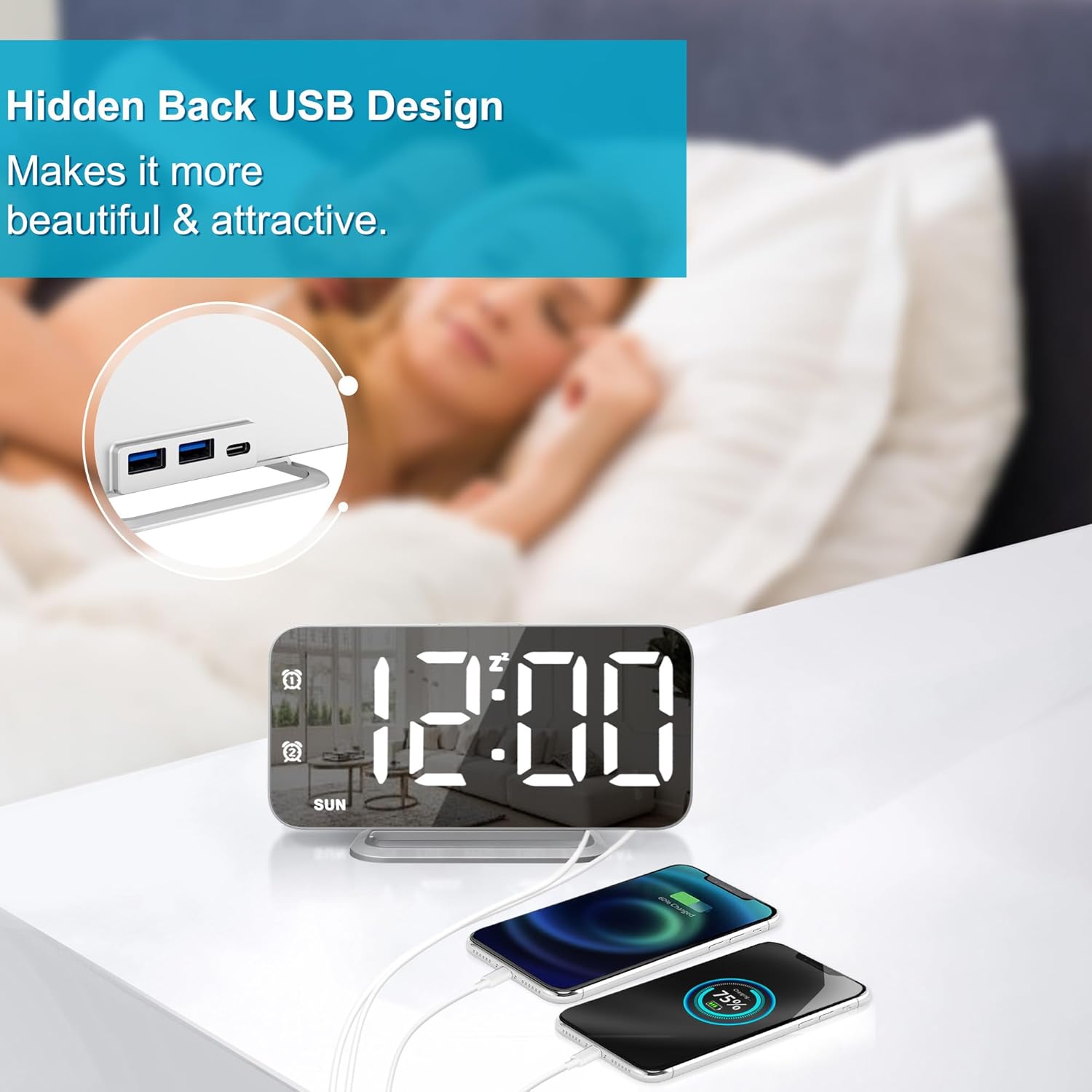
Image 5.3: Two devices connected to the alarm clock's USB charging ports.
- Connect your device's USB charging cable to one of the USB ports on the back of the alarm clock.
- Ensure the alarm clock is powered on. Your device should begin charging automatically.
6. Údržba
Pro zachování vzhledu a funkčnosti budíku:
- Čištění: Use a soft, dry cloth to wipe the mirror surface and body. Avoid abrasive cleaners or solvents that may damage the finish.
- Moc: Always use the provided power adapter. Disconnect from power during extended periods of non-use.
- Umístění: Umístěte hodiny na stabilní, rovný povrch mimo dosah přímého slunečního záření, nadměrného tepla nebo vlhkosti.
7. Řešení problémů
If you encounter issues with your JALL Slim LED Digital Alarm Clock, refer to the following common problems and solutions:
| Problém | Možná příčina | Řešení |
|---|---|---|
| Displej je prázdný nebo se nerozsvítí. | Not connected to power; power outage; brightness set to L0 (Off). | Ensure power adapter is securely plugged in. Check power outlet. Press the 'DIMMER' button to increase brightness. |
| Alarm se nespustí. | Alarm not activated; alarm volume too low; incorrect alarm time/mode. | Verify alarm icon is displayed. Adjust alarm volume. Re-check alarm time and work mode settings. |
| Nabíjecí porty USB nefungují. | Alarm clock not powered; device cable faulty; device not compatible. | Ensure the alarm clock is powered. Try a different USB cable. Confirm your device is compatible with standard USB charging. |
| Time is incorrect after power loss. | No battery backup for timekeeping during power interruptions. | The clock requires continuous power. Reset the time manually after a power outage. |
8. Specifikace
| Funkce | Detail |
|---|---|
| Značka | JALL |
| Číslo modelu | CH-08 |
| Barva | Stříbro |
| Typ zobrazení | Digitální LED |
| Rozměry produktu | 6.4"W x 6.7"H (approx. 0.4" thickness) |
| Zdroj napájení | Elektrický kabel |
| Materiál | Akrylonitril-butadien-styren (plast) |
| Hmotnost položky | 4.3 uncí |
| Speciální funkce | Mirror Surface, Dimming, Dual Alarms, USB Charging Ports |
| Zahrnuté komponenty | Owner's Manual, Power Adapter |
9. Záruka a podpora
9.1 Záruka na produkt
This JALL Slim LED Digital Alarm Clock (Model CH-08) comes with a 1letá omezená záruka od data nákupu. Tato záruka se vztahuje na výrobní vady a poruchy při běžném používání. Nevztahuje se na škody způsobené nesprávným použitím, nehodami, neoprávněnými úpravami nebo nesprávnou instalací.
9.2 Zákaznická podpora
For technical assistance, warranty claims, or any questions regarding your product, please contact JALL customer support through the retailer's platform where the product was purchased. Please have your purchase receipt and product model number (CH-08) ready when contacting support.


