Zavedení
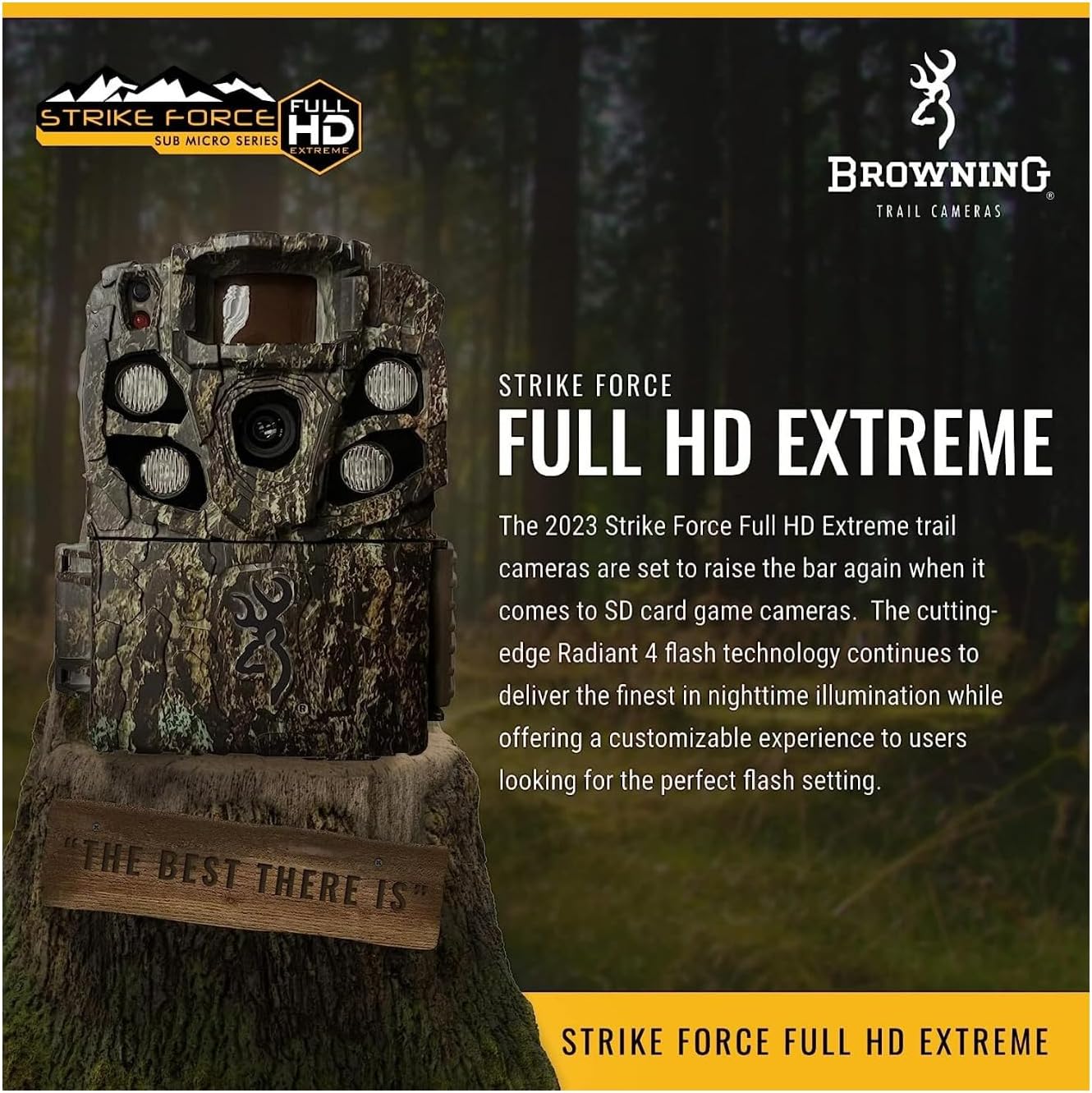
The Browning Strike Force Full HD Extreme trail camera (Model BTC-5FHDX) is designed for capturing high-quality images and videos of wildlife in outdoor environments. This camera features advanced Radiant 4 flash technology for superior nighttime illumination and offers a customizable experience to suit various monitoring needs.
Key features include 24 MP picture capability, 1080p Full HD video with sound, an 80-foot adjustable detection range, and Illuma-Smart flash technology. It also boasts an adjustable trigger speed from 0.135 to 0.7 seconds and a rapid 0.5-second recovery time, ensuring you capture fast-moving subjects effectively.
Obsah balení
Ověřte prosím, zda jsou ve vašem balení obsaženy všechny níže uvedené položky:
- Browning Strike Force Full HD Extreme Trail Camera (BTC-5FHDX)
- Mounting Strap (typically included)
- Uživatelská příručka (tento dokument)
Note: AA batteries and an SDXC memory card are not included and must be purchased separately.
Součásti a ovládací prvky fotoaparátu
Familiarize yourself with the various parts and controls of your Strike Force Full HD Extreme camera.

Obrázek 1: Přední view of the Browning Strike Force Full HD Extreme trail camera. This image displays the main camera lens, the four high-power infrared LEDs for night illumination, and the passive infrared (PIR) motion sensor at the top left. The camera's rugged, camouflage casing is also visible.

Obrázek 2: The Browning Strike Force Full HD Extreme camera with its front cover hinged open. This view exposes the internal control panel, which includes the LCD display screen, navigation buttons (up, down, left, right, enter), the ON/OFF switch, the MODE button, and the SD Card slot with an Eject button. This panel is used for configuring camera settings and reviewstav.

Obrázek 3: A detailed close-up of the camera's control panel. This image highlights the LCD screen, the directional pad with the 'E' (Enter) button, the ON/OFF toggle switch, the 'MODE' button, and the 'SD CARD' slot with its 'Eject' button. These are the primary interfaces for user interaction and setup.
- Hlavní objektiv: Zachycuje obrázky a videa.
- Infračervené LED diody: Provide invisible illumination for night photos and videos.
- Pohybový senzor (PIR): Detects movement to trigger photo/video capture.
- LCD displej: Shows camera settings, status, and allows menu navigation.
- Navigační tlačítka: Používá se k pohybu v nabídkách a výběru možností.
- Přepínač ON/OFF: Zapne nebo vypne fotoaparát.
- Tlačítko MODE: Switches between different operating modes (e.g., setup, capture).
- Slot pro SD kartu: Insert your SDXC memory card here.
- SD Card Eject Button: Releases the SD card from its slot.
- 12-Volt External Power Jack: For optional external power sources.
- 1/4"-20 Tripod Socket: Standard mounting point for tripods or other accessories.
Nastavení
Instalace baterie
The Strike Force Full HD Extreme camera operates on 6 AA batteries (not included). For optimal performance and battery life, it is recommended to use high-quality Alkaline, Rechargeable, or Lithium batteries.
- Open the camera's front cover to access the battery compartment.
- Insert 6 AA batteries into the designated slots, ensuring correct polarity (+/-) as indicated inside the compartment.
- Close the camera cover securely.
Instalace SD karty
A memory card is required to store photos and videos. The camera supports SDXC memory cards up to 512GB (not included).
- With the camera's front cover open, locate the SD card slot.
- Vložte SD kartu do slotu štítkem nahoru, dokud nezacvakne.
- To remove the SD card, press the "Eject" button next to the slot.
Montáž kamery
Proper camera placement is crucial for effective monitoring. The camera can be mounted using the included mounting strap or a standard 1/4"-20 tripod socket.
- Montáž popruhu: Thread the provided mounting strap through the slots on the back of the camera and secure it around a tree or post.
- Tripod/Accessory Mounting: Use the 1/4"-20 threaded insert on the bottom of the camera to attach it to a tripod, camera mount, or other compatible accessory.
Consider the following when choosing a location:
- Rozsah detekce: The camera has an 80-foot adjustable detection range. Position it to cover the desired area.
- Rozsah blesku: The infrared flash has a range of up to 110 feet. Ensure subjects will be within this range for clear night images.
- sluneční světlo: Avoid pointing the camera directly into the sun to prevent overexposure.
- překážky: Clear any branches or tall grass that might trigger false detections or obstruct the view.
Obrázek 4: The Browning Strike Force Full HD Extreme trail camera securely mounted to a tree using a strap. This demonstrates a typical outdoor setup for wildlife monitoring, highlighting the camera's discreet camouflage design blending with the environment.
Obsluha fotoaparátu
Zapnutí/vypnutí
To power on the camera, slide the ON/OFF switch to the "ON" position. The LCD screen will illuminate, indicating the camera is active. To power off, slide the switch to "OFF".
Basic Settings Configuration
Upon first use or after battery replacement, you may need to set the date, time, and other basic parameters. Use the navigation buttons and the 'E' (Enter) button to navigate the menu on the LCD screen.
- Datum a čas: Nastavte aktuální datum a čas pro přesný časampna vašich médiích.
- Provozní režim: Select between Photo, Video, or Timelapse Plus modes.
- Zpoždění obrazu: Program the delay between captures from 1 second to 60 minutes.
- Rychlost spouštění: Adjust the trigger speed from 0.135 to 0.7 seconds to suit your monitoring needs.
- Infrared Flash Options: Choose between Long Range, Fast Motion, or Economy modes for night illumination. Illuma-Smart Technology automatically adjusts IR flash for perfect night photos.
- Multi Shot / Rapid Fire: Configure the camera to take up to 8 multi-shot images or 8 rapid-fire images per trigger.
- Smart IR Video: This feature allows the camera to record video clips as long as the subject is moving during daylight hours.
Fotografování a natáčení videa
Once configured, the camera will automatically capture images or videos when motion is detected within its range.
- fotky: Captured at 24 MP resolution. Features HDR Night Images for enhanced clarity in low light.
- videa: Recorded in 1080p Full HD with sound. Video clip lengths can be set from 5 seconds to 2 minutes.
Viewing Obrázky a videa
Na view captured media, you will need to remove the SD card from the camera.
- Vypněte fotoaparát.
- Press the "Eject" button next to the SD card slot to release the card.
- Vložte SD kartu do kompatibilní čtečky karet připojené k počítači nebo jinému viewing zařízení.
- Přístup k filena SD kartě view vaše fotografie a videa.
The camera also features SD Card Management, which allows the camera to overwrite the oldest files on the SD card when it becomes full, ensuring continuous operation.
Údržba
Čištění
To ensure optimal performance, keep the camera lens, IR LEDs, and motion sensor clean. Use a soft, dry cloth to gently wipe away dust or dirt. Avoid abrasive cleaners or solvents.
Životnost a výměna baterie
The camera is designed for long battery life, potentially up to 1 year on 6 AA batteries, depending on usage and settings. Monitor the battery meter displayed on the LCD screen. Replace batteries when the indicator shows low power to avoid interruption in recording. Always replace all 6 batteries at once with new ones of the same type.
Správa SD karty
Regularly check your SD card for available space. If SD Card Management is enabled, the camera will automatically overwrite older files. However, it is good practice to periodically back up important media and format the SD card in the camera to maintain optimal performance and prevent data corruption.
Odstraňování problémů
This section addresses common issues you might encounter with your Browning Strike Force Full HD Extreme camera.
| Problém | Možná příčina / řešení |
|---|---|
| Fotoaparát se nezapíná. |
|
| Špatná kvalita obrazu/videa v noci. |
|
| Camera not detecting motion or missing triggers. |
|
| SD card error or not recognized. |
|
Návrh 65 Varování: This product may contain chemicals known to the State of California to cause cancer and birth defects or other reproductive harm. This warning is provided to comply with California Proposition 65.
Specifikace
Detailed technical specifications for the Browning Strike Force Full HD Extreme trail camera (BTC-5FHDX).
| Funkce | Detail |
|---|---|
| Název modelu | BTC-5FHDX |
| Efektivní rozlišení | 24 MP |
| Rozlišení záznamu videa | 1080p Full HD with Sound |
| Rozsah blesku | 110 ft (Infrared) |
| Rozsah detekce | 80 ft (Adjustable) |
| Rychlost spouštění | 0.135 - 0.7 sec (Adjustable) |
| Doba zotavení | 0.5 sec |
| Zdroj napájení | 6 AA Batteries (Not Included), 12-Volt External Power Jack |
| Podpora paměťových karet | Up to 512GB SDXC Memory Card (Not Included) |
| Rozměry (D x Š x V) | 3.13 x 9.13 x 4.75 palce |
| Hmotnost | 16 uncí (1 libra) |
| Technologie připojení | Bezdrátové (Wi-Fi) |
| Hodnocení mezinárodní ochrany | IP54 |
| Speciální funkce | Radiant 4 Night IR Illumination, Illuma-Smart Technology, HDR Night Images, Smart IR Video, Timelapse Plus, SD Card Management |
Záruka a podpora
Browning Trail Cameras offers a 1letá omezená záruka on the Strike Force Full HD Extreme camera. This warranty covers defects in workmanship and materials under normal conditions of use.
In the event of a defect, Browning Trail Cameras will repair or replace the unit with a new or refurbished product as needed. For warranty claims or technical support, please refer to the contact information provided on the official Browning Trail Cameras webwebu nebo obalu produktu.
For more information and support, you may visit the official Browning Store: Browning Store on Amazon.


