1. Úvod
The LASERLINER VideoPocket HD 082262A is a compact and versatile industrial endoscope designed for visual inspection in hard-to-reach areas. This device allows for real-time viewing, image capture, and video recording, making it an essential tool for professionals in various fields. This manual provides detailed instructions for the safe and effective operation, maintenance, and troubleshooting of your VideoPocket HD.
2. Bezpečnostní pokyny
- Obecná bezpečnost: Read all instructions carefully before use. Keep the device away from water, high temperatures, and direct sunlight.
- Bezpečnost baterie: Use only specified AA alkaline batteries. Do not mix old and new batteries, or different types of batteries. Remove batteries if the device will not be used for an extended period.
- Camera Cable: Do not bend, pinch, or pull the camera cable excessively. Avoid inserting the camera into live electrical circuits or hazardous environments without proper safety precautions.
- Čištění: Před čištěním odpojte napájení. Použijte měkký, suchý hadřík. Nepoužívejte abrazivní čisticí prostředky ani rozpouštědla.
- Opravit: Nepokoušejte se zařízení otevírat ani opravovat sami. Veškerý servis svěřte kvalifikovanému personálu.
3. Obsah balení
Ověřte, zda jsou v balení přítomny všechny položky:
- LASERLINER VideoPocket HD Main Unit
- Camera Cable with 5.2mm Camera Head (1m length)
- Magnetický nástavec
- Zrcadlový nástavec
- Hákový nástavec
- Camera Tip Attachments (for securing magnet, mirror, hook)
- Uživatelská příručka
4. Konec produktuview
The VideoPocket HD features a robust design for industrial use, with an integrated display and flexible camera probe.

Obrázek 1: LASERLINER VideoPocket HD industrial endoscope handheld unit. This image shows the complete device, highlighting its compact form factor and integrated display.

Obrázek 2: Close-up of the 5.2mm camera head with 6 integrated LEDs for illumination. The small diameter allows access into narrow spaces, and the LEDs provide necessary lighting.
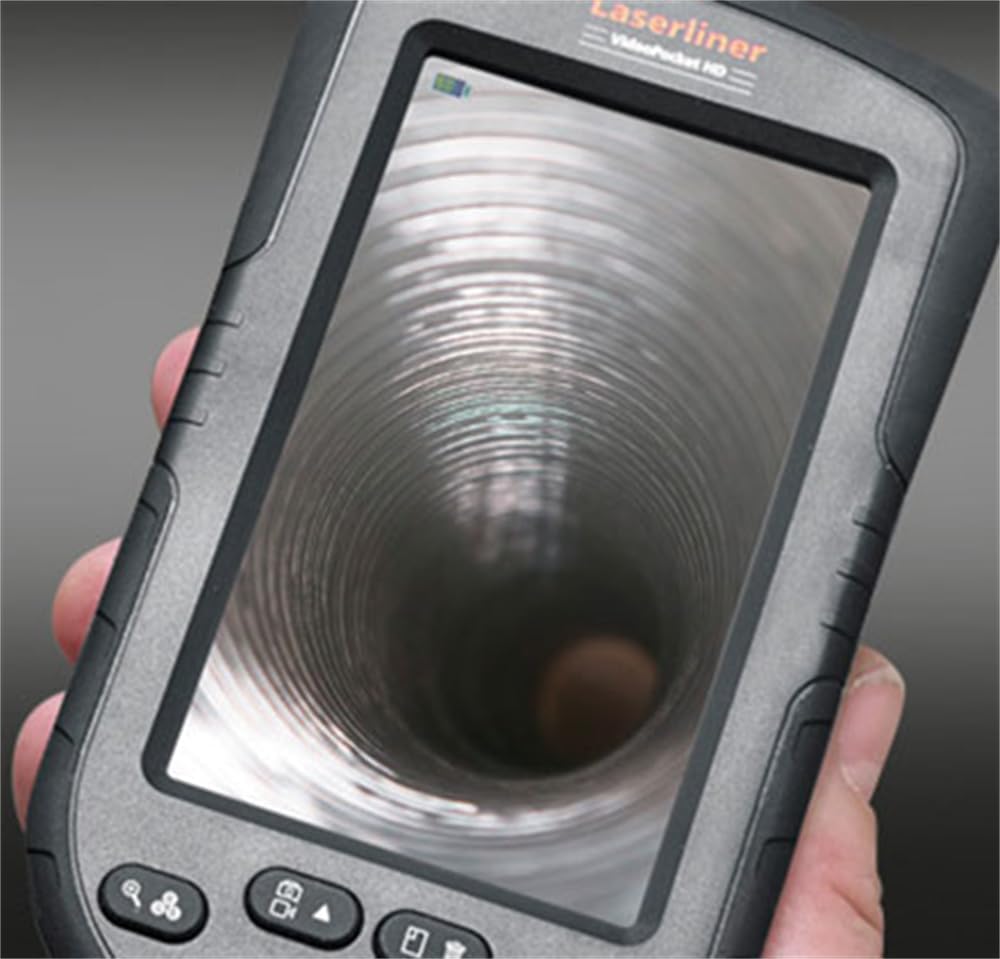
Obrázek 3: LASERLINER VideoPocket HD display showing a live view from inside a corrugated pipe. This demonstrates the device's capability to provide clear visuals during inspection.

Obrázek 4: Strana view of the VideoPocket HD unit, highlighting the MicroUSB port and microSD card slot. These ports are used for data transfer and memory expansion.

Obrázek 5: Zadní view of the LASERLINER VideoPocket HD, showing the integrated storage for the camera cable. This design ensures convenient and secure storage of the probe.
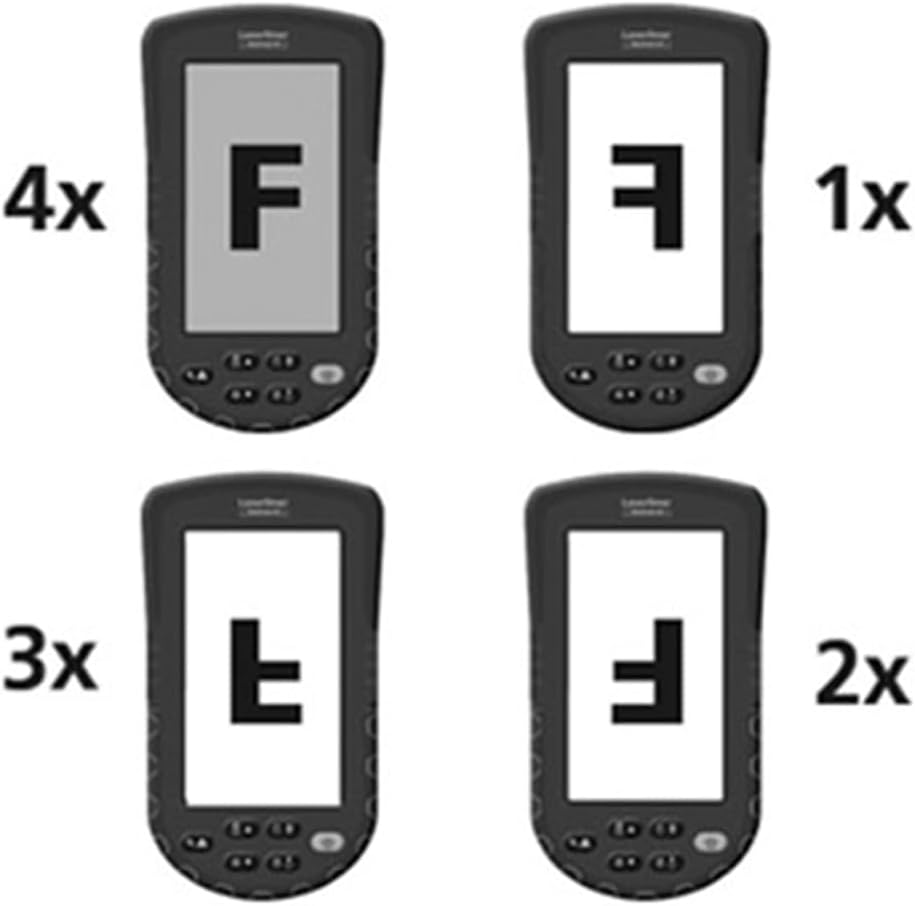
Obrázek 6: Diagram illustrating the 4x digital zoom function of the VideoPocket HD, showing different magnification levels. This feature allows for closer examination of details.
5. Nastavení
5.1 Instalace baterie
- Vyhledejte kryt přihrádky na baterie na zadní straně zařízení.
- Otevřete kryt jeho posunutím nebo odjištěním.
- Vložte čtyři (4) alkalické baterie typu AA a dbejte na správnou polaritu (+/-) vyznačenou uvnitř přihrádky.
- Bezpečně zavřete kryt bateriového prostoru.
5.2 Vložení karty MicroSD
- Locate the microSD card slot on the side of the device (refer to Figure 4).
- Insert a microSD card (up to 32GB, not included) into the slot with the contacts facing down, until it clicks into place.
- Chcete-li kartu vyjmout, jemně ji zatlačte, dokud nevyskočí.
5.3 Připevnění příslušenství
The magnet, mirror, and hook attachments can be secured to the camera head using the provided camera tip attachments.
- Select the desired attachment (magnet, mirror, or hook).
- Carefully slide the camera tip attachment over the camera head.
- Ensure the accessory is firmly seated and aligned with the camera lens if necessary (e.g., mirror).
6. Návod k obsluze
6.1 Zapnutí/vypnutí
- Zapnutí: Stiskněte a podržte tlačítko napájení, dokud se displej nerozsvítí.
- Vypnout: Stiskněte a podržte tlačítko napájení, dokud se displej nevypne.
6.2 Živě View a Navigace
- Once powered on, the device will display a live feed from the camera probe.
- Use the directional buttons (if present) to navigate through menus or adjust settings.
6.3 Nastavení jasu
The camera head features 6 LEDs with 10-stage brightness adjustment.
- Locate the brightness adjustment buttons (often marked with sun icons or up/down arrows).
- Press the appropriate button to increase or decrease the LED illumination intensity.
6.4 Using Digital Zoom
The device supports up to 4x digital zoom (refer to Figure 6).
- Press the Zoom button (often marked with a magnifying glass icon) to cycle through zoom levels (1x, 2x, 3x, 4x).
6.5 Pořizování obrázků a videí
Ensure a microSD card is inserted before attempting to record.
- Zachytit obrázek: V přímém přenosu view, press the Photo/Capture button (often marked with a camera icon) to take a still image.
- Záznam videa: Press the Video/Record button (often marked with a video camera icon) to start recording. Press it again to stop recording.
6.6 Viewnahraná média
- Vstupte do režimu přehrávání (obvykle pomocí příslušného tlačítka nebo položky nabídky).
- Use the directional buttons to browse through captured images and videos.
- Press the OK/Play button to view an image or play a video.
6.7 Připojení k počítači
Use the MicroUSB port to transfer files k počítači.
- Connect the device to your computer using a MicroUSB cable (not included).
- Zařízení by se mělo v počítači zobrazit jako vyměnitelné úložné zařízení.
- You can then access and transfer the images and videos stored on the microSD card.
7. Údržba
7.1 Čištění
- Hlavní jednotka: Wipe the main unit and display with a soft, dry, lint-free cloth. For stubborn dirt, a slightly damp Lze použít hadřík a poté suchý hadřík.
- Hlava kamery: Gently clean the camera lens with a soft lens cleaning cloth or cotton swab. Avoid scratching the lens.
- Neponořujte žádnou část zařízení do vody.
7.2 Skladování
- Přístroj skladujte na chladném a suchém místě, mimo dosah přímého slunečního záření a extrémních teplot.
- Pokud zařízení nebudete delší dobu používat, vyjměte baterie, abyste zabránili jejich vytečení.
- Ensure the camera cable is neatly coiled and stored in its designated compartment (refer to Figure 5).
8. Řešení problémů
| Problém | Možná příčina | Řešení |
|---|---|---|
| Zařízení se nezapne. | Baterie jsou vybité nebo nesprávně vložené. | Vyměňte baterie za nové alkalické baterie typu AA a dbejte na správnou polaritu. |
| Žádný obrázek na displeji. | Camera cable not properly connected or damaged. | Check the camera cable connection. If problem persists, contact support. |
| Nelze pořizovat snímky/videa. | Není vložena karta microSD nebo je karta plná/poškozená. | Insert a valid microSD card. Delete unnecessary filenebo kartu naformátujte (tím se vymažou všechna data). |
| Obrázek je příliš tmavý/světlý. | LED brightness is not adjusted correctly. | Jas LED diod upravte pomocí příslušných tlačítek. |
| Zařízení se zasekne nebo přestane reagovat. | Dočasná softwarová závada. | Vyjměte a znovu vložte baterie pro provedení tvrdého resetu. |
9. Specifikace
| Funkce | Specifikace |
|---|---|
| Značka | Laserliner |
| Číslo modelu | 082262A |
| Rozměry produktu (Š x V x H) | 8.5 x 15.5 x 3.2 cm |
| Hmotnost (s bateriemi) | 370 g |
| Product Weight (Gross/Shipping) | 810 g |
| Průměr hlavy kamery | 5.2 mm |
| Délka kabelu kamery | 1 m |
| Rozlišení fotoaparátu | 1280 x 720 pixelů |
| Pole View | 65° |
| Ohnisková vzdálenost | 3 - 8 cm |
| Typ zobrazení | 4.3palcový barevný TFT displej |
| Rozlišení displeje | 480 x 272 pixelů |
| Nastavení jasu LED | 10 stages |
| Digitální zoom | 4x |
| Rozlišení záznamu videa | 1080p (for saved files) |
| Paměťová média | MicroSD karta (až 32 GB) |
| Přístav | MicroUSB |
| Zdroj napájení | 4 x alkalické baterie AA |
| Zahrnuté příslušenství | Magnet, Mirror, Hook, Camera Tip Attachments |
10. Záruka a podpora
10.1 Informace o záruce
This LASERLINER VideoPocket HD 082262A comes with a 1letá záruka výrobce od data nákupu. Tato záruka se vztahuje na vady materiálu a zpracování při běžném používání. Nevztahuje se na škody způsobené nesprávným použitím, nehodami, neoprávněnými úpravami nebo běžným opotřebením. Uschovejte si doklad o koupi pro případné reklamace.
10.2 Zákaznická podpora
For technical assistance, troubleshooting beyond this manual, or warranty inquiries, please contact your retailer or visit the official Laserliner website for support contact information. When contacting support, please have your product model number (082262A) and proof of purchase readily available.


