Zavedení
This manual provides essential instructions for the proper use and maintenance of your Kawai Universal Mini HD Satellite Remote Control. This remote is designed for seamless compatibility with various Kawai satellite receiver models, including Kw 900, Kw 6820, Kn 650, Kw 2000, 6850, 6950, and 8400. Please read this manual thoroughly before operating the device to ensure optimal performance and longevity.
Konec produktuview
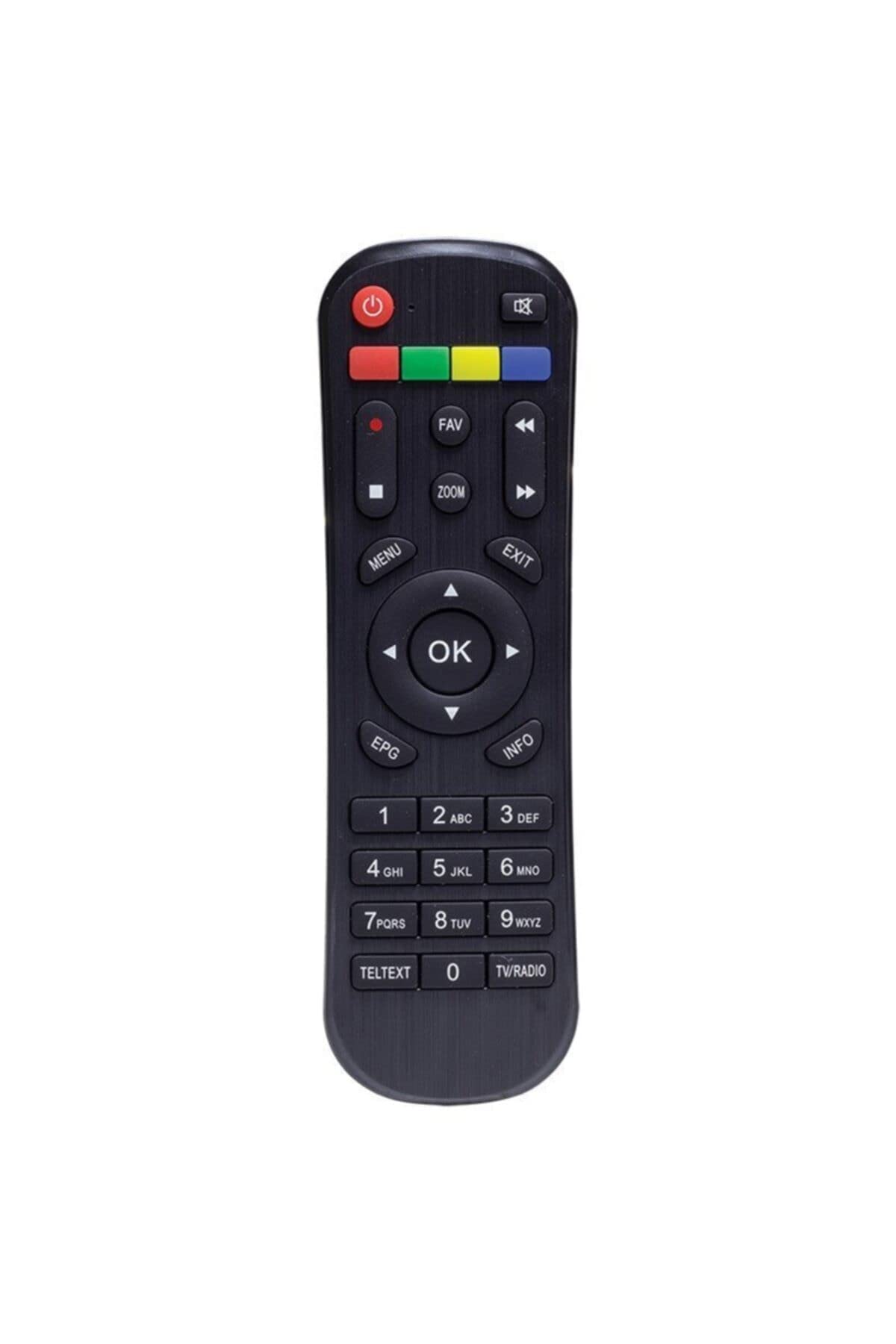
Obrázek 1: Přední view of the Kawai Universal Mini HD Satellite Remote Control. This image displays the ergonomic design and button layout of the remote, highlighting its compact size and standard control functions.
The Kawai Universal Mini HD Satellite Remote Control is a compact and efficient device designed to provide full control over your compatible Kawai satellite receiver. Its intuitive button layout ensures ease of use for channel navigation, volume control, menu access, and other essential functions.
Nastavení
1. Instalace baterie
- Najděte přihrádku na baterie na zadní straně dálkového ovladače.
- Posuňte kryt baterie dolů nebo ve směru šipky, abyste jej otevřeli.
- Vložte dvě baterie AAA (nejsou součástí balení) a ujistěte se, že kladný (+) a záporný (-) pól odpovídají schématům uvnitř přihrádky.
- Nasaďte kryt baterie zpět jeho zasunutím zpět na místo, dokud bezpečně nezacvakne.
2. První použití
This remote control is pre-programmed for compatibility with the listed Kawai satellite receiver models. No additional pairing or setup is typically required. Simply point the remote at your satellite receiver and begin operation.
- Ensure there are no obstructions between the remote control and the satellite receiver.
- Confirm that the satellite receiver is powered on.
Návod k obsluze
Familiarize yourself with the primary functions of the remote control buttons:
- Tlačítko napájení (●): Turns the satellite receiver on or off.
- Kanál nahoru/dolů (CH +/-): Změní televizní kanál.
- Zvýšení/snížení hlasitosti (VOL +/-): Nastavuje hlasitost zvuku.
- Ztlumit (ZTLUMIT): Ztiší zvukový výstup.
- Číselná tlačítka (0-9): Přímé zadávání čísel kanálů.
- Menu (MENU): Accesses the satellite receiver's main menu.
- Navigační tlačítka (▲ ▼ ◀ ▶): Procházejte možnostmi nabídky.
- OK/Enter (OK): Potvrzuje výběry v nabídkách.
- Exit/Back (EXIT): Opustí aktuální menu nebo se vrátí na předchozí obrazovku.
- Informace (INFO): Zobrazuje informace o programu.
Specific button functions may vary slightly depending on your Kawai satellite receiver model. Refer to your receiver's manual for detailed information on advanced features.
Údržba
Čištění
K čištění dálkového ovladače použijte měkký, suchý hadřík. V případě odolných nečistot jej lehce setřete.ampen the cloth with water or a mild, non-abrasive cleaner. Avoid using harsh chemicals, solvents, or abrasive materials, as these can damage the remote's surface and internal components.
Výměna baterie
Replace batteries when the remote control's response becomes sluggish or stops functioning. Always replace both batteries simultaneously with new ones of the same type (AAA). Do not mix old and new batteries, or different types of batteries, as this can lead to leakage or damage.
- Staré baterie ihned vyjměte, abyste zabránili jejich vytečení.
- Použité baterie zlikvidujte v souladu s místními předpisy.
Odstraňování problémů
| Problém | Možná příčina | Řešení |
|---|---|---|
| Dálkové ovládání nefunguje. |
|
|
| Některá tlačítka nefungují. |
|
|
Specifikace
- Značka: Kawai (Listed as Generic by seller)
- Výrobce: Obecný
- ASIN: B0BW4KLTDS
- První dostupné datum: 17. února 2023
- Kompatibilita: Kawai Kw 900, Kw 6820, Kn 650, Kw 2000, 6850, 6950, 8400 Mini HD Satellite Receivers
- Zdroj napájení: 2 x AAA baterie (nejsou součástí balení)
Záruka a podpora
For warranty information and technical support, please refer to the documentation provided with your original Kawai satellite receiver or contact the retailer from whom you purchased this remote control. Keep your purchase receipt as proof of purchase.
For further assistance, you may also visit the official Kawai webwebu nebo se obraťte na jejich oddělení zákaznických služeb, pokud je k dispozici ve vašem regionu.


