1. Úvod
The IK Multimedia TONEX Pedal is a stereo multi-effects guitar and bass pedal designed to bring ultra-realistic amp and pedal tones to your live performance or studio setup. Utilizing breakthrough AI Machine Modeling technology, it offers a vast library of authentic tone models, along with a comprehensive suite of built-in effects. This manual provides essential information for setting up, operating, maintaining, and troubleshooting your TONEX Pedal.
2. Bezpečnostní informace
- Napájení: Use only the provided 9V DC power supply. Ensure the correct voltage and polarity to prevent damage.
- Voda a vlhkost: Do not expose the unit to water, rain, or excessive moisture. Avoid operating in damp prostředí.
- Zdroje tepla: Udržujte jednotku mimo dosah zdrojů tepla, jako jsou radiátory, topná tělesa, kamna nebo jiná zařízení produkující teplo.
- Větrání: Zajistěte dostatečné větrání. Neblokujte žádné větrací otvory.
- Čištění: Čistěte pouze suchým hadříkem. Nepoužívejte tekuté čističe nebo aerosolové čističe.
- Servis: Veškerý servis svěřte kvalifikovanému servisnímu personálu. Nepokoušejte se tento výrobek opravovat sami.
3. Obsah balení
- IK Multimedia TONEX Pedal
- 9V DC napájení
- USB kabel
- Registration Card/Software Download Instructions
4. Konec produktuview
The TONEX Pedal features a robust anodized aluminum chassis designed for durability. Its intuitive layout provides quick access to essential controls and versatile connectivity options.
4.1. Ovládací prvky na předním panelu
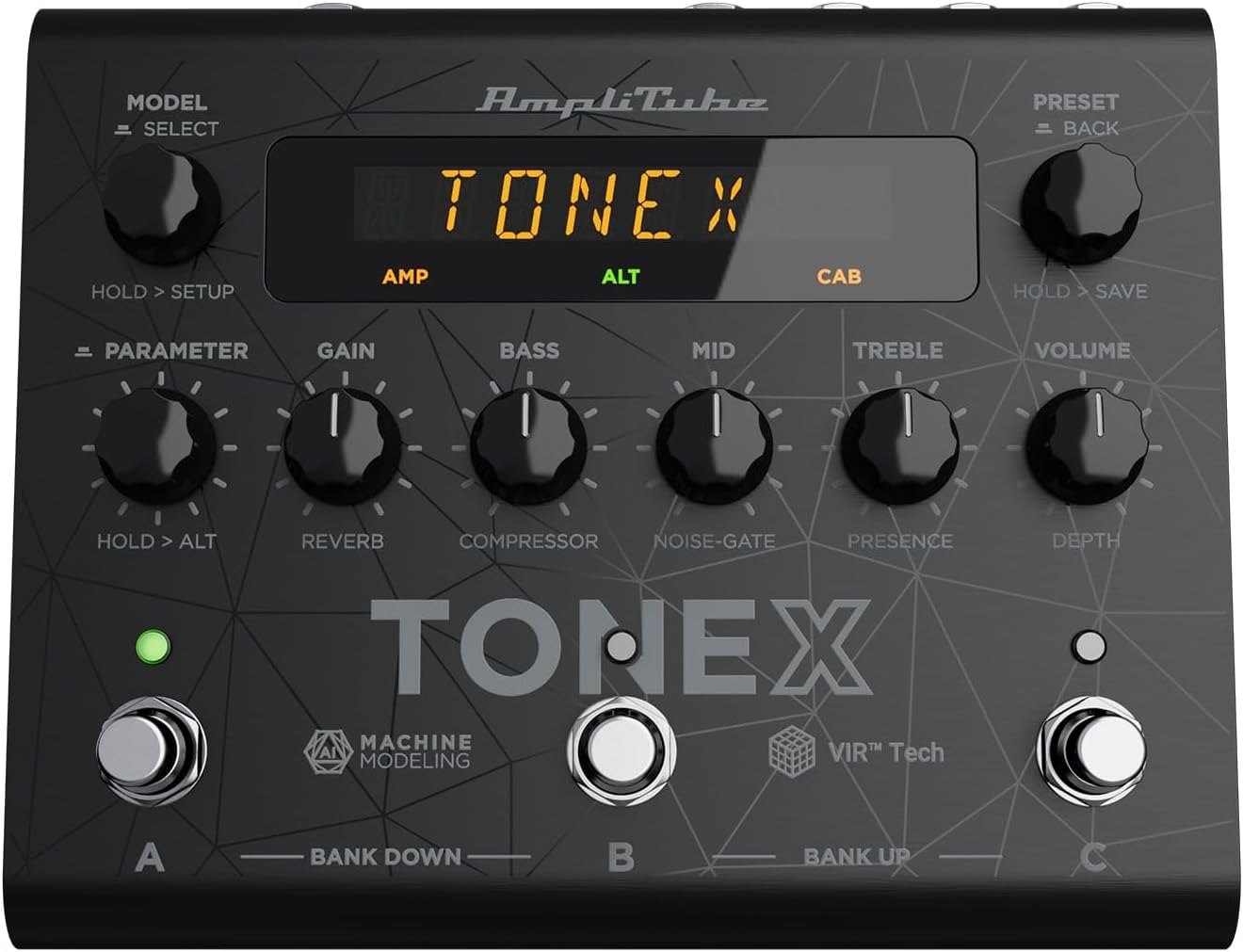
Figure 1: TONEX Pedal Front Panel
Tento obrázek zobrazuje horní část view of the TONEX Pedal, highlighting its compact design and the arrangement of knobs, footswitches, and the digital display. Key controls such as 'Model/Select', 'Preset/Back', 'Parameter', 'Gain', 'Bass', 'Mid', 'Treble', and 'Volume' are visible, along with the three footswitches labeled A, B, and C.
- MODEL / SELECT Knob: Used to select tone models and navigate menus. Press and hold for Setup menu.
- PRESET / BACK Knob: Used to select presets and go back in menus. Press and hold to save presets.
- PARAMETER Knob: Adjusts various parameters. Press and hold for alternative parameters.
- Knoflík GAIN: Controls the input gain of the tone model.
- Knoflík BASS: Upravuje nízkofrekvenční odezvu.
- Knoflík MID: Upravuje střední frekvenční odezvu.
- Knoflík TREBLE: Upravuje vysokofrekvenční odezvu.
- Knoflík VOLUME: Ovládá celkovou výstupní hlasitost.
- Nožní spínače A, B, C: Select presets within a bank. Also used for bank up/down (A+B, B+C) and bypass.
- Zobrazit: Shows current preset, parameter values, and menu options.
4.2. Připojení zadního panelu
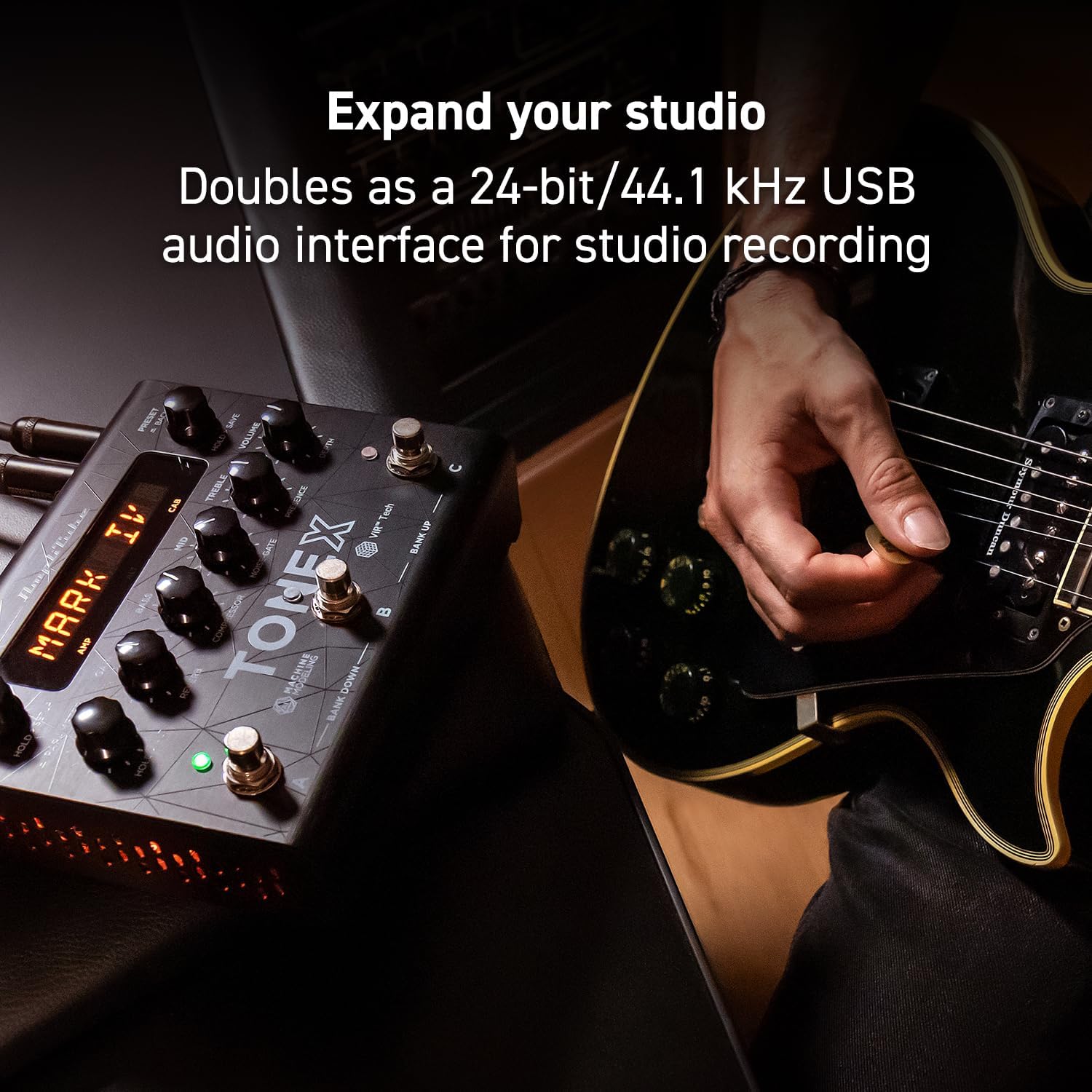
Figure 2: TONEX Pedal Rear Panel Connections
This image shows the rear panel of the TONEX Pedal, detailing its various input and output connections. Visible ports include the instrument input, left and right outputs (mono), headphone output, MIDI In/Out, external control input, USB port, and the 9V DC power input. This panel facilitates integration into various audio setups, from live rigs to studio environments.
- VSTUP: 1/4" mono input for your guitar or bass.
- OUTPUT L/R (MONO): 1/4" stereo outputs for connecting to a PA system, power amp, or audio interface. Use the L output for mono operation.
- SLUCHÁTKA: 1/4" stereo output for silent practice.
- MIDI VSTUP/VÝSTUP: 5-pin DIN connectors for MIDI control and integration with other MIDI devices.
- EXT. CONTROL: 1/4" input for an external expression pedal or footswitch.
- USB: USB-B port for connecting to a computer (PC/Mac) for software control, preset management, and using the pedal as an audio interface.
- POWER 9V DC: Input for the included 9V DC power supply.
5. Nastavení
5.1. Počáteční připojení
- Připojte svůj nástroj k VSTUP konektor na zadním panelu.
- Připojte VÝSTUP L (a R for stereo) to your amplifier, PA system, or audio interface.
- If desired, connect headphones to the SLUCHÁTKA zvedák.
- Připojte dodaný 9V DC napájecí zdroj k NAPÁJENÍ 9V DC input and plug it into a power outlet. The pedal will power on automatically.
5.2. Instalace softwaru
To unlock the full potential of your TONEX Pedal, including access to ToneNET and advanced editing features, install the TONEX Editor software on your computer.
- Visit the IK Multimedia website and register your product using the provided registration card.
- Download and install the TONEX Editor software for your operating system (Windows 10 or later, macOS 10.15 or later).
- Connect the TONEX Pedal to your computer via the USB port. The pedal can function as a 24-bit/44.1 kHz USB audio interface for studio recording.
- Follow the on-screen instructions in the software to update firmware and manage your tone models and presets.
6. Návod k obsluze
6.1. Navigace v předvolbách
The TONEX Pedal comes preloaded with 150 gig-ready presets, organized into 50 banks of three presets each.
- Výběr předvoleb: Otočte PŘEDNASTAVENÍ / ZPĚT knob to quickly scroll through and audition available presets.
- Using Footswitches: Tap footswitches A, Bnebo C to load different presets within the current bank.
- Changing Banks: Simultaneously press footswitches A a B to move down a bank, or B a C to move up a bank.
- Bypass Tone Model: Once a preset is loaded, tapping its corresponding footswitch a second time will bypass the tone model, allowing for a clean signal.
6.2. Nastavení parametrů
The TONEX Pedal offers five main and five alternative parameters on the front panel for tone shaping.
- Hlavní parametry: Directly adjust ZÍSKAT, BASS, STŘEDNÍ, ZTROJNÁSOBITa OBJEM using their respective knobs.
- Alternativní parametry: Podržte tlačítko PARAMETR encoder to access alternative parameters: Reverb Level, Compressor Threshold, Noise Gate Threshold, Presence, and Depth. Rotate the corresponding knobs to adjust these.
- Další parametry: Stiskněte tlačítko PARAMETR encoder once to access further parameters for fine-tuning your sound.
6.3. Ukládání předvoleb
- Saving with Renaming/Relocation: Podržte PŘEDNASTAVENÍ / ZPĚT encoder. You can then rotate the PRESET knob to edit characters for renaming, and rotate the MODEL knob to move the cursor or change the bank location. Press the PRESET knob again to confirm and save.
- Quick Save: To quickly save a preset with the same name in the same location, press the MODEL a PRESET encoders simultaneously. The display will show "SAVED".
6.4. Cab Emulation
If connecting to a standard guitar or bass amp with its own speaker cabinet, you may wish to turn off the TONEX Pedal's internal cab emulation to avoid redundant processing. This can be done via the Setup menu (hold MODEL / SELECT knoflík).
6.5. Official Product Video: TONEX Pedal Main Features
Video 1: Overview of the IK Multimedia TONEX Pedal's main features, including its controls, connectivity, and basic operation. This video demonstrates how to navigate presets, adjust parameters, and utilize the pedal's various functions for live and studio use.
7. Údržba
- Čištění: Regularly wipe the pedal with a soft, dry cloth to remove dust and grime. Avoid abrasive cleaners.
- Skladování: Store the pedal in a cool, dry place when not in use. Protect it from extreme temperatures and humidity.
- Správa kabelů: Ensure cables are not kinked or strained to prevent damage to the connectors and ports.
8. Řešení problémů
- Bez napájení: Ensure the 9V DC power supply is correctly connected to the pedal and a working power outlet.
- Žádný zvuk: Check all audio cable connections (instrument input, outputs to amp/PA, headphones). Verify volume levels on the pedal and connected devices. Ensure the tone model is not bypassed.
- Unexpected Behavior/Glitches: Try performing a factory reset (refer to the full online manual for specific steps). Ensure your firmware is up to date via the TONEX Editor software.
- Problémy s připojením softwaru: Ensure the USB cable is securely connected. Try a different USB port or cable. Restart both the pedal and your computer.
9. Specifikace
| Funkce | Specifikace |
|---|---|
| Číslo modelu | Pedál TONEX |
| Rozměry (D x Š x V) | 6.93 x 5.59 x 2.17 palců (přibližně 17.6 x 14.2 x 5.5 cm) |
| Hmotnost položky | 2.86 libry (přibližně 1.3 kg) |
| Barva | Černý |
| Zdroj napájení | 9V DC (s kabelem) |
| Hardwarové rozhraní | USB |
| Formát signálu | Digitální |
| Kompatibilita operačního systému | Windows® 10 or later, macOS® 10.15 or later (macOS® 11 Big Sur required for Modeler) |
| Frekvenční odezva | 5 Hz - 24 kHz |
| Dynamický rozsah | 123 dB |
10. Záruka a podpora
Na produkty IK Multimedia se vztahuje omezená záruka. Podrobné informace o záruce, registraci produktu a technickou podporu naleznete na oficiálních stránkách IK Multimedia. webnebo se obraťte na jejich zákaznický servis. Uschovejte si doklad o koupi pro případ reklamace.
Webmísto: www.ikmultimedia.com


