1. Úvod
This manual provides detailed instructions for the Timberland TDWGP2104704 digital watch. Please read this manual thoroughly before using your watch to ensure proper operation and care. Keep this manual for future reference.
2. Konec produktuview
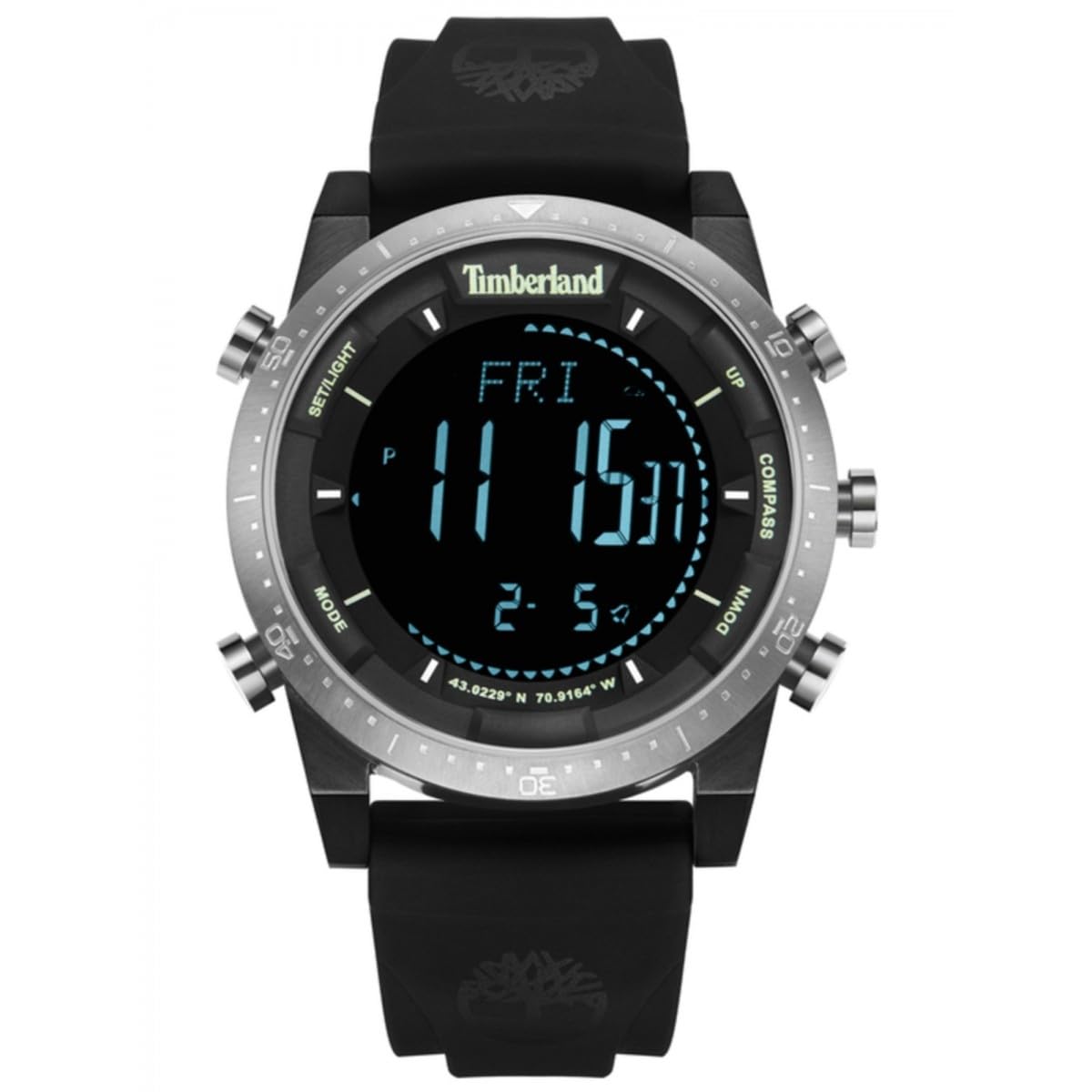
The Timberland TDWGP2104704 is a men's digital watch featuring a round case and a durable black strap. It is designed for everyday use and offers essential timekeeping functions.
2.1 Komponenty
- Digitální displej: Zobrazuje čas, datum a další funkce.
- Ovládací tlačítka: Used for setting and navigating watch functions.
- Pouzdro na hodinky: Round, made of stainless steel.
- Řemínek k hodinkám: Black, flexible material with a buckle closure.
- Zadní část pouzdra: Engraved with model information and water resistance rating.
Obrázek: Zadní view of the Timberland TDWGP2104704 digital watch. The stainless steel case back is visible, engraved with '5 ATM WATER RESISTANT', 'ALL STAINLESS STEEL', 'Timberland', and the model identifier 'GP21047'. Three control buttons are visible on the side of the case. The black strap and its buckle are also shown.
3. Nastavení
3.1 Initial Power On / Display Activation
If the watch display is not active, press any button to activate it. The watch may be in a power-saving mode to conserve battery life.
3.2 Nastavení času a data
- Stiskněte a podržte Režim button (typically located on the left side) until the time display begins to flash, indicating setting mode.
- Použijte Upravit or Soubor button (typically on the right side) to change the flashing hour value.
- Stiskněte tlačítko Režim button again to move to the minute setting, then use the Upravit tlačítko pro nastavení minut.
- Continue this process for setting the year, month, and day, pressing the Režim button to cycle through each setting.
- Jakmile jsou všechna nastavení dokončena, stiskněte tlačítko Režim button one last time or wait for the display to stop flashing to save the settings and exit setting mode.
Note: Specific button functions and labels may vary. Refer to the watch's physical buttons for exact labels or intuitive operation.
4. Ovládání hodinek
4.1 Základní zobrazení času
The watch primarily displays the current time (hours, minutes, seconds) in a clear digital format.
4.2 Přepínání režimů zobrazení
Stiskněte tlačítko Režim button briefly to cycle through different display modes. These may include:
- Date display (Month, Day, Year)
- Funkce alarmu
- Funkce stopek
- Funkce časovače
Consult the watch's interface to identify all available modes and their specific indicators.
4.3 Používání alarmu
- Přejděte do režimu alarmu pomocí Režim tlačítko.
- Stiskněte a podržte Soubor tlačítko pro vstup do režimu nastavení budíku.
- Adjust the alarm time using the Upravit tlačítko.
- Activate or deactivate the alarm using a designated button (e.g., Start/Stop or a specific alarm ON/OFF button).
4.4 Používání stopek
- Navigate to the stopwatch mode using the Režim tlačítko.
- Stiskněte tlačítko Start tlačítko pro spuštění měření času.
- Stiskněte tlačítko Zastávka button to pause or end timing.
- Stiskněte tlačítko Resetovat tlačítko pro vynulování stopek.
5. Údržba a péče
5.1 Čištění
Wipe the watch case and strap with a soft, slightly damp cloth. Avoid using harsh chemicals, solvents, or abrasive materials, as these can damage the watch's finish and seals.
5.2 Voděodolnost
Tyto hodinky jsou hodnoceny Vodotěsnost 5 ATM (50 metrů). This means it is suitable for everyday use and can withstand splashes, rain, and brief immersion in water (e.g., washing hands). It is nedoporučuje se for swimming, diving, or prolonged water activities. Nepoužívejte žádná tlačítka, pokud jsou hodinky ponořené ve vodě.
5.3 Výměna baterie
When the display dims, becomes erratic, or stops functioning, the battery may need replacement. Battery replacement should be performed by a qualified watch technician to ensure proper sealing and maintenance of water resistance.
6. Řešení problémů
6.1 Watch Display is Blank
- Stisknutím libovolného tlačítka zkontrolujete, zda se hodinky nacházejí v úsporném režimu.
- Baterie může být vybitá. Zvažte odbornou výměnu baterie.
6.2 Nesprávné zobrazení času
- Znovu nastavte čas a datum podle pokynů v části 3.2.
- Ensure the watch is not exposed to strong magnetic fields, which can affect accuracy.
6.3 Tlačítka nereagují
- Ensure the watch is not wet or submerged, especially if buttons were pressed underwater.
- If the issue persists after drying, contact customer support.
7. Specifikace
| Funkce | Detail |
|---|---|
| Značka | Timberland |
| Číslo modelu | TDWGP2104704 |
| Typ | Digitální hodinky |
| Pohlaví | Pánské |
| Tvar pouzdra | Kolo |
| Materiál pouzdra | Nerez |
| Barva řemínku | Černý |
| Voděodolnost | 5 bankomatů (50 metrů) |
| Hmotnost položky | 152 gramů |
| Rozměry balení | 3.6 x 3.5 x 1.5 cm |
| Výrobce | TIMBERLAND |
8. Záruka a podpora
For warranty information and customer support, please refer to the official Timberland webnebo se obraťte na autorizovaného prodejce. Uschovejte si účtenku jako doklad o koupi pro případné reklamace.
Pro další pomoc navštivte: www.timberland.com


