1. Úvod
This user manual provides detailed instructions for the Arrowmax AHDH0042-BK-M5 Two Way Radio Noise Cancelling Headset. Please read this manual thoroughly before using the headset to ensure proper operation and to maximize its lifespan. This headset is designed for clear communication in noisy environments, offering comfort and durability.
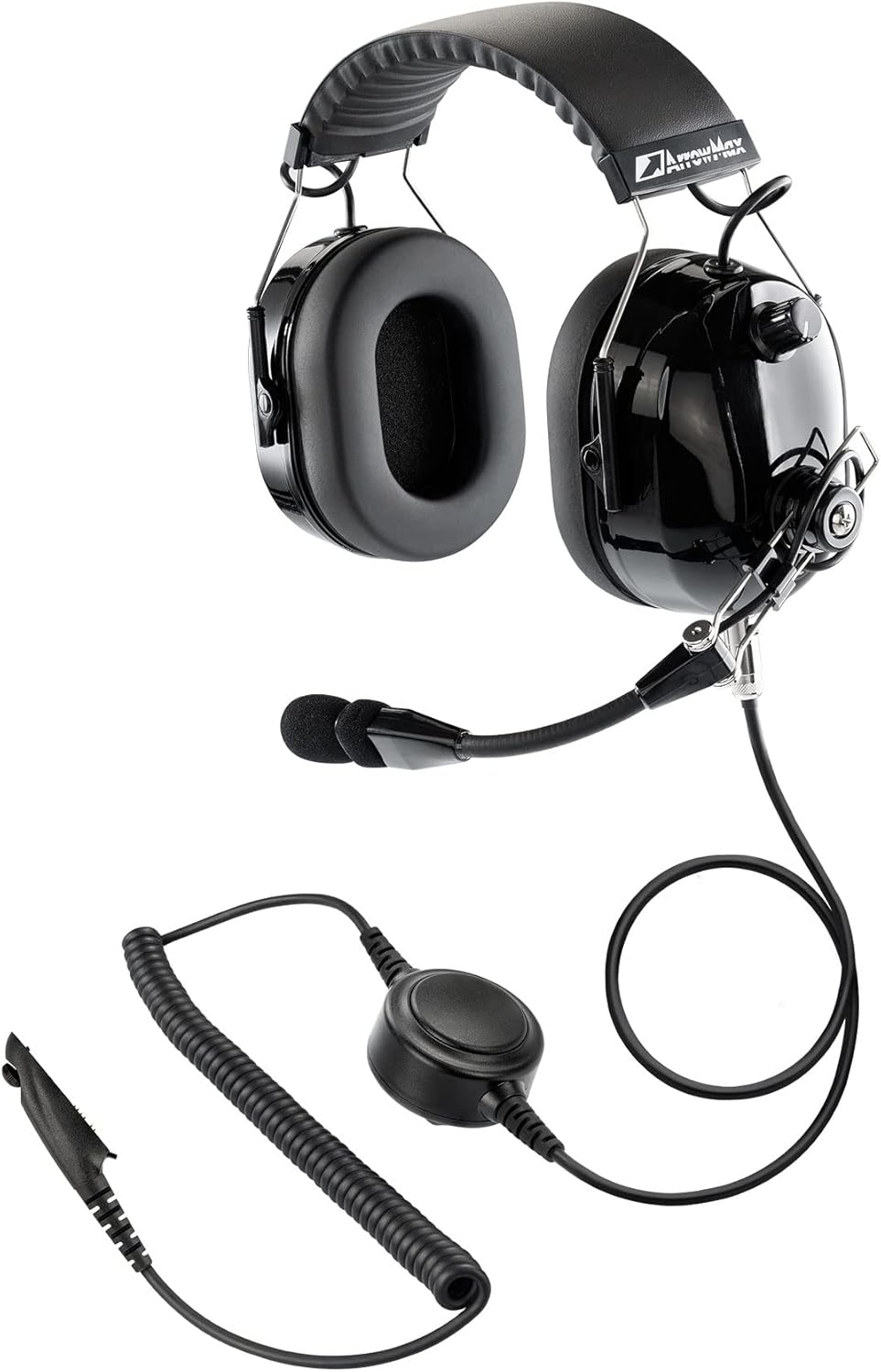
Figure 1: Arrowmax AHDH0042-BK-M5 Noise Cancelling Headset
2. Vlastnosti produktu
- 24dB Noise Attenuation: Designed to reduce ambient noise for clearer communication.
- Exchangeable Microphone: Allows for easy replacement or upgrade of the microphone (e.g., to Dynamic Microphone part# AHMC0003D or Electric Microphone part# AHMC0001E).
- 5-Pin Modular Plug Cable: Features a universal 5-pin industry standard cable connector port for versatile compatibility.
- Durable Skeletal Style and Adjustable Boom: Constructed from durable metal for long-lasting use, with a multi-axis wire boom for optimal microphone positioning.
- HD Speakers: High-definition audio speakers for clear sound reproduction.
- High-Quality Enduring Comfort Ear Pads: Provides long-lasting comfort during extended use.
- Nezávislé ovládání hlasitosti: Easier and faster adjustment to support your immediate volume demand.
3. Nastavení a kompatibilita
The Arrowmax AHDH0042-BK-M5 headset is compatible with a wide range of Motorola two-way radios. Ensure your radio model is listed below for proper functionality.
3.1 Compatible Radio Models:
- Motorola HT750, HT1250, HT1250 LS, HT1500 XLS, HT1550, HT1550 XLS Professional Portable
- PRO5150, PRO5350, PRO5450, PRO5550, PRO5460, PRO5750, PRO7150, PRO7350, PRO7450, PRO7550, PRO7750, PRO9150
- GP140, GP240, GP280, GP320, GP328, GP329, GP330, GP338, GP339, GP340 ATEX, GP360, GP380, GP380 ATEX, GP540, GP580 ATEX, GP640, GP650, GP680, GP680 ATEX, GP1280
Note: GP328 Plus, GP338 Plus, GP628 Plus, GP638 Plus, GP629 Plus, GP639 Plus, PRO5150 Elite, PRO5151 Elite, PRO7150 Elite are NOT compatible.
3.2 Connecting the Headset:
The headset features a switchable 5-pin push-to-talk (PTT) cable for seamless compatibility. Connect the M5 plug of the cable to your compatible two-way radio.
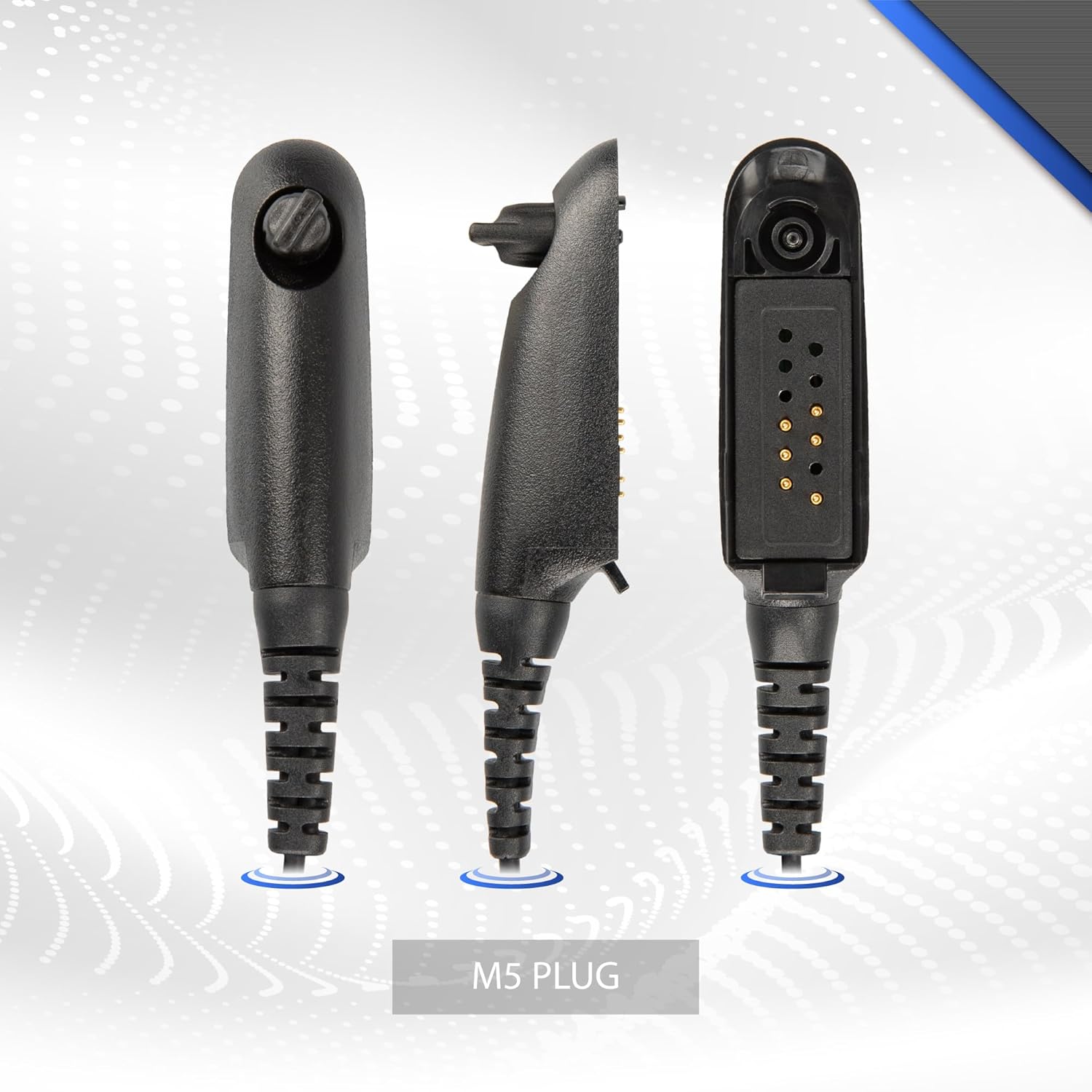
Figure 2: M5 Plug for Headset Connection
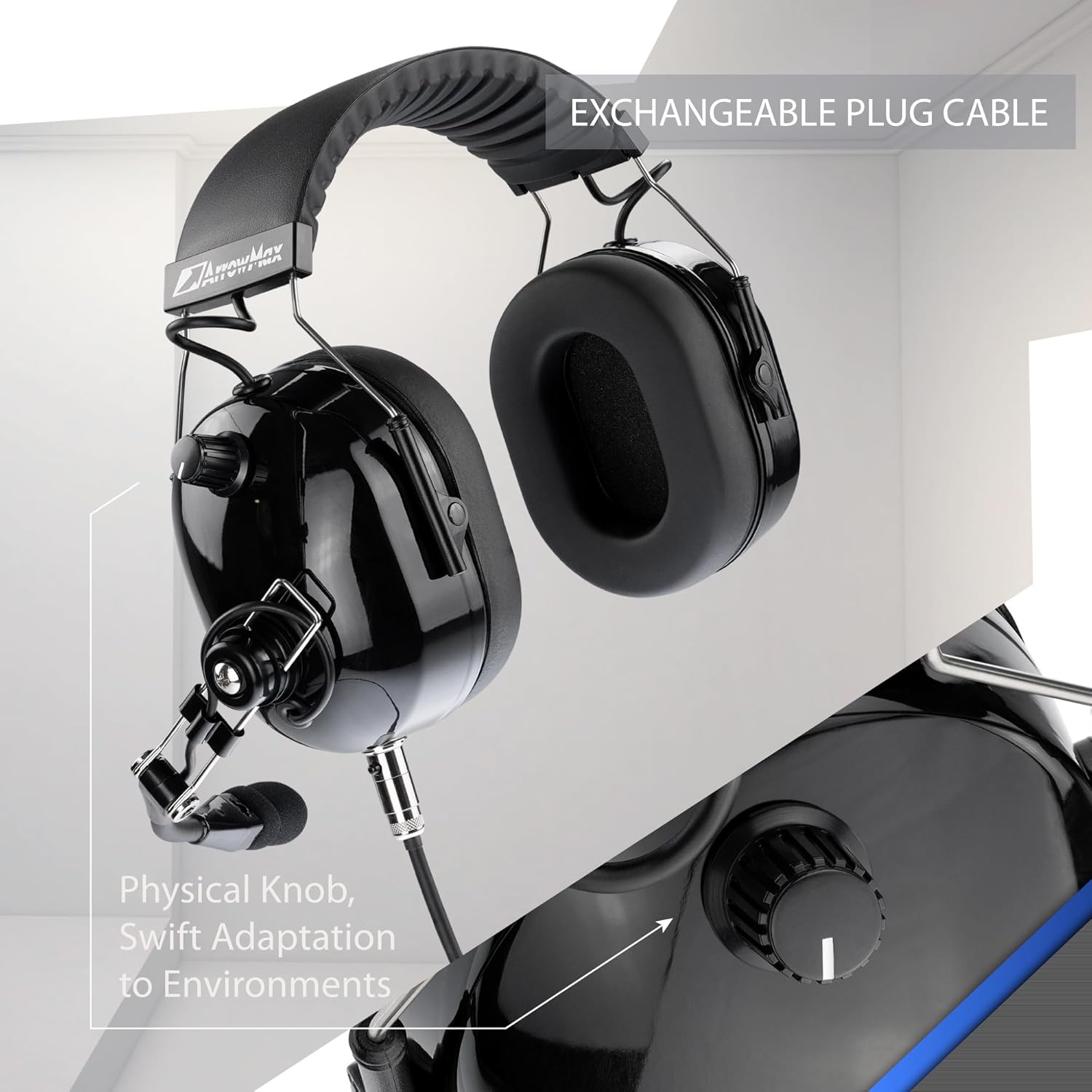
Figure 3: Exchangeable Plug Cable and Volume Knob
The modular design allows for interchangeability with various 5-pin cables, supporting different types of two-way radios.
Video 1: Konecview of ArrowMax AHDH0042 Series Noise Isolation Headphone features, including comfort, PTT, multi-axis boom, 5-pin modular design, high-quality ear pads, HD speakers, and independent volume control.
4. Návod k obsluze
4.1 Ovládání hlasitosti:
Adjust the audio levels using the independent volume control knob conveniently located on one of the ear-cups. Rotate the knob clockwise to increase volume and counter-clockwise to decrease it.
4.2 Push-to-Talk (PTT) Functionality:
The headset features a quick-access PTT button located on the right side of the ear-cup. Press and hold this button to transmit your voice, and release it to listen.
4.3 Microphone Adjustment:
The multi-axis wire boom allows for precise positioning of the microphone. Adjust the boom to ensure the microphone is optimally placed for clear voice pickup, typically 1-2 inches from your mouth.
5. Údržba
5.1 Čištění:
Otřete povrch sluchátek s mikrofonem měkkým hadříkemamp cloth. Do not use harsh chemicals or abrasive cleaners. Ensure the headset is dry before storage.
5.2 Replacing Microphone:
The microphone is exchangeable. To replace, carefully remove the screws securing the microphone unit to the boom. Detach the old microphone and attach the new one, securing it with the screws. Refer to Figure 4 for visual guidance.

Figure 4: Exchangeable Microphone
5.3 Ear Pad Care:
The high-quality ear pads are designed for comfort and durability. Periodically inspect them for wear and tear. Replacement ear pads can be obtained from authorized Arrowmax dealers.
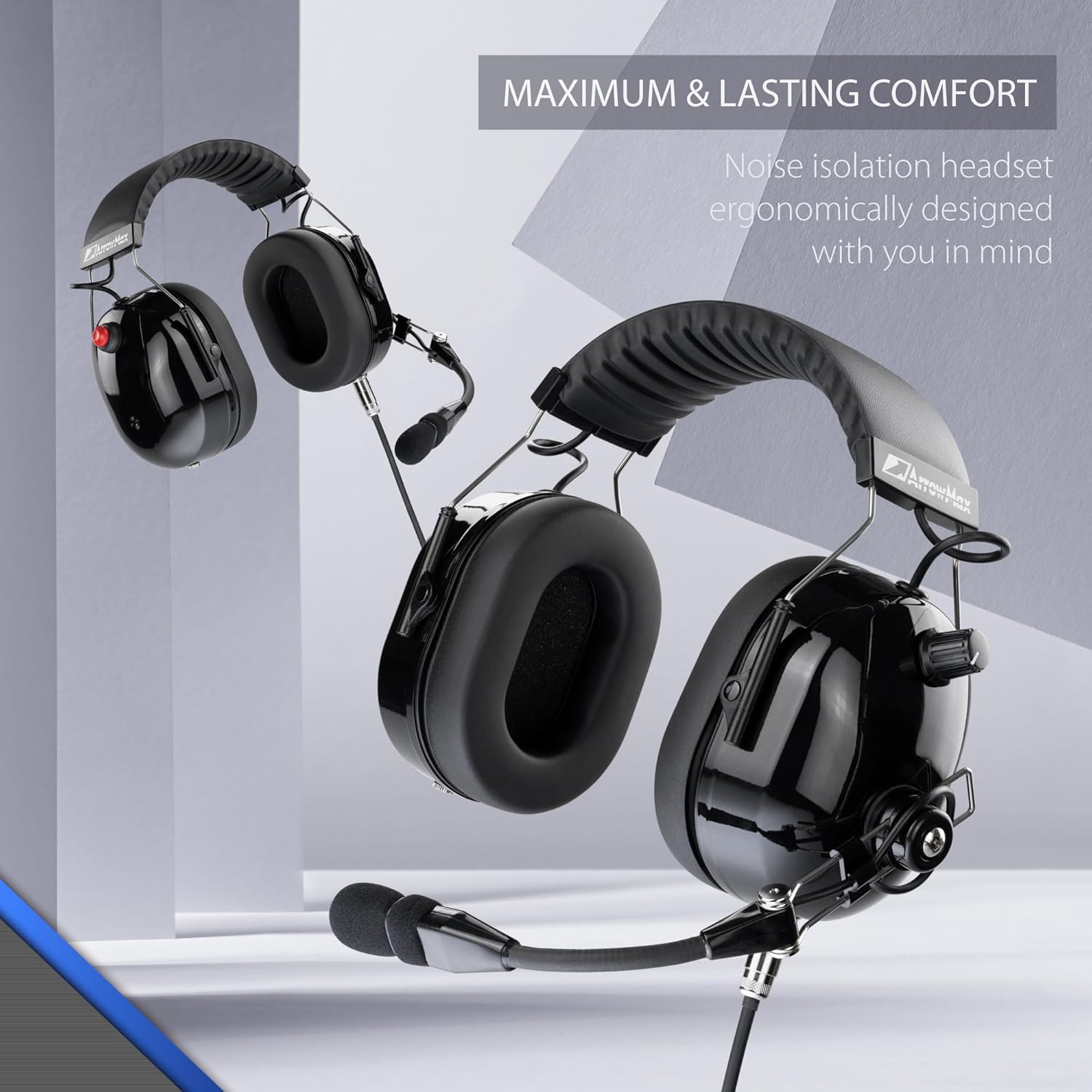
Figure 5: High-Quality Ear Pads for Maximum Comfort
6. Řešení problémů
- Žádný zvuk/nízká hlasitost:
- Check if the headset cable is securely connected to the radio.
- Ensure the volume knob on the headset is turned up.
- Verify the radio's volume setting.
- Confirm radio compatibility (refer to Section 3.1).
- Mikrofon nevysílá:
- Ensure the PTT button is fully pressed during transmission.
- Check microphone connection and ensure it is properly seated.
- Inspect the microphone for any visible damage.
- Zkreslený zvuk:
- Zkontrolujte, zda nejsou uvolněné kabelové spoje.
- Ensure the microphone is not too close or too far from your mouth.
- Test with another radio if possible to rule out radio issues.
If issues persist after following these steps, please contact Arrowmax customer support.
7. Specifikace
| Funkce | Popis |
|---|---|
| Značka | Arrowmax |
| Model | AHDH0042-BK-M5 |
| Materiál | Kov |
| Typ ovládání | Ovládání hlasitosti |
| Funkce kabelu | Stahovací |
| Počet položek | 1 |
| UPC | 706212529796 |
| Umístění uší | Přes ucho |
| Form Factor | Přes ucho |
| Technologie připojení | Kabelové |
| Věkové rozmezí (popis) | Dospělý |
8. Záruka a podpora
For warranty information and customer support, please refer to the documentation included with your purchase or visit the official Arrowmax webUschovejte si doklad o koupi pro případné reklamace.
Můžete také navštívit Arrowmax Store on Amazon pro více informací a aktualizace produktů.


