Zavedení
This manual provides comprehensive instructions for the setup, operation, maintenance, and troubleshooting of your ASUS ROG Strix OLED XG32UCWMG Gaming Monitor. Please read this manual thoroughly before using the product to ensure proper functionality and to prevent damage.
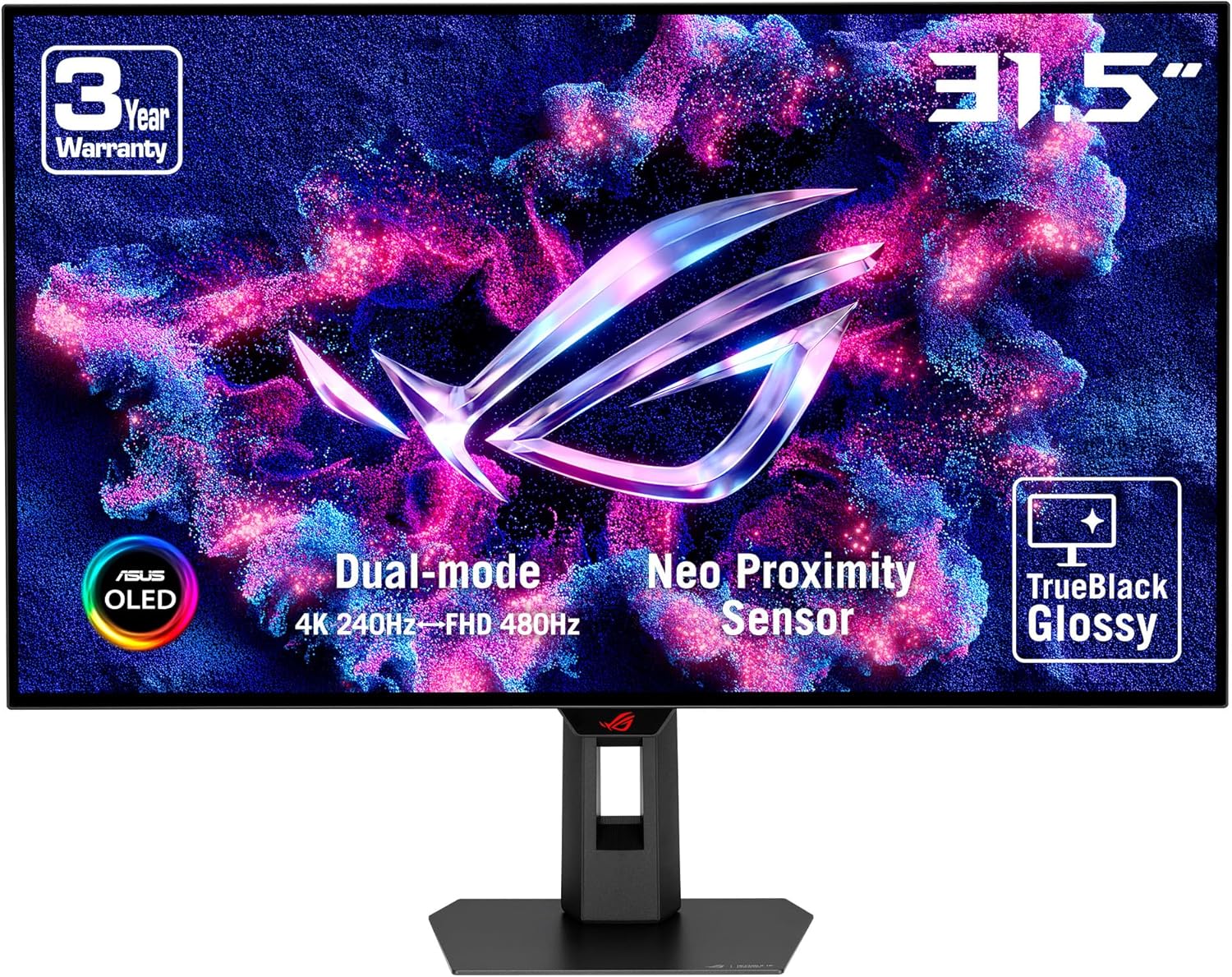
Přední view of the ASUS ROG Strix OLED XG32UCWMG Gaming Monitor, showcasing its 31.5-inch display, dual-mode capabilities (4K 240Hz / FHD 480Hz), Neo Proximity Sensor, and TrueBlack Glossy panel.
Pokyny pro nastavení
Při nastavení monitoru postupujte takto:
- Rozbalení: Carefully remove all components from the packaging. Ensure all parts are present: monitor panel, stand base, stand neck, power adapter, and necessary cables (HDMI, DisplayPort, USB-C).
- Sestavte stojan:
- Attach the stand neck to the stand base using the provided screws.
- Attach the assembled stand to the back of the monitor panel. Ensure it clicks securely into place or is fastened with screws as per the quick start guide.

Illustration of the monitor's compact and ergonomic stand, demonstrating height adjustment, swivel, and tilt capabilities. The stand is designed to be 45% smaller than previous models.
- Připojit kabely:
- Moc: Connect the power adapter to the monitor and then to a power outlet.
- Video vstup: Connect one end of an HDMI 2.1, DisplayPort 1.4 (DSC), or USB-C cable to the corresponding port on the monitor and the other end to your computer's graphics card.
- USB Hub: Connect the USB-C cable from the monitor to your computer to enable the integrated USB 3.0 ports on the monitor.
- Umístění monitoru: Adjust the monitor's height, tilt, and swivel for optimal viewpohodlí.
- Zapnutí: Stiskněte tlačítko napájení na monitoru.
Návod k obsluze
Nabídka na obrazovce (OSD).
The OSD menu allows you to adjust various monitor settings. Access it using the joystick or buttons located on the monitor.
Klíčové funkce a nastavení
- Dual Mode (4K@240Hz / FHD@480Hz): This monitor supports a versatile dual mode. You can switch between 4K resolution at 240Hz and Full HD resolution at 480Hz using a dedicated hotkey or through the OSD menu. This allows for flexibility between high-resolution detail and ultra-high refresh rate performance.

Visual representation of the monitor's Dual-Mode Display, illustrating the ability to switch between 4K at 240Hz and Full HD at 480Hz via a hotkey.
- TrueBlack Glossy Panel: The exclusive TrueBlack Glossy WOLED panel provides ultra-sharp visuals and deep, inky blacks by offering a veil-free surface.
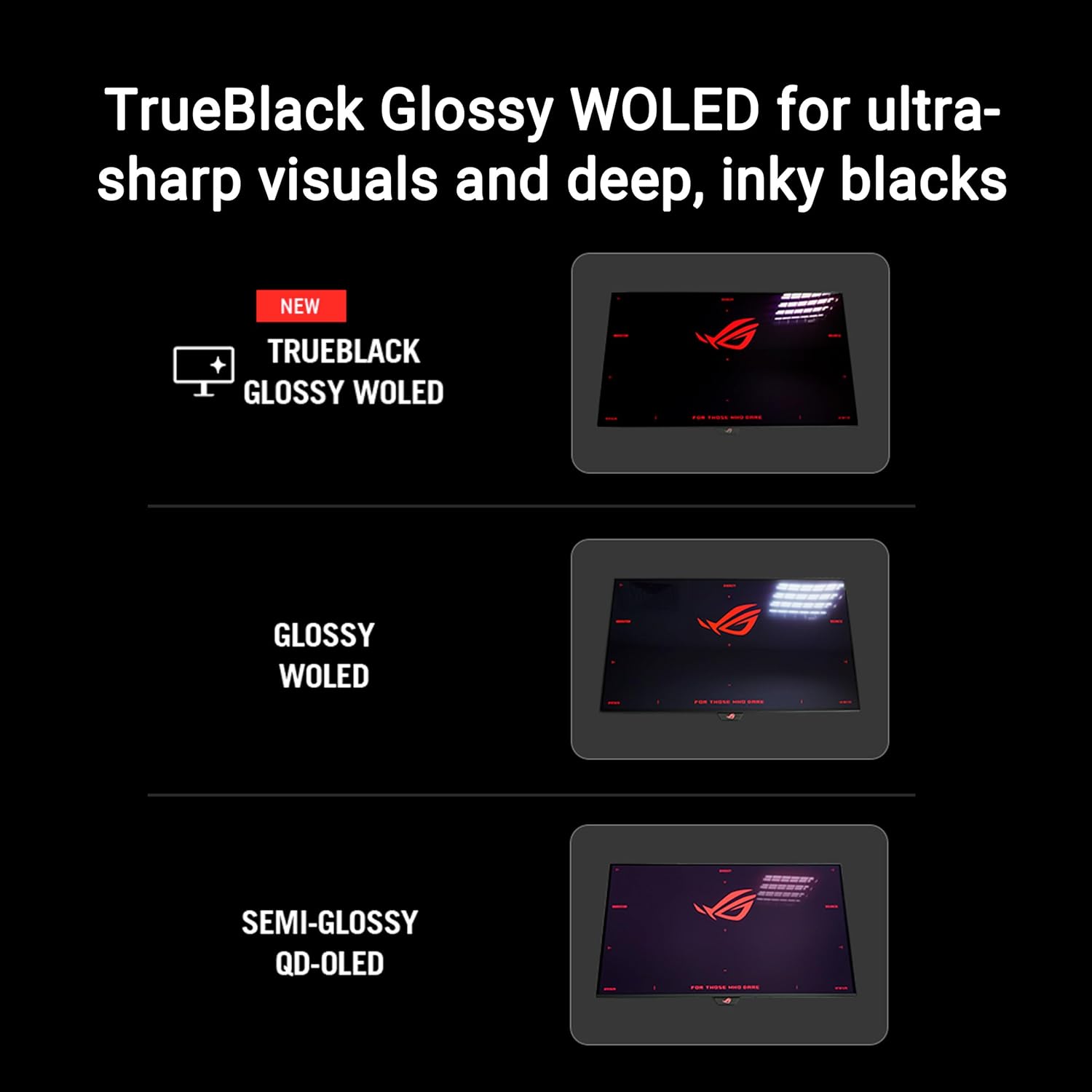
Comparison illustrating the visual difference between TrueBlack Glossy WOLED, standard Glossy WOLED, and Semi-Glossy QD-OLED panels, highlighting the superior sharpness and black levels of the TrueBlack Glossy WOLED.
- Ovládání poměru stran: Adjust the aspect ratio to optimize the display for different game genres and devices. Options typically include 24-inch, 27-inch, Square Equivalent, and Square Full modes.

Diagram showing various Aspect Ratio Control options, including simulated 24-inch and 27-inch displays, along with Square Equivalent and Square Full modes, for adapting to different content.
- KVM Automatic Switch: The integrated KVM switch allows you to control two devices connected to the monitor using a single keyboard and mouse. The monitor can automatically switch input based on activity.
- Kompatibilní s G-SYNC: This monitor supports NVIDIA G-SYNC technology for a tear-free gaming experience. Ensure your graphics card drivers are up to date and G-SYNC is enabled in your NVIDIA control panel.
Údržba
Čištění monitoru
- Před čištěním vždy vypněte monitor a odpojte napájecí kabel.
- Použijte měkký hadřík, který nepouští vlákna dampvodou nebo jemným, neabrazivním čističem obrazovek.
- Nestříkejte kapalinu přímo na obrazovku.
- Avoid using benzene, thinner, ammonia-based cleaners, or abrasive cleaning agents.
ASUS OLED Care Pro Technology
This monitor features advanced OLED Care Pro functions designed to protect the OLED panel from potential burn-in and ensure its longevity. These functions include:
- Neo senzor přiblížení: Automatically detects when a user is away from the screen and switches to a black screen to reduce the risk of image retention.
- Uložit obrazovku: Activates a screen saver when the monitor is idle.
- Čištění pixelů: A routine process that refreshes the pixels to prevent image retention. This typically runs automatically when the monitor is in standby.
- Přesun pixelů: Mírně posune obraz, aby se zabránilo vypálení obrazu statickými prvky.
- Detekce na hlavním panelu: Automatically dims or hides the Windows taskbar to prevent burn-in from static elements.
- Nastavení jasu loga: Reduces the brightness of static logos or UI elements.
- Globální detekce stmívání: Adjusts overall screen brightness based on content to protect the panel.
- Detekce vnějšího stmívání: Dims static elements around the edges of the screen.
These features can be managed and configured via the OSD menu or through the DisplayWidget Center software.

Nadview of ASUS OLED Care Pro features, highlighting the Neo Proximity Sensor, Screen Save, Pixel Cleaning, Pixel Move, Taskbar Detection, Logo Brightness Adjustment, Global Dimming Detection, and Outer Dimming Detection, all designed to protect the OLED panel.
Odstraňování problémů
| Problém | Možné řešení |
|---|---|
| Na obrazovce není žádný obraz |
|
| Image retention / Burn-in |
|
| Blikající nebo zkreslený obraz |
|
| USB porty nefungují |
|
Specifikace
| Funkce | Detail |
|---|---|
| Název modelu | ROG Strix OLED XG32UCWMG |
| Velikost panelu | 31.5 palce (třída 32 palců) |
| Typ panelu | WOLED, TrueBlack Glossy |
| Rezoluce | 4K UHD (3840 x 2160) |
| Obnovovací frekvence |
|
| Doba odezvy | 0.03 ms (GTG) |
| Poměr stran | 16:9 |
| Konektivita |
|
| Technologie adaptivní synchronizace | Kompatibilní s G-SYNC |
| Podpora HDR | VESA DisplayHDR 400 True Black |
| Speciální funkce | ASUS OLED Care Pro, Neo Proximity Sensor, KVM Automatic Switch, DisplayWidget Center |
| Rozměry (DxŠxV) | 10.79 x 28.11 x 22.8 palce (se stojanem) |
| Hmotnost | 16.06 liber (se stojanem) |
| Barva | Černý |
Záruka a podpora
Informace o záruce
The ASUS ROG Strix OLED XG32UCWMG Gaming Monitor typically comes with a 3letá omezená záruka from the date of purchase. This warranty covers manufacturing defects and workmanship under normal use. Please refer to the warranty card included with your product or visit the official ASUS support website for detailed terms and conditions, including specific coverage for OLED panels.
Zákaznická podpora
For technical assistance, troubleshooting beyond this manual, or warranty claims, please contact ASUS customer support:
- Podpora ASUS Webmísto: www.asus.com/support/
- Refer to your product's packaging or the ASUS webstránky s regionálními kontaktními čísly a servisními středisky.
When contacting support, please have your monitor's model number (XG32UCWMG) and serial number ready.


