Zavedení
This manual provides detailed instructions for the safe and effective use of your OPPO Enco Air 3 True Wireless Earbuds. Please read this manual thoroughly before using the product and retain it for future reference.

Image: OPPO Enco Air 3 True Wireless Earbuds and their charging case. The earbuds are white, with a sleek, in-ear design, and are shown partially inserted into the matching white, translucent charging case. The OPPO logo is visible on the case.
Obsah balení
Ujistěte se, že v balení jsou přítomny všechny položky:
- OPPO Enco Air 3 True Wireless Earbuds (Left and Right)
- Nabíjecí pouzdro
- Nabíjecí kabel USB (typu C)
- Uživatelská příručka (tento dokument)
Nastavení
1. Nabíjení sluchátek a pouzdra
Před prvním použitím sluchátka a nabíjecí pouzdro plně nabijte.
- Vložte sluchátka do nabíjecího pouzdra.
- Připojte nabíjecí kabel USB k nabíjecímu portu na pouzdře a ke zdroji napájení.
- The indicator light on the case will show charging status. A full charge provides up to 6 hours of playback for the earbuds and an additional 19 hours with the charging case.
- A quick 10-minute charge of the case can provide up to 2 hours of listening time for the earbuds.

Image: Illustration showing the OPPO Enco Air 3 earbuds in their charging case, with a graphic indicating "Up to 25 Hours of Playtime" and "6 Hours Buds + 19 Hours Charging Case".
2. Spárování se zařízením
The OPPO Enco Air 3 earbuds support seamless Bluetooth 5.3 connectivity.
- První párování:
- Otevřete nabíjecí pouzdro se sluchátky uvnitř.
- Na svém smartphonu nebo zařízení povolte Bluetooth.
- A pop-up window should appear on your phone (for OPPO devices or devices with HeyMelody app installed) to quickly pair. Tap to confirm.
- If no pop-up appears, go to your device's Bluetooth settings and select "OPPO Enco Air 3" from the list of available devices.
- Opětovné spárování: The earbuds will automatically connect to the last paired device when taken out of the case.
- New Device Pairing: To pair with a new device, place the earbuds in the case, open the lid, and press and hold the function button on the case (if available, or refer to device-specific instructions) until the indicator light flashes, then select "OPPO Enco Air 3" on the new device.

Image: A graphic displaying "The New Generation of Bluetooth 5.3" with a stylized image of an earbud's internal circuitry and the Bluetooth logo, indicating advanced wireless connectivity.
3. HeyMelody App (Recommended)
For enhanced control and customization, download the HeyMelody app from your device's app store. The app allows you to:
- Přizpůsobte si dotykové ovládání.
- Upravte nastavení ekvalizéru.
- Aktualizujte firmware.
- Získejte přístup k dalším funkcím.
Návod k obsluze
1. Stiskněte Ovládací prvky
The OPPO Enco Air 3 earbuds feature intuitive touch controls. Default controls typically include:
- Dvojí poklepání: Přehrát/Pozastavit hudbu, Přijmout/Ukončit hovor.
- Trojité klepnutí: Přejít na další skladbu.
- Dotkněte se a podržte: Activate voice assistant, switch noise control modes (if applicable).
Note: Specific touch controls can be customized via the HeyMelody app.
2. Uskutečňování a přijímání hovorů
The earbuds utilize DNN Noise Cancellation for clear calls, even in noisy environments.
- Přijmout hovor: Dvakrát klepněte na kterékoli sluchátko.
- Ukončit hovor: Dvakrát klepněte na kterékoli sluchátko.
- Odmítnout hovor: Dotkněte se kteréhokoli sluchátka a podržte je po dobu 2 sekund.
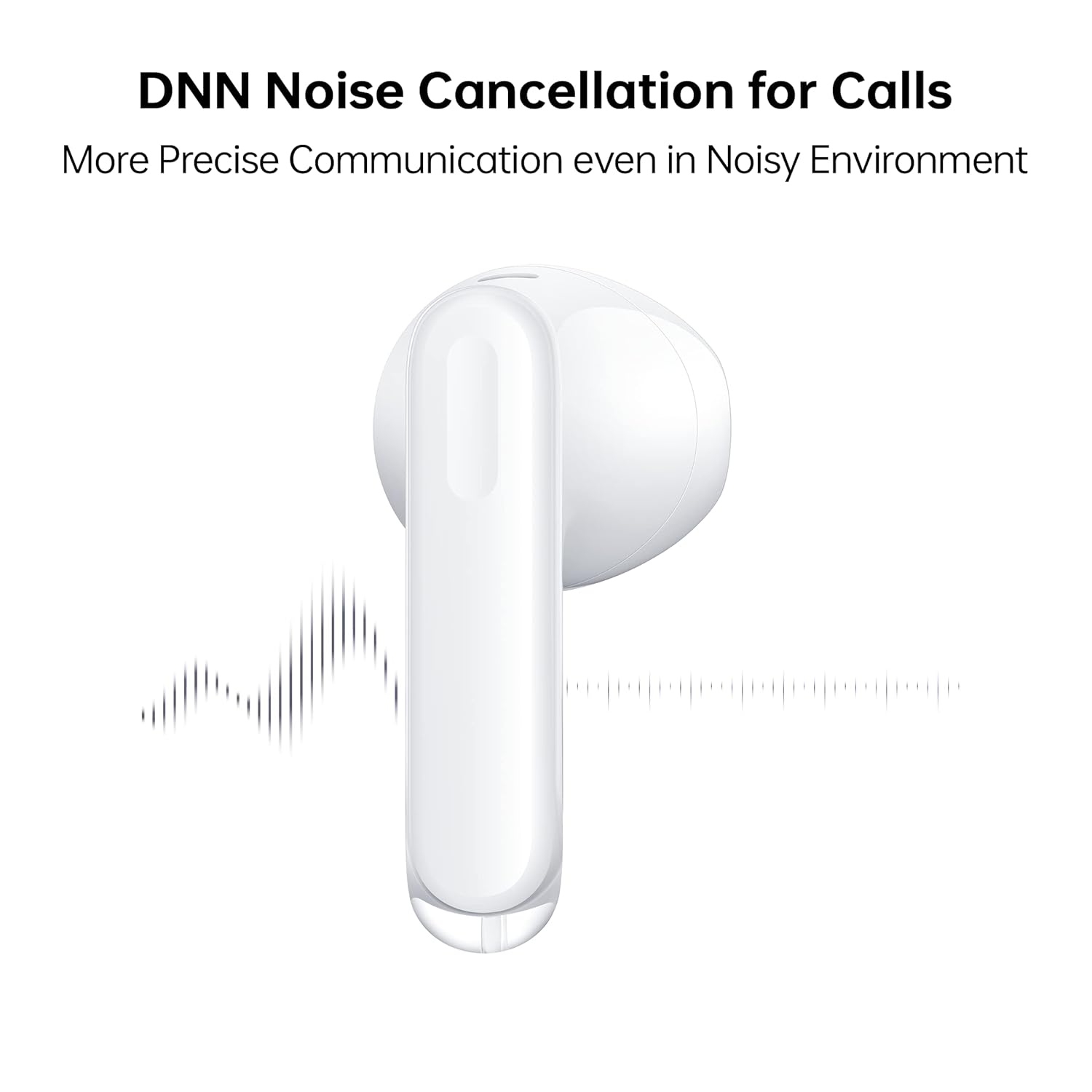
Image: A close-up of an OPPO Enco Air 3 earbud, with sound wave graphics emanating from it, illustrating the DNN Noise Cancellation feature for clearer communication.
3. Herní režim
Activate Gaming Mode for an ultra-low latency experience, reducing audio delay to 47ms on the earbuds and 94ms end-to-end.
- Gaming Mode can typically be activated or deactivated through the HeyMelody app or via a specific touch control gesture (refer to app settings for customization).

Image: An OPPO Enco Air 3 earbud next to a smartphone displaying a racing game, highlighting the "47ms Ultra-Low Latency" feature for an enhanced gaming experience.
4. Zvukové funkce
The OPPO Enco Air 3 incorporates advanced audio technology for a superior listening experience:
- Cadence HiFi5 DSP: Features an audiophile-grade digital signal processor for enhanced sound processing.
- 13.4mm Large Composite Driver: Delivers powerful and dynamic bass.
- OPPO Alive Audio: Provides a wider sound stage and a 360-degree surround sound experience.

Image: A detailed illustration of the Cadence HiFi5 DSP chip, emphasizing its role in audiophile-grade sound processing within the OPPO Enco Air 3 earbuds.

Obrázek: Explodoval view diagram of an OPPO Enco Air 3 earbud, highlighting its internal components, specifically the 13.4mm large composite driver responsible for sound output.
Údržba a péče
1. Čištění
- Pravidelně čistěte sluchátka a nabíjecí pouzdro měkkým, suchým hadříkem, který nepouští vlákna.
- Nepoužívejte abrazivní čisticí prostředky, alkohol ani chemická rozpouštědla.
- Gently remove any earwax or debris from the earbud mesh and charging contacts using a dry cotton swab or a soft brush.
2. Odolnost proti vodě a prachu
The OPPO Enco Air 3 earbuds are rated IP54 for dust and water resistance.
- This rating indicates protection against limited dust ingress and splashing water from any direction.
- They are suitable for use during workouts or in light rain.
- Ne submerge the earbuds in water or expose them to high-pressure water jets.
- Nabíjecí pouzdro není voděodolné.
- Před vložením sluchátek zpět do nabíjecího pouzdra se ujistěte, že jsou suchá, abyste předešli jejich poškození.

Image: Two OPPO Enco Air 3 earbuds with water droplets around them, illustrating their IP54 dust and water resistance feature.
3. Skladování
- Pokud sluchátka nepoužíváte, uložte je do nabíjecího pouzdra, aby byla chráněna a zůstávala nabitá.
- Vyhněte se extrémním teplotám a přímému slunečnímu záření.
Odstraňování problémů
If you encounter issues with your OPPO Enco Air 3 earbuds, try the following solutions:
1. Earbuds Not Pairing/Connecting
- Ujistěte se, že je na vašem zařízení povoleno Bluetooth.
- Ujistěte se, že jsou sluchátka nabitá.
- Place the earbuds back in the case, close the lid, wait a few seconds, then open it again to re-initiate pairing mode.
- Try forgetting the device ("OPPO Enco Air 3") from your device's Bluetooth settings and re-pairing.
- Restartujte zařízení.
2. Žádný zvuk nebo nízká hlasitost
- Zkontrolujte úroveň hlasitosti na zařízení i ve sluchátkách.
- Ujistěte se, že jsou sluchátka správně usazena v uších.
- Vyčistěte síťku sluchátek od nečistot.
- Ověřte, zda jsou sluchátka připojena ke správnému zvukovému výstupu na vašem zařízení.
3. Problémy s nabíjením
- Ujistěte se, že je nabíjecí kabel bezpečně připojen k pouzdru i ke zdroji napájení.
- Zkuste jiný kabel USB-C a napájecí adaptér.
- Vyčistěte nabíjecí kontakty na sluchátkách i uvnitř pouzdra.
4. Unresponsive Touch Controls
- Při používání dotykového ovládání se ujistěte, že máte čisté a suché prsty.
- Restart the earbuds by placing them in the case and closing the lid.
- Check the HeyMelody app for any customized control settings or firmware updates.
Specifikace
| Funkce | Detail |
|---|---|
| Název modelu | ETE31 |
| Číslo modelu položky | 6672827 |
| Technologie připojení | Bezdrátové (Bluetooth) |
| Verze Bluetooth | 5.3 |
| Typ zvukového ovladače | Dynamický měnič (13.4 mm) |
| Výdrž baterie (sluchátka) | Až 6 hodin |
| Výdrž baterie (s nabíjecím pouzdrem) | Až 25 hodin |
| Rychlé nabíjení | 10 minutes charge for 2 hours playback (earbuds via case) |
| Latence | 47ms (earbuds), 94ms (end-to-end) in Gaming Mode |
| Kontrola hluku | DNN Noise Cancellation for Calls |
| Úroveň odolnosti proti vodě | IP54 (sluchátka) |
| Kontrolní metoda | Dotek |
| Hmotnost sluchátek | 3.7 gramů (každý) |
| Celková hmotnost položky | 37 gramů |
| Rozměry produktu | 3.3 x 1.8 x 1.7 cm |
| Kompatibilní zařízení | Cellphones, Gaming Consoles, Laptops, Tablets |
| Výrobce | Guangdong Oppo Mobile Telecommunications Corp, Ltd. |
Záruka a podpora
Your OPPO Enco Air 3 True Wireless Earbuds come with a 1-letá záruka od data nákupu. Uschovejte si prosím doklad o koupi pro případné reklamace.
For technical support, service, or warranty inquiries, please contact OPPO customer service through their official webmístě nebo v autorizovaných servisních střediscích.
Výrobce: Guangdong Oppo Mobile Telecommunications Corp, Ltd. NO.18, HAIBIN ROAD, WUSHA, CHANGAN, DONGUAN, GUANGDONG, China
Dovozce (Indie): Oppo Mobiles India Private Limited 5th Floor, Tower-B, Building No. 8, DLF Cyber City, Gurugram, Haryana-122002, India


