Zavedení
Welcome to your Hama Bluetooth Mouse Canosa V2. This manual provides detailed instructions for the setup, operation, maintenance, and troubleshooting of your new wireless mouse. Please read this manual carefully to ensure proper use and to maximize the lifespan of your device.
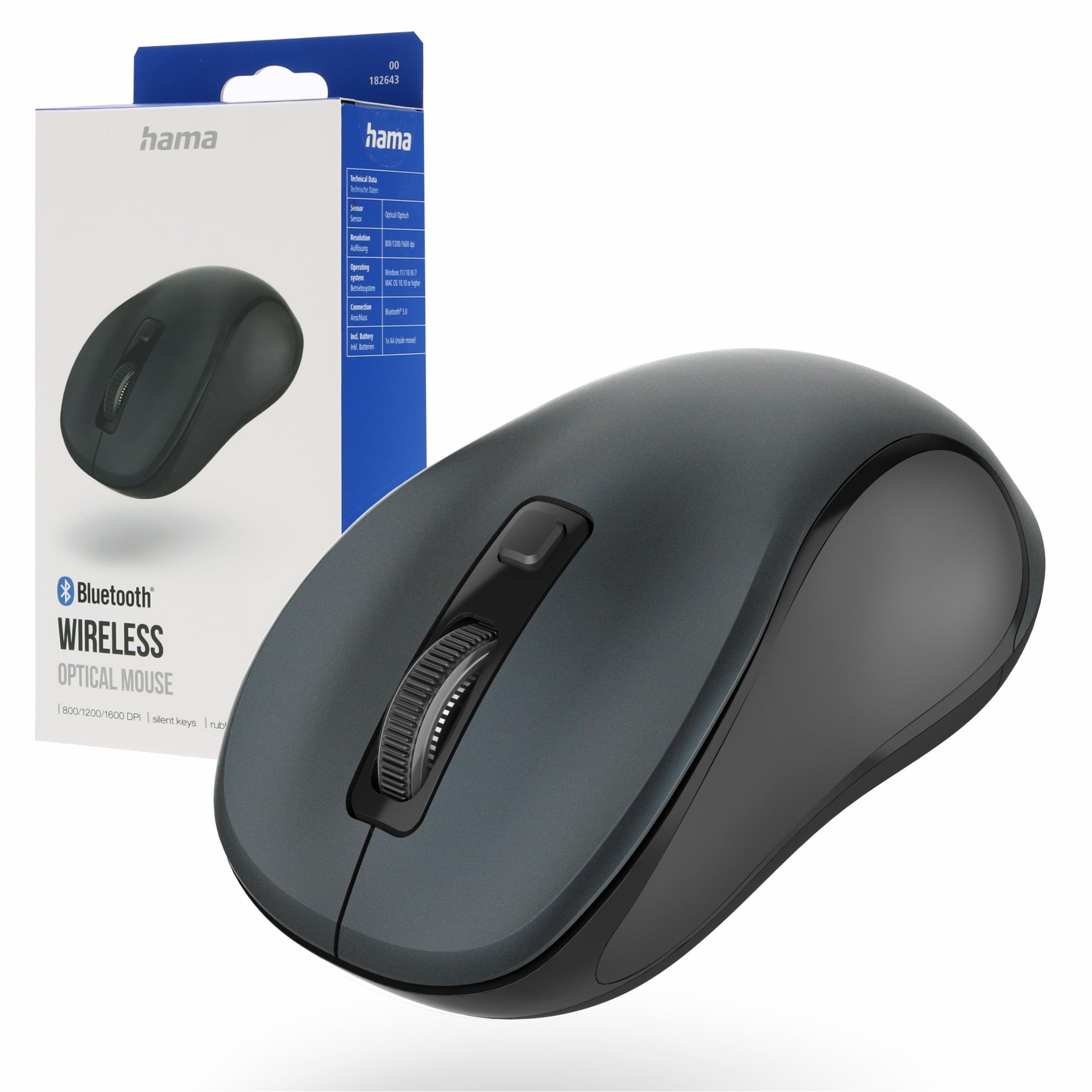
Image: Hama Bluetooth Mouse Canosa V2, showcasing its compact design and anthracite finish.
Obsah balení
Po vybalení zkontrolujte obsah balení, abyste se ujistili, že jsou přítomny všechny položky:
- 1 x Hama Bluetooth Mouse Canosa V2
- 1 x AA Mignon Battery
- 1 x Uživatelská příručka
Nastavení
1. Vložení baterie
Locate the battery compartment on the underside of the mouse. Gently slide open the cover. Insert the provided AA Mignon battery, ensuring that the positive (+) and negative (-) terminals align correctly with the markings inside the compartment. Close the battery cover securely.

Image: The underside of the mouse with the battery compartment open, illustrating correct battery insertion.
2. Párování přes Bluetooth
- Ensure the mouse is switched on using the ON/OFF switch located on its underside.
- On your computer, laptop, or tablet, navigate to the Bluetooth settings.
- Povolte Bluetooth a spusťte vyhledávání nových zařízení.
- Select "Hama Canosa V2" from the list of available devices.
- Follow any on-screen prompts to complete the pairing process. The mouse should now be connected and ready for use.

Image: A visual representation of a device's Bluetooth settings menu, showing the Hama Canosa V2 ready for pairing.
Operace
1. Zapnutí/vypnutí
To power the mouse on or off, use the dedicated ON/OFF switch located on the underside. Switching the mouse off when not in use helps conserve battery life.
2. Základní funkce
The Hama Canosa V2 mouse features standard left-click and right-click buttons, along with a scroll wheel for navigation. The silent keys are designed to provide a quiet working environment, minimizing click noise.
3. Nastavení DPI
The mouse allows for on-the-fly DPI (Dots Per Inch) adjustment. Press the DPI button, typically located near the scroll wheel, to cycle through different sensitivity settings. This feature enables you to adjust the cursor speed to your preference or task requirements.

Obrázek: Nahoře view of the mouse, indicating the positions of the left-click, right-click, scroll wheel, and DPI button.
Údržba
Proper maintenance ensures the longevity and optimal performance of your mouse:
- Čištění: Regularly clean the mouse with a soft, dry, lint-free cloth. Avoid using harsh chemicals, abrasive cleaners, or solvents, as these can damage the surface.
- Péče o senzor: Keep the optical sensor on the underside of the mouse clean and free from dust or debris for accurate tracking.
- Výměna baterie: Replace the AA battery when the mouse's performance degrades, or it stops responding. Always dispose of used batteries responsibly according to local regulations.
Odstraňování problémů
Myš nereaguje:
- Ensure the mouse is switched on using the ON/OFF switch.
- Check if the AA battery is correctly inserted and has sufficient charge. Replace the battery if necessary.
- Verify the Bluetooth connection on your computer or device. Try re-pairing the mouse if the connection is lost.
- Move the mouse closer to your device to rule out range-related issues.
Pohyb kurzoru je nepravidelný nebo nepřesný:
- Vyčistěte optický senzor na spodní straně myši, abyste odstranili prach a nečistoty.
- Ensure you are using the mouse on a suitable surface. Avoid highly reflective, transparent, or uneven surfaces that can interfere with optical tracking.
Párování Bluetooth selhalo:
- Ensure no other Bluetooth devices are actively interfering with the pairing process.
- Restart your computer or device and attempt the pairing process again.
- Check that your device's Bluetooth drivers are up to date.
Specifikace
| Značka | Hama |
| Název modelu | Canosa V2 |
| Technologie připojení | Bluetooth |
| Speciální funkce | Wireless, Silent Keys, Rubberized Sides |
| Technologie detekce pohybu | Optický |
| Počet tlačítek | 3 |
| Typ baterie | 1 x AA Mignon (included) |
| Kompatibilní operační systémy | Mac OS X 10.0 Cheetah, Windows 7, Windows 8, Windows 10, Windows 11 |
| Kompatibilní zařízení | Laptop, MacBook, Notebook, Personal Computer, Tablet |
| Barva | Antracit |
| Číslo modelu | 00182643 |
| Země původu | Čína |
Záruka a podpora
Hama products are covered by a manufacturer's warranty. For specific warranty terms and conditions, including duration and coverage details, please refer to the warranty card included with your product packaging or visit the official Hama webmísto.
For technical support, troubleshooting assistance beyond this manual, or service inquiries, please contact Hama customer service. Contact information can typically be found on the product packaging or through the official Hama webmísto.
Official Hama Webmísto: https://www.hama.com


