Zavedení
This manual provides detailed instructions for the setup, operation, maintenance, and troubleshooting of your Ugoos AM6B Plus TV Box. Please read this manual thoroughly before using the device to ensure optimal performance and longevity.
Co je v krabici
Po otevření balení ověřte, zda jsou v něm obsaženy všechny následující položky:
- Ugoos AM6B Plus TV Box
- IR dálkové ovládání
- 2 Dual-Band Antennas
- 12V 2A Power Adapter (with interchangeable plugs for US/EU/UK/AU)
- HDMI kabel
- Uživatelská příručka (anglicky)
Obrázek 1: Obsah balení. This image displays all items included in the Ugoos AM6B Plus TV Box retail package, including the TV box, IR remote, two dual-band antennas, power adapter with various plug types, HDMI cable, and the user manual.
Video 1: Unboxing the Ugoos AM6B Plus TV Box. This video demonstrates the unboxing process and showcases all components included in the package, providing a visual guide to verify contents.
Konec produktuview
The Ugoos AM6B Plus TV Box features a compact and sleek design, optimized for efficient heat dissipation and easy integration into your home entertainment system.
Přední a boční Views

Obrázek 2: Přední strana view of the Ugoos AM6B Plus TV Box with its remote control. This image highlights the compact design of the TV box and the included IR remote.

Obrázek 3: Strana view of the Ugoos AM6B Plus TV Box with dual-band antennas. This perspective shows the device's profile and the two antenna ports on the side.
Rear Ports and Connections
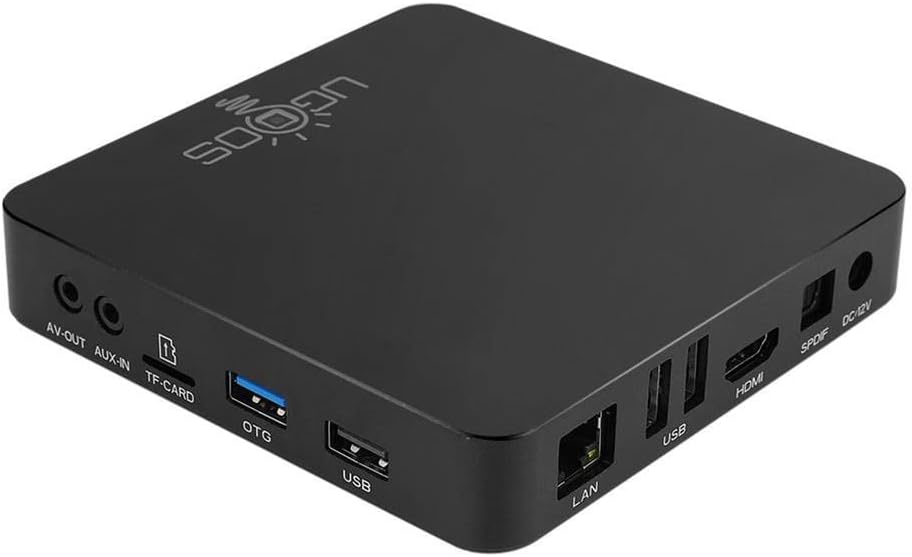
Obrázek 4: Zadní view of the Ugoos AM6B Plus TV Box showing various connectivity ports. This image details the available ports for external connections.
The device is equipped with a variety of ports for versatile connectivity:
- LAN: Gigabitový ethernetový port pro kabelové síťové připojení.
- USB: Multiple USB 2.0 and USB 3.0 ports for external storage or peripherals.
- HDMI: HDMI 2.1 port for video and audio output to a display.
- SPDIF: Optical audio output for high-quality digital audio.
- DC 12V: Port napájení.
- AV VÝSTUP: Analogový audio/video výstup.
- AUX-IN: Pomocný audio vstup.
- TF KARTA: MicroSD card slot for storage extension.
- OTG: On-The-Go USB port.
Průvodce nastavením
Connecting the TV Box
- Připojení napájení: Connect the 12V 2A power adapter to the DC 12V port on the TV box and then plug it into a power outlet.
- Připojení HDMI: Use the provided HDMI cable to connect the HDMI port on the TV box to an HDMI input port on your television or display.
- Síťové připojení (volitelné): For a wired connection, connect an Ethernet cable from your router to the LAN port on the TV box. For Wi-Fi, you will configure it after initial boot-up.
Připojení antén
Screw the two dual-band antennas clockwise into the designated antenna ports on the side of the TV box. Ensure they are securely fastened for optimal wireless signal reception.
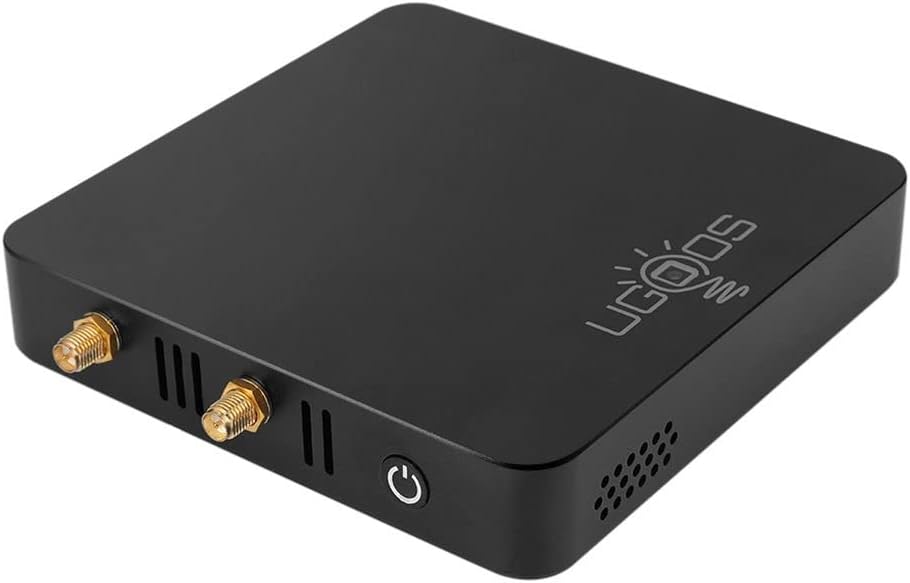
Obrázek 5: Strana view highlighting the antenna connection points. This image shows where the dual-band antennas should be attached.
Návod k obsluze
Počáteční zapnutí
After connecting all necessary cables, press the power button on the TV box or the remote control to turn on the device. The device will boot into the Android 9.0 interface.
Párování dálkového ovládání
The included IR remote control may require pairing for full functionality, especially for Bluetooth features. Refer to the "REMOTE CONTROL INSTRUCTION" paper included in the package for detailed pairing steps. Typically, this involves holding down specific buttons on the remote until an indicator light flashes, then searching for the remote in the TV Box's Bluetooth settings.
Video 2: Remote Control Overview and Pairing. This video segment provides a closer look at the IR remote control and briefly mentions the pairing instructions, emphasizing the importance of reading the included guide.
Android 9.0 Interface
The Ugoos AM6B Plus runs on Android 9.0 Pie, offering a user-friendly interface. Navigate through menus and applications using the remote control's directional pad and OK button.

Figure 6: Screenshot of the Android 9.0 Pie operating system interface. This image illustrates the visual layout of the Android 9.0 system running on the device.
Network Configuration (WiFi6 and Ethernet)
To connect to a wireless network, go to Nastavení > Síť a internet > Wi-Fi, select your network, and enter the password. For wired connections, ensure the Ethernet cable is properly connected; the device should automatically establish a connection.

Figure 7: Diagram illustrating WiFi6 MIMO technology. This graphic highlights the advanced wireless capabilities of the TV box for efficient and stable data transfer.
Konektivita Bluetooth 5.0
To pair Bluetooth devices such as headphones or gamepads, navigate to Nastavení > Připojená zařízení > Spárovat nové zařízení. Select your device from the list to connect.

Figure 8: Comparison chart of Bluetooth data transfer speeds. This chart demonstrates the improved speed of Bluetooth 5.0 compared to older versions, supported by the Ugoos AM6B Plus.
Údržba
System Updates (OTA)
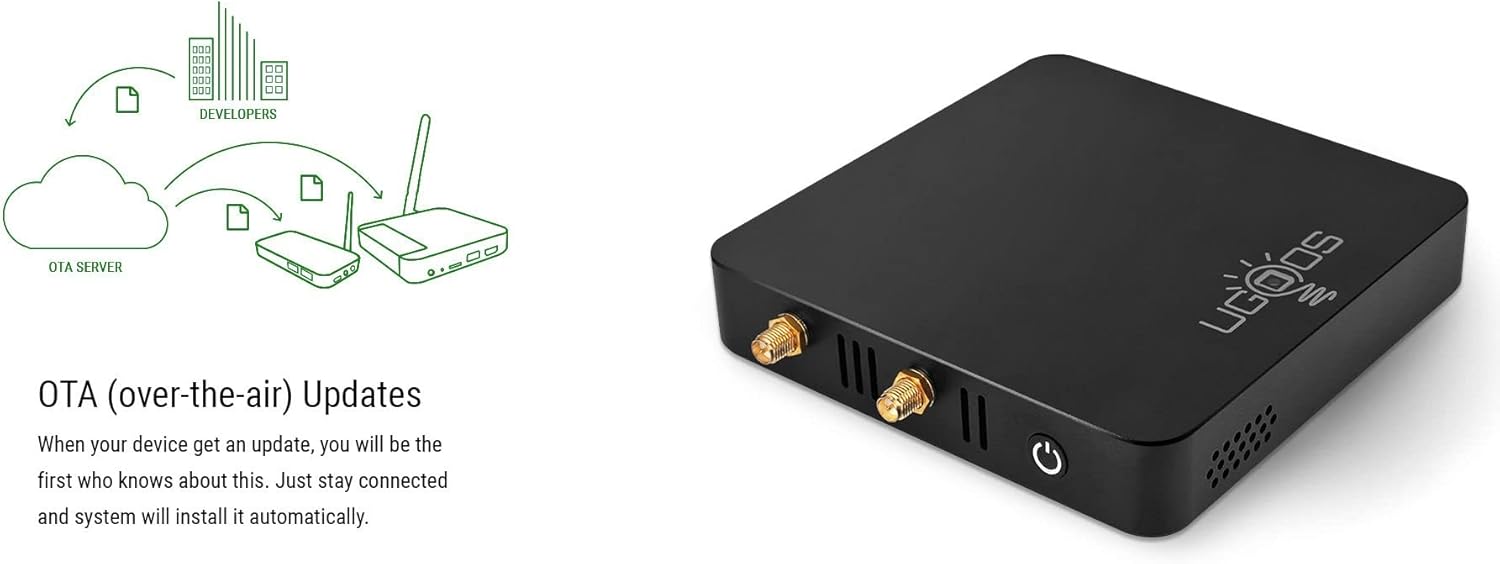
The Ugoos AM6B Plus supports Over-The-Air (OTA) updates. Ensure your device is connected to the internet to receive and install the latest firmware updates automatically. Regular updates provide performance improvements and security enhancements.

Figure 9: Illustration of the OTA update mechanism. This diagram shows how the device receives and installs updates from the server, ensuring the system remains current.
Odvod tepla
The device is designed with ventilation holes to ensure proper heat dissipation. To maintain optimal performance and prevent overheating, ensure the TV box is placed in a well-ventilated area and that the vents are not obstructed.
Obrázek 10: Strana view of the TV box highlighting the ventilation design. The perforated side panels are crucial for maintaining internal temperature.
Odstraňování problémů
If you encounter any issues with your Ugoos AM6B Plus TV Box, refer to the common problems and solutions below:
- Bez napájení: Ujistěte se, že je napájecí adaptér bezpečně připojen k zařízení i k funkční elektrické zásuvce. Ověřte, zda je elektrická zásuvka aktivní.
- Bez displeje: Check the HDMI cable connection between the TV box and your TV. Ensure your TV is set to the correct HDMI input source. Try a different HDMI cable or port if available.
- Dálkové ovládání nereaguje: Check the batteries in the remote control. If the remote is Bluetooth, ensure it is properly paired with the TV box as per the remote control instruction paper.
- Problémy s připojením k síti: For Wi-Fi, double-check your Wi-Fi password in the device settings. For Ethernet, ensure the cable is securely plugged into both the TV box and your router. Restart your router and the TV box.
- Applications Not Working: Ensure the application is updated to the latest version. Clear the app's cache and data in Settings > Apps & notifications > App info. Reinstall the application if necessary.
Možnosti obnovení
For advanced troubleshooting or firmware recovery, the device includes 'Maskrom' and 'Recovery' buttons, typically located in small recessed holes on the bottom of the device. These are used for flashing firmware and should only be accessed by experienced users or under specific technical guidance.
Technické specifikace
Below are the detailed specifications for the Ugoos AM6B Plus TV Box:
| Funkce | Specifikace |
|---|---|
| Procesor | Amlogic S922X-J (Quad core ARM Cortex-A73 and dual-core ARM Cortex-A53 CPU) |
| GPU | ARM MaliTM-G52 MP6 |
| Paměť | 4GB LPDDR4 |
| Interní úložiště | 32 GB (eMMC) |
| Rozšíření úložiště | MicroSD Card, up to 32GB (SD2.X, SD3.X, SD4.X, eMMC vers5.0) |
| Operační systém | Android 9.0 |
| Bezdrátové připojení | IEEE 802.11 a/b/g/n/ac/ax WiFi 6 2x2 MIMO |
| Síť | IEEE 802.3 10/100/1000M Ethernet |
| Bluetooth | Bluetooth 5.0 with LE Technology |
| HDMI výstup | HDMI 2.1 Type-A 4Kx2K@60fps max resolution |
| Periferní rozhraní | 2xUSB 2.0 and 1xUSB 3.0 High Speed, HDMI 2.1 |
| Podporované video formáty | VP9 Profile-2, H.265 HEVCMP-10@L5.1, H.264 AVC HP@L5.1, H2.64 MVC, MPEG-4 ASP@L5, WMV/VC-1 SP/MP/AP, MPEG-2 MP/HL, MPEG-1 MP/HL |
| Podporované zvukové formáty | MP3, AAC, WMA, RM, FLAC, Ogg and programmable with 7.1/5.1 down-mixing |
| Moc | 12V 2A |
Záruka a podpora
For warranty information and technical support, please refer to the official Ugoos website or contact your retailer. The included English User's Manual also contains important information regarding product care and support.


