1. Konec produktuview
The KW-Trio 50SA Heavy Duty Stapler is designed for efficient and secure fastening of documents. Constructed from industrial-grade materials, it ensures durability and reliable performance for high-volume stapling tasks. This manual provides essential information for the proper setup, operation, and maintenance of your stapler.
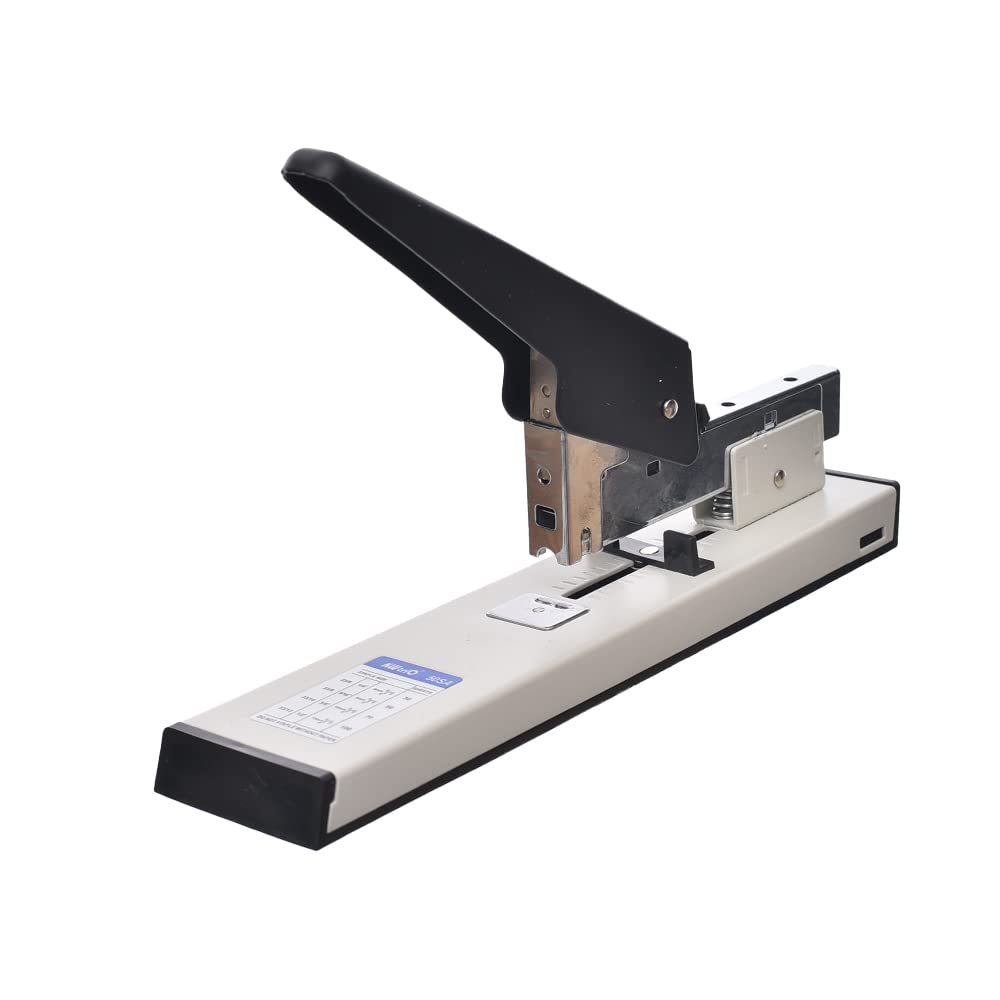
Image 1.1: KW-Trio 50SA Heavy Duty Stapler. This image shows the stapler from an angled view, highlighting its robust construction and design.
2. Pokyny k nastavení
2.1 Vybalení
- Carefully remove the stapler from its packaging.
- Inspect the stapler for any signs of damage. If damaged, do not use and contact customer support.
- Remove any protective films or packing materials.
2.2 Vkládání spon
This stapler is designed to use 23/6 až 23/13 heavy-duty staples.
- Press the release button or pull the staple tray from the rear of the stapler.
- Insert a strip of compatible staples (23/6 to 23/13) into the staple tray with the staple points facing down.
- Push the staple tray back into the stapler until it clicks securely into place.

Image 2.1: KW-Trio 50SA Heavy Duty Stapler. This image provides a clear view of the stapler's body, which is relevant for identifying the staple loading mechanism.
2.3 Adjusting Stapling Margin
The stapler features an adjustable stapling margin for precise document alignment.
- Locate the adjustable paper guide on the base of the stapler.
- Slide the guide to the desired depth for your stapling needs. Ensure the guide is firmly set before stapling.
3. Návod k obsluze
3.1 Stapling Documents
The KW-Trio 50SA can staple up to 100 sheets of 80 gsm paper.
- Gather the documents you wish to staple, ensuring they are neatly aligned.
- Place the documents under the stapler head, aligning them with the adjustable paper guide to achieve the desired stapling position.
- Firmly press down on the stapler handle until the staples penetrate and clinch the documents.
- Release the handle and remove the stapled documents.
4. Údržba
Regular maintenance ensures the longevity and optimal performance of your stapler.
- Čištění: Periodically wipe the stapler's exterior with a soft, dry cloth to remove dust and debris. Avoid using harsh chemicals or abrasive cleaners.
- Zásobník na sponky: Ensure the staple tray is free from staple fragments or dust that could impede staple feeding.
- Skladování: Store the stapler in a dry environment, away from extreme temperatures and direct sunlight.
5. Řešení problémů
Běžné problémy a jejich řešení naleznete v tabulce níže.
| Problém | Možná příčina | Řešení |
|---|---|---|
| Staples jamming | Incorrect staple size; bent staples; staple tray obstruction. | Ensure correct staple size (23/6-13). Remove any bent staples. Clear any debris from the staple tray. |
| Staples not penetrating documents | Too many sheets; incorrect staple size; dull stapler blade. | Reduce the number of sheets (max 100 sheets). Use appropriate staple length for paper thickness. Contact support if blade appears dull. |
| Stapler not closing properly | Mechanism obstruction; damaged parts. | Check for any foreign objects obstructing the mechanism. If damaged, contact customer support. |
6. Specifikace
Key technical specifications for the KW-Trio 50SA Heavy Duty Stapler.
| Funkce | Detail |
|---|---|
| Značka | KW-Trio |
| Číslo modelu | 4714218080131 |
| Provozní režim | Manuál |
| Kapacita sešívačky | Up to 100 sheets (80 gsm paper) |
| Kompatibilní sponky | 23/6 až 23/13 |
| Hmotnost položky | 300 g |
| Rozměry (balení) | 30 x 15 x 8 cm |
| Barva | Vícebarevná |
7. Záruka a podpora
For warranty information, technical support, or to inquire about replacement parts, please refer to the documentation provided with your purchase or contact the retailer where the product was acquired. You may also visit the official KW-Trio webstránky pro další pomoc.


