
Wogree S60
Uživatelská příručka k malému 16palcovému soundbaru Wogree
Model: S60
Zavedení
Thank you for choosing the Wogree 16-inch Small Soundbar. This compact and versatile sound system is designed to significantly enhance your audio experience, whether for your television, computer, or mobile devices. With multiple connectivity options and optimized sound modes, it delivers clear and powerful audio in small to medium-sized spaces. Please read this manual carefully before using the product to ensure proper operation and to maximize its performance.
Obsah balení
Než budete pokračovat v instalaci, ověřte si prosím, zda balení obsahuje všechny níže uvedené položky:
- 1 x Wogree 16-inch Soundbar
- 1 x audio kabel 3.5 mm až 3.5 mm
- 1 x napájecí adaptér
- 1 x Dálkové ovládání
- 1 x Optický kabel
- 1 x Uživatelská příručka (tento dokument)
- 1 x Průvodce rychlým startem
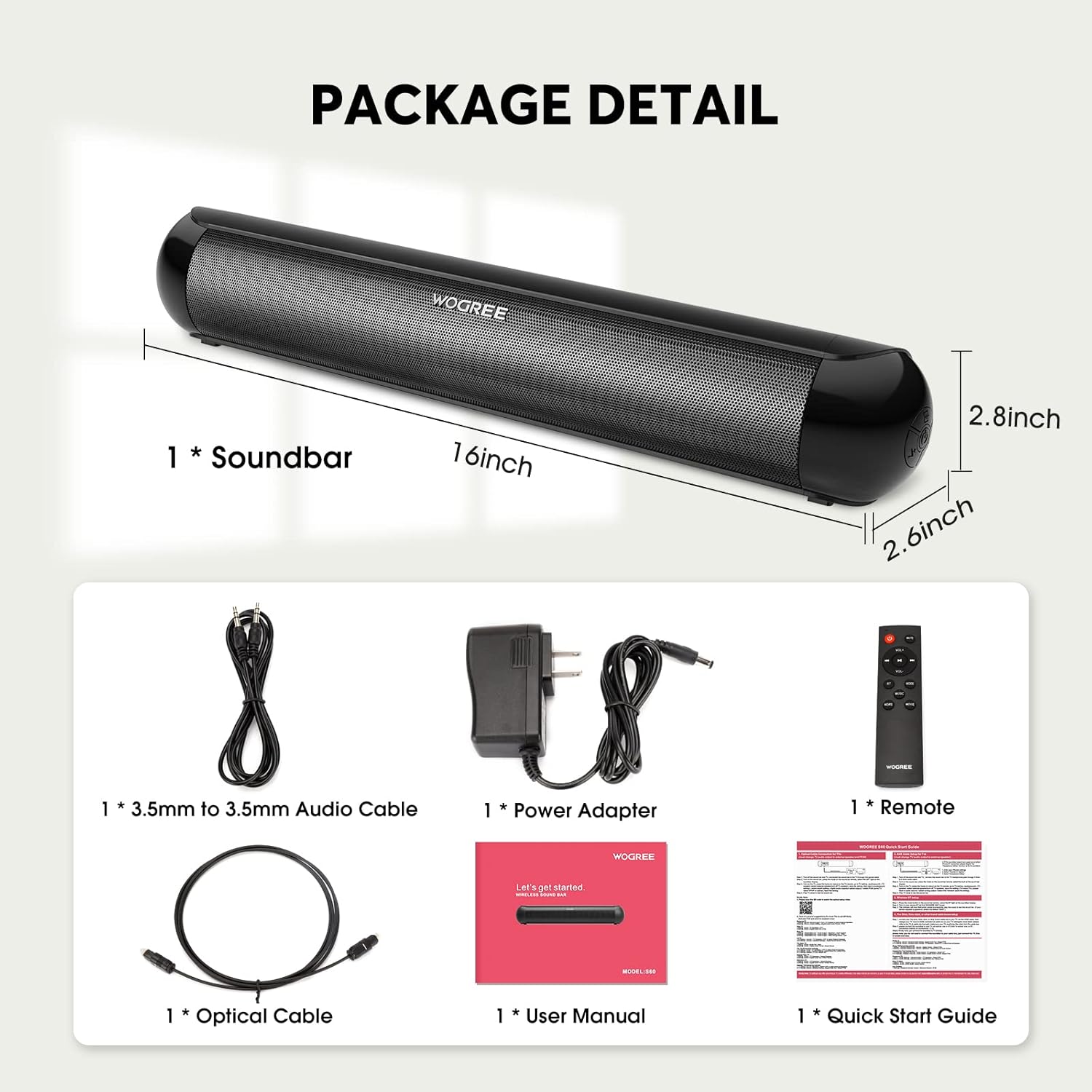
Figure 1: Contents of the Wogree Soundbar package.
Konec produktuview
The Wogree S60 Soundbar is engineered for superior audio performance in a compact design. Its 16-inch length makes it ideal for placement in front of smaller TVs or monitors without obstructing the screen or IR receiver.
Výkonný audio výstup
Equipped with two full-range drivers, the soundbar delivers a powerful and clear audio experience, significantly improving upon standard TV speakers.

Obrázek 2: Vnitřní view highlighting the soundbar's full-range speakers.
Všestranná konektivita
The soundbar offers multiple input options to connect to a wide range of devices:
- Bluetooth 5.0: Pro bezdrátové připojení k chytrým telefonům, tabletům a dalším zařízením s podporou Bluetooth.
- Optický: For high-quality digital audio connection to TVs and other optical output devices.
- AUX (3.5mm): For analog audio connection to devices with a headphone jack.
- USB: Pro přehrávání zvuku filepřímo z USB disku.
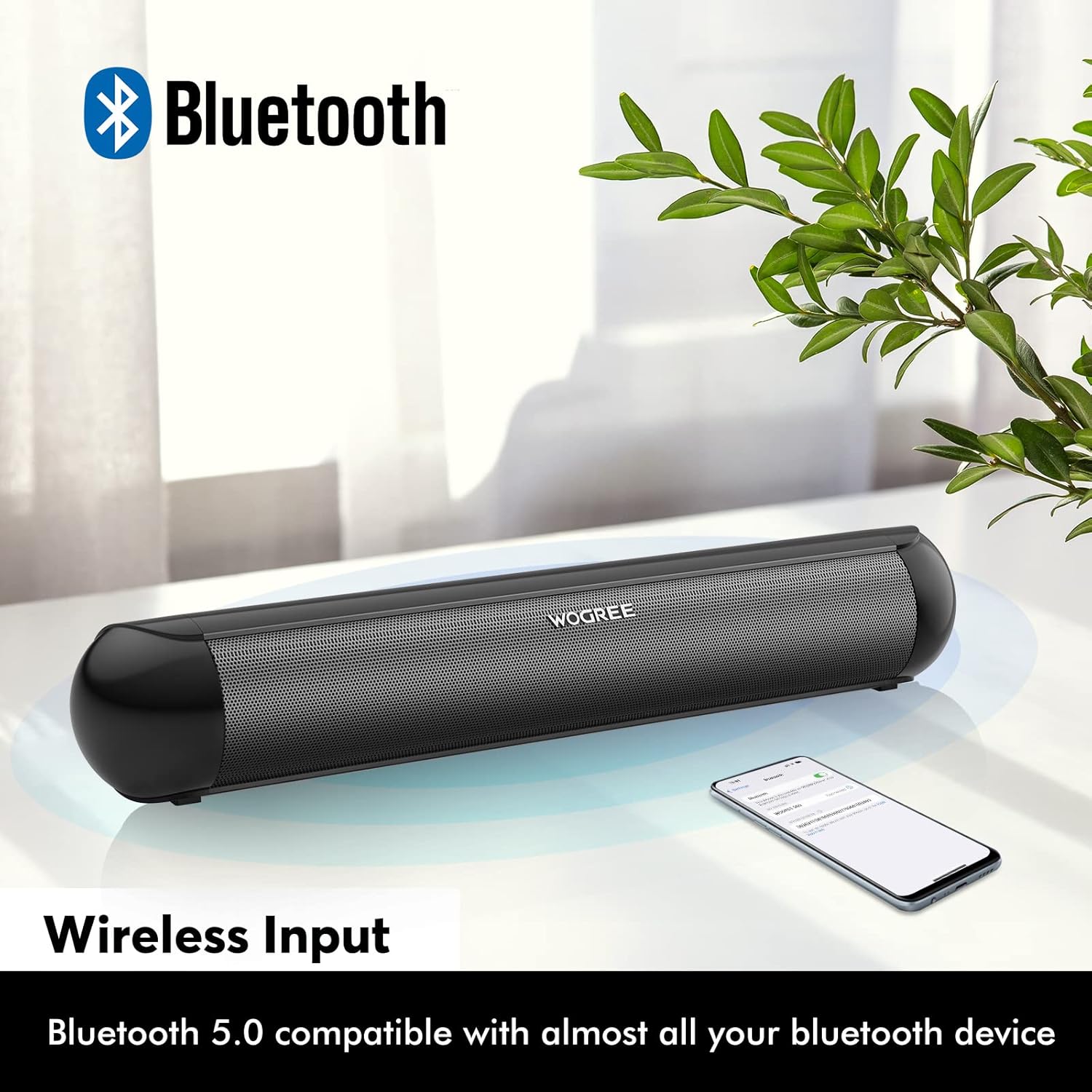
Figure 3: Wireless Bluetooth connectivity.

Figure 4: Wired input ports (DC, Optical, AUX, USB).
Optimized Sound Modes
The soundbar features three equalizer modes to tailor the audio output to your content:
- Hudební režim: Produces powerful bass for an immersive musical experience.
- Režim filmu: Provides surround sound effects for a cinematic feel.
- Režim zpráv: Enhances vocal clarity, making dialogue easier to understand.
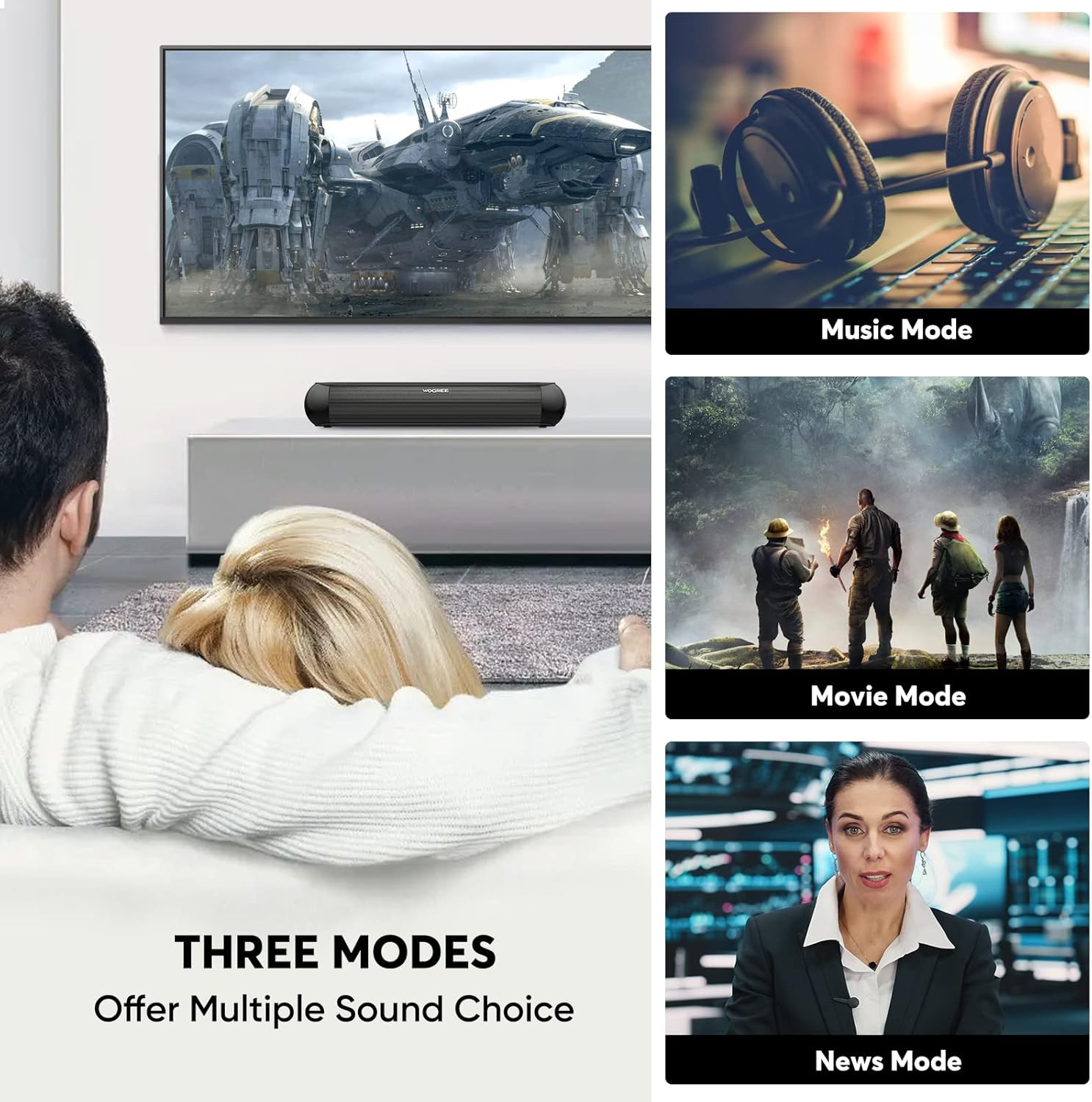
Figure 5: Soundbar's three equalizer modes.
Compact Design for Small Spaces
Its small footprint makes it perfect for bedrooms, living rooms, kitchens, and other areas where space is limited.

Figure 6: Soundbar placement in various small spaces.
Nastavení
Follow these steps to set up your Wogree Soundbar:
- Umístění: Place the soundbar on a stable, flat surface in front of your TV or monitor. Ensure it does not block the TV's IR receiver.
- Připojení napájení: Connect the power adapter to the DC input port on the back of the soundbar and then plug the adapter into a wall outlet. The LED display will light up.
- Audio připojení: Pro připojení zdroje zvuku vyberte jednu z následujících metod:
- Optické připojení (doporučeno pro TV): Connect one end of the optical cable to the OPTICAL port on the soundbar and the other end to the Optical Digital Audio Out port on your TV. Select 'Optical' input on the soundbar using the remote or buttons.
- Připojení AUX: Connect one end of the 3.5mm audio cable to the AUX port on the soundbar and the other end to the headphone jack or AUX output on your device (e.g., TV, phone, computer). Select 'AUX' input.
- USB připojení: Vložte USB flash disk obsahující zvuk filedo USB portu na soundbaru. Soundbar se automaticky přepne do režimu USB a spustí přehrávání.
- Připojení Bluetooth: See the 'Operating Instructions - Bluetooth Pairing' section for detailed steps.
Návod k obsluze
Zapnutí/vypnutí
Stisknutím tlačítka napájení na dálkovém ovladači nebo na soundbaru zapnete nebo vypnete zařízení.
Výběr vstupu
Press the 'Input' or 'Mode' button on the remote control or the soundbar to cycle through the available input modes: Bluetooth (BT), Optical (OPT), AUX, and USB. The selected mode will be displayed on the LED screen.
Párování pomocí Bluetooth
- Turn on the soundbar and switch to Bluetooth mode (BT). The 'BT' indicator on the LED display will flash, indicating it's in pairing mode.
- Povolte ve svém zařízení Bluetooth (smartphone, tablet, počítač).
- Hledat 'S60' in the list of available Bluetooth devices and select it to pair.
- Once successfully paired, the 'BT' indicator will stop flashing and remain solid. You can now play audio from your device through the soundbar.
Ovládání hlasitosti
Use the Volume Up (+) and Volume Down (-) buttons on the remote control or the soundbar to adjust the volume level.
Sound Mode Selection
Press the 'EQ' button on the remote control to cycle through the three sound modes: Music, Movie, and News. The selected mode will be indicated on the LED display.
Funkce dálkového ovládání
The included remote control allows for convenient operation of the soundbar. Ensure the remote is pointed towards the soundbar's front panel. If the remote is unresponsive, press any button once to 'wake up' the device, then press again for the desired function.
Údržba
To ensure the longevity and optimal performance of your Wogree Soundbar, follow these maintenance guidelines:
- Čištění: K otření povrchu soundbaru použijte měkký, suchý hadřík. Nepoužívejte tekuté čisticí prostředky ani abrazivní materiály, protože by mohly poškodit povrchovou úpravu.
- Skladování: Pokud soundbar delší dobu nepoužíváte, skladujte jej na chladném a suchém místě mimo dosah přímého slunečního záření a extrémních teplot.
- Větrání: Zajistěte dostatečné větrání kolem soundbaru, abyste zabránili přehřátí. Neblokujte žádné větrací otvory.
- Zacházení: Se soundbarem zacházejte opatrně. Nevystavujte jej pádu ani silným nárazům.
Odstraňování problémů
If you encounter any issues with your Wogree Soundbar, please refer to the following common problems and solutions:
| Problém | Možná příčina | Řešení |
|---|---|---|
| Žádný zvuk ze soundbaru. |
|
|
| Párování Bluetooth selhalo. |
|
|
| Dálkové ovládání nefunguje. |
|
|
| Zvuk je zkreslený nebo obsahuje statické rušení. |
|
|
Pokud problém přetrvává i po vyzkoušení těchto řešení, kontaktujte prosím zákaznickou podporu s žádostí o další pomoc.
Specifikace
| Funkce | Detail |
|---|---|
| Název modelu | S60 |
| Značka | Wogree |
| Rozměry (D x Š x V) | 39.88 x 6.35 x 6.86 cm (přibližně 15.7 x 2.5 x 2.7 palce) |
| Hmotnost | 998 gramů (přibližně 2.2 libry) |
| Maximální výstupní výkon reproduktoru | 20 wattů |
| Technologie připojení | Bluetooth 5.0, Optical, AUX (3.5mm), USB |
| Režim zvukového výstupu | Surround |
| Typ montáže | Stolní deska |
| Typ reproduktoru | Prostorový zvuk |
| Speciální funkce | Ampdoživotní |
| Kompatibilní zařízení | TVs, Tablets, Projectors, Personal Computers, Phones |
| První dostupný termín | 23. prosince 2022 |
Note: The 'Subwoofer Diameter: 16 inch' specification refers to the overall length of the soundbar, not a separate subwoofer component.
Záruka a podpora
Wogree is committed to providing high-quality products and excellent customer service. Your Wogree Soundbar comes with the following:
- 1-letá záruka: Kryje výrobní vady a poruchy při běžném používání.
- 45denní záruka vrácení peněz: Pokud nejste s nákupem spokojeni, můžete jej do 45 dnů vrátit a obdržíte plnou náhradu.
- Doživotní technická podpora: Our dedicated support team is available to assist you with any technical questions or issues you may encounter throughout the product's lifespan.
For warranty claims, technical assistance, or any other inquiries, please contact our customer support team through the retailer's platform or the official Wogree webmísto.
Ask a question about this manual
Ask about setup, troubleshooting, compatibility, parts, safety, or missing instructions. Manuals+ will review the question and use this page’s manual context to help answer it.