1. Úvod
The KLIM Boombox B4 is a versatile portable audio system designed to deliver powerful bass and crystal-clear sound. It supports multiple audio sources including CD, MP3, Bluetooth, AM/FM Radio, AUX, and USB, offering a comprehensive listening experience.
This manual provides detailed instructions for setting up, operating, and maintaining your KLIM Boombox B4 to ensure optimal performance and longevity.
2. Co je v krabici
- KLIM Boombox B4 Unit
- Napájecí kabel
- Dálkové ovládání
- Uživatelská příručka

Image: The KLIM Boombox B4 unit, remote control, and power cable as typically found in the box.
3. Nastavení
3.1 Zapnutí
The KLIM Boombox B4 can be powered using the included power cable or its internal rechargeable battery.
- Connect the power cable to the AC input port on the back of the boombox.
- Zapojte druhý konec napájecího kabelu do standardní zásuvky ve zdi.
- Press the Power button on the unit or the remote control to turn on the boombox.
3.2 Počáteční nabití baterie
For optimal battery life, it is recommended to fully charge the boombox before its first use. The built-in rechargeable battery does not need to be removed for charging.

Image: The boombox is compact and lightweight, featuring a long-lasting rechargeable battery for portability.
4. Návod k obsluze
4.1 Výběr režimu
Press the 'MODE' button on the unit or remote control to cycle through available audio sources: FM/AM Radio, CD, Bluetooth, USB, and AUX.
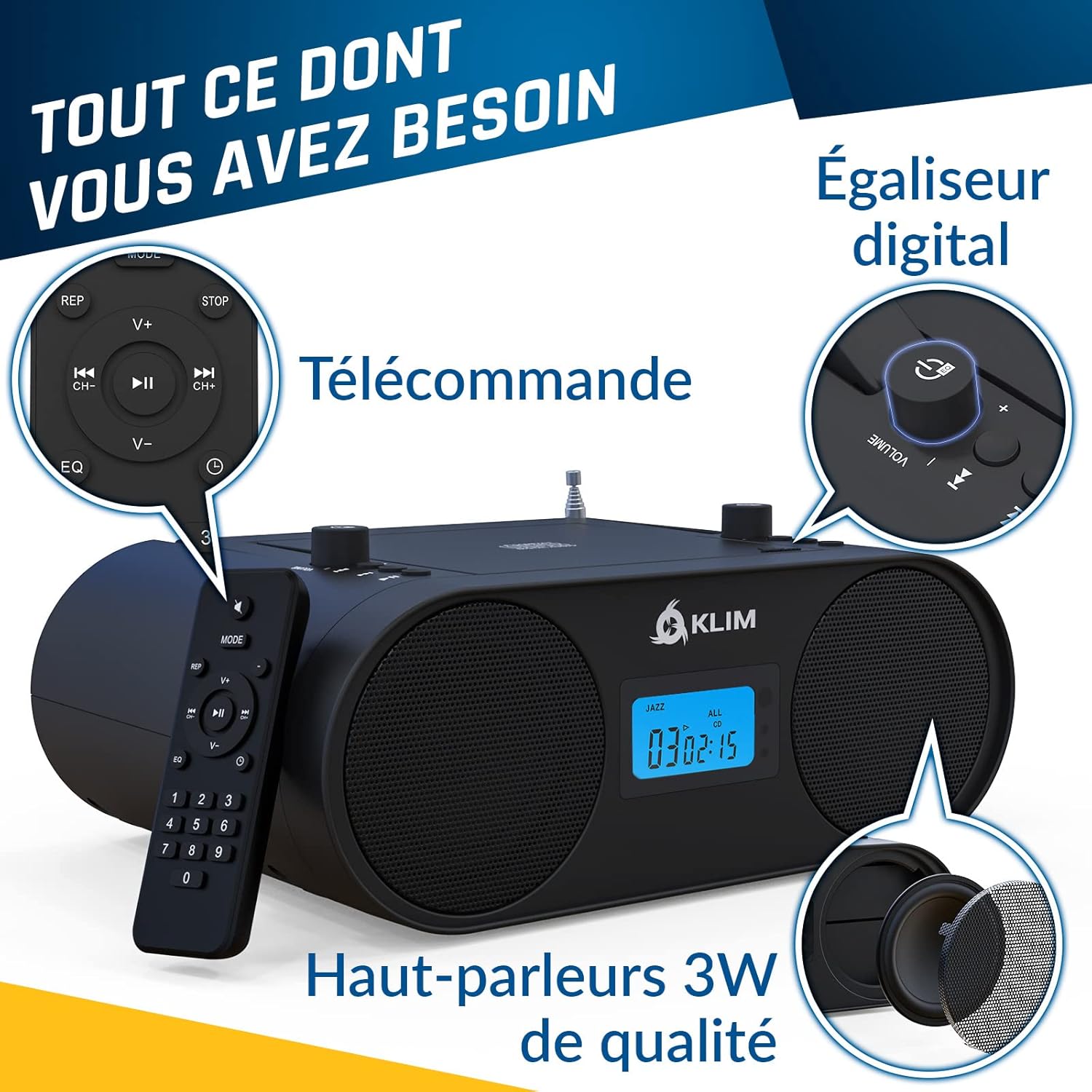
Obrázek: Overview of the boombox controls including the convenient handle, CD player, mode selection, AUX, USB, and Digital Equalizer.
4.2 Ovládání CD přehrávače
The KLIM Boombox B4 features a convenient top-loading CD player. It supports standard audio CDs and MP3 CDs.
- Otevřete víko přihrádky na CD jemným nadzvednutím.
- Vložte CD na vřeteno potištěnou stranou nahoru.
- Bezpečně zavřete víko přihrádky na CD.
- Ensure the unit is in CD mode. Playback should begin automatically.
- Use the Play/Pause, Skip Forward/Backward buttons on the unit or remote to control playback.
Note: The digital display shows the track number and timing for CD playback.
4.3 Připojení Bluetooth
Streamujte zvuk bezdrátově ze zařízení s podporou Bluetooth.
- Switch the boombox to Bluetooth (BT) mode. The display will show "bt".
- Na svém smartphonu nebo tabletu povolte Bluetooth a vyhledejte dostupná zařízení.
- Select "KLIM B4" from the list of devices to pair.
- Once paired, you can play audio from your device through the boombox.
Note: Track numbers may not be displayed on the boombox unit during Bluetooth playback; please refer to your connected device for track information.
4.4 AM/FM rádio
Nalaďte si své oblíbené rozhlasové stanice.
- Pro optimální příjem FM vysuňte teleskopickou anténu.
- Switch the boombox to FM or AM mode.
- Use the tuning knob or the numerical keys on the remote control to select your desired frequency. The boombox will automatically remember the last station played.
4.5 Přehrávání z USB a AUX
The boombox is equipped with a USB port and an auxiliary (AUX) input for additional connectivity.
- USB: Vložte USB flash disk obsahující MP3 files into the USB port. Switch to USB mode for playback.
- AUX: Connect an external audio device (e.g., smartphone, MP3 player) to the AUX IN port using a 3.5mm audio cable (not included). Switch to AUX mode for playback.
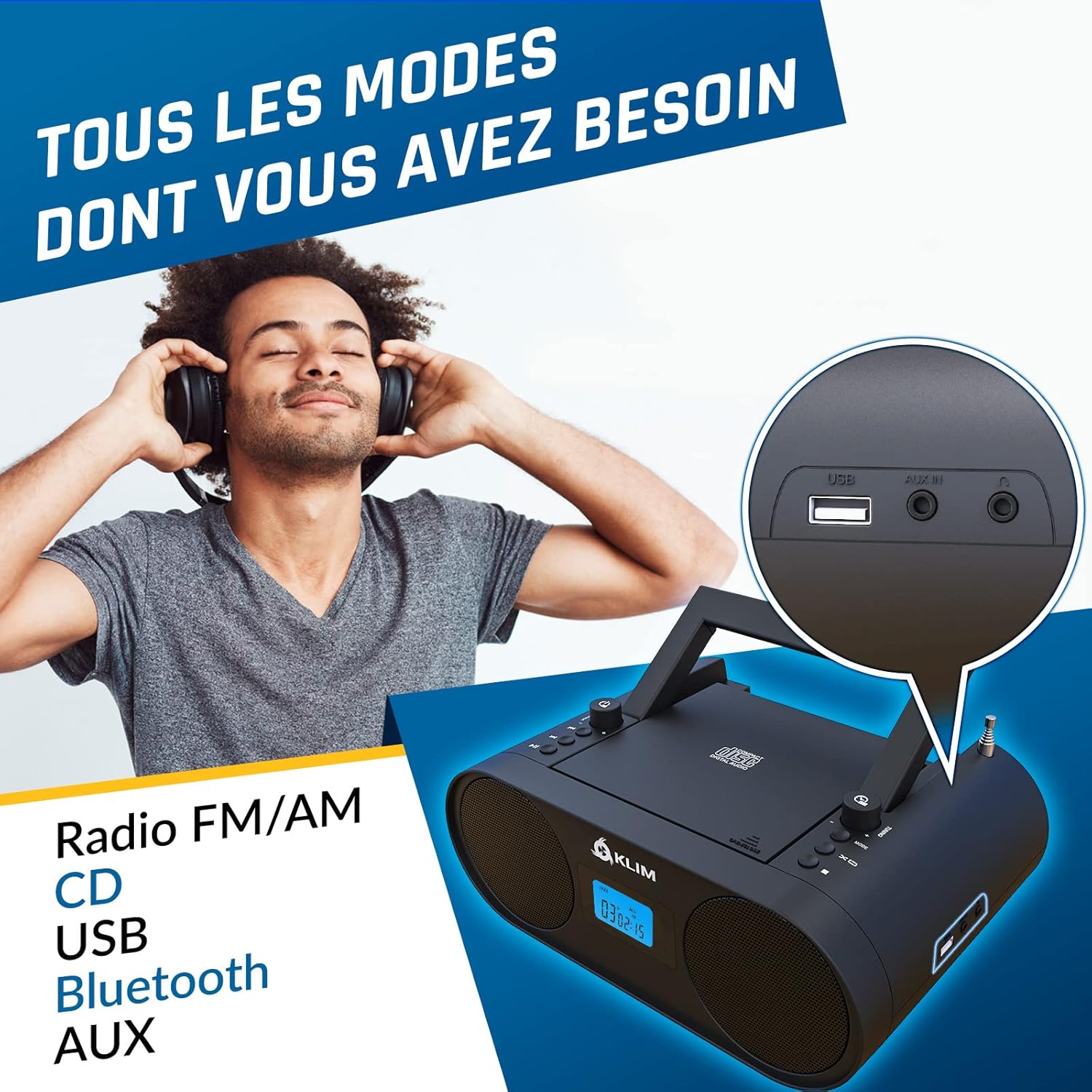
Obrázek: Detail view of the USB and AUX IN ports on the KLIM Boombox B4.
5. Údržba
To ensure the longevity and optimal performance of your KLIM Boombox B4, follow these maintenance guidelines:
- Udržujte jednotku čistou otíráním měkkým, suchým hadříkem. Nepoužívejte abrazivní čisticí prostředky ani rozpouštědla.
- Do not expose the boombox to extreme temperatures, humidity, or direct sunlight.
- Handle CDs carefully to prevent scratches and smudges, which can cause playback issues.
- When not in use for extended periods, store the boombox in a cool, dry place.
6. Řešení problémů
| Problém | Možná příčina / řešení |
|---|---|
| Jednotka se nezapne | Check if the power cable is securely connected to both the boombox and the wall outlet. Ensure the wall outlet is functional. If using battery, ensure it is charged. |
| Žádný zvuk | Check the volume level. Ensure the correct audio source (CD, BT, FM/AM, USB, AUX) is selected. Check connections for AUX/USB. |
| CD skipping during playback | Ensure the CD is clean and free of scratches or damage. Try a different CD. Ensure the boombox is on a stable, flat surface to minimize vibrations. |
| Problémy s párováním pomocí rozhraní Bluetooth | Ensure the boombox is in Bluetooth mode and discoverable. Turn off and on Bluetooth on your device. Move your device closer to the boombox. |
| Špatný příjem rádia | Fully extend and adjust the telescopic antenna. Try repositioning the boombox to find a stronger signal. |
7. Specifikace
| Funkce | Detail |
|---|---|
| Rozměry produktu | 11.81 x 8.9 x 4.92 palce |
| Hmotnost položky | 4.51 libry |
| Číslo modelu položky | KBB43 |
| Baterie | Jsou vyžadovány 1 lithium-iontové baterie (součástí balení) |
| Technologie připojení | Bluetooth |
| Barva | B4 černá |
| Typ reproduktoru | Stereo |
| Výrobce | KLIM |

Image: Detailed specifications and contact information for KLIM.
8. Záruka a podpora
KLIM is committed to producing quality electronics. The KLIM Boombox B4 comes with a 5-year warranty, ensuring peace of mind for your purchase.
For any support inquiries, technical assistance, or warranty claims, please visit the official KLIM Store or contact their customer service directly.
Official KLIM Store: KLIM Technologies Store
KLIM customer service is ready to assist 24/7.