
Zavedení
This manual provides detailed instructions for the setup, operation, and maintenance of your Soobest Digital Wall Clock, Model SO801L. Please read this manual thoroughly before using the product to ensure proper function and longevity. This clock features a large LED display, remote control, countdown timer, and adjustable brightness levels, designed for various indoor environments.

Image: Soobest Digital Wall Clock with its remote control, displaying the time 12:30 and seconds 08.
Obsah balení
Ověřte, zda jsou v balení obsaženy všechny níže uvedené položky:
- Soobest Digital Wall Clock (Model SO801L)
- Dálkové ovládání
- Napájecí adaptér
- Měřicí pravítko
- Mounting Nails (2 pcs)
- Návod k použití

Image: A visual representation of the clock and all included accessories: remote, power adapter, measuring ruler, nails, and manual.
Konec produktuview
The Soobest Digital Wall Clock SO801L is designed for clear visibility and versatile functionality. Key features include:
- Velký LED displej: 10.2-inch display with bold, 3-inch digits for easy readability.
- Seconds Display: Provides precise time tracking.
- Dálkové ovládání: Convenient adjustment of settings from a distance.
- Countdown/Count-up Timer: Ideal for gym workouts, cooking, and other timed activities.
- 5-Level Dimmer: Adjustable brightness to suit various lighting conditions and preferences.
- Automatický letní čas (DST): Automatically adjusts for DST changes.
- Design montáže na stěnu: Saves space and provides optimal viewing úhly.
- Napájení střídavým proudem se záložní baterií: Ensures time and settings are retained during power outages (2 AAA batteries not included for backup).

Obrázek: Overview of the clock's main features, including time, date, seconds, timer, dimmer, 12/24 hour format, remote control, and battery backup.
Pokyny pro nastavení
- Připojení napájení:
- Insert 2 AAA batteries (not included) into the battery compartment on the back of the clock. These batteries provide backup for time and settings during a power outage, but do not power the display.
- Connect the provided power adapter to the DC input port on the back of the clock.
- Zapojte napájecí adaptér do standardní elektrické zásuvky. Rozsvítí se displej s hodinami.
- Montáž na stěnu:
- Use the included measuring ruler to mark the desired mounting points on your wall.
- Drill holes at the marked points and insert the provided mounting nails or appropriate wall anchors.
- Carefully hang the clock onto the installed nails/anchors. Ensure it is securely fastened.
- Počáteční nastavení času:
- Once powered on, use the remote control to set the current time. Refer to the 'Operating Instructions' section for detailed steps on setting time and other functions.
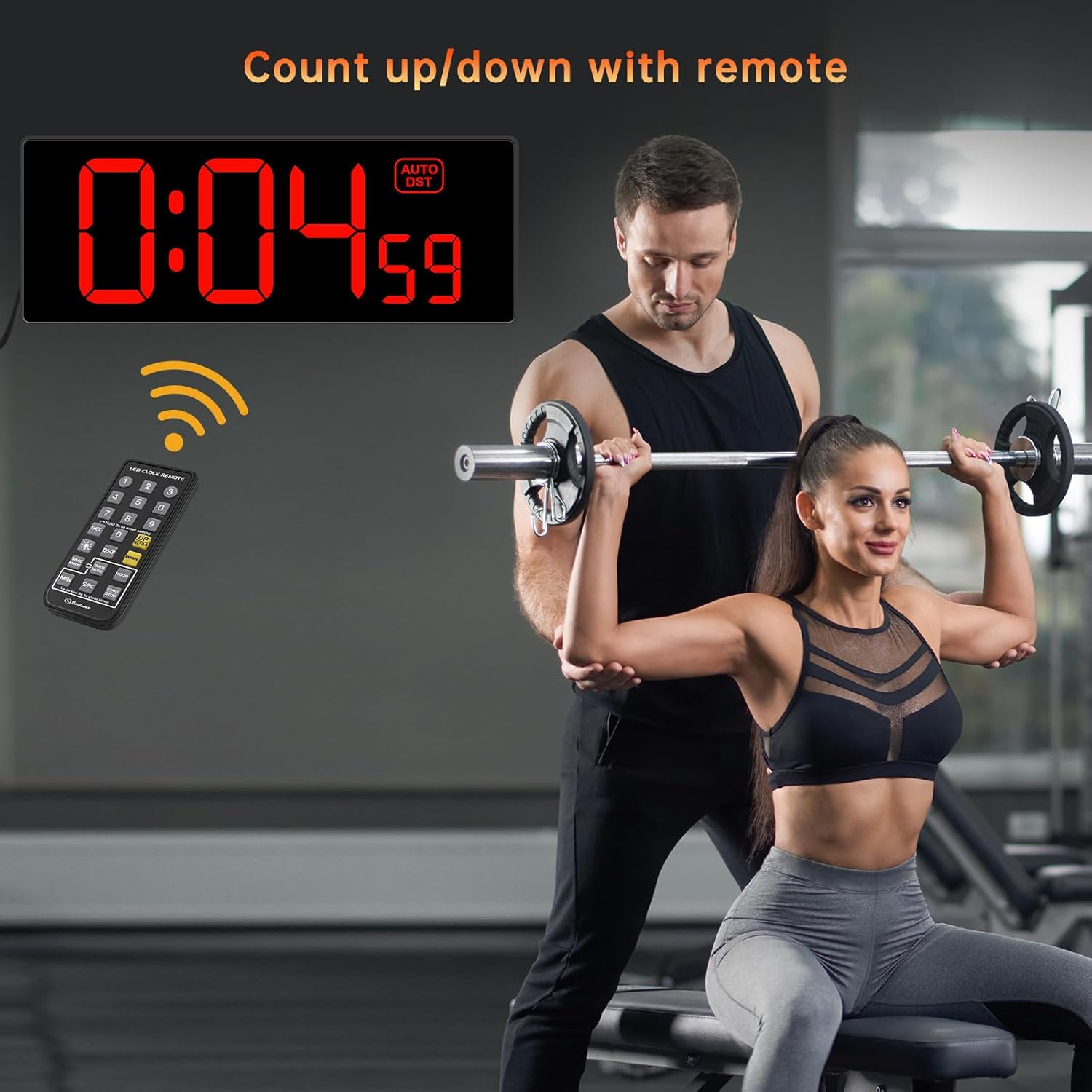
Image: A visual guide showing the two main setup steps: plugging in the power adapter and using the remote control for initial settings.
Návod k obsluze
1. Nastavení času a data
- Press the 'SET' button on the remote control. The hour digits will flash.
- Use the number buttons (0-9) on the remote to enter the current hour.
- Press 'SET' again. The minute digits will flash. Enter the current minutes.
- Continue pressing 'SET' to cycle through setting the year, month, and day, entering the correct values each time.
- Press 'SET' one last time to confirm all settings.
2. 12/24 Hour Format Switch
Press the '12/24HR' button on the remote control to toggle between 12-hour (with AM/PM indicator) and 24-hour (military time) formats.
3. Letní čas (DST)
Press the 'DST' button on the remote control to activate or deactivate the automatic Daylight Saving Time function. When activated, the clock will automatically adjust for spring forward/fall back.

Image: Illustration of the clock's automatic DST feature, showing how it adjusts for spring forward (+1h) and fall back (-1h).
4. Dimmer Function
The clock features 5 levels of brightness. Press the 'DIMMER' button on the remote control repeatedly to cycle through the brightness levels (Level 1 is the dimmest, Level 5 is the brightest) until you find your preferred setting.

Image: A visual representation of the 5 dimmer levels, from dimmest to brightest, controlled by the remote.
5. Countdown/Count-up Timer
- Nastavení odpočítávání: Press the 'TIMER' button on the remote. The display will show '00:00'. Use the number buttons to enter the desired countdown time (e.g., '0500' for 5 minutes). Press 'START/STOP' to begin the countdown.
- Přičítat: To start a count-up timer, ensure the timer is reset to '00:00' (press 'RESET' if needed), then press 'START/STOP'.
- Pozastavit/Pokračovat: During countdown or count-up, press 'START/STOP' to pause, and press again to resume.
- Resetovat: Press the 'RESET' button to clear the timer.
- Poplach: When the countdown finishes, the clock will emit a 60-second beep sound.

Image: A person in a gym setting, with the clock displaying a countdown timer (0:04:59), illustrating its use for workouts.
Údržba
- Čištění: Wipe the clock display and body with a soft, dry cloth. Avoid using abrasive cleaners or solvents.
- Výměna baterie: If the clock loses time or settings after a power outage, replace the 2 AAA backup batteries in the compartment on the back of the clock.
- Napájecí kabel: Ensure the power cord is not bent, pinched, or damaged.
Odstraňování problémů
| Problém | Možná příčina | Řešení |
|---|---|---|
| Zobrazení hodin je vypnuté. | Žádné napájení. | Ensure the power adapter is securely plugged into the clock and a working electrical outlet. Check if the outlet has power. |
| Hodiny ztratí čas nebo nastavení po výpadku napájenítage. | Backup batteries are dead or missing. | Replace the 2 AAA backup batteries in the battery compartment. Ensure they are inserted with correct polarity. |
| Dálkové ovládání nefunguje. | Remote battery is dead or line of sight is blocked. | Replace the battery in the remote control. Ensure there are no obstructions between the remote and the clock's sensor. |
| Time is inaccurate (e.g., seconds jump). | Problém se synchronizací interních hodin. | Unplug the clock from power for a few minutes, then plug it back in and reset the time. If the issue persists, contact customer support. |
| Displej je příliš jasný/tmavý. | Dimmer setting is not adjusted. | Use the 'DIMMER' button on the remote control to adjust the brightness to one of the 5 available levels. |
Specifikace
| Funkce | Detail |
|---|---|
| Značka | Soobest |
| Číslo modelu | SO801L |
| Barva | Červený |
| Typ zobrazení | Digitální LED |
| Rozměry produktu | 4.2 cm Š x 10.7 cm V |
| Zdroj napájení | Elektrický kabel |
| Zálohování baterie | 2 AAA batteries (not included) for time/settings retention |
| Speciální funkce | Corded, Daylight Saving, Large Display, Silent Clock, Timer, Remote Control, 5-Level Dimmer |
| Typ montáže | Držák na zeď |
| Materiál | Plast |
| Hmotnost položky | 16 uncí (1 libra) |
Záruka a podpora
Záruka: This Soobest Digital Wall Clock comes with a 1-year warranty from the date of purchase, covering manufacturing defects. Please retain your proof of purchase for warranty claims.
Zákaznická podpora: For any questions, technical assistance, or warranty inquiries, please contact Soobest customer support:
- E-mail: 202-0014@outlook.com
When contacting support, please provide your product model number (SO801L) and a detailed description of the issue.