Uživatelská příručka k bezdrátovým sluchátkům Zebronics ZEB-PARADISE
Model: ZEB-PARADISE
1. Konec produktuview
The Zebronics ZEB-PARADISE is a versatile wireless headphone designed for an immersive audio experience. It features Bluetooth connectivity, an AUX input, Micro SD card support, and an FM radio function, providing multiple ways to enjoy your music and manage calls.

Image 1: Zebronics ZEB-PARADISE Wireless Headphone. This image displays the over-ear design of the headphone, highlighting its sleek appearance and comfortable earcups.
2. Obsah balení
Zaškrtněte prosím políčko u následujících položek:
- 1 Unit Headphone
- 1 Unit Charging Cable
- 1 Unit Aux Cable
- 1 Unit User Manual
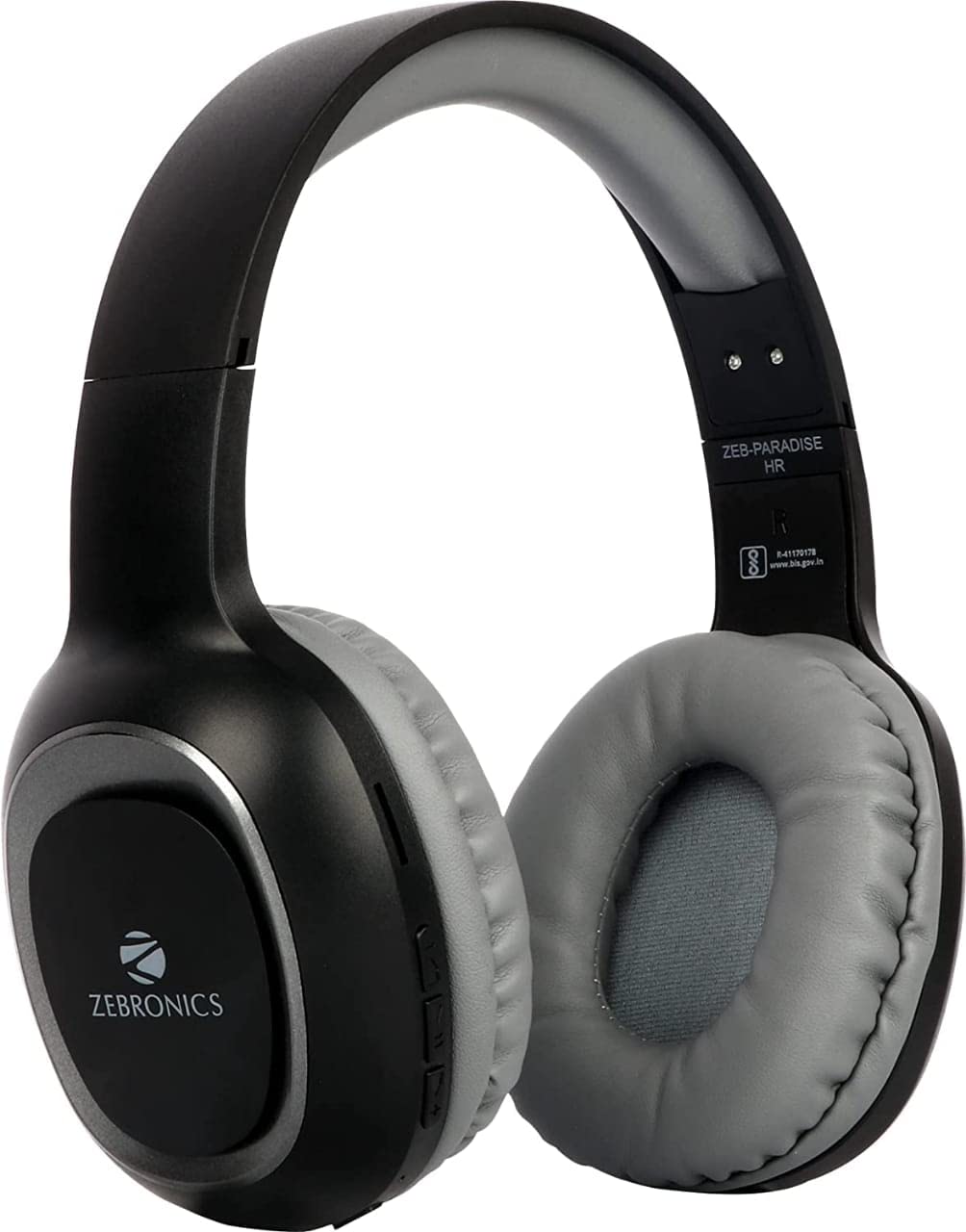
Image 2: Packaging of the Zebronics ZEB-PARADISE Wireless Headphone. This image shows the product box, detailing the package contents and key features printed on the packaging.
3. Bezpečnostní informace
Pozor:
Please be aware of your surroundings while using the headphone. Constant exposure to high volume may damage your hearing. Please use the headphone at moderate volume to protect your ears.
4. Klíčové vlastnosti
- Bluetooth v4.2 Connectivity
- AUX Input for Wired Connection
- Micro SD Card Support for MP3 Playback
- Funkce rádia FM
- Call Function with Built-in Microphone
- Media Volume Control
- Dual Pairing Capability
- 40mm Audio Drivers
- Vestavěná dobíjecí baterie
- Podpora rychlého nabíjení
5. Nastavení
5.1 Nabíjení sluchátek
- Connect the provided USB charging cable to the charging port on the headphone.
- Druhý konec kabelu USB připojte k napájecímu adaptéru USB (není součástí balení) nebo k portu USB počítače.
- The LED indicator will illuminate to show charging status. It will typically turn off or change color once fully charged.
5.2 Párování Bluetooth
- Ensure the headphone is fully charged.
- Press and hold the Power button on the headphone until the LED indicator flashes blue and red, indicating pairing mode.
- Na smartphonu nebo zařízení s podporou Bluetooth přejděte do nastavení Bluetooth a vyhledejte dostupná zařízení.
- Select "ZEB-PARADISE" from the list of found devices.
- Once paired, the LED indicator will flash blue slowly or remain solid blue.
5.3 Použití AUX kabelu
- Connect one end of the provided 3.5mm AUX cable to the AUX input port on the headphone.
- Connect the other end of the AUX cable to the 3.5mm audio output jack of your audio device.
- Sluchátka se automaticky přepnou do režimu AUX.
6. Návod k obsluze
6.1 Základní ovládací prvky
- Zapnutí/vypnutí: Stiskněte a podržte tlačítko Napájení.
- Přehrát/pozastavit: Stiskněte jednou tlačítko Přehrát/Pozastavit.
- Zvýšení hlasitosti/další skladba: Press the Volume Up (+) button to increase volume. Press and hold to skip to the next track.
- Snížit hlasitost/předchozí stopa: Press the Volume Down (-) button to decrease volume. Press and hold to go to the previous track.
- Přepínač režimu: Press the 'M' button to switch between Bluetooth, FM Radio, and Micro SD modes.
6.2 Funkce volání
- Přijmout hovor: Při příchozím hovoru stiskněte jednou tlačítko Přehrát/Pozastavit.
- Ukončit hovor: Během hovoru stiskněte jednou tlačítko Přehrát/Pozastavit.
- Odmítnout hovor: Při příchozím hovoru stiskněte a podržte tlačítko Přehrát/Pozastavit po dobu 2 sekund.
- Znovu vytočit poslední číslo: Dvakrát stiskněte tlačítko Přehrát/Pozastavit.
6.3 Režim rádia FM
- Přepněte do režimu FM rádia pomocí tlačítka „M“.
- Press the Play/Pause button once to auto-scan and save available FM channels.
- Use the Volume Up (+) and Volume Down (-) buttons to navigate between saved channels.
6.4 Přehrávání z karty Micro SD
- Vložte kartu Micro SD (s MP3 files) into the designated slot on the headphone.
- Switch to Micro SD mode using the 'M' button.
- Music playback will start automatically. Use the control buttons for play/pause, next/previous track, and volume adjustment.
7. Údržba
- Sluchátka čistěte měkkým, suchým hadříkem. Nepoužívejte agresivní chemikálie ani abrazivní materiály.
- Nevystavujte sluchátka extrémním teplotám, vlhkosti nebo přímému slunečnímu záření.
- Store the headphone in a cool, dry place when not in use.
- Do not attempt to disassemble or repair the headphone yourself, as this will void the warranty.
8. Řešení problémů
- Bez napájení: Ensure the headphone is fully charged. Connect it to a power source using the charging cable.
- Nelze spárovat přes Bluetooth: Make sure the headphone is in pairing mode (flashing blue and red LED). Ensure Bluetooth is enabled on your device and it is within range. Try restarting both devices.
- Žádný zvuk: Check the volume level on both the headphone and your connected device. Ensure the correct mode (Bluetooth, AUX, SD) is selected. If using AUX, ensure the cable is fully inserted.
- FM rádio nefunguje: Ensure you are in an area with good FM signal. Perform an auto-scan to save channels.
- Karta Micro SD se nepřehrává: Ensure the Micro SD card is inserted correctly and contains compatible audio file(např. MP3).
9. Technické specifikace
| Funkce | Specifikace |
|---|---|
| Model | ZEB-RÁJ |
| Konektivita | Bezdrátové připojení (Bluetooth v4.2) |
| Zahrnuté komponenty | Headphone, Charging Cable, Aux Cable, User Manual |
| Ovladače | 40 mm |
| Baterie | Vestavěný dobíjecí |
| Speciální funkce | FM Radio, Micro SD Card Support, Call Function, Media Volume Control, Dual Pairing, Fast Charging |
| Jack pro sluchátka | Zásuvka 3.5 mm |
| Form Factor | Přes ucho |
| Barva | Černý |
| Výrobce | Zebronics India Private Limited |
10. Záruka a podpora
10.1 Informace o záruce
This product comes with a standard manufacturer's warranty. Please refer to the warranty card included in your package or contact customer support for detailed warranty terms and conditions.
10.2 Zákaznická podpora
For any complaints, feedback, or support inquiries, please contact:
Consumer Care Executive
Adresa: ZEBRONICS INDIA PRIVATE LIMITED, NO. 118, POONAMALLEE HIGH ROAD, CHENNAI-600084.
Telefon: 044-4000 0004
E-mail: ENQUIRY@ZEBRONICS.COM
Můžete také navštívit úředníka webmísto: www.zebronics.com


