Zavedení
The Abovsare Digital Alarm Clock is designed to provide clear time, date, and temperature information with a large LED display. Its modern design complements various room decors, and its silent operation ensures a peaceful environment. This manual provides detailed instructions for setting up and operating your new digital alarm clock.
Důležité bezpečnostní informace
- Always connect the device to a USB port or use only a 5V/1A or 5V/2A power adapter. Using an adapter with excessive voltage may cause screen damage or malfunction.
- This clock requires continuous power and must be plugged in to operate. It is not battery-operated for primary function. A built-in CR2025 3V button battery serves only as a memory backup for time data during power outages.
- Nevystavujte hodiny extrémním teplotám, přímému slunečnímu záření nebo vysoké vlhkosti.
- Nepokoušejte se zařízení rozebírat ani opravovat sami. Veškeré opravy svěřte kvalifikovanému servisnímu personálu.
Obsah balení
Zkontrolujte prosím balení, zda neobsahuje následující položky:
- Abovsare Digital Alarm Clock (Model B0BLCYTFB2)
- Napájecí kabel USB
- USB Power Adapter (5V/1A or 5V/2A)
Konec produktuview
Familiarize yourself with the clock's components and controls.
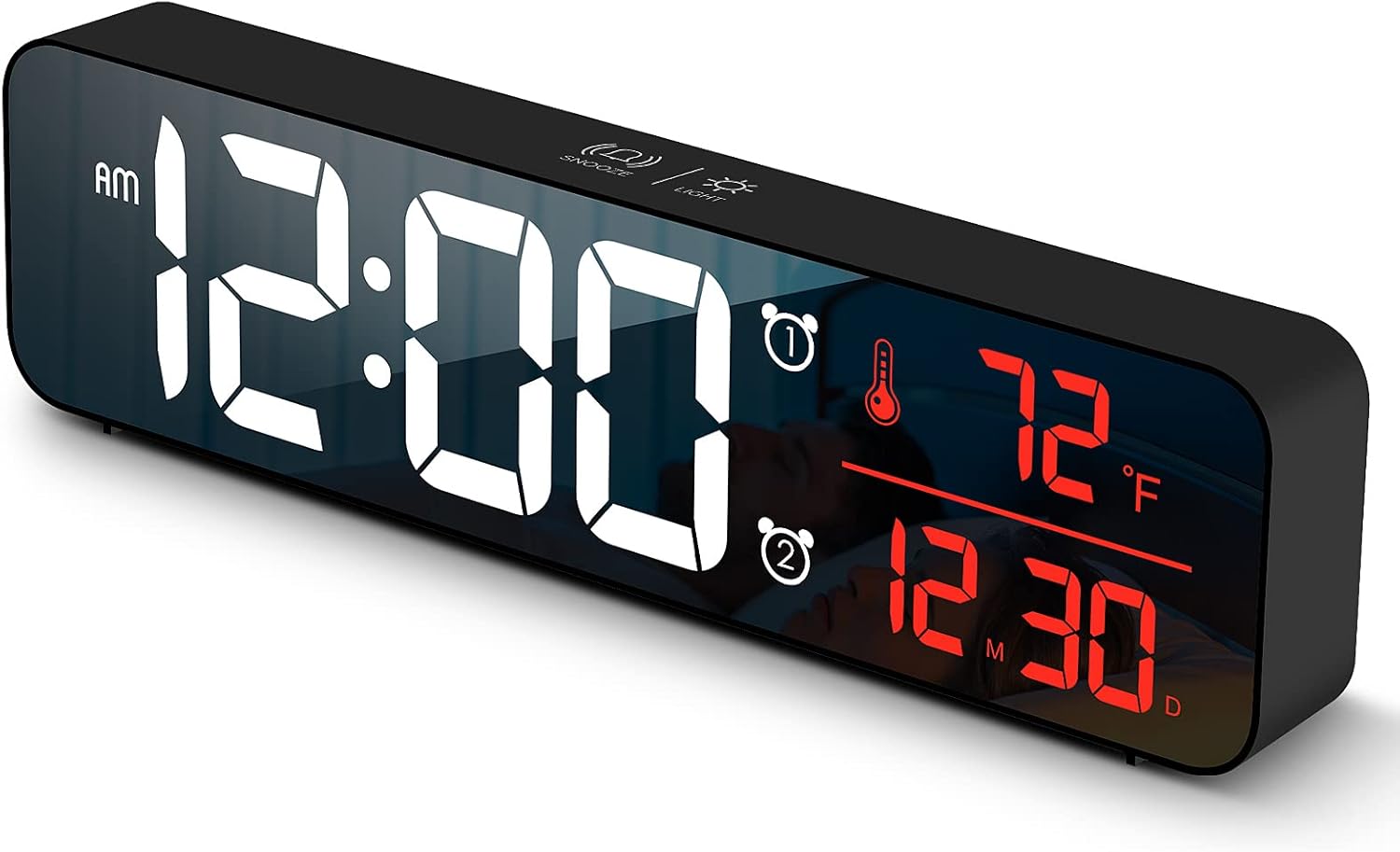
Obrázek 1: Přední view of the Abovsare Digital Alarm Clock, displaying time, temperature, and date in red LED digits.
Obrázek 2: Zadní view of the clock, highlighting the control buttons and USB power input. The buttons are typically for setting time, alarms, and adjusting modes.
Ovládací tlačítka a funkce:
- Tlačítko SET: Used to enter setting modes for time, date, and alarms.
- Tlačítka NAHORU/DOLŮ: Used to adjust values during settings and navigate options.
- ALARM 1/2 Buttons: Used to activate/deactivate and set Alarm 1 and Alarm 2.
- Tlačítko ODLOŽENÍ/OSVĚTLENÍ (horní): Taps to adjust brightness, long press for snooze during alarm.
- USB napájecí port: Connects the clock to the power adapter.
Nastavení
- Připojení napájení: Connect the provided USB power cable to the clock's USB port and then to the USB power adapter. Plug the adapter into a standard wall outlet. The display will light up.
- Počáteční nastavení času:
- Stiskněte tlačítko SOUBOR Jedním stisknutím tlačítka přejděte do režimu nastavení času. Číslice hodin budou blikat.
- Použijte UP or DOLŮ tlačítka pro nastavení hodiny.
- Stiskněte SOUBOR znovu pro přechod na nastavení minut. Upravte minuty pomocí UP or DOLŮ.
- Pokračujte v stisknutí SOUBOR procházet nastavení roku, měsíce a dne a upravovat každé z nich pomocí UP or DOLŮ.
- Stiskněte SOUBOR naposledy pro ukončení režimu nastavení.
- Jednotka teploty: The clock displays temperature in either Celsius or Fahrenheit. Refer to the operating instructions for how to switch between these units.
Návod k obsluze
Time, Date, and Temperature Display
The clock continuously displays the current time, date (month/day), and indoor temperature. The large LED digits ensure readability from a distance.
Nastavení jasu

Obrázek 3: The clock on a nightstand, demonstrating its display in a bedroom setting, with text indicating 5 levels of brightness adjustment.
The clock features 5 levels of brightness. You can adjust it manually or use the automatic dimmer function.
- Ruční nastavení: Klepněte na SNOOZE / SVĚTLO button on the top of the clock to cycle through the 5 brightness levels.
- Automatic Dimmer: The clock automatically adjusts brightness based on the time of day.
- 7:00 AM - 5:59 PM: Highlight brightness
- 6:00 PM - 10:59 PM: Medium brightness
- 11:00 PM - 5:59 AM: Darkest brightness
- 6:00 AM - 6:59 AM: Medium highlight
Poznámka: If you manually adjust brightness, the clock will remember your setting for that specific time period on subsequent days. However, when a new period begins, the brightness will revert to the system's preset automatic rule.
Nastavení alarmů (Alarm 1 a Alarm 2)
The clock supports two independent alarms. This is useful for different wake-up times or for heavy sleepers.
- Stiskněte tlačítko POPLACH 1 or POPLACH 2 button to select which alarm to set. The alarm icon and hour digits will flash.
- Použijte UP or DOLŮ tlačítka pro nastavení hodiny budíku.
- Press the selected POPLACH button again to move to minute setting. Adjust minutes with UP or DOLŮ.
- Stiskněte tlačítko POPLACH button one last time to confirm and exit alarm setting. The alarm icon will remain lit, indicating the alarm is active.
- Chcete-li alarm deaktivovat, stiskněte jeho odpovídající tlačítko POPLACH tlačítko, dokud ikona alarmu nezmizí z displeje.
Ringtone Selection and Volume
The clock offers 40 selectable ringtones and 4 volume levels.
- During alarm setting, after setting the minutes, press the POPLACH button again to enter ringtone selection. Use UP or DOLŮ do předview vyzváněcí tóny.
- Stiskněte tlačítko POPLACH button again to enter volume adjustment. Use UP or DOLŮ to select one of the 4 volume levels.
- Stiskněte tlačítko POPLACH button to confirm your selection and exit.
Funkce Snooze
When an alarm sounds, tap the SNOOZE / SVĚTLO button on the top of the clock to activate the snooze function. The alarm will temporarily pause and sound again after a set interval (typically 5-9 minutes). To turn off the alarm completely, press any other button on the back of the clock.
Funkce paměti

Obrázek 4: Illustration of the memory function, showing the clock retaining time settings even after a power interruption, thanks to the internal CR2025 3V button battery.
The clock includes a built-in memory function. In the event of a power disconnection, the time and alarm settings will not be lost, eliminating the need to reset them once power is restored. This function is supported by an internal CR2025 3V button battery.
Údržba
- Clean the clock's display and casinměkkým, suchým hadříkem.
- Nepoužívejte abrazivní čisticí prostředky, rozpouštědla ani chemické spreje, protože by mohly poškodit povrch.
- Ensure the clock remains dry and away from water sources.
Odstraňování problémů
| Problém | Možná příčina / řešení |
|---|---|
| Display is off or flickering. |
|
| Cannot set time/alarm correctly. |
|
| Alarm is too loud or too quiet. |
|
| Clock time drifts (gains/loses minutes). |
|
| Display brightness changes unexpectedly. |
|
Specifikace
| Funkce | Detail |
|---|---|
| Značka | Abovsare |
| Model | B0BLCYTFB2 |
| Typ zobrazení | Digitální LED |
| Barva | Wired-black Case+red Digit |
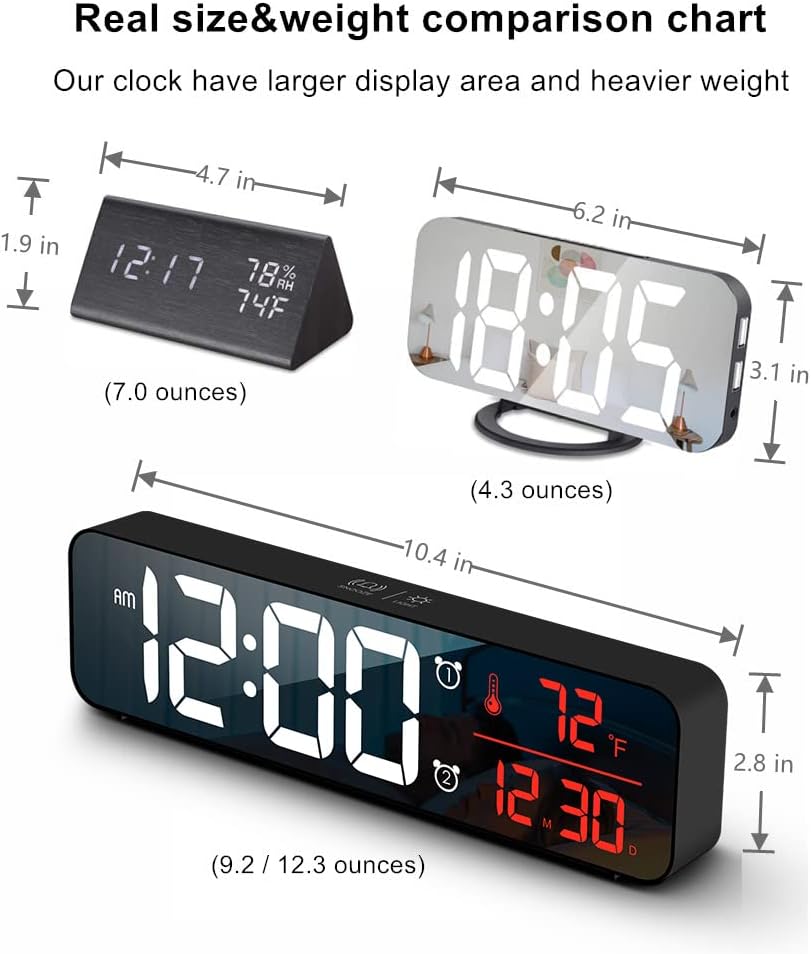
| Rozměry produktu | 10.4 cm Š x 2.8 cm V |
| Zdroj napájení | Corded Electric (USB-5V) |
| Speciální funkce | Large Display, Automatic Brightness Dimmer, Memory Function, Dual Alarms, Date, Temperature |
| Typ montáže | Tabletop or Wall-mountable |
| Materiál | Akrylonitril-butadien-styren (plast) |
| Hmotnost položky | 1 libra (přibližně 16 uncí) |
Záruka a podpora
Abovsare is committed to providing high-quality products. For specific warranty details and customer support, please refer to the information provided at the time of purchase or visit the official Abovsare brand store.
Abovsare Brand Store: https://www.amazon.com/stores/Abovsare/page/D02B5557-764F-4435-8DFB-4333D462DA1C